
PDF Compressor: Reduce PDF
Shrink File Size Offline
Designed for iPhone, iPod touch
Free
- Age rating4+
- CategoryUtilities
- DeveloperTAREQ ALHUSAINI
- LanguagesEnglish
- Size5.3 MB
Links to the official App Store page
Download.org hosts no file of PDF Compressor: Reduce PDF. The button opens its official App Store page, published by TAREQ ALHUSAINI. Listing last checked on Nov 17, 2026.
Screenshots
About
Compress PDF files quickly, reduce file size, and keep your documents private with PDF Compressor: Reduce PDF.
Need to make a PDF smaller for email, work, school, online forms, or document uploads? PDF Compressor helps you reduce PDF file size directly on your iPhone or iPad — with no account required and no document uploads to our servers.
SMART PDF COMPRESSION
Reduce PDF size while preserving text, links, and document structure whenever possible. Smart Compression is ideal for documents where readability and selectable text matter.
MULTIPLE COMPRESSION OPTIONS
Choose the compression method that fits your needs:
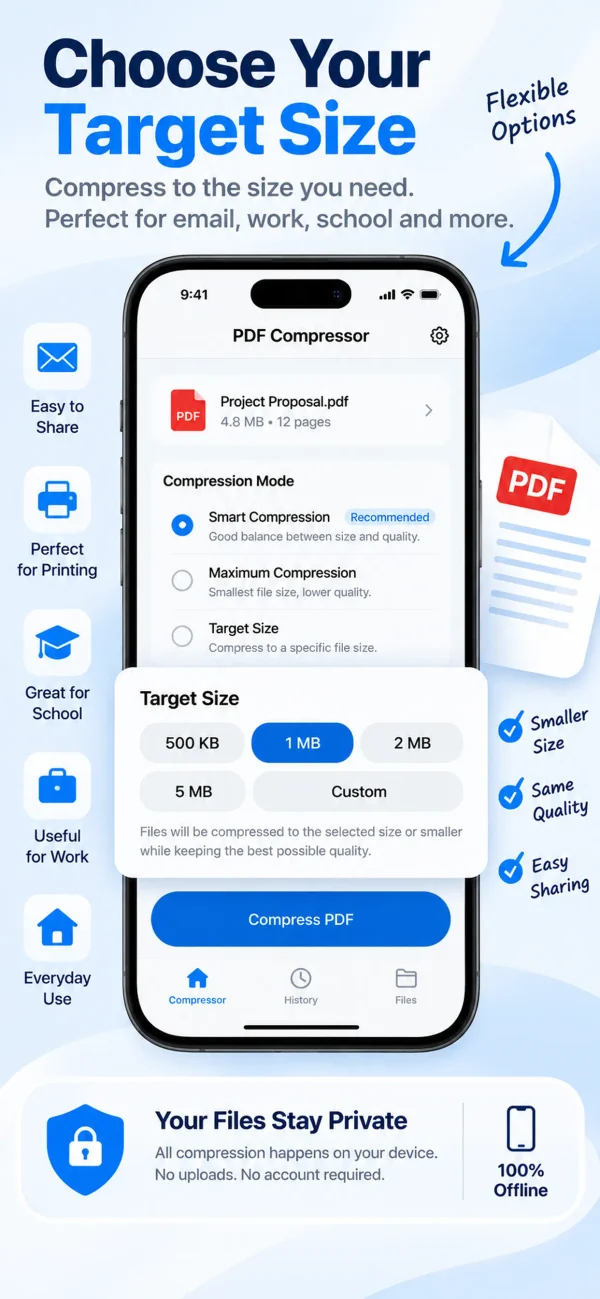
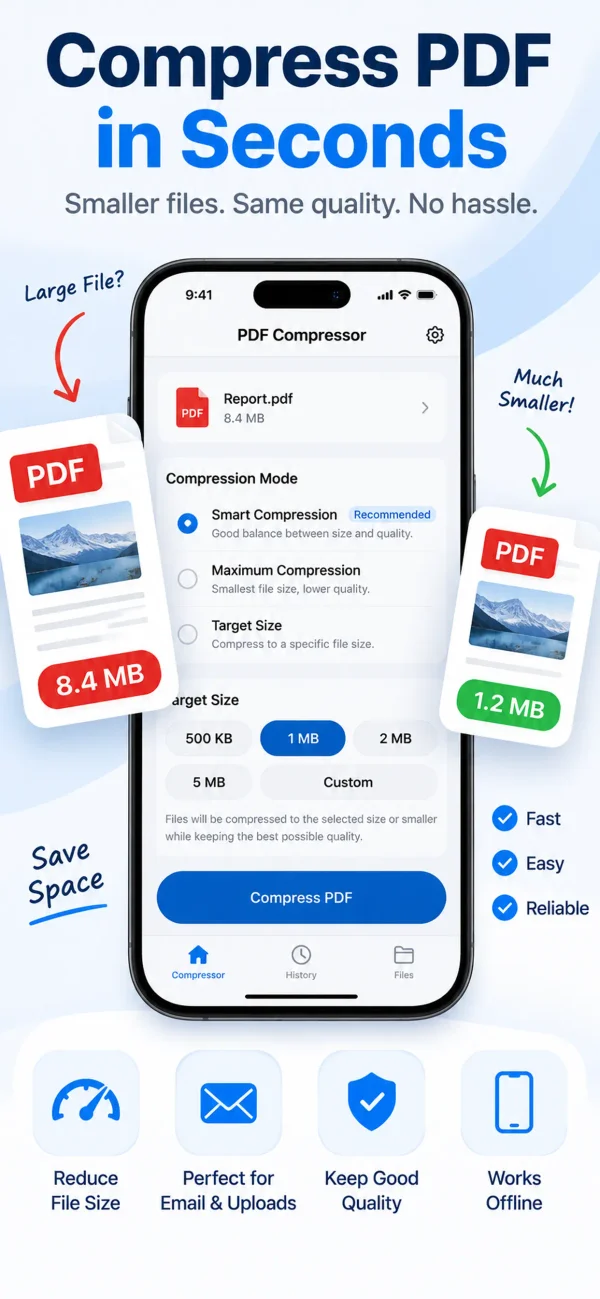
• Smart Compression — Reduce file size while preserving text and links
• Maximum Compression — Get a smaller file using stronger compression
• Target Size — Try to compress your PDF toward 500 KB, 1 MB, 2 MB, 5 MB, or a custom size
• Multiple quality options for stronger compression
BUILT FOR REAL-WORLD FILE SIZE LIMITS
Trying to upload a PDF but the file is too large? Choose a target size and let PDF Compressor reduce the document as much as possible while protecting its structure.
Some PDFs are already highly optimized, so the exact target size cannot always be reached. The app clearly tells you when further compression would reduce document quality or make the file larger.
PRIVATE — YOUR PDFs STAY ON YOUR DEVICE
Your PDF documents are processed locally on your device.
• No PDF uploads to our servers
• No account required
• No sign-in required
• Your original PDF is never overwritten
• Save or share the compressed copy only when you choose
PREVIEW BEFORE AND AFTER
Preview your PDF before compression and check the compressed version when processing is complete.
CLEAR COMPRESSION RESULTS
See exactly what happened to your document:
• Original file size
• Compressed file size
• Percentage of space saved
• Compression method used
• Whether text and links were preserved
SAVE AND SHARE EASILY
Save your compressed PDF to Files or share it directly using the standard iOS sharing options.
PDF Compressor: Reduce PDF is designed to make reducing PDF file sizes simple, fast, and private.
Choose a PDF, select your compression method, reduce its size, and save the result.
What’s new
Version 1.2 · Sep 26, 2026
• Improved PDF compression performance and reliability.
• Improved file size optimization.
• Faster and smoother compression experience.
• Bug fixes and general performance improvements.
App privacy
What TAREQ ALHUSAINI declares on the App Store about how this app handles data.
-
Data used to track you
May be used to track you across apps and websites owned by other companies.
- Location
- Identifiers
- Usage data
-
Data linked to you
May be collected and linked to your identity.
- Location
- Identifiers
- Usage data
- Diagnostics
-
Data not linked to you
May be collected but is not linked to your identity.
- Diagnostics
Privacy practices may vary, for example with the features you use or your age.
Information
- Seller
- TAREQ ALHUSAINI
- Category
- Utilities
- Version
- 1.2
- Updated
- Sep 26, 2026
- Released
- Sep 9, 2026
- Size
- 5.3 MB
- Requires
- iOS 15.0 or later
- Age rating
- 4+
- Price
- Free
- Languages
- English
- Copyright
- © 2026 Tareq Alhusaini
You might also like
-
 Compress PDF: Shrink FileReduce PDF size offline
-
 PDF Under: PDF CompressorCompress to exact MB or KB
-
 PDF Compressor: Resize fileShrink Documents for Email
-
 PDF Slim - Reduce PDF SizePDF Compressor, No Payment
-
 PDFPress - PDF CompressorShrink PDF size for upload
-
 Compress Pdf : Reduce PdfPDF Compressor - PDF Converter
-
 UnderLimit: PDF CompressorShrink Photos to Target Size
-
 PDF & Photo CompressorReduce File Size, HEIC to JPG
-
 Photo to PDF: Merge, CompressScan, split, organise, offline
-
 PDF Compressor: Compress PhotoReduce File & Image Size