PDF Compressor - Shrink Files
Compress PDF to Target Size
Designed for iPhone, iPad
Free · In-app purchases
- Age rating4+
- CategoryProductivity
- Developer荣晖 丁
- LanguagesEnglish+ 17 more
- Size7.1 MB
Links to the official App Store page
Download.org hosts no file of PDF Compressor - Shrink Files. The button opens its official App Store page, published by 荣晖 丁. Listing last checked on Nov 12, 2026.
Screenshots


About
PDF Compressor is a fast, simple, and privacy-focused tool for reducing PDF file size on your iPhone and iPad.
— COMMON PROBLEMS WE SOLVE —
• Application system says "PDF must be under 2MB" but yours is 8MB
• Exam registration (civil service, teaching certification, GRE, IELTS) requires smaller PDFs
• Visa and passport scans are too large for embassy upload portals
• Email attachments exceed the 25MB limit
• Contracts, invoices, and resumes need to be smaller for sharing
• Academic journal submission systems have strict PDF size limits
If any of these sound familiar, PDF Compressor can fix it in seconds.
— KEY FEATURES —
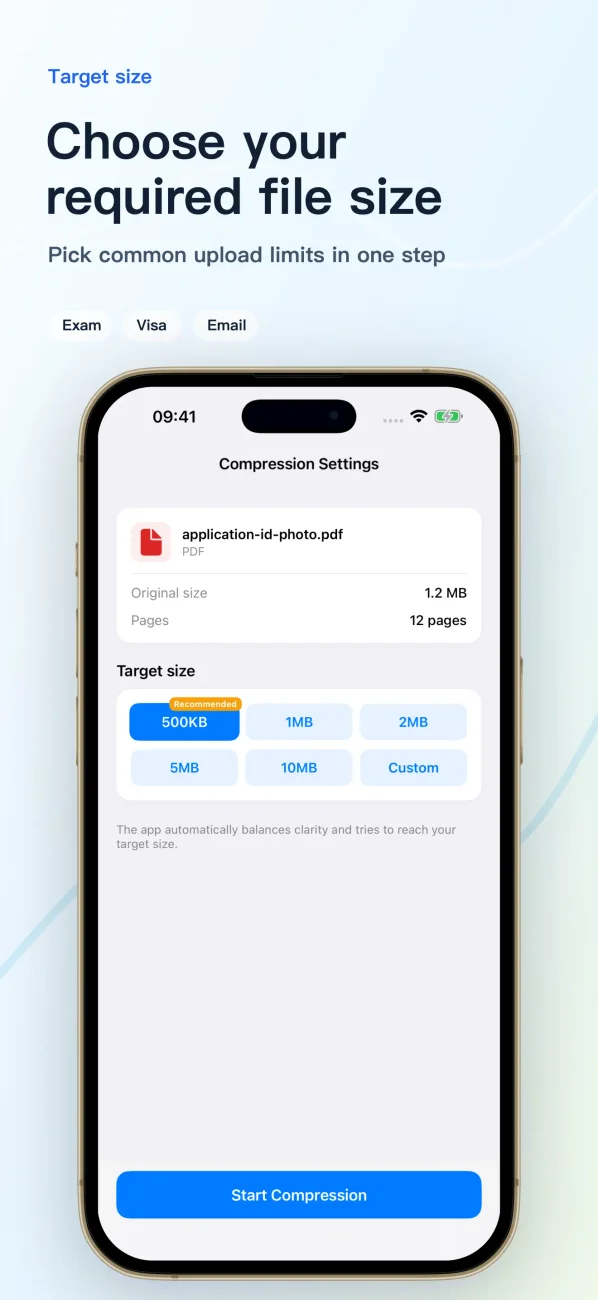
COMPRESS TO A SPECIFIC TARGET SIZE
Choose your target and let the app handle the rest:
• 500KB — For strict application forms
• 1MB — For exam registrations
• 2MB — Most common, works for most upload systems
• 5MB — For visa and passport documents
• 10MB — For email attachments and file sharing
• Custom — Set any target size you need
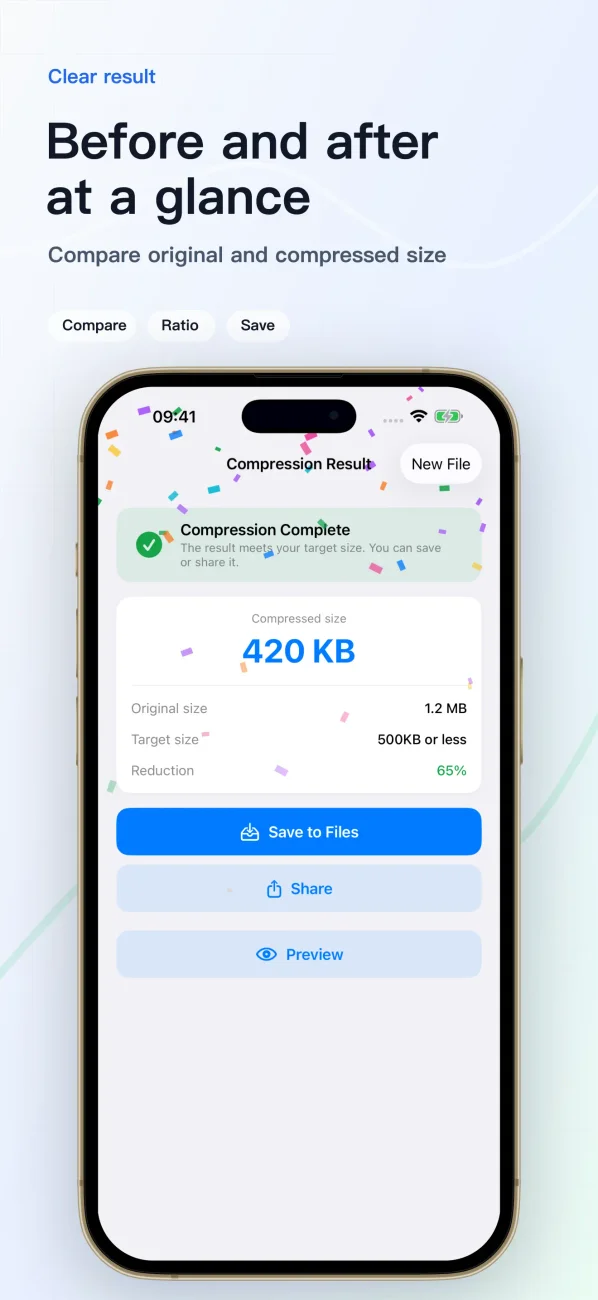
CLEAR RESULTS
• See original size vs. compressed size
• View compression ratio (e.g., reduced by 78%)
• Know immediately if your target was met
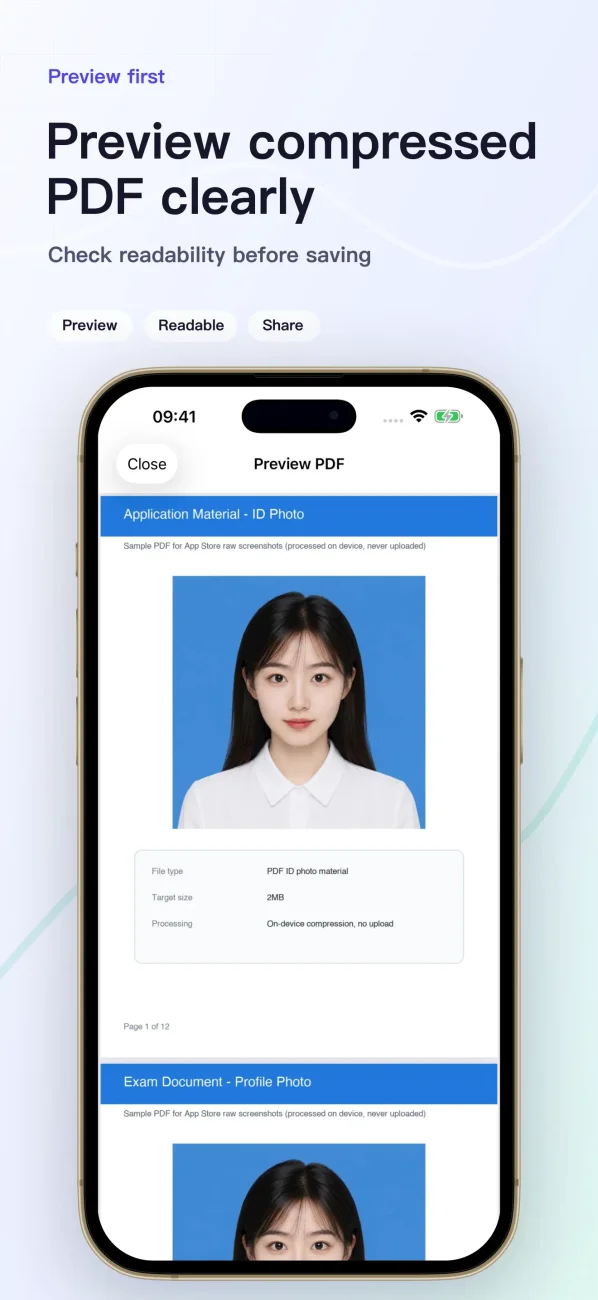
• Preview the compressed PDF to verify readability
SAVE & SHARE
• Save to iCloud Drive, local folders, or other locations
• Share via Messages, Mail, AirDrop, or any app
• Smart file naming for easy organization
• Batch compress multiple PDFs with Pro
— PRIVACY FIRST —
PDF Compressor processes everything on your device. Your PDF files are never uploaded to any server. We don't read, store, or share your file content.
No third-party analytics, no ad tracking, no data collection.
— PLEASE NOTE —
Compression results vary by PDF type:
• Scanned / image-heavy PDFs — Typically see 50%–90% size reduction
• Text-only PDFs — Already small; limited compression possible
• If the target isn't met, try a larger target
— PDF COMPRESSOR PRO —
Free users can compress up to 1 time per day.
Upgrade to Pro for:
• Unlimited PDF compression
• Custom target sizes
• Batch compression for multiple PDFs
• Ad-free, distraction-free experience
Choose from flexible options: a one-time purchase Lifetime Pro (unlocked forever), or flexible Monthly Pro and Yearly Pro auto-renewable subscription plans.
— IN-APP PURCHASES & SUBSCRIPTIONS TERMS —
• Plans and Billing: Monthly Pro and Yearly Pro are auto-renewable subscriptions. Lifetime Pro is a one-time purchase. Actual prices are shown on the App Store product page and purchase sheet.
• Auto-Renewal: Payment will be charged to your iTunes Account at confirmation of purchase. Subscriptions will automatically renew at the same price and duration unless auto-renew is turned off at least 24 hours before the end of the current billing period. Your account will be charged for renewal within 24 hours prior to the end of the current period at the cost of the chosen plan.
• Manage Subscriptions: You can manage your subscriptions and turn off auto-renewal at any time by going to your App Store Account Settings after purchase.
• Restore Purchases: If you have previously unlocked Pro, you can reactivate it by clicking "Restore Purchases" on the paywall or settings screen.
• Terms of Use (EULA): https://www.apple.com/legal/internet-services/itunes/dev/stdeula/
Questions or feedback? Reach us through Settings > Contact Us.
What’s new
Version 1.3.4 · Oct 12, 2026
• One free export each day, including custom size targets. Preview the compressed PDF before saving or sharing.
• Clearer target limits and result messages help you understand the actual compression result.
• Export the same previously exported result again without using another free export. Existing history results remain available.
• Improved export counting: canceled or failed saves and shares do not use your free export.
• Pro continues to include unlimited exports and batch processing.
App privacy
What 荣晖 丁 declares on the App Store about how this app handles data.
-
Data not collected
The developer does not collect any data from this app.
Privacy practices may vary, for example with the features you use or your age.
Information
- Seller
- 荣晖 丁
- Category
- Productivity
- Version
- 1.3.4
- Updated
- Oct 12, 2026
- Released
- Jun 1, 2026
- Size
- 7.1 MB
- Requires
- iOS 16.0 or later
- Age rating
- 4+
- Price
- Free
- In-app purchases
- Yes
- Languages
- English, Arabic, Dutch, French, German, Hindi, Indonesian, Italian, Japanese, Korean, Portuguese, Russian + 6 more
- Copyright
- © 2026 MM Studio
You might also like
-
 Shrink PDF: Compress PDF FilesProductivity
-
 PDF Compressor: Shrink filesReduce PDF Size for Email
-
 PDF Compressor • Compress PDFReduce PDF Size & Keep Quality
-
 PDF Compressor : Compress SizeReduce File Size & Merge PDFs
-
 PDF Compressor: Compress PDF .Compress PDF - PDF Compressor
-
 Batch PDF Compressor SquashPDFDocument Size Reducer Tool
-
 Compress PDF reduce pdf sizePDF Compressor, Small pdf size
-
 PDF Compressor: Compress FilesShrink Documents & Reduce Size
-
 PDF Compressor-Compress PDFReduce PDF Size & Keep Quality
-
 UniPDF: PDF Converter, ScannerPDF editor, photo to PDF, sign