PDF Converter - Scan Documents
Photo to PDF, Document Scanner
Designed for iPhone, iPad
Free · In-app purchases
- Age rating4+
- CategoryUtilities
- DeveloperRICKHIL PUNEET PRAKASH
- LanguagesEnglish
- Size16.4 MB
Links to the official App Store page
Download.org hosts no file of PDF Converter - Scan Documents. The button opens its official App Store page, published by RICKHIL PUNEET PRAKASH. Listing last checked on Nov 15, 2026.
Screenshots
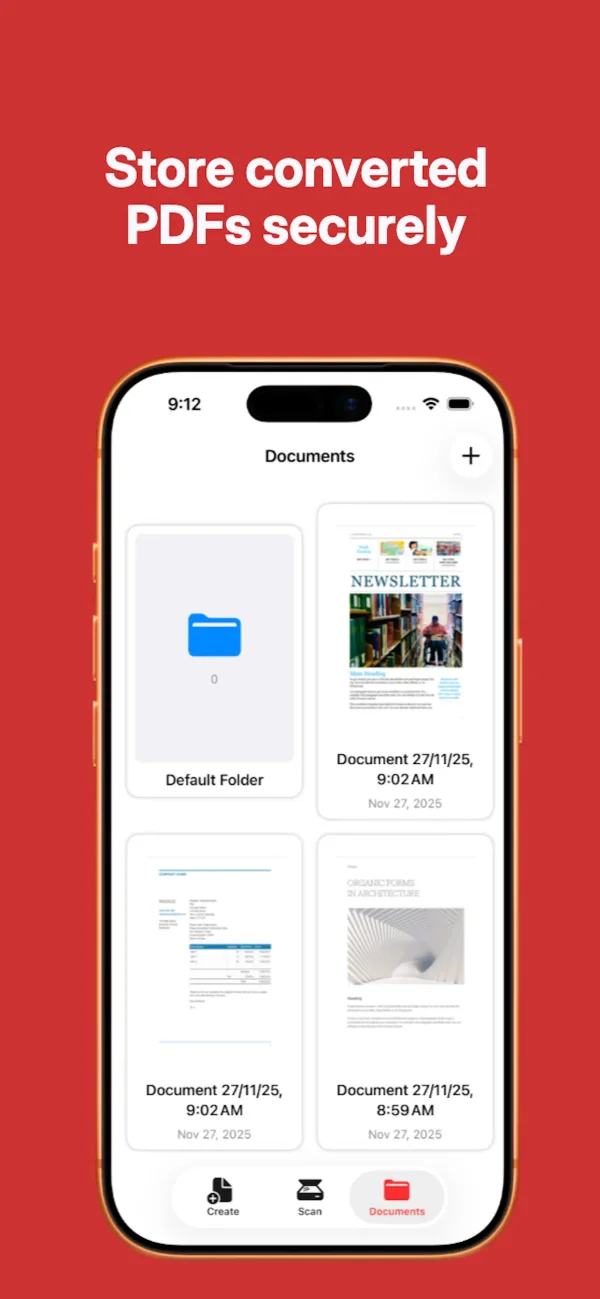
About
PDF Converter - Your All-in-One Document Scanner & PDF Creator
Transform your iPhone into a powerful document scanner and PDF converter. Whether you need to scan receipts, digitize documents, or convert photos to PDF, our app delivers professional results in seconds.
POWERFUL PDF CONVERSION
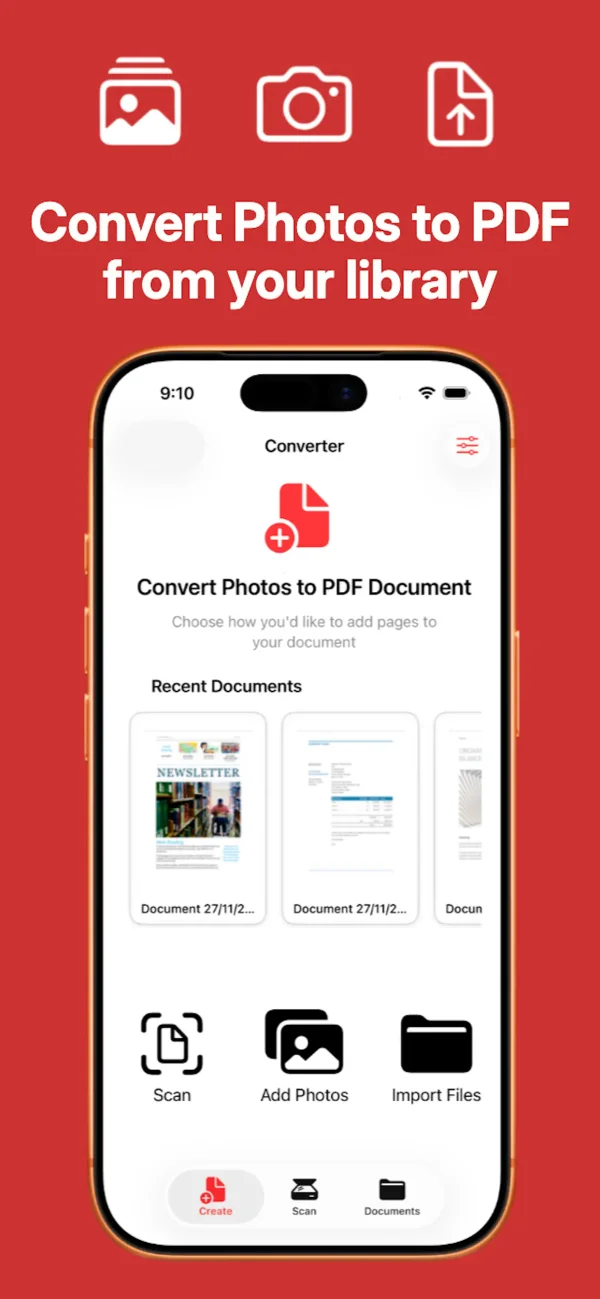
Convert photos to PDF instantly
Batch convert multiple images to one PDF file
Create high-quality, compressed PDFs
Photo to PDF converter with advanced optimization
Merge multiple PDFs into single documents
PROFESSIONAL DOCUMENT SCANNER
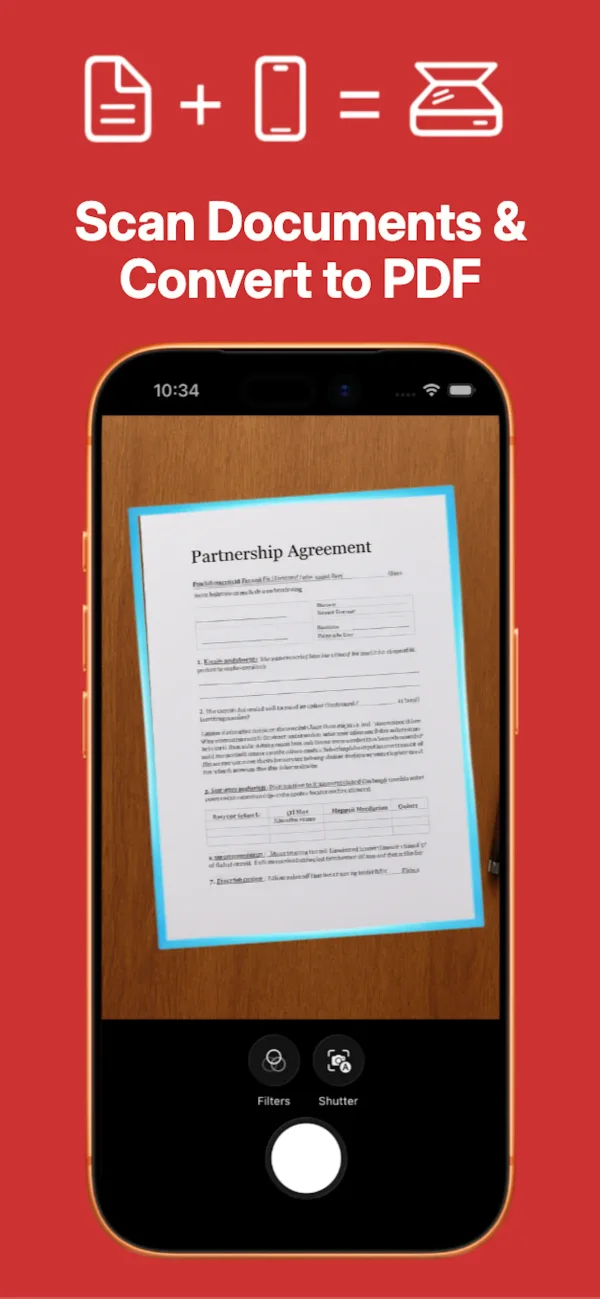
Auto-detect document edges and borders
Smart perspective correction for perfect scans
Enhance scan quality with image filters
Remove shadows and improve readability
Scan receipts, contracts, notes, and more
KEY FEATURES
Fast image to PDF conversion
Multi-page PDF creation
Automatic edge detection
Color, grayscale, and black & white modes
Adjust brightness, contrast, and saturation
Crop and rotate scanned documents
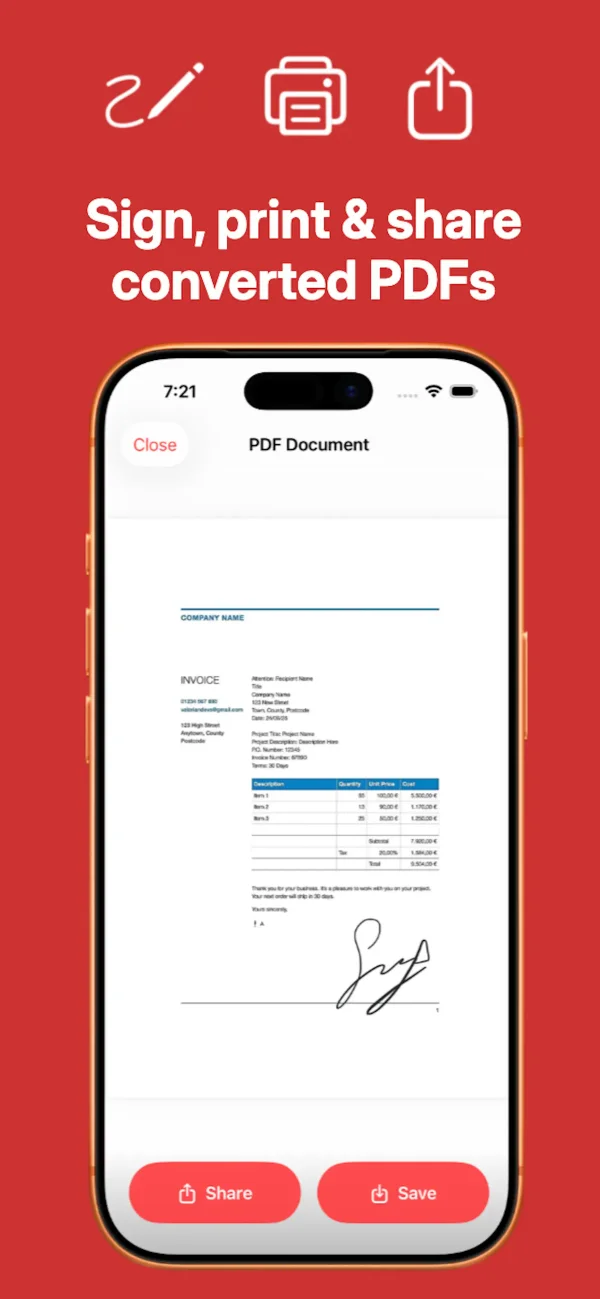
Add signatures and annotations
OCR text recognition (extract text from images)
Organize files in folders
SHARE & EXPORT
Share PDFs via email, Messages, or AirDrop
Export to iCloud Drive, Dropbox, and Google Drive
Print documents directly from the app
Save to Photos or Files app
WHY CHOOSE PDF CONVERTER?
- Lightning-fast processing
- Professional scan quality
- User-friendly interface
- No watermarks on your PDFs
- Works offline - no internet required
- Privacy-focused - your documents stay on your device
- Regular updates and improvements
PERFECT FOR:
Students scanning homework and notes
Business professionals digitizing contracts
Travelers organizing receipts and tickets
Anyone who needs quick document scanning
Creating professional PDF portfolios
DOCUMENT TYPES WE SUPPORT:
Scan and convert any document type: receipts, invoices, business cards, contracts, letters, whiteboards, books, notes, ID cards, certificates, and more.
Our powerful document scanner uses advanced image processing to deliver crystal-clear scans every time. The intelligent edge detection automatically crops your documents, while our enhancement filters ensure text is sharp and readable.
Convert single photos or create multi-page PDF documents from your entire photo library. Batch processing lets you handle multiple files at once, saving you valuable time.
EASY TO USE:
Capture or select photos
Auto-enhance and crop
Convert to PDF instantly
Share or save your document
No complicated settings or confusing menus - just point, scan, and convert. PDF Converter makes document scanning accessible to everyone.
PRIVACY & SECURITY
Your documents remain private and secure. All processing happens on your device, and we never upload your files to external servers.
CONTINUOUS IMPROVEMENTS
We regularly update the app with new features and enhancements based on user feedback. Your satisfaction is our priority.
Download PDF Converter today and experience the easiest way to scan documents and create professional PDFs on your iPhone. Join thousands of satisfied users who trust our app for their daily document needs.
You may purchase an auto-renewing subscription through an In-App Purchase.
• Auto-renewable subscription
• Your subscription will be charged to your iTunes account at confirmation of purchase and will automatically renew (at the duration selected) unless auto-renew is turned off at least 24 hours before the end of the current period.
• Current subscription may not be cancelled during the active subscription period; however, you can manage your subscription and/or turn off auto-renewal by visiting your iTunes Account Settings after purchase
https://pdfconverterdocumentscanner.wordpress.com/privacy-policy
https://pdfconverterdocumentscanner.wordpress.com/terms-of-service
App privacy
What RICKHIL PUNEET PRAKASH declares on the App Store about how this app handles data.
-
Data not linked to you
May be collected but is not linked to your identity.
- Purchases
- Identifiers
- Usage data
- Diagnostics
Privacy practices may vary, for example with the features you use or your age.
Information
- Seller
- RICKHIL PUNEET PRAKASH
- Category
- Utilities
- Version
- 1.0
- Updated
- Nov 29, 2025
- Released
- Nov 29, 2025
- Size
- 16.4 MB
- Requires
- iOS 17.5 or later
- Age rating
- 4+
- Price
- Free
- In-app purchases
- Yes
- Languages
- English
- Copyright
- © PDF Converter - Scan Documents
You might also like
-
 Free PDF Converter PDF to WordPhoto to PDF maker & Scan doc
-
 Convert Photo to PDF: MakerDocument Scanner, JPG & PNG
-
 PDF Editor & Scanner: DocKitScan, Edit, Merge & Lock PDFs
-
 Photo to PDF, Scan & ConvertDocument Scanner, Converter
-
 Image To PDF : Image CompresorConver PDF To Image , Photos
-
 XPS Viewer - XPS to PDFOpen OXPS, Reader & Converter
-
 PDF Converter & Sign: PDFeroMerge, Scan, Word & Photos
-
 Easy Camera Scanner - PDFscan, edit, save, share PDF
-
 Sri Lanka Calendar 2026Holiday Calendar with Events
-
 MyGatePass: VisitorVisits. Made simple.