PDF Editor & Scanner: DocKit
Scan, Edit, Merge & Lock PDFs
Designed for iPhone, iPad
Free · In-app purchases
- Age rating9+
- CategoryUtilities
- DeveloperNadezhda Belozerova
- LanguagesEnglish+ 31 more
- Size170.7 MB
Links to the official App Store page
Download.org hosts no file of PDF Editor & Scanner: DocKit. The button opens its official App Store page, published by Nadezhda Belozerova. Listing last checked on Nov 17, 2026.
Screenshots
About
Scan, edit, organize, and secure your PDFs — all in one simple app.
DocKit is the easiest way to turn paper into clean PDFs, manage your files, and make quick edits right from your iPhone. Whether you’re working, studying, or handling personal documents, DocKit helps you get everything done faster.
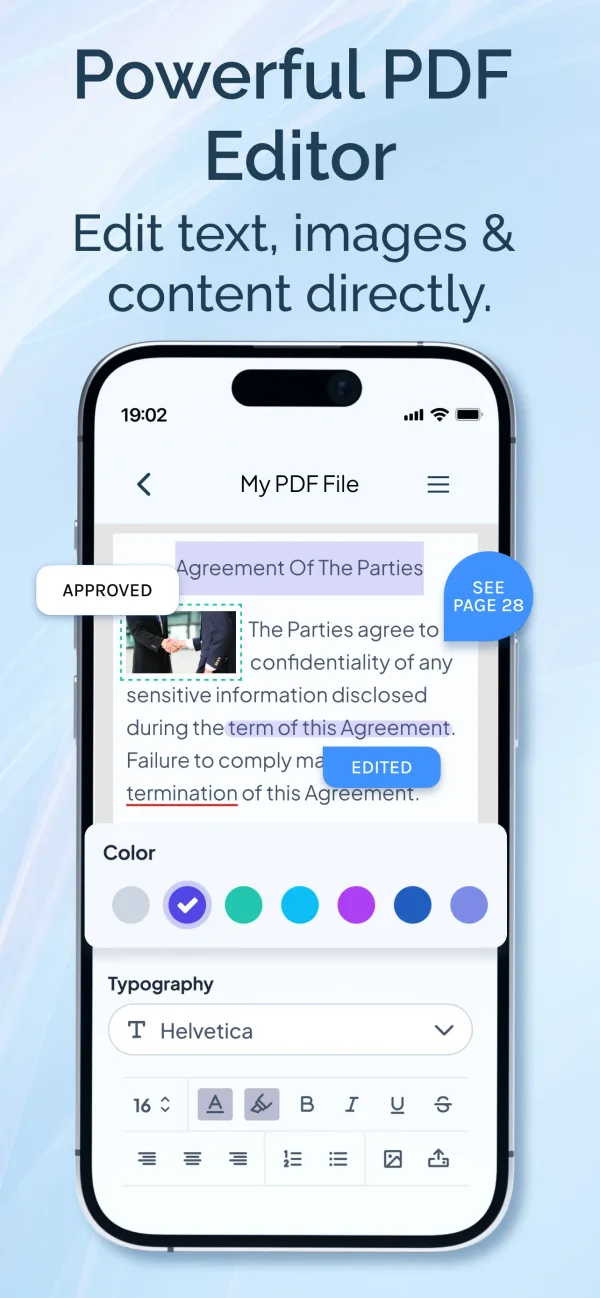
Powerful PDF editing
Edit your documents with full page control:
Add pages
Delete pages
Duplicate pages
Replace pages
Rotate pages
Split PDFs
Merge multiple PDFs into one
Make your PDFs clean, organized, and ready to share.
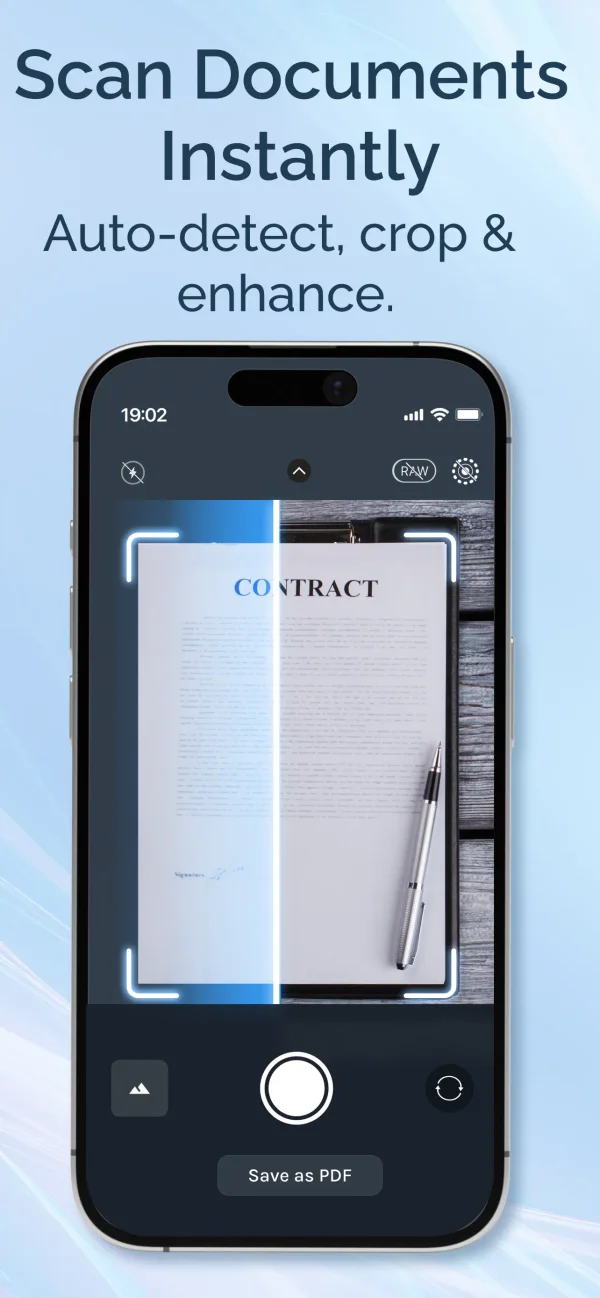
Scan documents like a pro
Create high-quality scans in seconds:
Auto & Manual scan modes
Built-in filters: Photo, B&W, Grayscale, Color
Reshoot pages anytime if you don’t like the result
Edit scanned pages: Crop, rotate, apply filters, delete pages
Perfect for receipts, contracts, IDs, notes, invoices, school papers, and more.
Keep documents private
Protect sensitive files in one tap:
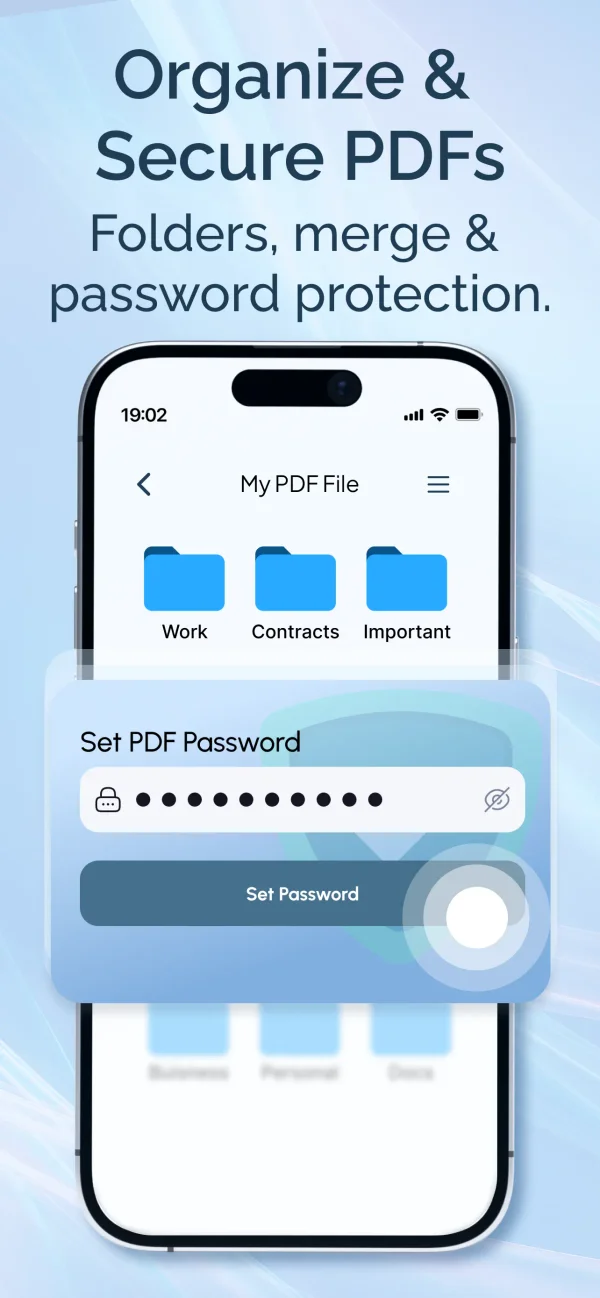
Password lock for PDFs
Secure your documents before sending or storing them
Great for personal files, business documents, and anything confidential.
Built-in file manager & folders
DocKit is more than a scanner — it’s your document workspace:
Import files from Files app or Photos
Create folders to keep everything organized
Folder actions: Move, duplicate, rename, delete
Document actions: Share, lock, move, duplicate, rename, delete
No more messy document chaos — keep everything structured and easy to find.
Why users love DocKit
Fast scanning + clean results
Simple page editing tools
Organize documents with folders
Protect PDFs with passwords
Perfect for work, school & everyday life
Download PDF Editor & Scan: DocKit today and manage your documents the smart way.
Links to our Terms of Service and Privacy Policy can be found below.
Privacy Policy: https://file-reader.ru/pdf-editor/privacy-policy/
Terms of Use: https://file-reader.ru/pdf-editor/terms-of-service/
What’s new
Version 2.6 · Oct 1, 2026
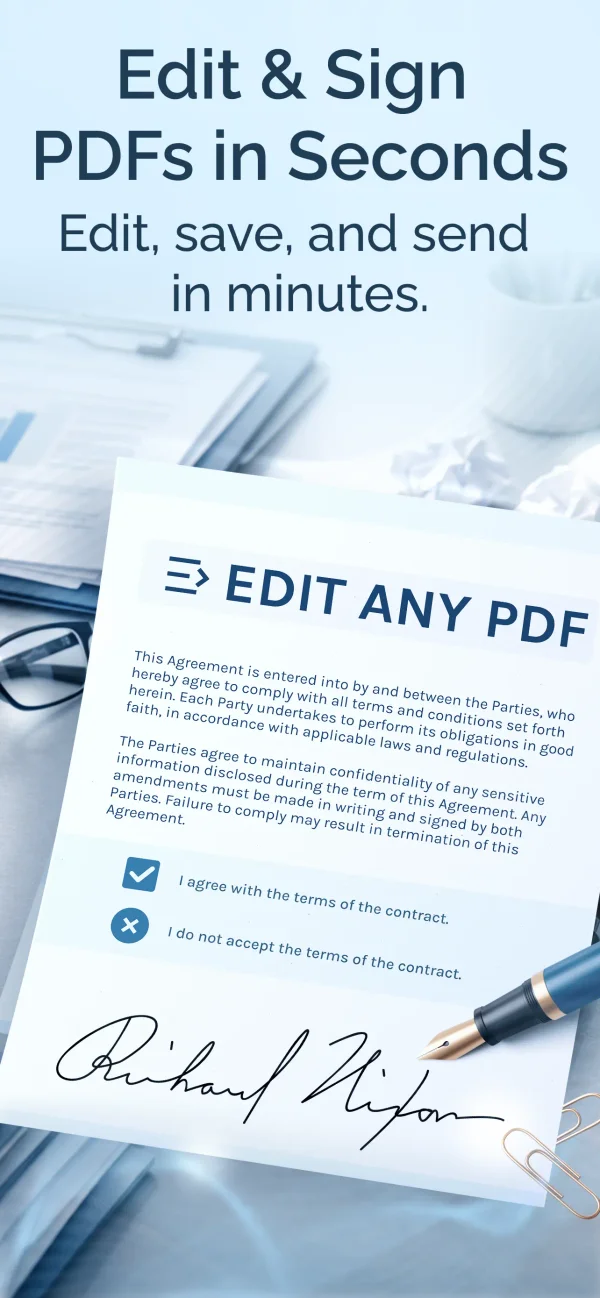
The biggest DocKit update ever: edit the text in your PDFs, sign, stamp and collect signatures — right on your iPhone.
EDIT TEXT — IN THE ORIGINAL FONT
DocKit now recognizes the font in your document, so every change looks like it was always there. Fix a typo, update a date, change a name or a price, rewrite a whole paragraph. No retyping the document, no white-out boxes, no laptop. Just tap the text and type.
SIGN AND STAMP — NO PRINTER NEEDED
Draw your signature and drop it on any page in a tap. Add your company stamp right next to it. Contracts, invoices, lease agreements, school forms, delivery notes — print, sign, scan, email is officially a thing of the past.
INVITE OTHERS TO SIGN
Need a signature from a client, a landlord or a colleague? Add them to the document and send it straight from DocKit. No couriers, no meeting in person, no chasing people down — the paperwork moves while you get on with your day.
ANNOTATE, ADD IMAGES, CLEAN UP
Leave notes and comments right on the page, mark what matters and flag what needs fixing. Insert a logo, a photo or a chart and place it exactly where you want it. Remove text or images that shouldn't be there — your PDF, your rules.
SCAN IT. SIGN IT. SEND IT.
Point your camera at any paper document and get a clean, sharp PDF in seconds. Then sign it, stamp it and send it back without leaving the app. Paper in, signed PDF out — in under a minute.
PLUS EVERYTHING YOU ALREADY RELY ON
- Add, delete, duplicate, replace and rotate pages
- Split one PDF into several or merge several into one
- Auto and manual scanning with Photo, B&W, Grayscale and Color filters
- Password protection for confidential files
- Folders to keep every document organized
- Import from Files and Photos, share anywhere in one tap
Got a document waiting for your signature? Open DocKit and get it done now. And if this update saves you a trip to the office, a quick rating takes five seconds and means the world to us.
App privacy
What Nadezhda Belozerova declares on the App Store about how this app handles data.
-
Data used to track you
May be used to track you across apps and websites owned by other companies.
- Usage data
-
Data not linked to you
May be collected but is not linked to your identity.
- Purchases
- Financial info
- Location
- Contact info
- Contacts
- User content
- Identifiers
- Usage data
- Diagnostics
Privacy practices may vary, for example with the features you use or your age.
Information
- Seller
- Nadezhda Belozerova
- Category
- Utilities
- Version
- 2.6
- Updated
- Oct 1, 2026
- Released
- Feb 22, 2026
- Size
- 170.7 MB
- Requires
- iOS 18.6 or later
- Age rating
- 9+
- Price
- Free
- In-app purchases
- Yes
- Languages
- English, Arabic, Catalan, Croatian, Czech, Danish, Dutch, Finnish, French, German, Greek, Hebrew + 20 more
- Copyright
- © Nadezhda Belozerova
You might also like
-
 Scanner PDF : Convert and signSign, scan and convert to pdf.
-
 Free PDF Converter PDF to WordPhoto to PDF maker & Scan doc
-
 Scanner : PDF Scanner.Scan, edit and sign pdf.
-
 CS Scanner - Doc ScannerPDF Scanner - Camera Scanner
-
 Superpdf:smartpdfUtilities
-
 CamScan: Scan DocumentsScan, sign, convert Documents
-
 Document PDF Scanner.Scan to PDF, OCR & Sign Docs
-
 PDF AI ScannerPDF - Photo & Docs
-
 Easy Camera Scanner - PDFscan, edit, save, share PDF
-
 PDF ConverterㅤㅤConvert Word, JPG, PNG to PDF