PDF - crop question paper
crop your pdf, png
Designed for iPhone, iPad
Free · In-app purchases
- Age rating4+
- CategoryUtilities
- DeveloperCHUNGKIL KIM
- LanguagesEnglish+ 10 more
- Size41.1 MB
Links to the official App Store page
Download.org hosts no file of PDF - crop question paper. The button opens its official App Store page, published by CHUNGKIL KIM. Listing last checked on Nov 17, 2026.
Screenshots
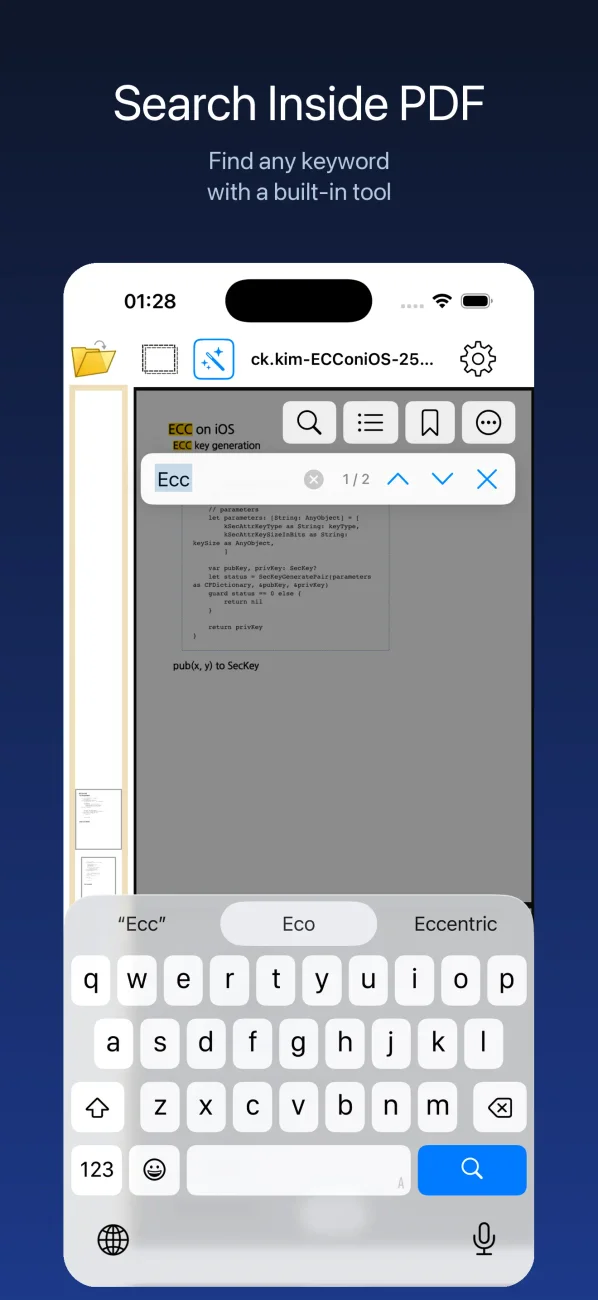
About
Cropper for PDF/HWP/PNG is a fast, focused tool for reading PDFs and copying exactly the areas you need - problems, figures, tables, paragraphs - straight to the clipboard.
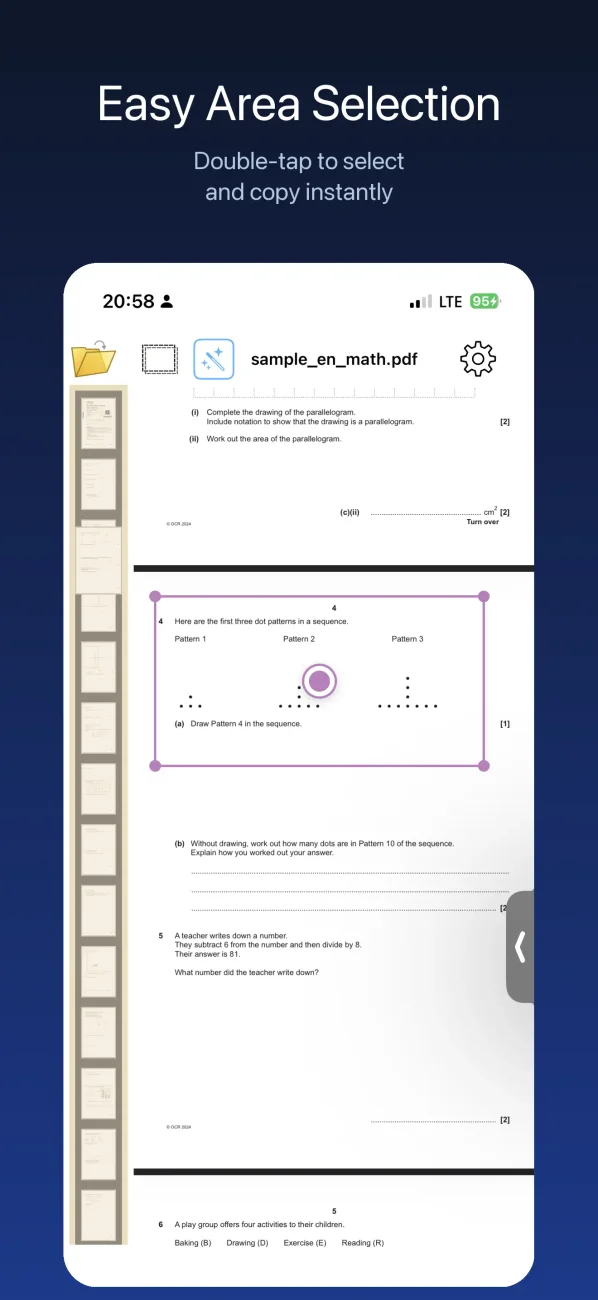
Open any PDF, double-tap to enter crop mode, drag a box around the region, and tap the center to copy. The image lands on your clipboard at the original PDF quality, ready to paste into Notes, Pages, Keynote, your messaging app, or any document editor.
Built originally for math teachers and students working with worksheets and exam papers, Cropper for PDF works just as well for anyone who needs to lift a clean snippet out of a long document.
KEY FEATURES
PDF reading
- Continuous scroll or single-page mode with smooth swipe navigation
- In-PDF text search with match highlights and quick navigation
- Outline (table of contents) for fast chapter and section jumps
- Page-number jump for long documents
- Bookmark any page; the bookmark list is one tap away
- Last-viewed page automatically restored when you reopen a file
- Dark and sepia reading modes for easier night reading
- Per-page rotation that survives across sessions
Region copy
- Double-tap to enter crop mode anywhere on the page
- Free-form rectangular selection with corner handles
- Tap the center to confirm and copy
- Original PDF quality preserved; no lossy re-rendering
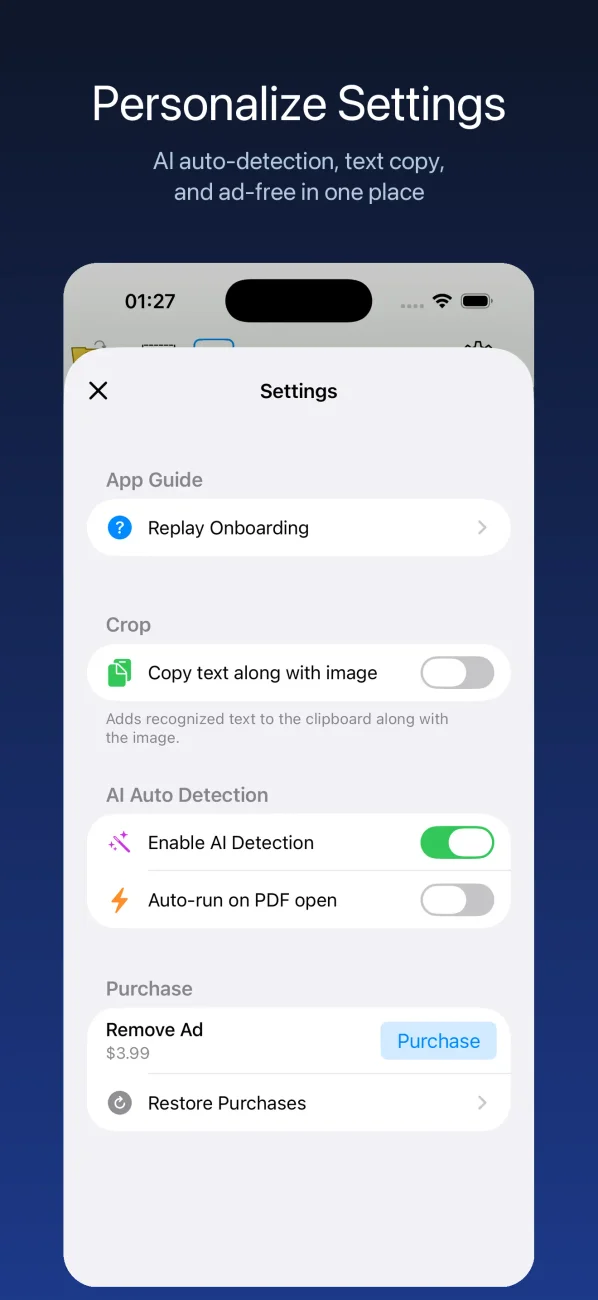
- Optional: copy recognized text alongside the image
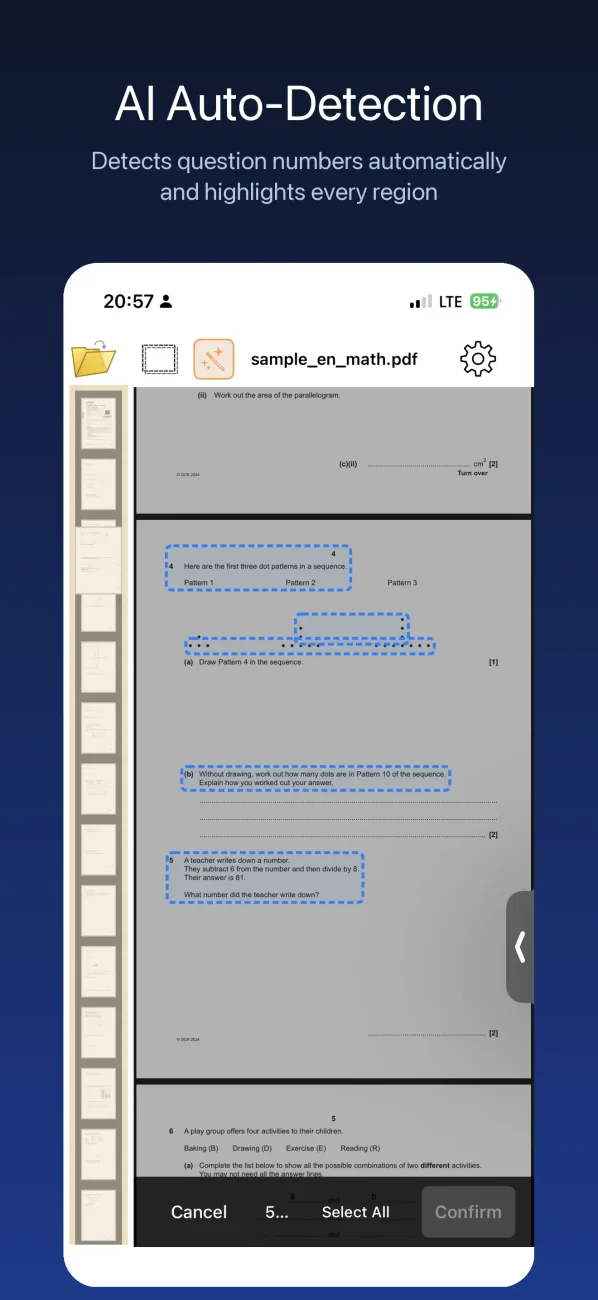
AI auto detection
- One tap detects problem regions on the current page
- Pick the regions you want, copy all selected at once
- Works better on newer devices
App
- Onboarding tour that you can replay anytime from Settings
- Compact, organized settings with clear section grouping
- Optional ad-free purchase
- Localized in English, Korean, and Japanese
[In-app purchases]
- in-app: remove ad banner
- Terms of Use: http://www.apple.com/legal/itunes/appstore/dev/stdeula
- Privacy Policy https://cksw.pe.kr/Cropper/privacy.html
What’s new
Version 1.9.1 · Aug 24, 2026
Version 1.9.1 is a stability release.
Fixed
- Fixed a crash on iPad when using the edit menu after selecting text in a document
- Fixed a crash on iPad when looking up a word from an HWP document
Your bookmarks, last-read page, and page rotations are all preserved.
If anything feels off or you have a suggestion, reach us from Contact in Settings. A short rating on the App Store helps a lot. Thank you.
App privacy
What CHUNGKIL KIM declares on the App Store about how this app handles data.
-
Data used to track you
May be used to track you across apps and websites owned by other companies.
- Identifiers
- Usage data
-
Data not linked to you
May be collected but is not linked to your identity.
- Identifiers
- Usage data
- Diagnostics
Privacy practices may vary, for example with the features you use or your age.
Information
- Seller
- CHUNGKIL KIM
- Category
- Utilities
- Version
- 1.9.1
- Updated
- Aug 24, 2026
- Released
- Mar 22, 2019
- Size
- 41.1 MB
- Requires
- iOS 16.6 or later
- Age rating
- 4+
- Price
- Free
- In-app purchases
- Yes
- Languages
- English, Arabic, French, German, Japanese, Korean, Portuguese, Simplified Chinese, Spanish, Traditional Chinese, Vietnamese
- Copyright
- © CHUNGKIL KIM
You might also like
-
 PDFlexor - PDF Editor ToolsAll-in-One PDF Editing Suite
-
 PDF CropperUtilities
-
 Textscan OCR/PDF/emailTexterkennung, OCR, PDF, Mail
-
 Simple PDF Page RemoverDelete, reorder & organize
-
 PDF Tools-Merge, Rotate& SplitComplete PDF Toolkit
-
 Pdf SidekickUtilities
-
 PDF : Merge, Extract & Reduce#1 PDF Scanner
-
 Web To PDF : Scanner & Reader#1 Scanner and Reader
-
 Split PDF EasyPDF Splitter for Manga & Scan
-
 3DfitsVirtual Fitting Solution