
PDF Editor : Edit Text & Sign
Real PDF Text Editing
Designed for iPhone, iPad
Free · In-app purchases
- Age rating4+
- CategoryProductivity
- DeveloperChetan Shah
- LanguagesEnglish
- Size3.9 MB
Links to the official App Store page
Download.org hosts no file of PDF Editor : Edit Text & Sign. The button opens its official App Store page, published by Chetan Shah. Listing last checked on Nov 12, 2026.
Screenshots

About
Edit the text inside your PDFs - not just annotate on top of them.
Most PDF apps only let you draw boxes and stick notes on a page. PDF Editor lets you tap a line of text, retype it, and have it redraw in place. Fix a typo in a contract, correct a date on a form, or update a name without going back to the original document.
Everything happens on your device. Your files are never uploaded to a server.
EDIT TEXT IN PLACE
Tap any line of text to edit it. The replacement is drawn in the same position, matching the original size and colour so it fits the surrounding document.
SIGN DOCUMENTS
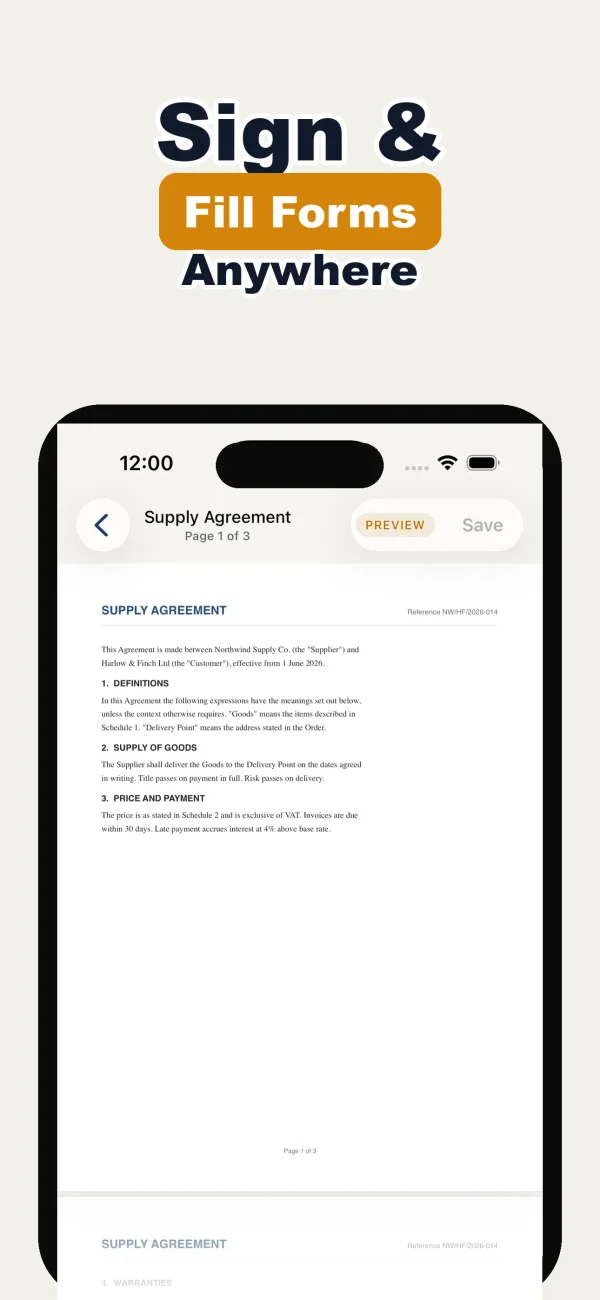
Draw your signature with a finger, then drag and pinch it into position on any page. Save signatures to reuse them across documents - no need to redraw every time.
ADD TEXT ANYWHERE
Drop new text onto any page. Position and size it by dragging, and pick the colour before you place it. Useful for filling forms that have no fillable fields.
BRING YOUR OWN FONTS
PDFs often embed only part of a font, which means the original can't always be reused for edits. Instead of shipping a font library, PDF Editor lets you upload your own .ttf or .otf file so edits can match the document's look. When a font is substituted, the app tells you which one it was - so you know exactly what to upload.
CHOOSE YOUR TEXT COLOUR
Set the colour for edited and newly added text, or leave it to match whatever the original line used.
WORK ACROSS PAGES
Scroll through multi-page documents and place signatures or text on any page.
SHARE WHEN YOU'RE DONE
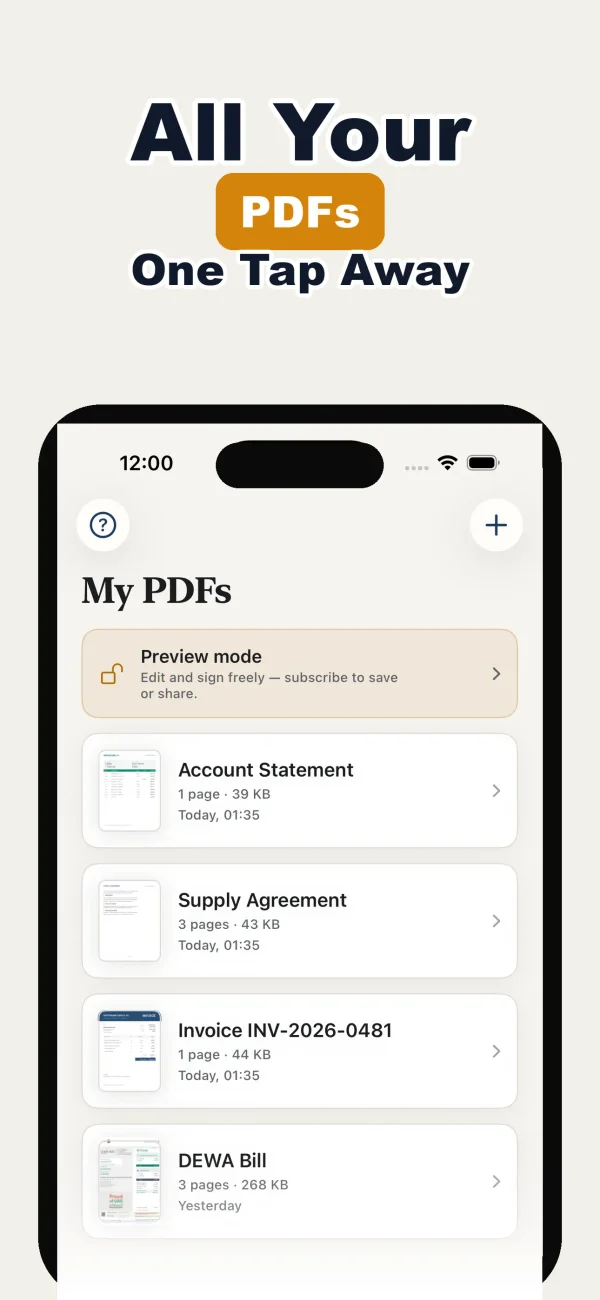
Send the edited PDF straight to email, messaging, cloud storage, or any app that accepts PDFs.
PRIVATE BY DESIGN
Every edit, signature, and font stays on your phone. Nothing is sent to a server, and the app needs no storage permission - you pick files through document picker, and they're copied into the app's private storage.
https://sites.google.com/view/tlutechpdf/home
https://www.apple.com/legal/internet-services/itunes/dev/stdeula/
App privacy
What Chetan Shah declares on the App Store about how this app handles data.
-
Data not collected
The developer does not collect any data from this app.
Privacy practices may vary, for example with the features you use or your age.
Information
- Seller
- Chetan Shah
- Category
- Productivity
- Version
- 1.0
- Updated
- Aug 17, 2026
- Released
- Aug 17, 2026
- Size
- 3.9 MB
- Requires
- iOS 16.0 or later
- Age rating
- 4+
- Price
- Free
- In-app purchases
- Yes
- Languages
- English
- Copyright
- © 2026 Chetan
You might also like
-
 PDF Genius: AI PDF Text EditorEdit, fill & sign any PDF form
-
 PDF Editor : EditorPDF Editor Scan, Merge PDFs
-
 Adobe Editor AI: Edit PDF TextEdit PDF Text, OCR & AI Notes
-
 PDF Text Editor - PDFeditFill & Sign, Merge & Convert
-
 Pure PDF Editor OfflinePrivate PDF Editor & Filler
-
 PDF Editor: Fill, Sign & ScanEdit, Sign & Fill PDF Forms
-
 PDF Editor - Read, Fill & EditEdit PDF Files & Documents
-
 MihraabProductivity
-
 PDF Editor: PDF fill and signEdit PDF, reader & viewer
-
 PDF Document Editor, Read BookScanner App, Edit, Sign, View