- Age rating4+
- CategoryProductivity
- DeveloperAbbas Hoseiny
- LanguagesEnglish+ 43 more
- Size11.4 MB
Links to the official App Store page
Download.org hosts no file of PDF On. The button opens its official App Store page, published by Abbas Hoseiny. Listing last checked on Nov 24, 2026.
Screenshots

About
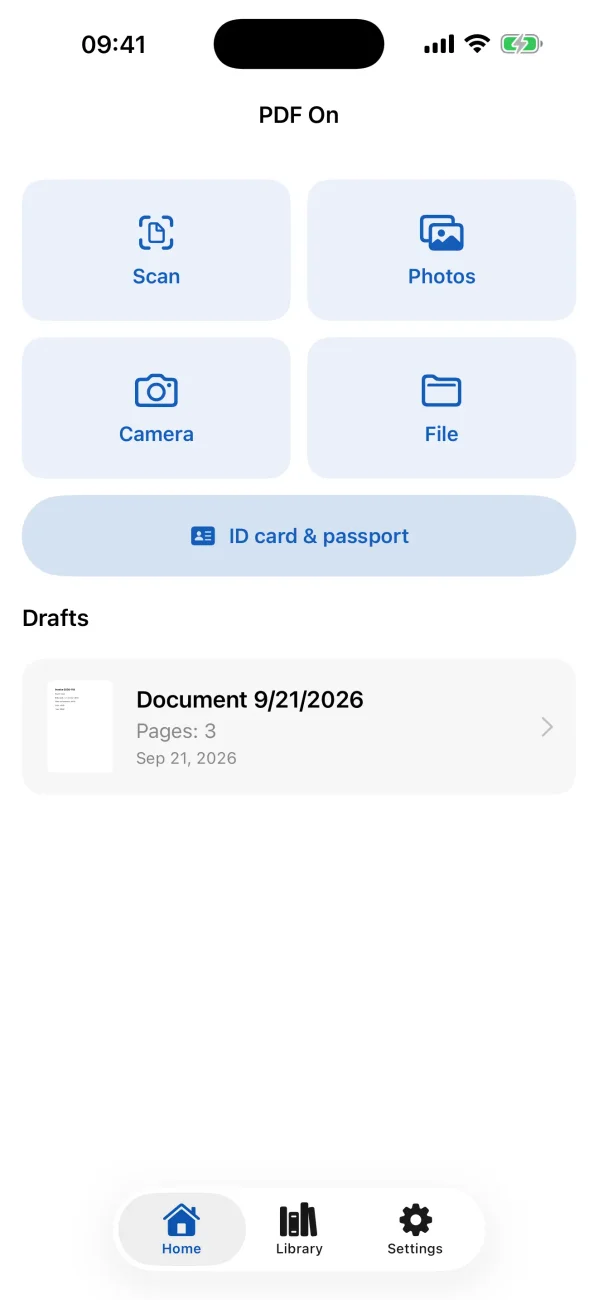
PDF On turns paper into clean PDFs and lets you finish them right away: fill in, sign, highlight, share. Everything happens on your iPhone. No account, no upload, no tracking.
SCAN AND CREATE
• Scan documents with automatic edge detection
• Take a photo and crop it: the edges are found and straightened for you
• Build PDFs from photos, files and other PDFs
• Convert Word, Excel, PowerPoint, Pages, Numbers, Keynote, text and HTML files to PDF
• Choose page size, layout (1, 2 or 4 per page) and quality
• Optional date and time stamps
• Make PDFs searchable with on-device text recognition
• Protect PDFs with a password
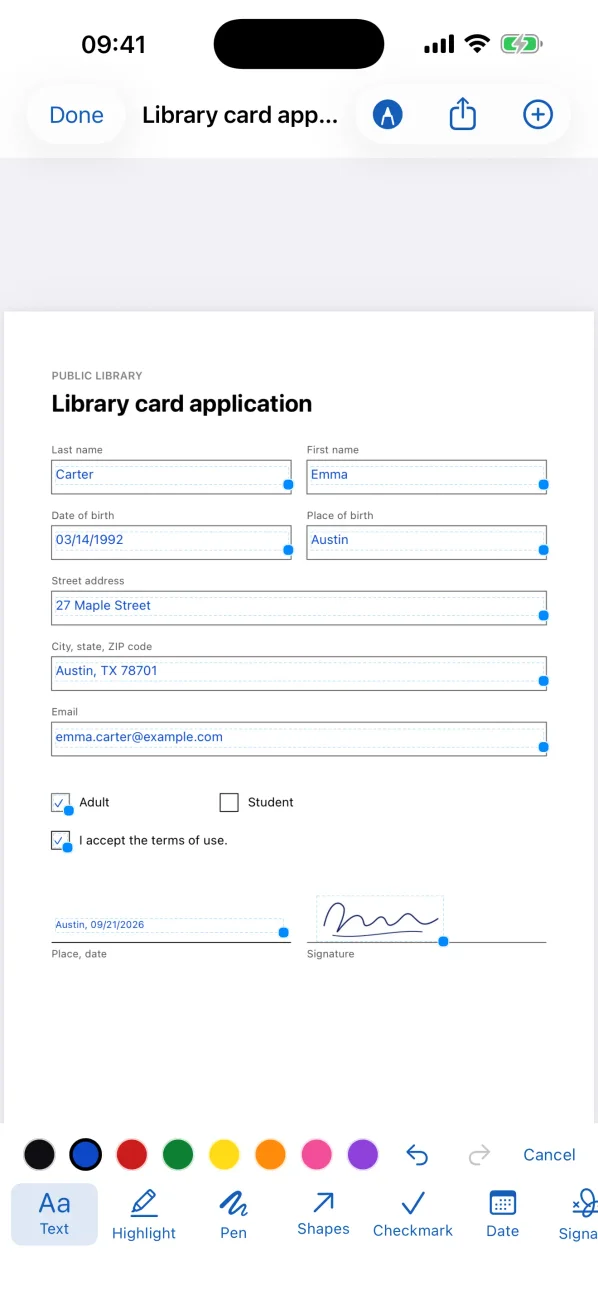
FILL IN AND SIGN
• Tap a form field and type: the text lands inside the box, on the line
• Return jumps to the next field
• Checkmarks snap into checkboxes, dates follow the format of the form
• Your name, address and phone number appear as suggestions above the keyboard
• Sign by drawing, or photograph your signature on paper
• Place a passport photo on an application form: the photo frame is found automatically
• Typefaces, sizes, bold and colors for every language
MARK UP
• Highlighter, pen with thickness and opacity, lines, arrows, rectangles and circles
• Undo and redo
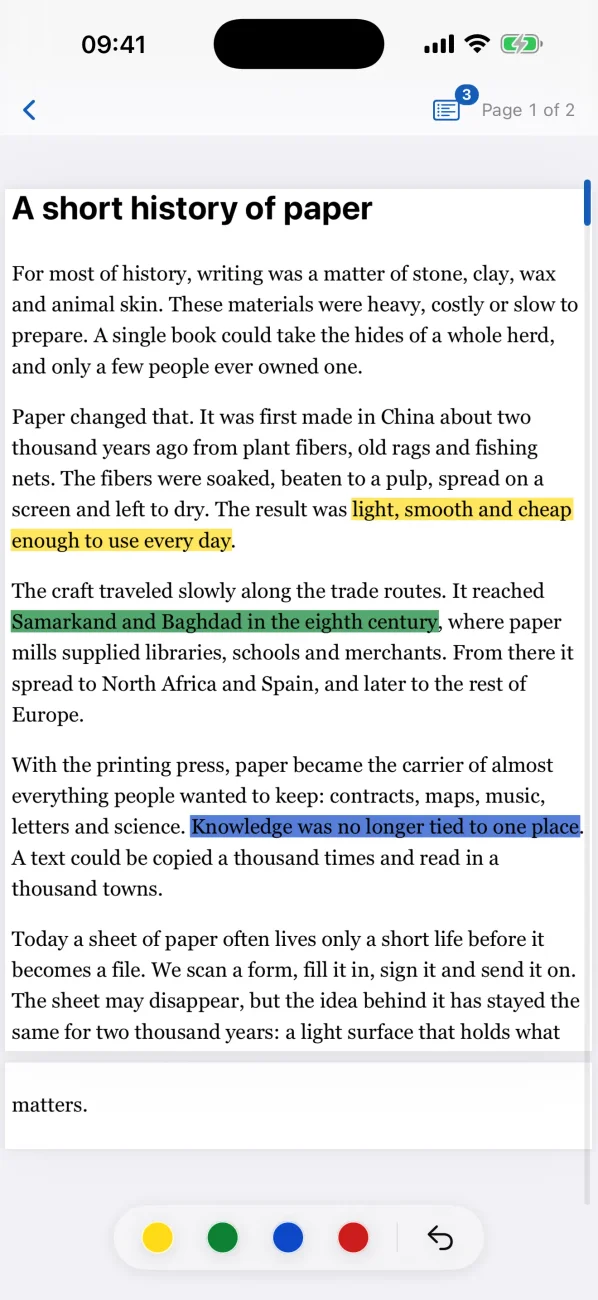
READING MODE
• Full screen with trimmed margins, so the text is larger
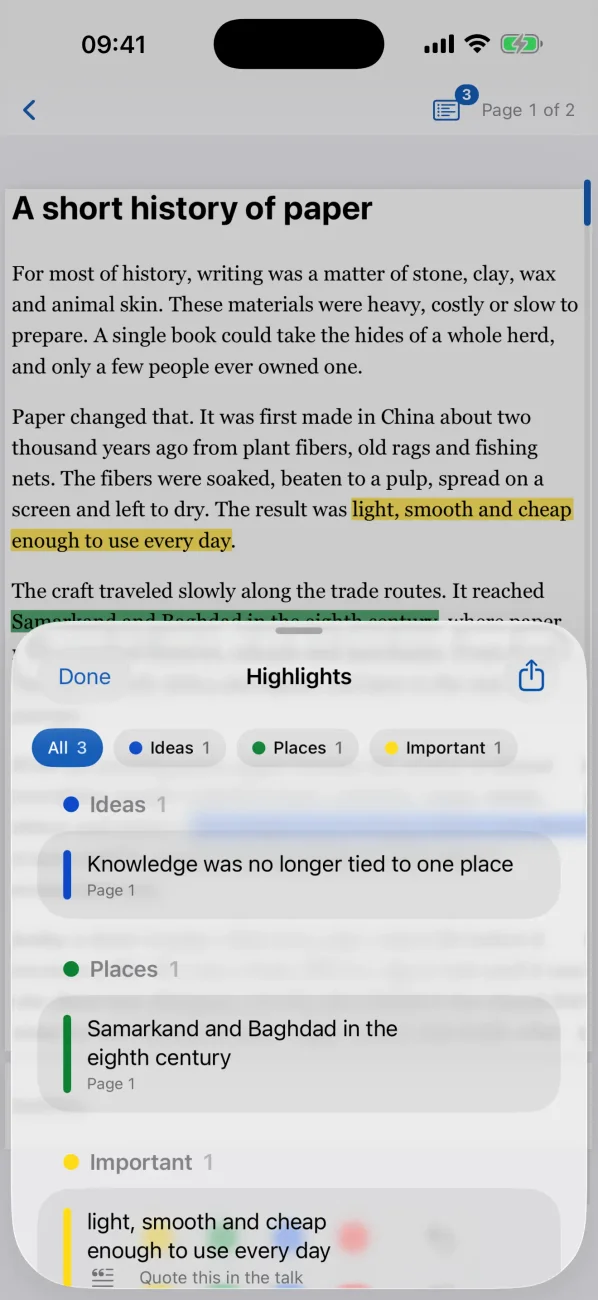
• Highlight with one swipe, in four colors of your choice
• Name your colors, for example "Important" or "Question", and add notes
• A list of all highlights with page jump; share them as text
• The app remembers where you stopped reading
ID CARD AND PASSPORT COPY
• Front and back on one sheet in true original size
• Optional enlargement, grayscale, cut lines and a watermark such as "Copy for landlord"
PAGES
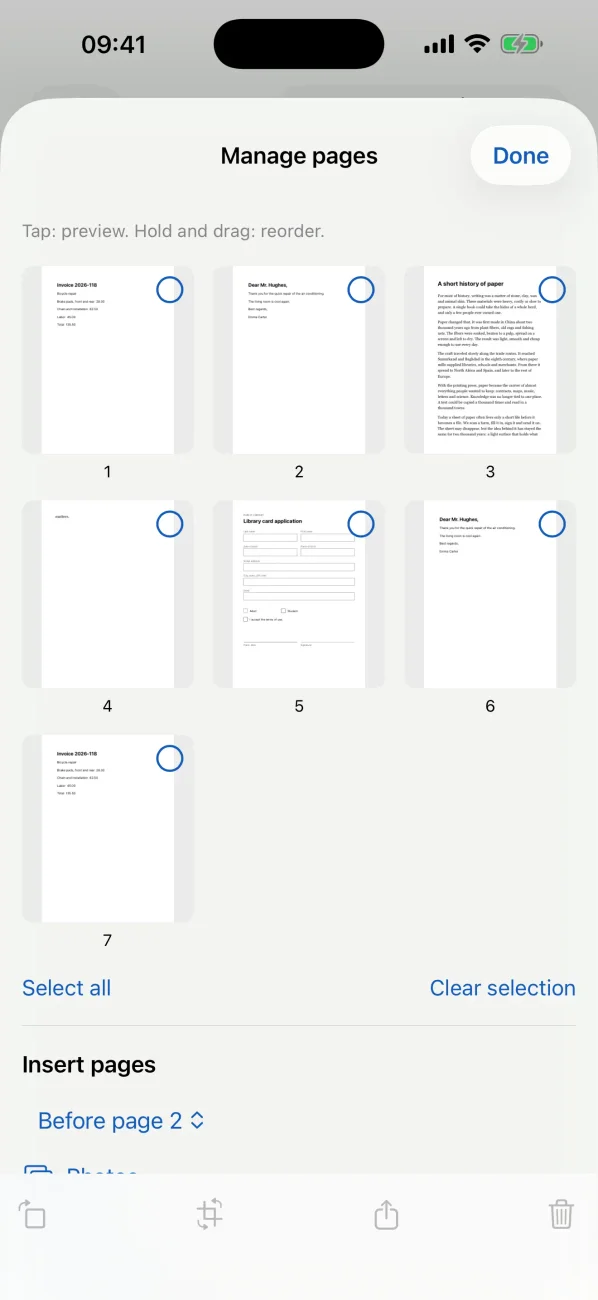
• Reorder, rotate, crop, straighten and delete pages
• Merge PDFs, insert scans, photos or other PDFs
• Export the text as a Word document (.docx), copy text, search in the document
PRIVATE BY DESIGN
• Works fully offline
• No account, no ads, no tracking, no data collection
• Optional app lock with Face ID
• Share extension: send photos and PDFs from other apps to PDF On
LANGUAGES
English, Spanish, German, French, Arabic, Persian, Urdu and more than 40 other languages, with full right-to-left layout.
App privacy
What Abbas Hoseiny declares on the App Store about how this app handles data.
-
Data not collected
The developer does not collect any data from this app.
Privacy practices may vary, for example with the features you use or your age.
Information
- Seller
- Abbas Hoseiny
- Category
- Productivity
- Version
- 1.0
- Updated
- Sep 28, 2026
- Released
- Sep 28, 2026
- Size
- 11.4 MB
- Requires
- iOS 17.0 or later
- Age rating
- 4+
- Price
- Free
- Languages
- English, Arabic, Bengali, Catalan, Croatian, Czech, Danish, Dutch, Finnish, French, German, Greek + 32 more
- Copyright
- © 2026 Abbas Hoseiny
You might also like
-
 Doqora: PDF Editor & ScannerSign & Fill Forms, PDF Reader
-
 Eve - PDF EditorRead, mark up, pick up again
-
 VARAK PDF Editor & ScannerEdit Text, Sign & Fill Forms
-
 ScanFree - Scanner PDFProductivity
-
 FolikPDFPrivate PDF Reader & Editor
-
 PDF Converter & Maker - PDFOnPDF to Word, Excel, JPG & EPUB
-
 NLISBuddyProductivity
-
 Clearcan: PDF ScannerScan, Search Text. No Ads
-
 PDF One - PDFs with EaseEdit, Rotate, Delete Pages!
-
 DartPDF: Edit PDF DocumentsSign, Annotate, Fill & Redact