
Eve - PDF Editor
Read, mark up, pick up again
Designed for iPhone, iPad
In-app purchases
- Age rating4+
- CategoryProductivity
- DeveloperKAAN DONMEZ
- LanguagesEnglish+ 9 more
- Size51.8 MB
Links to the official App Store page
Download.org hosts no file of Eve - PDF Editor. The button opens its official App Store page, published by KAAN DONMEZ. Listing last checked on Nov 21, 2026.
Screenshots

About
Eve is a calm, offline PDF reader and annotator for iPhone and iPad. Open your documents, mark them up, and pick up right where you left off — with no accounts, ads, or tracking.
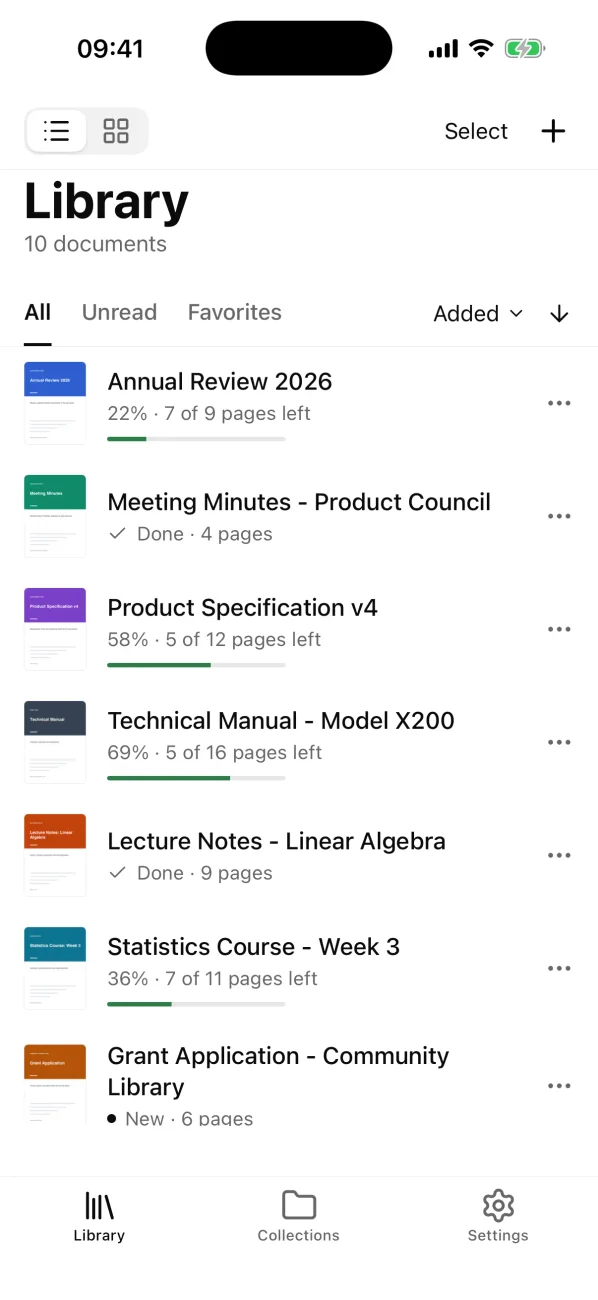
YOUR LIBRARY, LIKE A SHELF
• Real first-page cover previews turn your files into a bookshelf
• Switch between a list and a cover grid with one tap
• See reading progress at a glance
• Collections, filters for unread and favorites, and sorting your way
• Recently deleted keeps removed files ready to restore
A FOCUSED READER
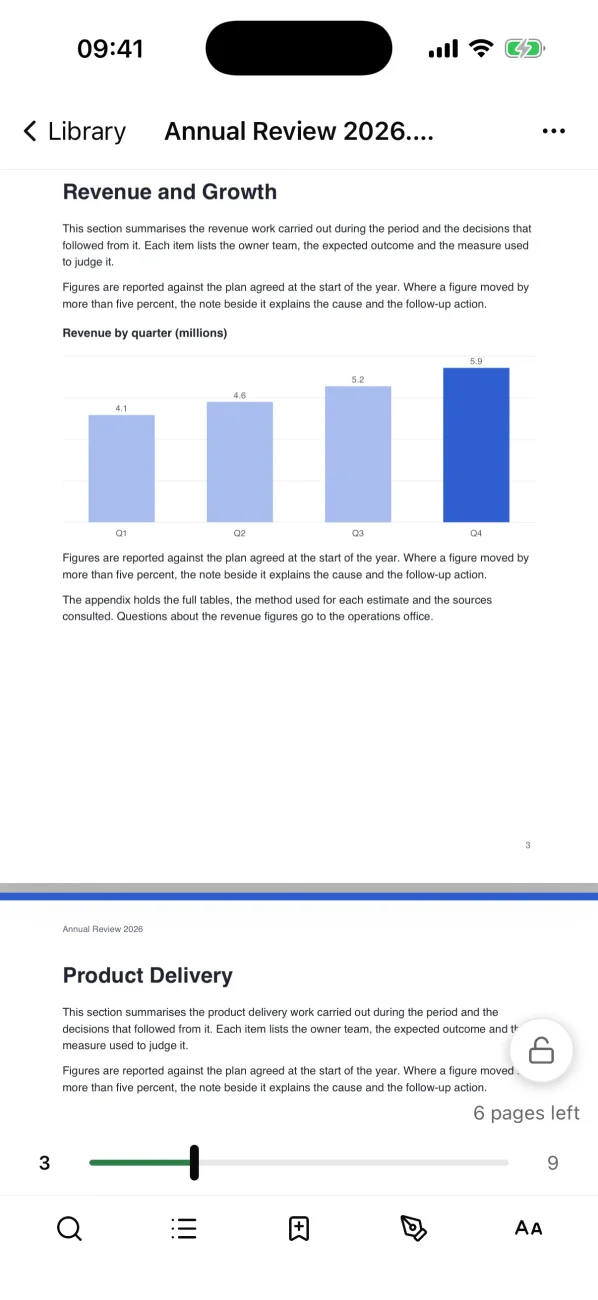
• Smooth continuous or page-by-page reading
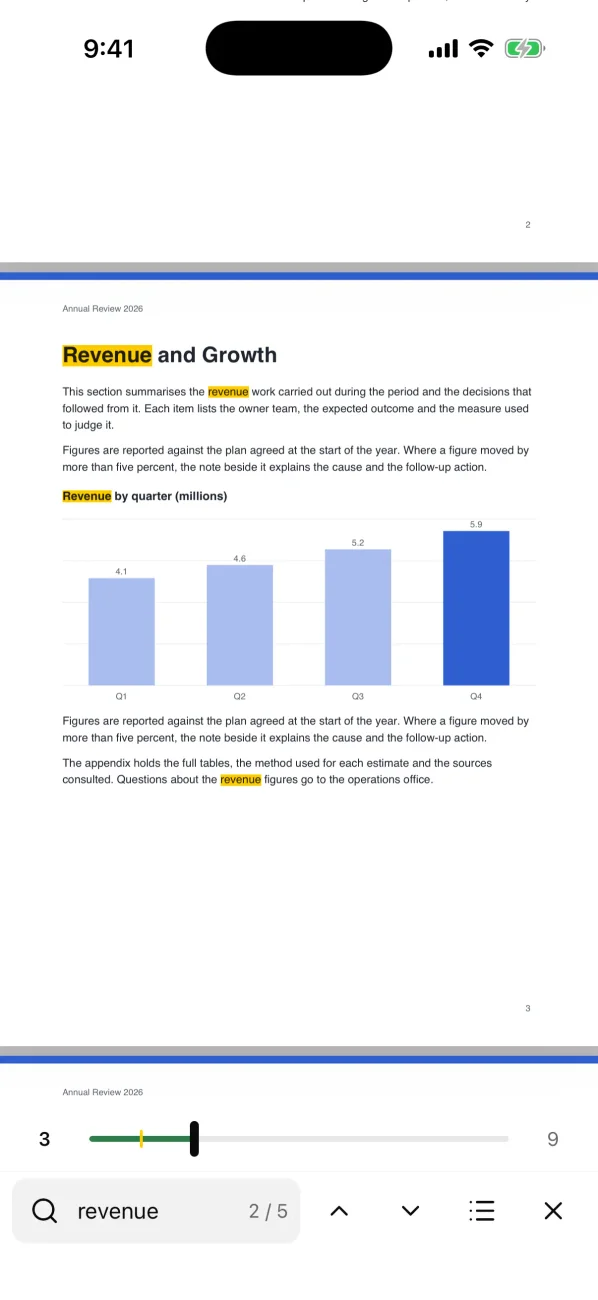
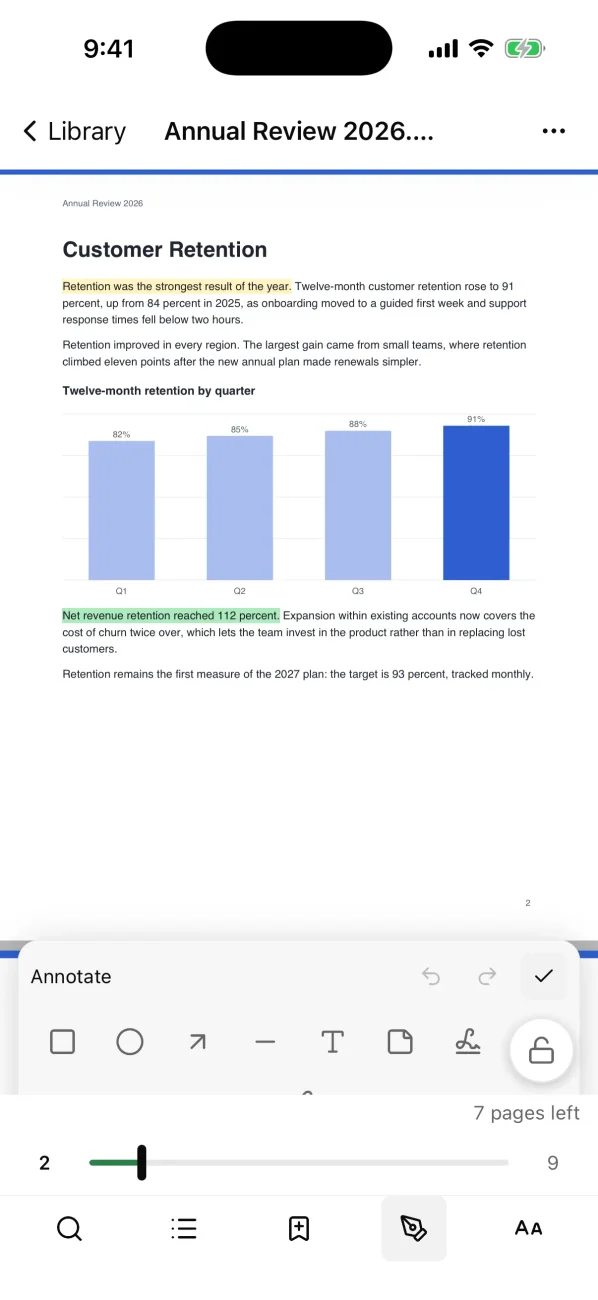
• Find in document highlights every match and keeps the page in view
• Outline and bookmarks to jump anywhere
• Go to any page instantly, with a live thumbnail scrubber
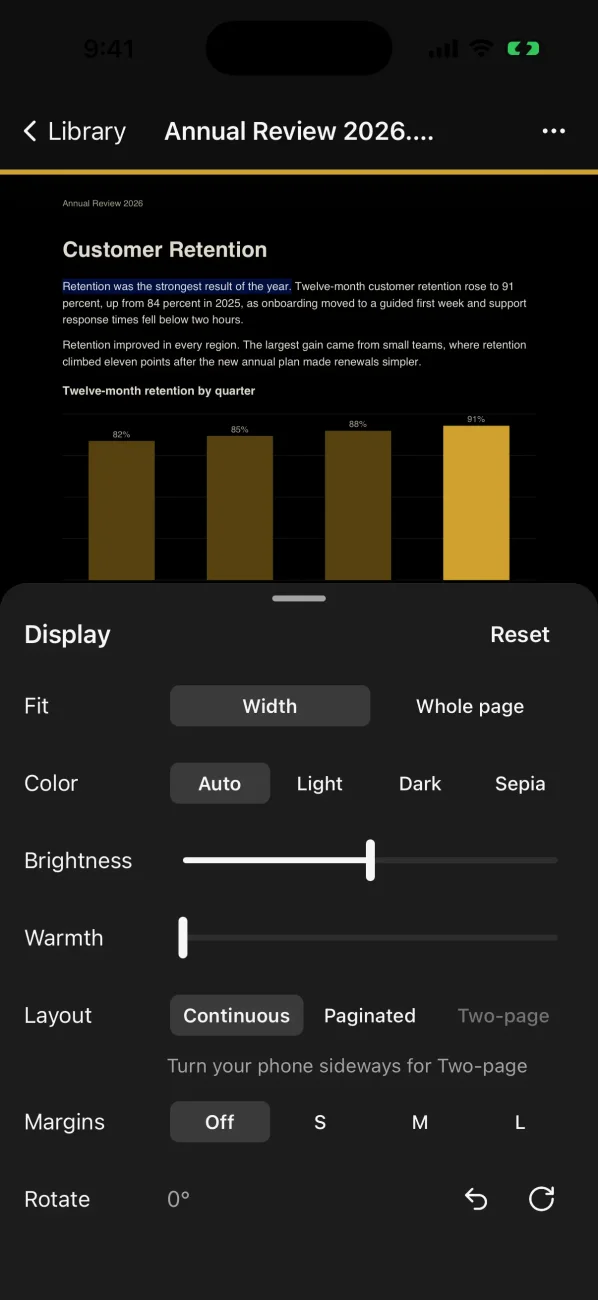
• Fit width or whole page; light, dark, and sepia modes
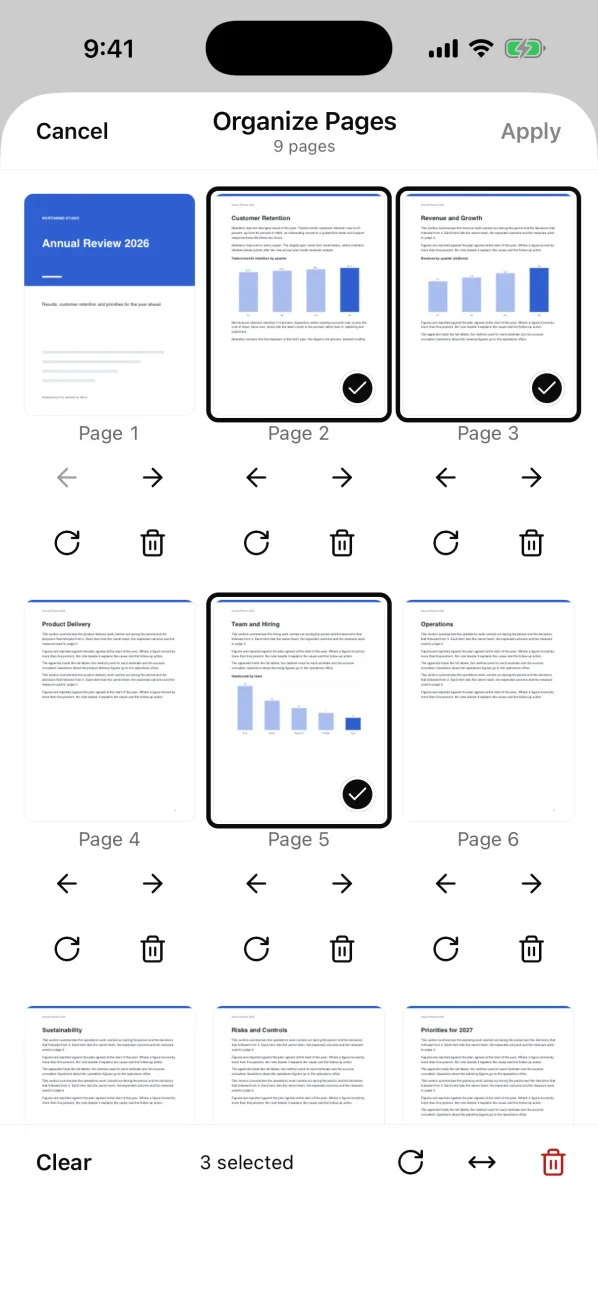
• Organize pages: reorder, select several, and undo
ANNOTATE WITH EASE
• Highlight, underline, strikethrough, and squiggly marks
• Sticky notes, free text, and freehand ink
• Saved per document and redrawn when you reopen
MADE FOR READING
• Reading stats and a daily streak
• Reading timer and auto-scroll
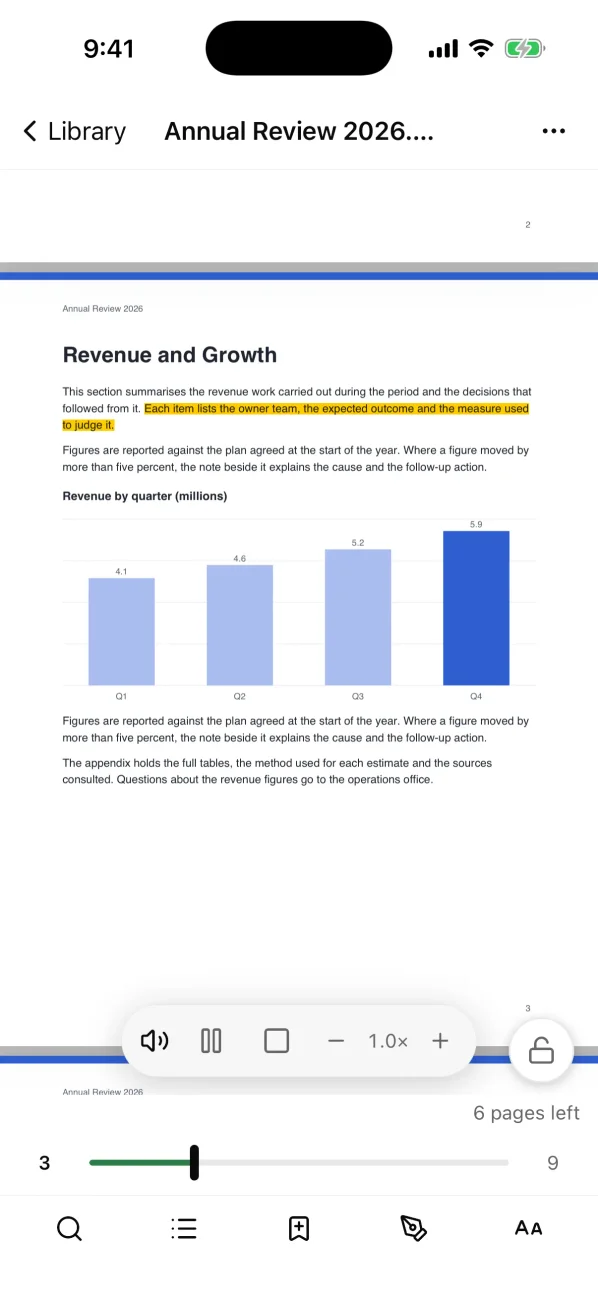
• Read aloud in each document's own language, even on silent
• Brightness swipe and an immersive, distraction-free mode
• In English, German, Spanish, French, Italian, Russian, Japanese, Korean, Chinese and Turkish
PRIVATE BY DESIGN
Eve works fully offline. Your PDFs, annotations, bookmarks, and settings stay on your device — never uploaded, never shared. No account required.
Eve is a companion to Eve for Mac.
Terms of Use (EULA): https://www.apple.com/legal/internet-services/itunes/dev/stdeula/
Privacy Policy: https://www.gladve.com/privacy
What’s new
Version 1.1.0 · Nov 14, 2026
Eve 1.1 is our biggest update yet.
LIBRARY
• Switch between a list and a cover grid with one tap, with full titles and reading progress
• A new tab bar gives Collections and Settings their own place
• "Recently deleted" replaces Trash: see covers, restore with one tap, or restore and delete several at once
• Details opens as a sheet with the full name, your progress and where the file lives
READER
• One tidier bottom bar, a grouped menu, and a Display panel that changes the page live
• Search sits above the keyboard, keeps the page in view and highlights every match
• The sideways lock is now a button in the page's corner
• Organize pages: select several, drag to reorder, undo, and a check before you discard changes
READ ALOUD
• Reads each document in its own language
• Plays even when your iPhone is on silent
• Pause, stop and speed controls now show on screen
EVERYWHERE
• Eve now speaks German, Spanish, French, Italian, Russian, Japanese, Korean and Chinese
• One consistent set of colours, with clearer text in light and dark mode
• Settings is easier to scan, and subscribers can manage their subscription in the app
• Covers appear as soon as you add a PDF, and search, Read aloud and exports are faster on large files
• Screen readers name the document each menu belongs to
App privacy
What KAAN DONMEZ declares on the App Store about how this app handles data.
-
Data not collected
The developer does not collect any data from this app.
Privacy practices may vary, for example with the features you use or your age.
Information
- Seller
- KAAN DONMEZ
- Category
- Productivity
- Version
- 1.1.0
- Updated
- Nov 14, 2026
- Released
- Aug 27, 2026
- Size
- 51.8 MB
- Requires
- iOS 16.4 or later
- Age rating
- 4+
- In-app purchases
- Yes
- Languages
- English, French, German, Italian, Japanese, Korean, Russian, Simplified Chinese, Spanish, Turkish
- Copyright
- © 2026 Gladve
You might also like
-
 Doc Scanner by DaniScan, crop & share as PDF
-
 P&P PDF ReaderPDF Reader & Annotator
-
 Lucid NoteHandwrite & Annotate PDF Notes
-
 Reader Ink: PDF Editor & SignPDF Viewer, Scanner & Convert
-
 PDF OnScan, fill in, sign. Offline.
-
 PDF Viewer: Reader & MarkupAnnotate, Sign & Read Aloud
-
 Papyrus - notes, PDFBig notes & PDFs, fluid
-
 ReadSync - PDF ReaderRead, Highlight & Sync PDFs
-
 ForNoteHandwrite Notes, Annotate PDFs
-
 ID2PDF - ID & Doc ScannerFront & back on one page, 1:1