PDF Reader & Tools: PDFKit
Merge, Compress, Sign & Scan
Designed for iPhone, iPad, iPod touch
In-app purchases
- Age rating4+
- CategoryProductivity
- DeveloperGunawan Santoso
- LanguagesSpanish+ 18 more
- Size57.1 MB
Links to the official App Store page
Download.org hosts no file of PDF Reader & Tools: PDFKit. The button opens its official App Store page, published by Gunawan Santoso. Listing last checked on Nov 8, 2026.
Screenshots




About
PDFKit is a PDF reader and a full PDF toolbox in one app. Every tool works on your iPhone and iPad: your files are processed on the device, never uploaded to a server, and every result is saved as a new file, so your original stays as it was. All of it works offline, with no watermark on your files.
PDF TOOLS
• Merge: join PDFs into one file, in the order you choose
• Split: by page ranges, every page, or every few pages
• Extract pages: copy the pages you pick into a new PDF
• Organize pages: drag thumbnails to reorder, delete pages (with undo)
• Rotate pages: turn some or all pages
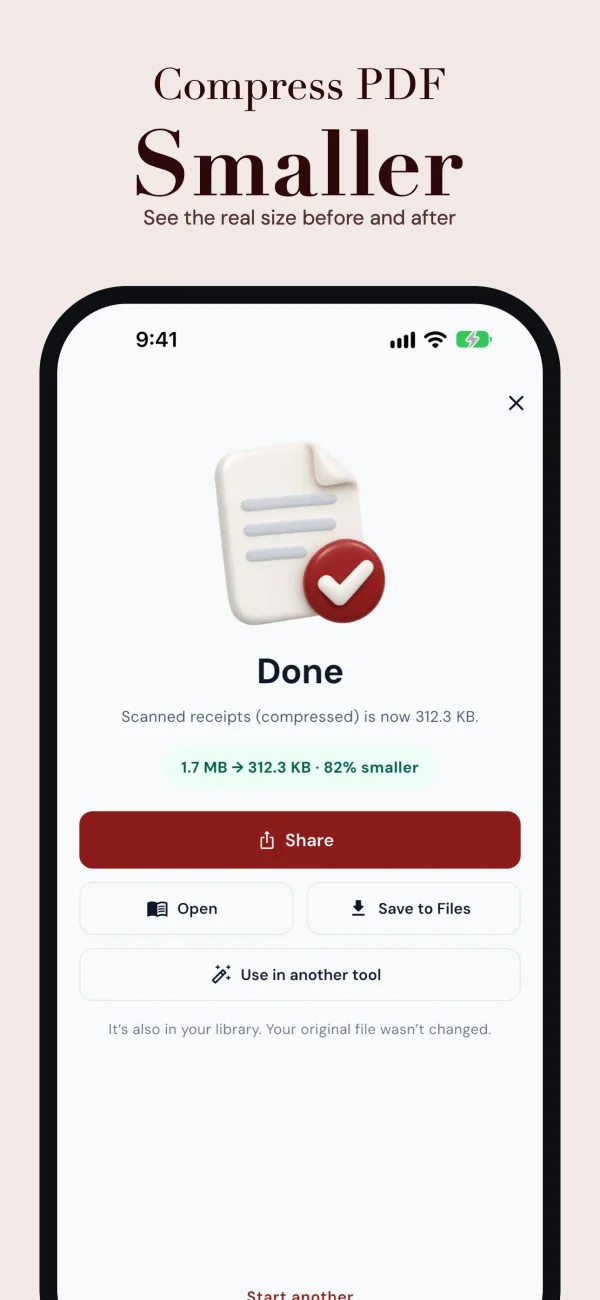
• Compress: re-encodes photos and scans at the level you choose and shows the real size before and after. If a file can’t get smaller, PDFKit says so instead of saving a bigger copy
• Images to PDF: photos, image files or the camera; reorder, crop and rotate; A4, Letter or the photo’s own size
• Scan to PDF: take a photo of each page, crop and rotate as you go
• PDF to images: every page as JPG or PNG at 150 or 300 dpi
• Sign: draw your signature once, keep it on this device, place and resize it on any page
• Watermark: your text across every page, with colour, opacity, angle and size
• Page numbers: six positions, four formats, start number, skip the cover
• Add password: AES-256 encryption with a password you choose
• Remove password: with the password, save a copy that opens without one
Results show their name, pages and size, with Open, Share, Save to device and Use in another tool.
READER
• Document, Book (page by page) and Reflow, which re-wraps the text of a page to fit your screen
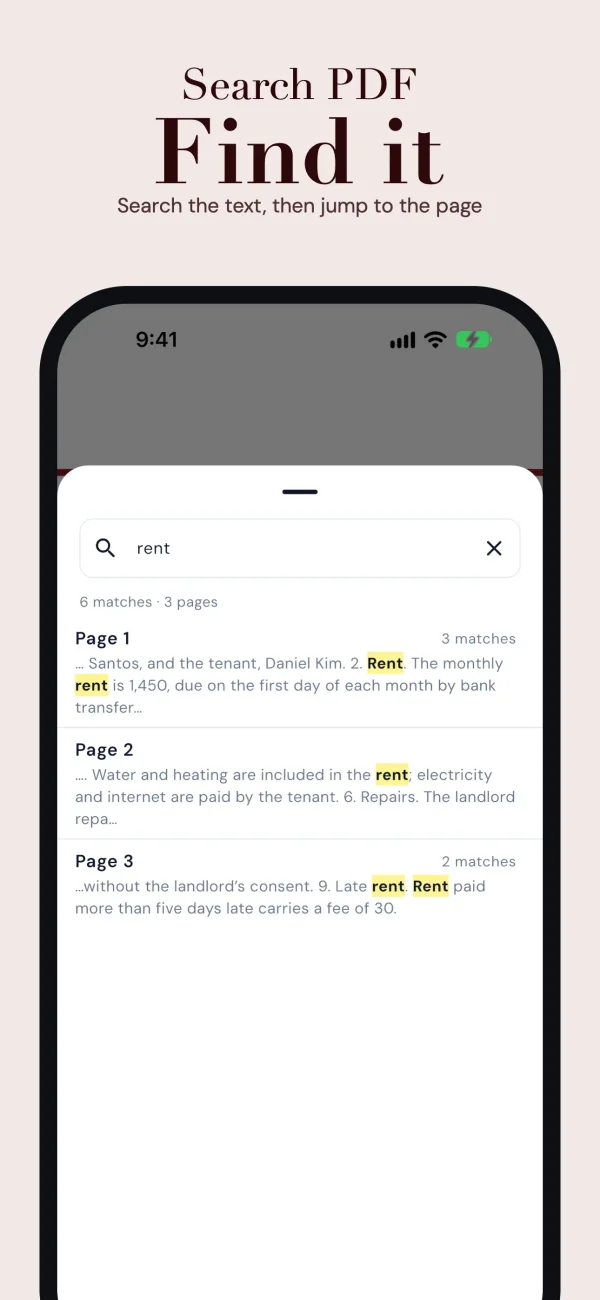
• Find bar: search the text of a PDF, including Arabic and Hebrew
• Outline (table of contents), page thumbnails, Go to page, bookmarks and reading progress
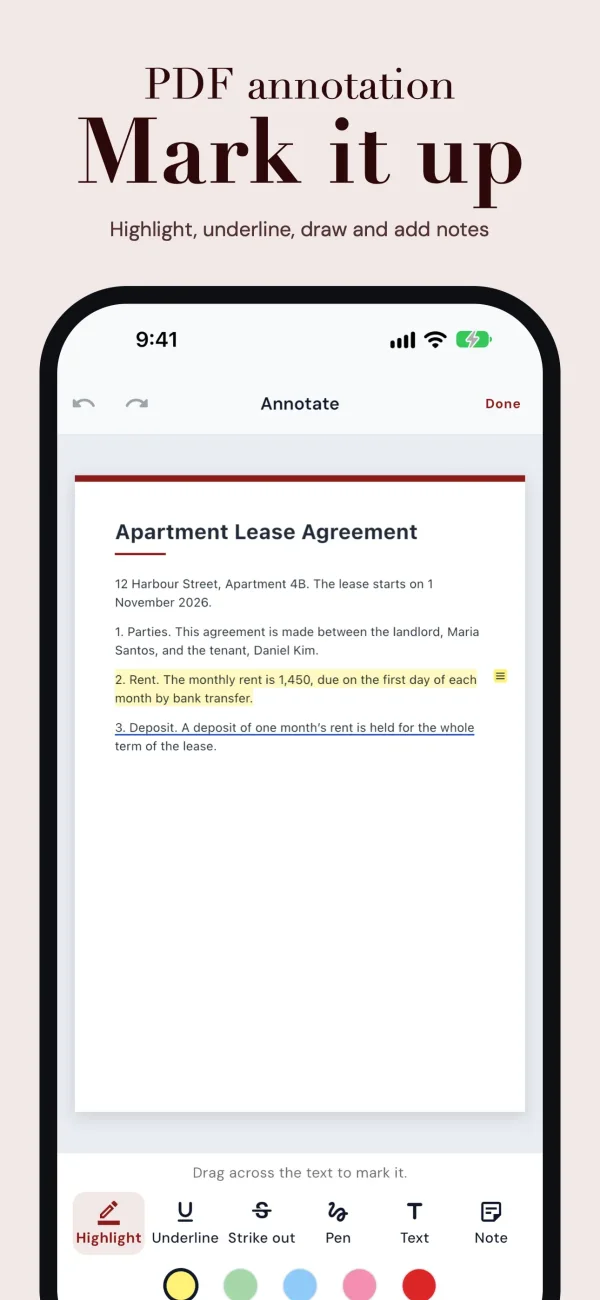
• Annotate: highlight, underline, strike out, draw, add text and notes in five colours, saved into the PDF so other apps show them too
• Read aloud: sentence by sentence, with speed control and a sleep timer
• White, Sepia, Gray, Dark and Black backgrounds; opens password-protected PDFs with their password
• Open with: open PDFs from other apps, or share PDFs and photos to PDFKit
LIBRARY
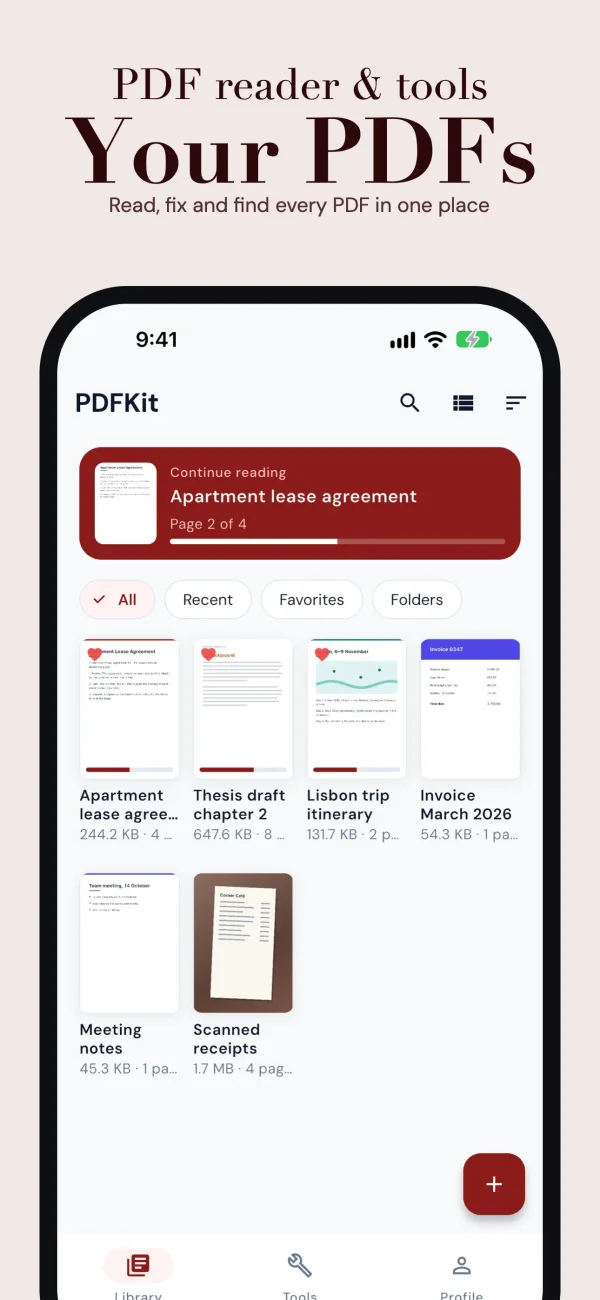
• Recent files and favorites on the home screen, with page-one covers
• Grid or list, search by name, filter and sort
• Reading stats: day streak, pages read and time spent
FREE, WITH ADS
PDFKit is free and shows ads. One optional short ad turns on Pro extras until you close the app: Maximum compression and compressing up to 10 PDFs at once. No tool needs an ad to work.
Privacy: your PDFs are processed on your device. The ads are served by Google AdMob, which collects device and usage data as described in our privacy policy.
What’s new
Version 1.2.0 · Nov 7, 2026
What's new in 1.2.0:
- Minor improvements and bug fixes
App privacy
What Gunawan Santoso declares on the App Store about how this app handles data.
-
Data not linked to you
May be collected but is not linked to your identity.
- Purchases
Privacy practices may vary, for example with the features you use or your age.
Information
- Seller
- Gunawan Santoso
- Category
- Productivity
- Version
- 1.2.0
- Updated
- Nov 7, 2026
- Released
- May 4, 2026
- Size
- 57.1 MB
- Requires
- iOS 15.0 or later
- Age rating
- 4+
- In-app purchases
- Yes
- Languages
- Spanish, German, Simplified Chinese, Traditional Chinese, Korean, French, Hebrew, Hindi, Indonesian, English, Italian, Japanese + 7 more
- Copyright
- © Micro App Digital 2026
You might also like
-
 MyReader: PDF Reader & NotesRead, annotate, search PDFs
-
 P&P PDF ReaderPDF Reader & Annotator
-
 PDFKit — PDF Editor & ToolsEdit, convert & sign PDFs
-
 Reader Ink: PDF Editor & SignPDF Viewer, Scanner & Convert
-
 PDFTape: PDF Scanner & SignScan, sign, merge & fill forms
-
 PDF Extractor: Split PagesExtract & save chapters
-
 PDF Editor: Merge, Split, ScanCompress PDF,OCR & Delete Page
-
 PDF Splitter by OpenSquareExtract Pages from PDF
-
 Ox - Local BotA self-evolving local bot
-
 Cozy PDF Tools: Merge & SplitImage to PDF, Merge & Split