PDF Reader & Tools: PDFKit
Merge, Compress, Sign & Scan
Được thiết kế cho iPhone, iPad, iPod touch
Miễn phí · Mua hàng trong ứng dụng
- Độ tuổi4+
- Danh mụcHiệu Suất
- Nhà phát triểnGunawan Santoso
- Ngôn ngữTiếng Tây Ban Nha+ 18 ngôn ngữ khác
- Kích thước57,1 MB
Liên kết đến trang App Store chính thức
Download.org không lưu trữ tệp nào của PDF Reader & Tools: PDFKit. Nút này mở trang ứng dụng trên App Store, nơi Gunawan Santoso phát hành ứng dụng. Trang được kiểm tra lần cuối: 08/11/2026.
Ảnh chụp màn hình




Giới thiệu
Nhà phát triển chưa cung cấp nội dung này bằng ngôn ngữ của bạn.
PDFKit is a PDF reader and a full PDF toolbox in one app. Every tool works on your iPhone and iPad: your files are processed on the device, never uploaded to a server, and every result is saved as a new file, so your original stays as it was. All of it works offline, with no watermark on your files.
PDF TOOLS
• Merge: join PDFs into one file, in the order you choose
• Split: by page ranges, every page, or every few pages
• Extract pages: copy the pages you pick into a new PDF
• Organize pages: drag thumbnails to reorder, delete pages (with undo)
• Rotate pages: turn some or all pages
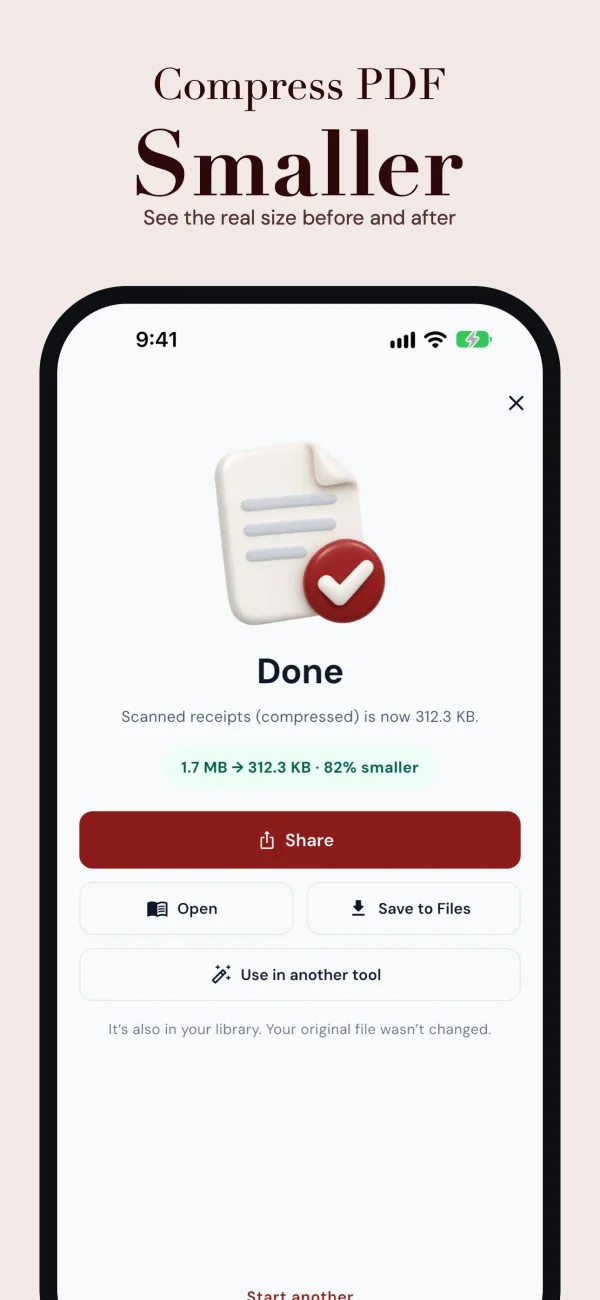
• Compress: re-encodes photos and scans at the level you choose and shows the real size before and after. If a file can’t get smaller, PDFKit says so instead of saving a bigger copy
• Images to PDF: photos, image files or the camera; reorder, crop and rotate; A4, Letter or the photo’s own size
• Scan to PDF: take a photo of each page, crop and rotate as you go
• PDF to images: every page as JPG or PNG at 150 or 300 dpi
• Sign: draw your signature once, keep it on this device, place and resize it on any page
• Watermark: your text across every page, with colour, opacity, angle and size
• Page numbers: six positions, four formats, start number, skip the cover
• Add password: AES-256 encryption with a password you choose
• Remove password: with the password, save a copy that opens without one
Results show their name, pages and size, with Open, Share, Save to device and Use in another tool.
READER
• Document, Book (page by page) and Reflow, which re-wraps the text of a page to fit your screen
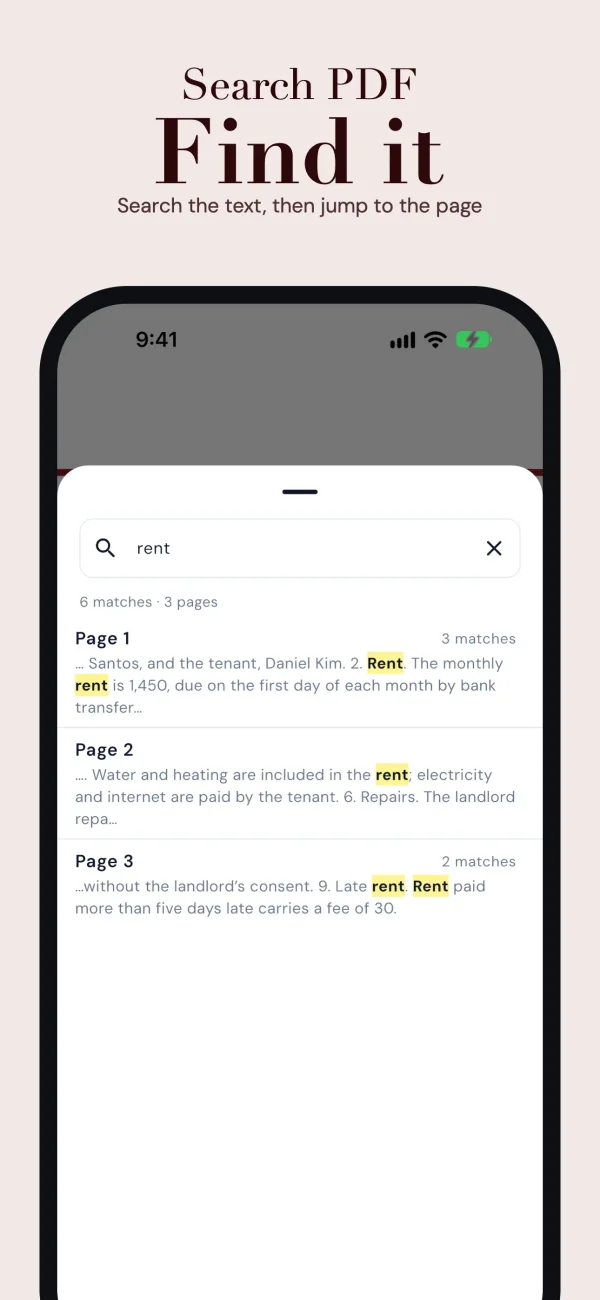
• Find bar: search the text of a PDF, including Arabic and Hebrew
• Outline (table of contents), page thumbnails, Go to page, bookmarks and reading progress
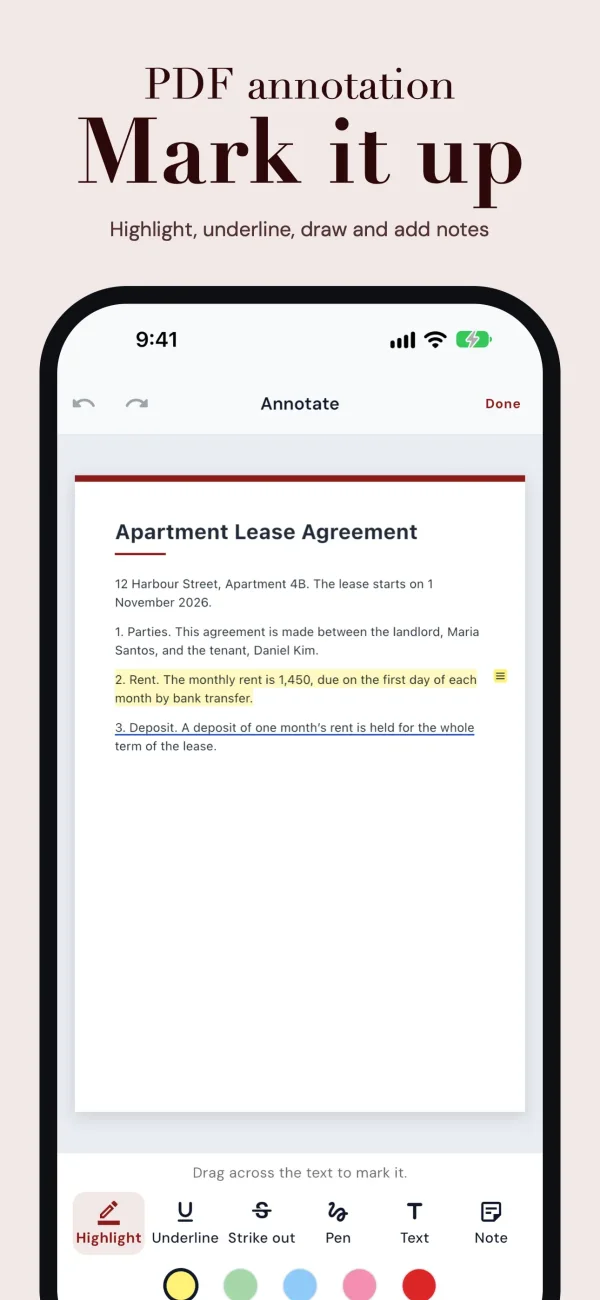
• Annotate: highlight, underline, strike out, draw, add text and notes in five colours, saved into the PDF so other apps show them too
• Read aloud: sentence by sentence, with speed control and a sleep timer
• White, Sepia, Gray, Dark and Black backgrounds; opens password-protected PDFs with their password
• Open with: open PDFs from other apps, or share PDFs and photos to PDFKit
LIBRARY
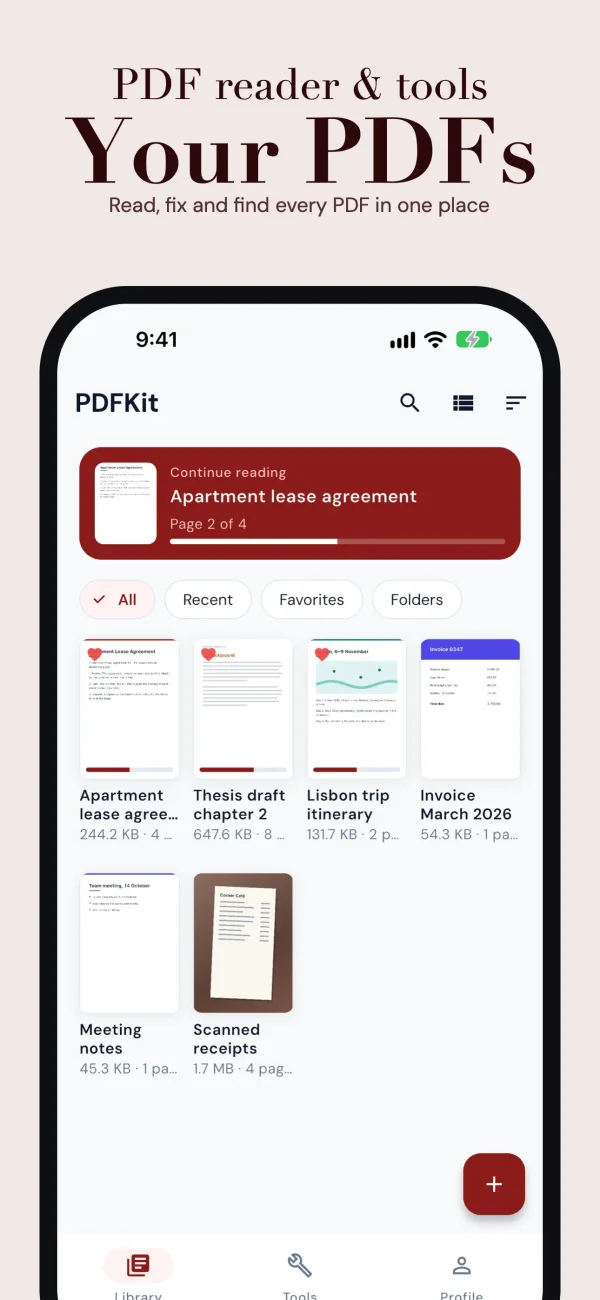
• Recent files and favorites on the home screen, with page-one covers
• Grid or list, search by name, filter and sort
• Reading stats: day streak, pages read and time spent
FREE, WITH ADS
PDFKit is free and shows ads. One optional short ad turns on Pro extras until you close the app: Maximum compression and compressing up to 10 PDFs at once. No tool needs an ad to work.
Privacy: your PDFs are processed on your device. The ads are served by Google AdMob, which collects device and usage data as described in our privacy policy.
Có gì mới
Phiên bản 1.2.0 · 07/11/2026
What's new in 1.2.0:
- Minor improvements and bug fixes
Quyền riêng tư của ứng dụng
Những gì Gunawan Santoso khai báo trên App Store về cách ứng dụng này xử lý dữ liệu.
-
Dữ liệu không liên kết với bạn
Có thể được thu thập nhưng không liên kết với danh tính của bạn.
- Mục mua
Phương thức đảm bảo quyền riêng tư có thể khác nhau, chẳng hạn như tuỳ theo các tính năng bạn sử dụng hoặc độ tuổi của bạn.
Thông tin
- Người bán
- Gunawan Santoso
- Danh mục
- Hiệu Suất
- Phiên bản
- 1.2.0
- Cập nhật
- 07/11/2026
- Phát hành
- 04/05/2026
- Kích thước
- 57,1 MB
- Yêu cầu
- iOS 15.0 trở lên
- Độ tuổi
- 4+
- Giá
- Miễn phí
- Mua hàng trong ứng dụng
- Có
- Ngôn ngữ
- Tiếng Tây Ban Nha, Tiếng Đức, Tiếng Trung Giản thể, Tiếng Trung Phồn thể, Tiếng Hàn, Tiếng Pháp, Tiếng Do Thái, Hindi, Tiếng Indonesia, Tiếng Anh, Tiếng Ý, Tiếng Nhật + 7 ngôn ngữ khác
- Bản quyền
- © Micro App Digital 2026
Có thể bạn cũng thích
-
 MyReader: PDF Reader & NotesHiệu Suất
-
 P&P PDF ReaderHiệu Suất
-
 PDFKit - Sửa PDF & Công cụChỉnh sửa, chuyển đổi & ký PDF
-
 Reader Ink: PDF Editor & SignHiệu Suất
-
 PDFTape: PDF Scanner & SignHiệu Suất
-
 PDF Extractor: Split PagesHiệu Suất
-
 PDF Editor: Merge, Split, ScanHiệu Suất
-
 PDF Splitter by OpenSquareHiệu Suất
-
 Ox - Local BotHiệu Suất
-
 Cozy PDF Tools: Merge & SplitHiệu Suất