
PDF Scanner: Convert & Sign
File Every Receipt by Camera
Designed for iPhone, iPad
In-app purchases
- Age rating4+
- CategoryProductivity
- DeveloperBilal Akkoc
- LanguagesSpanish+ 11 more
- Size30.5 MB
Links to the official App Store page
Download.org hosts no file of PDF Scanner: Convert & Sign. The button opens its official App Store page, published by Bilal Akkoc. Listing last checked on Nov 21, 2026.
Screenshots

About
Turn Documents into Smart PDFs in Seconds
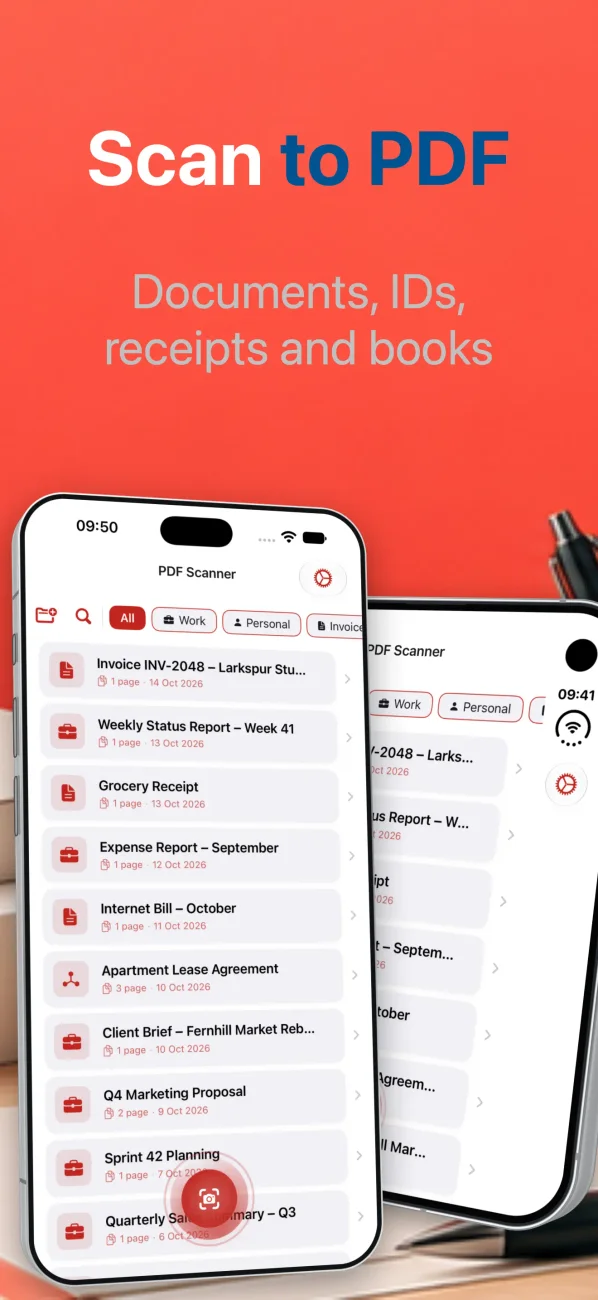
PDF Scanner helps you scan documents, create high-quality PDFs, extract text with OCR, sign files electronically, and keep everything organized across your devices.
Whether you're managing contracts, receipts, invoices, notes, IDs, forms, or business documents, PDF Scanner gives you a fast and secure way to digitize your paperwork and access it anytime.
Scan Anything Into PDF
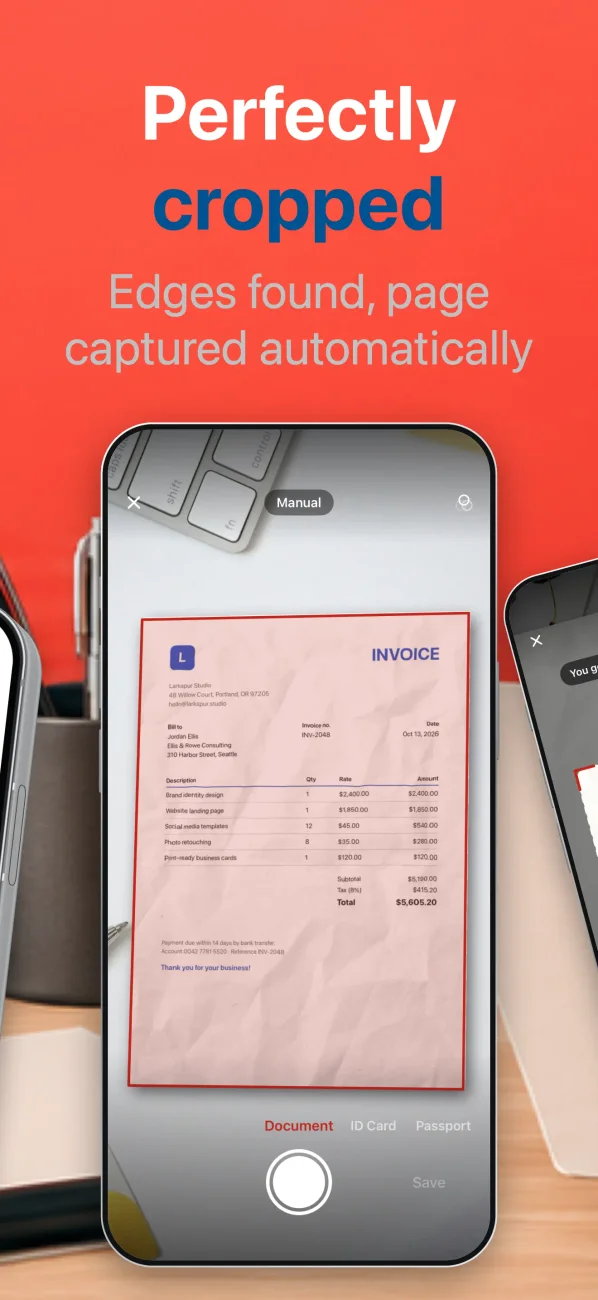
Capture documents with your camera and instantly convert them into clean, professional PDFs.
• High-quality document scanning
• Automatic edge detection
• Smart document cropping
• Multi-page PDF creation
• Save and share PDFs instantly
Powerful OCR Text Recognition
Extract text from scanned documents and images in seconds.
• Convert images into editable text
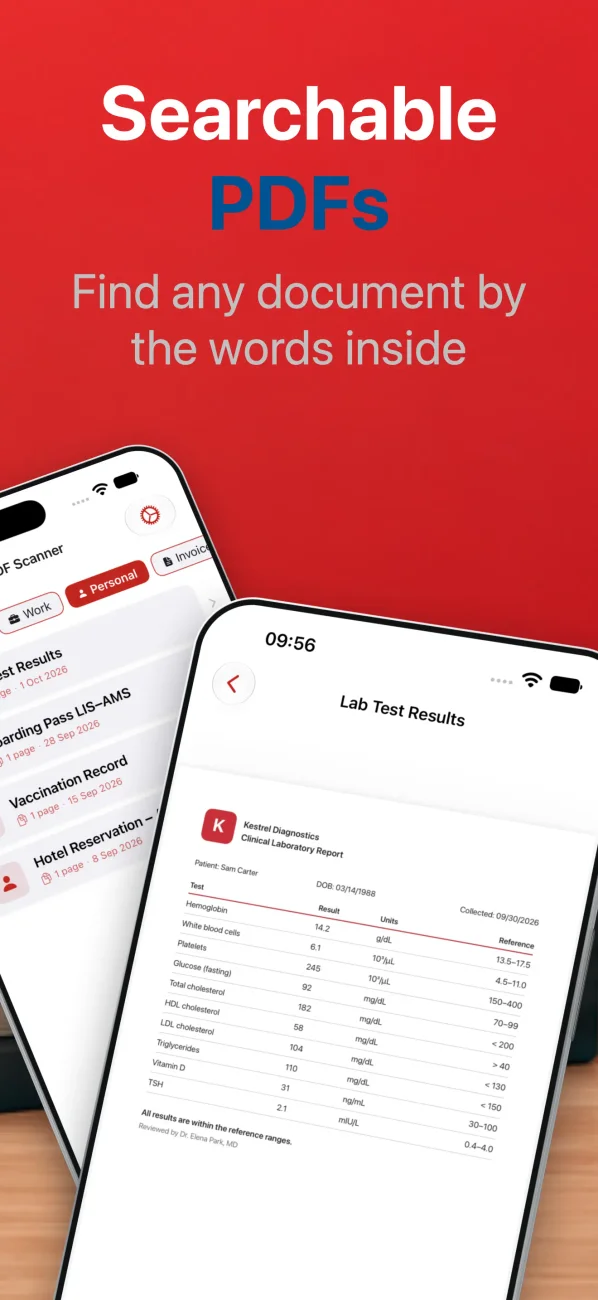
• Create searchable PDFs
• Copy and share recognized text
• Support for multiple languages
• Fast and accurate OCR technology
Sign Documents Anywhere
Add your signature and complete documents without printing.
• Create and save signatures
• Sign contracts and forms digitally
• Add initials and dates
• Streamline document workflows
• Send signed PDFs instantly
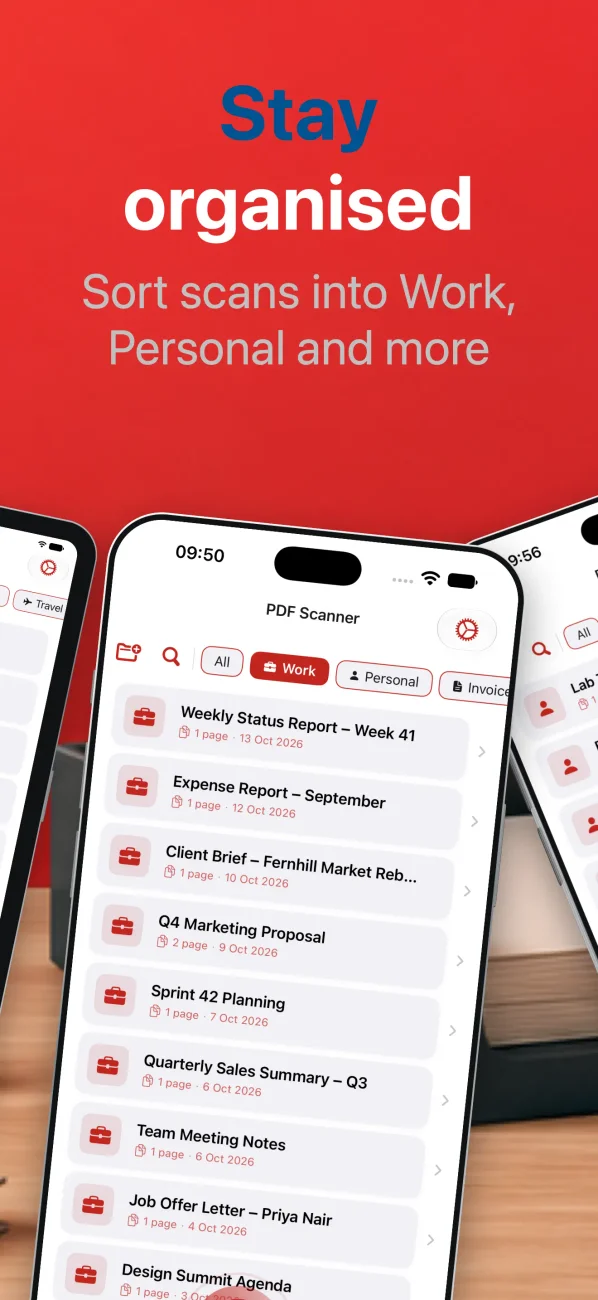
Keep Everything Organized
Store all your important files in one place.
• Organize documents into categories
• Quickly search your files
• Manage receipts, contracts, notes, and records
• Easy document management
Access Your Documents Everywhere
Stay connected across all your devices.
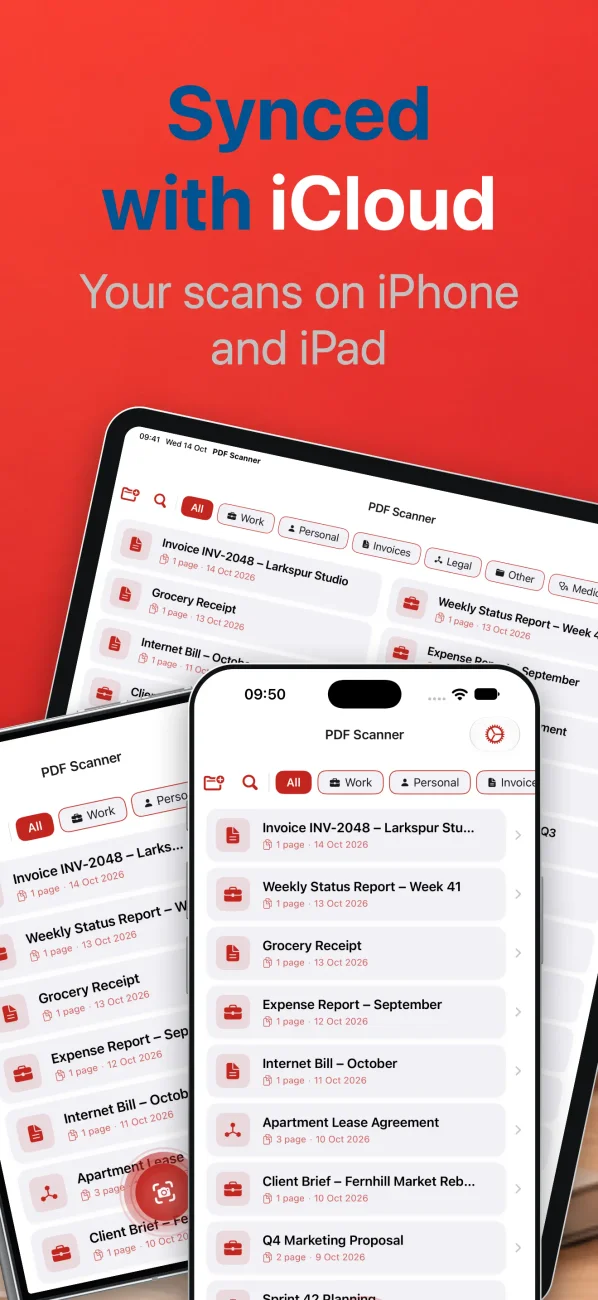
• iCloud synchronization
• Secure cloud backup
• Access documents anytime
• Seamless multi-device experience
Perfect For
• Business professionals
• Students and educators
• Freelancers and consultants
• Real estate agents
• Lawyers and legal teams
• Small business owners
• Anyone who works with documents
Download PDF Scanner today and transform paper documents into searchable, shareable, and securely organized PDFs.
Auto-Renewable Subscription Terms:
Premium features such as ad-free experience, unlimited access, and advanced tools require an active auto-renewable subscription. Basic features remain available for free.
Auto-Renewable Subscription Information:
Payment will be charged to your Apple ID once the purchase is confirmed.
The subscription renews automatically unless it is canceled at least 24 hours before the current billing period ends.
Your account will be billed for renewal within 24 hours prior to the end of the active subscription period.
You can view, manage, or cancel your subscription anytime in your App Store account settings after purchase.
Privacy Policy & Terms of Use:
Privacy Policy: https://pdfscanner.bilalakkoc.com/privacy
Terms of Use: https://pdfscanner.bilalakkoc.com/terms
What’s new
Version 1.2 · Oct 15, 2026
A brand-new scanner
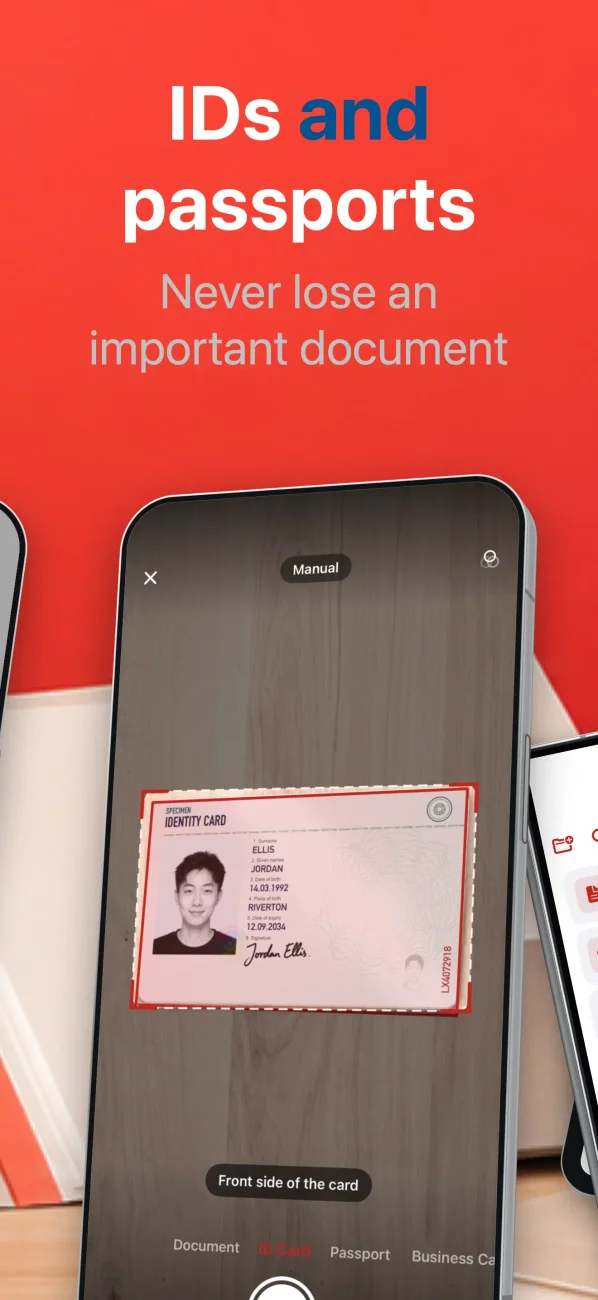
• Seven scan modes: Document, ID Card, Passport, Business Card, Receipt, Whiteboard and Book
• Edges are found and the page is captured automatically; a level helps you keep the camera straight
• Book mode splits a two-page spread and flattens curved pages
• Five filters: Photo, Color, Grayscale, Black & White and Whiteboard
Searchable PDFs
• The text of every scan is recognized in its own language and saved inside the PDF
• Search finds documents by the words in them, not only by their names
Text reader
• See a page as text with its layout kept: tables, checkboxes and logos stay where they were
• Tap a line to correct a word, then copy the text or share it as text or CSV
Signatures and stamps
• Take a signature or a company stamp from a photo of paper
Sharing
• Choose Original, Medium or Small when you share
• Pages take far less space and keep the shape of what you scanned, so receipts have no white bars
Fixes
• Signing a rotated page no longer cuts it off
• Edited pages keep their full resolution
App privacy
What Bilal Akkoc declares on the App Store about how this app handles data.
-
Data used to track you
May be used to track you across apps and websites owned by other companies.
- Identifiers
-
Data not linked to you
May be collected but is not linked to your identity.
- Purchases
- Identifiers
- Usage data
- Diagnostics
Privacy practices may vary, for example with the features you use or your age.
Information
- Seller
- Bilal Akkoc
- Category
- Productivity
- Version
- 1.2
- Updated
- Oct 15, 2026
- Released
- Jun 9, 2026
- Size
- 30.5 MB
- Requires
- iOS 17.4 or later
- Age rating
- 4+
- In-app purchases
- Yes
- Languages
- Spanish, German, Korean, French, English, Italian, Japanese, Dutch, Norwegian Bokmål, Portuguese, Swedish, Turkish
- Copyright
- © 2026 PDF Scanner
You might also like
-
 PDF Converter & Editor ToolsMerge Compress & Convert Files
-
 PDF Toolkit: Scan & ConvertScan, Convert & Secure PDFs
-
 Zokan: PDF Scanner & OCRScan docs on-device, private
-
 InstaCal: Calendar & PlannerAgenda, Reminders & Widgets
-
 Scanify: PDF & OCR ScannerScan, OCR & Share Documents
-
 OneHabitOne Habit. Until It Sticks.
-
 Scanify Live Text ScannerInstant OCR, PDF & Photo Copy
-
 WebDAV Scan - Document ScannerScan & Upload to WebDAV Server
-
 Scanter: PDF Scanner & DocsScan to PDF, OCR & Sign
-
 Instagram Habit BreakerInstagram Habit Breaker