PDF Secure Scanner
Private scans, PDF & OCR
Designed for iPhone, iPod touch
Free · In-app purchases
- Age rating4+
- CategoryProductivity
- DeveloperAppex s.r.o.
- LanguagesEnglish+ 15 more
- Size58.5 MB
Links to the official App Store page
Download.org hosts no file of PDF Secure Scanner. The button opens its official App Store page, published by Appex s.r.o. Listing last checked on Nov 23, 2026.
Screenshots


About
PDF Secure Scan is the ultimate all-in-one PDF scanner for fast, private and secure document scanning. Turn paper into clean, professional PDFs in seconds — without giving up your privacy.
PDF Secure Scan automatically detects document edges, corrects perspective, enhances readability and combines multiple pages into one polished PDF. Everything is designed to make scanning fast, simple and reliable.
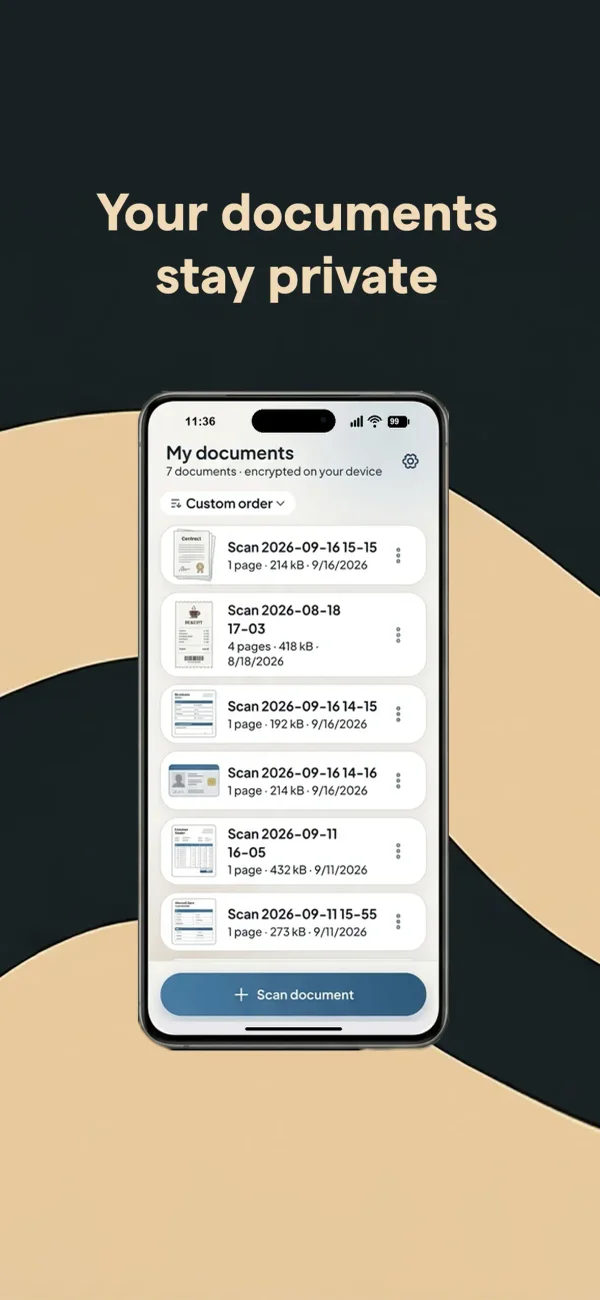
Your documents are processed locally and stored in an encrypted vault protected with strong AES-256 encryption. No account is required, and your documents are never uploaded to the cloud. Add an optional PIN or Face ID App Lock for another layer of protection.
Powerful features:
• Automatic edge detection and capture
• Works offline with no account required
• Smart image enhancements
• Multi-page scanning, reordering, rotation and cropping
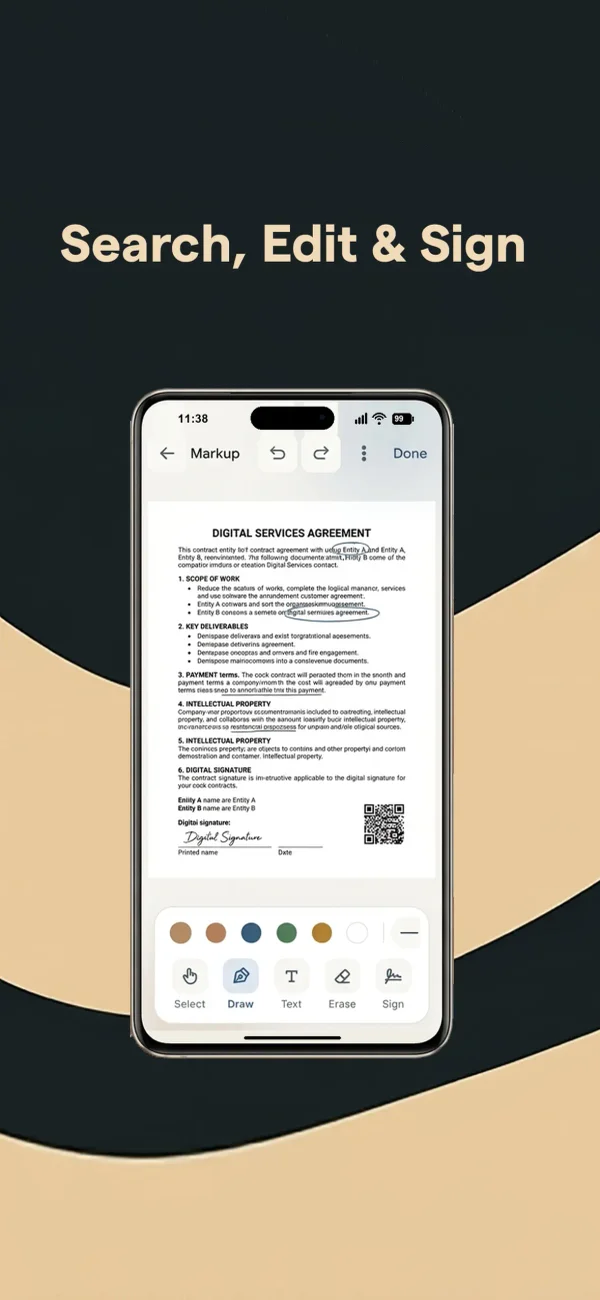
• On-device OCR for searchable and selectable text
• Search inside scanned documents
• Password-protected PDF export
• Encrypted local document library
• PIN and Face ID App Lock
• Add signatures, text, drawings and annotations
• Export editable documents to Word
• Search and sort your document library
• Open, print and share PDFs easily
From receipts and contracts to notes, forms and important records, PDF Secure Scan gives you everything you need to scan, organize and protect your documents — quickly, privately and securely.
Word export is available as page images or simple editable text. Text export does not preserve complex layouts, logos or tables.
Create up to 5 documents per calendar month for free. Paid options unlock unlimited scanning; prices and billing periods are shown before purchase. Subscriptions renew automatically unless canceled at least 24 hours before the end of the current period. Manage or cancel them in your App Store account settings. A lifetime purchase is a one-time payment and does not renew.
Export important documents to keep your own copies. If the encryption key is lost, we cannot recover your documents. An encrypted device backup containing both the vault and key can support restoration; see the Privacy Policy for details.
Privacy Policy: https://appex-pdf-scan.web.app/privacy-policy/
Terms of Use (EULA): https://appex-pdf-scan.web.app/terms-of-use/
Support: hello@appex.sk
What’s new
Version 1.2.2 · Nov 17, 2026
• Import your PDFs straight into your encrypted library.
• Add images from your photos directly to a document.
• Open or share a document with one tap right after saving.
• An even better SuperClean.
• More improvements and bug fixes.
App privacy
What Appex s.r.o. declares on the App Store about how this app handles data.
-
Data linked to you
May be collected and linked to your identity.
- Purchases
-
Data not linked to you
May be collected but is not linked to your identity.
- Purchases
- Location
- Identifiers
- Usage data
Privacy practices may vary, for example with the features you use or your age.
Information
- Seller
- Appex s.r.o.
- Category
- Productivity
- Version
- 1.2.2
- Updated
- Nov 17, 2026
- Released
- Oct 27, 2026
- Size
- 58.5 MB
- Requires
- iOS 15.0 or later
- Age rating
- 4+
- Price
- Free
- In-app purchases
- Yes
- Languages
- English, Arabic, Czech, Dutch, French, German, Italian, Japanese, Korean, Polish, Portuguese, Simplified Chinese + 4 more
- Copyright
- © 2026 Appex s.r.o.
You might also like
-
 Scantrix PDF ScannerPDF Scanner with all Tools.
-
 DocSetu: Offline PDF ToolkitPrivate. Secure. On-Device.
-
 Certifiles: GPS Photo ProofQualified eIDAS timestamps
-
 Domilien : suivi CESUProductivity
-
 SwiftShare: Fast File SharingProductivity
-
 Any2PDF: PDF Converter, ViewerDocs, Photos, Web, Text to PDF
-
 AcqHomeProductivity
-
 KeepL – Sauvegarde tes liensProductivity
-
 PDFHaulPDF processing made simple.
-
 PDF Tool - Edit, Convert, SignConvert, Compress & File Maker