
PDF Squeeze: PDF Compressor
Offline Compress, convert, ask
Designed for iPhone, iPad, Mac
Free · In-app purchases
- Age rating4+
- CategoryUtilities
- DeveloperMOHAMMAD AHMADI SADR
- LanguagesEnglish+ 3 more
- Size24.5 MB
Links to the official App Store page
Download.org hosts no file of PDF Squeeze: PDF Compressor. The button opens its official App Store page, published by MOHAMMAD AHMADI SADR. Listing last checked on Nov 22, 2026.
Screenshots
About
PDF Squeeze makes big PDFs small without making them ugly — and it also scans, reads, signs, converts and answers questions about them, without a single byte leaving your iPhone.
SCAN PAPER INTO PDF
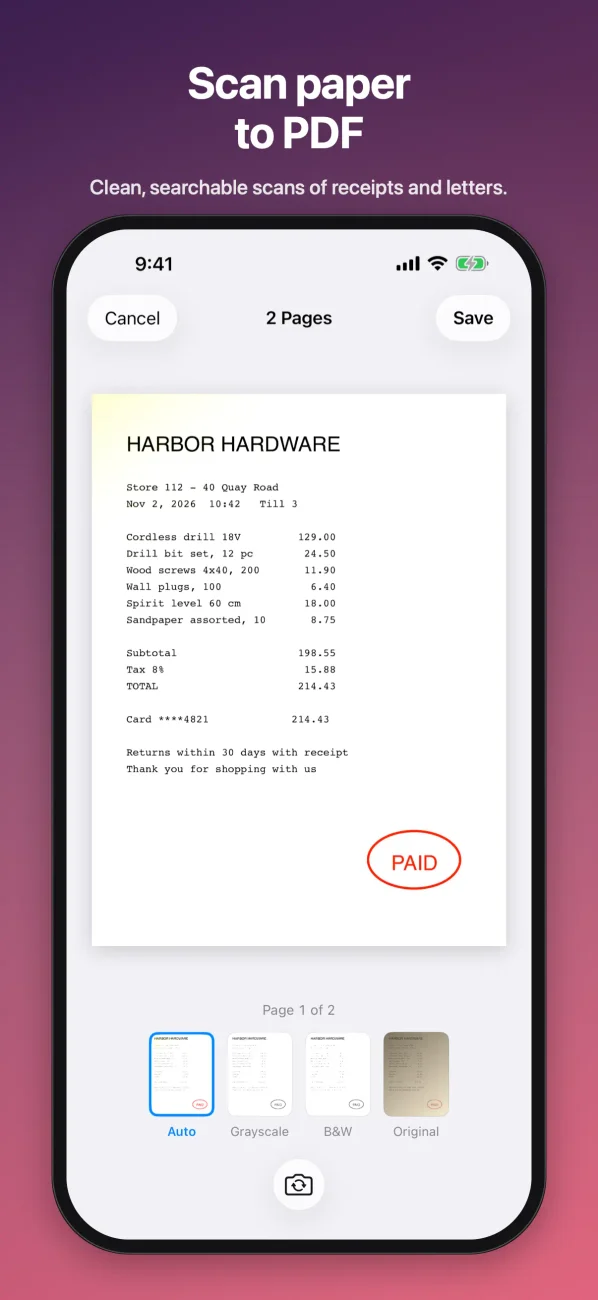
Point the camera at a page and PDF Squeeze finds the edges, squares it up and cleans it: shadows lifted, paper turned white, ink made sharp. Choose Auto, Grayscale or Black & White, then save. Every scan is searchable — the words are read on device, so you can find, copy and ask about them.
SEND TO ANY COMPUTER
AirDrop doesn't reach a Windows laptop or a Chromebook. Send to Computer does: type the short address it shows into any browser on the same Wi-Fi and download. No cable, no account, nothing uploaded. Sharing stops when you close the screen.
ASK YOUR PDF ANYTHING
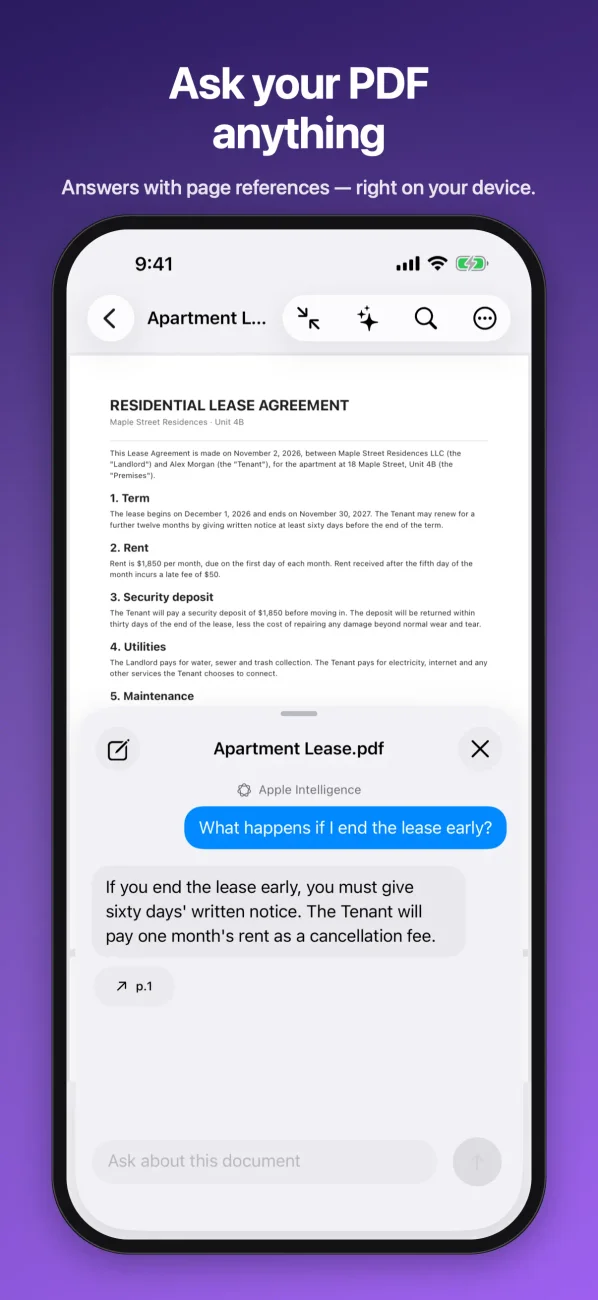
Open a contract, a lease, a manual or a research paper and just ask.
"What's the cancellation policy?"
"When does this renew?"
"What did they agree to pay?"
Answers come with page citations you can tap to jump to the source, so you can check the wording yourself. It all runs on your device: iPhones with Apple Intelligence use the system model, and other iPhones can add an optional on-device model. Scanned and photographed pages are read with on-device OCR in more than twenty languages.
SIGN WITHOUT PRINTING
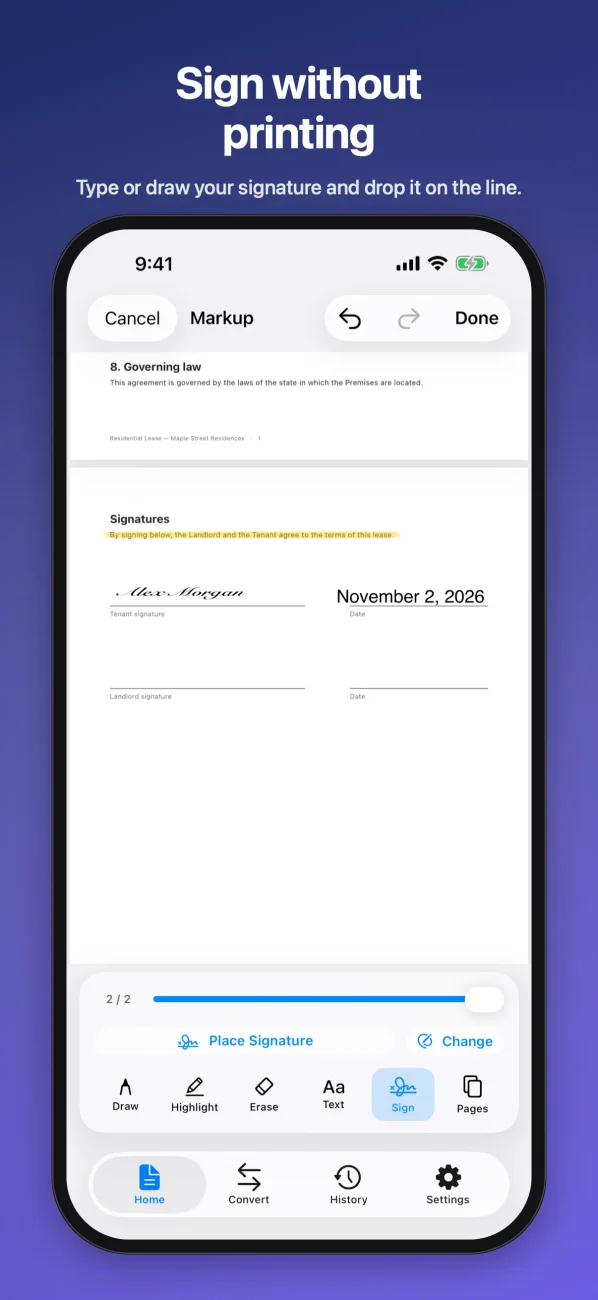
Sign with your finger, or type your name and pick a handwriting style. Your signature is stored as strokes, never a photo, so it stays crisp at any zoom — and it's baked into the page, so it survives compression and email and nobody can drag it off.
MARK UP LIKE PAPER
Highlight, draw freehand and add text boxes you can stretch to any shape. Undo anything, all the way back.
TEXT STAYS SHARP
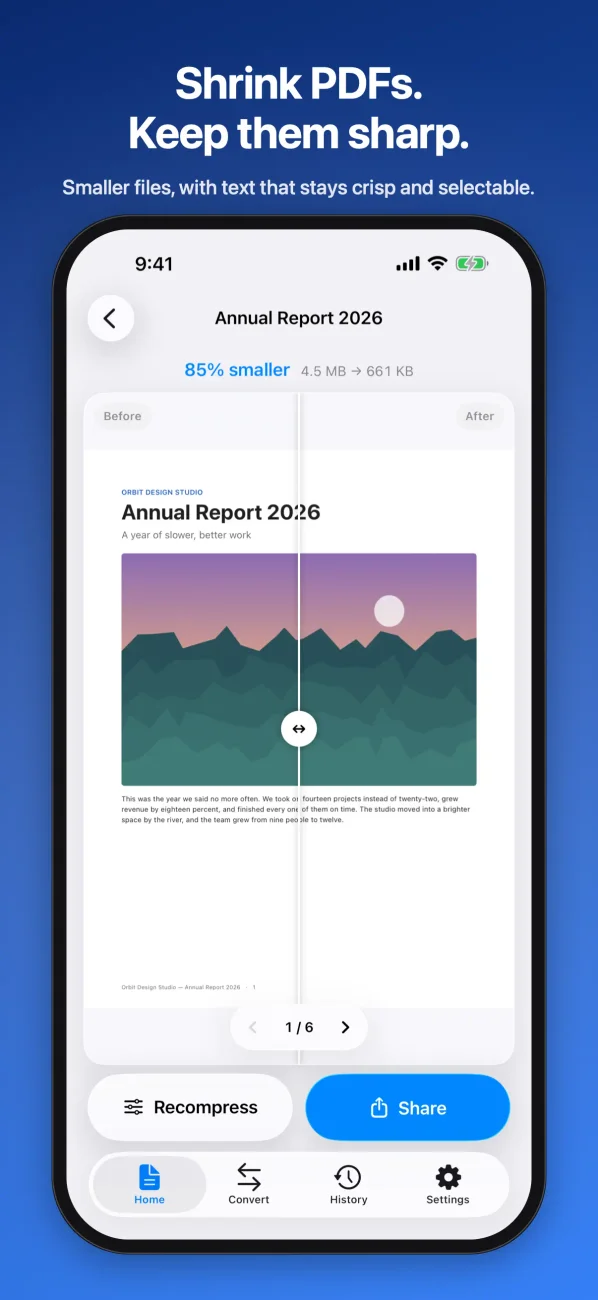
Most compressors re-encode every page and hand you a blurry file. PDF Squeeze tries a vector-preserving pass first, keeping text crisp and selectable. Pages are only re-rendered when that actually saves space, and your file never comes out larger than it went in. Filled-in forms keep their answers.
HIT AN EXACT SIZE
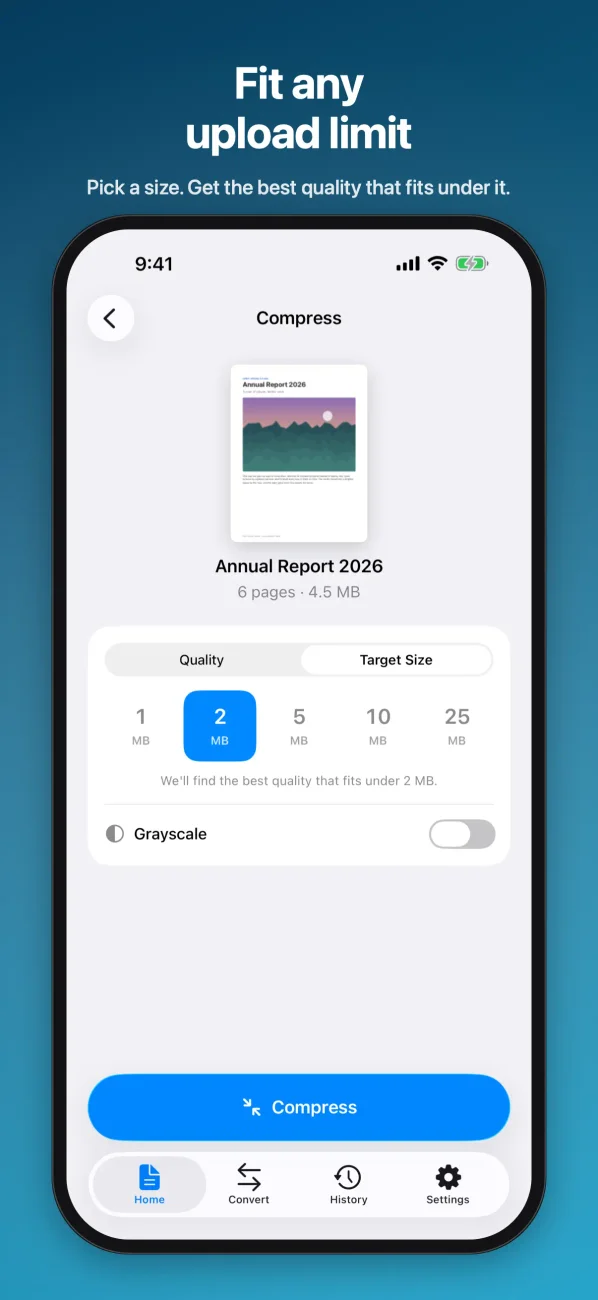
Email limit? Upload cap? Pick 1, 2, 5, 10 or 25 MB and PDF Squeeze finds the best quality that fits just under it — or tells you honestly when it can't.
SEE THE DIFFERENCE
Drag the Before & After slider across any page to compare the original with the compressed version.
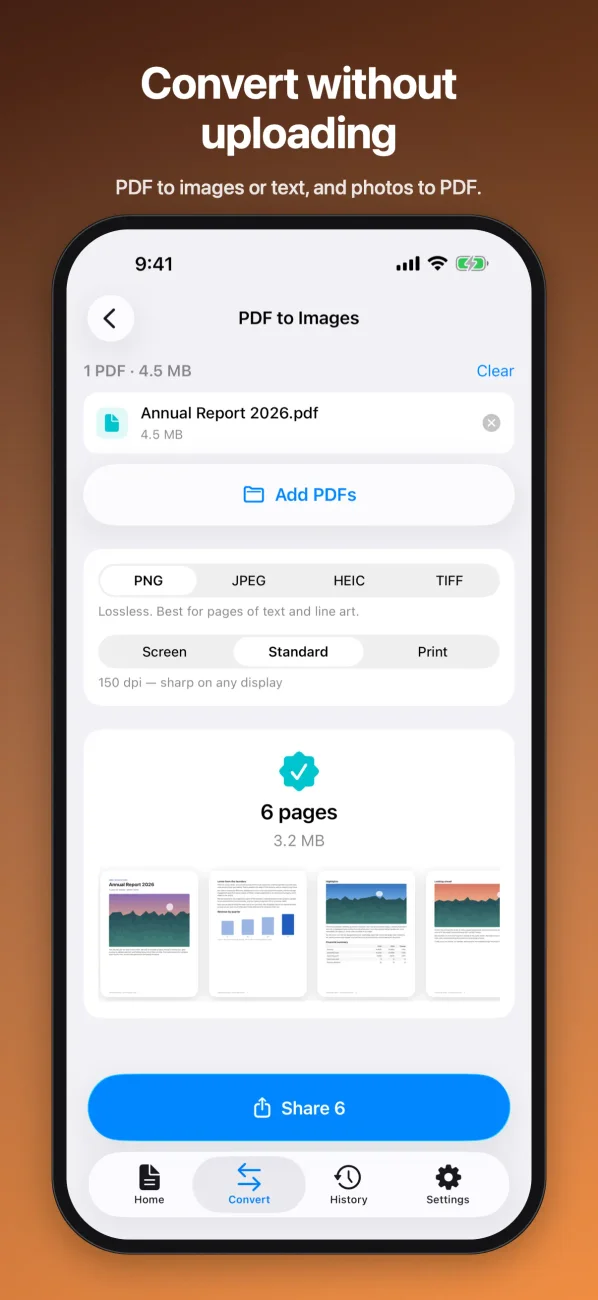
CONVERT WITHOUT LEAVING THE APP
• PDF to Text, with OCR for scanned pages
• PDF to Images, in PNG, JPEG, HEIC or TIFF
• Images to PDF
• Change Image Format between PNG, JPEG, HEIC and TIFF
ALSO IN THE BOX
• Compress a whole group of documents at once
• Four presets: Light, Balanced, Strong, Extreme
• Automatic grayscale detection for extra savings on scans
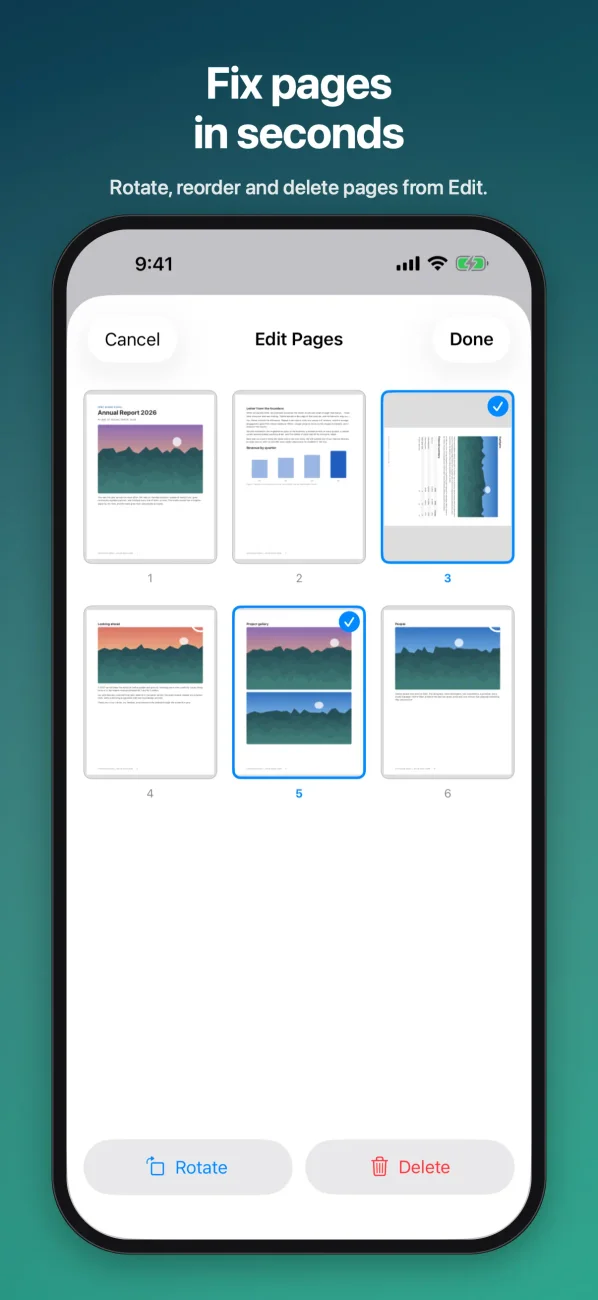
• Rearrange, rotate and delete pages by dragging thumbnails
• Extract pages into a new PDF, or merge several PDFs into one
• Turn photos into a PDF
• Full-text search
• Compress from the Share sheet in any app
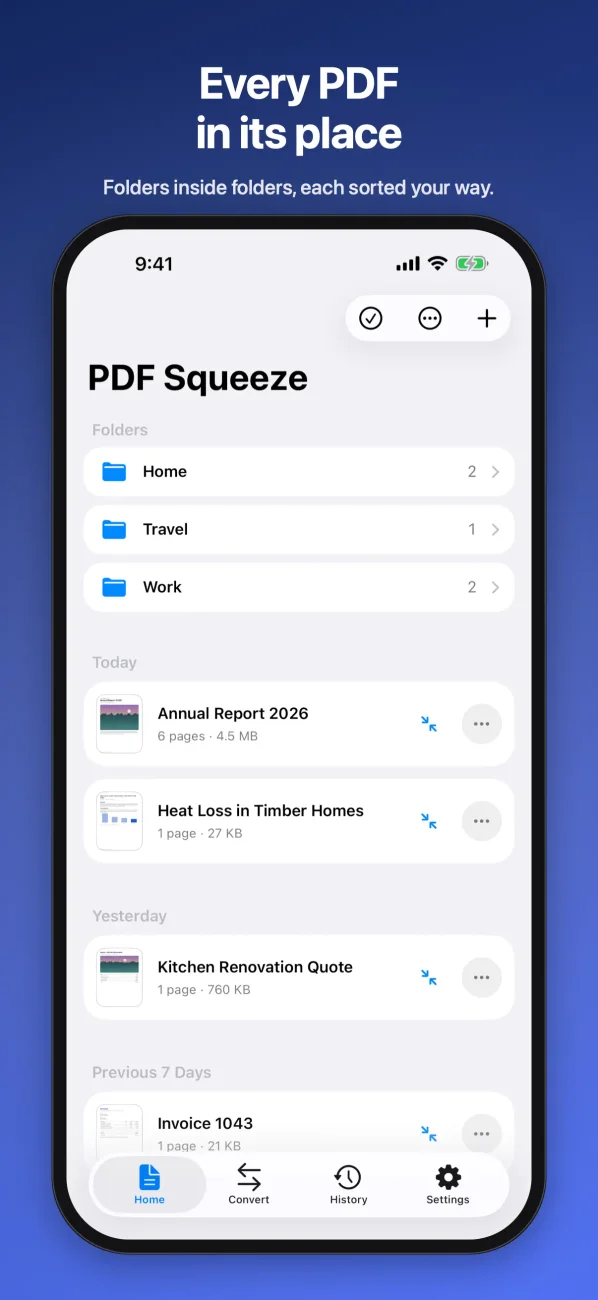
• A library that stays where you left it, and a history of everything you've compressed
• Built for iPad too: library on the left, document beside it, Apple Pencil for signing
PRIVATE BY DESIGN
Scanning, compression, conversion, OCR, signatures and AI answers all happen on your iPhone. Your documents are never uploaded to a server. No accounts, no tracking, no ads.
PAY ONCE, KEEP FOREVER
Your first compression and five questions are free, and scanning, signing, markup, merging, page editing and converting are free for good. One purchase unlocks everything else for life. No subscription, ever.
What’s new
Version 3.9 · Nov 15, 2026
SHARPER COMPRESSION
SHORTCUTS & SIRI
BACK UP YOUR LIBRARY
WATERMARKS & PAGE NUMBERS
COMPARE TWO VERSIONS
EXPORT AS WORD
FIND FILES IN SPOTLIGHT
A TIDIER HISTORY
PICK A TARGET SIZE WITH A SLIDER
SHARE THE ORIGINAL OR THE COMPRESSED FILE
BUG FIXES
App privacy
What MOHAMMAD AHMADI SADR declares on the App Store about how this app handles data.
-
Data not collected
The developer does not collect any data from this app.
Privacy practices may vary, for example with the features you use or your age.
Information
- Seller
- MOHAMMAD AHMADI SADR
- Category
- Utilities
- Version
- 3.9
- Updated
- Nov 15, 2026
- Released
- Jul 23, 2026
- Size
- 24.5 MB
- Requires
- iOS 18.0 or later
- Age rating
- 4+
- Price
- Free
- In-app purchases
- Yes
- Languages
- English, French, German, Spanish
- Copyright
- © 2026 Mohammad Ahmadi Sadr
You might also like
-
 Smart PDF Compressor: ReduceShrink PDFs offline, no upload
-
 Filevale: File Converter & QRVideo Compressor, PDF & ZIP
-
 PDF Compressor: Resize fileShrink Documents for Email
-
 compress pdf, reduce pdf sizeOffline PDF Converter Tool 50+
-
 PDF Compressor: Reduce PDFShrink File Size Offline
-
 Prism Tape CalculatorLive tape. No ads. Exact math.
-
 PDF Under: PDF CompressorCompress to exact MB or KB
-
 TargetKB Photo PDF CompressExact KB,resize,convert
-
 OnePDF: Create Merge & CombineCreate, Merge & Combine PDFs
-
 ExactPress: Compress to SizeCompress Photos & PDFs