PDF Studio: PDF Editor & Scan
Sign, annotate & merge PDFs
Designed for iPhone, iPad
- Age rating4+
- CategoryProductivity
- Developeryusuf hilal
- LanguagesEnglish+ 13 more
- Size4.1 MB
Links to the official App Store page
Download.org hosts no file of PDF Studio: PDF Editor & Scan. The button opens its official App Store page, published by yusuf hilal. Listing last checked on Nov 22, 2026.
Screenshots
About
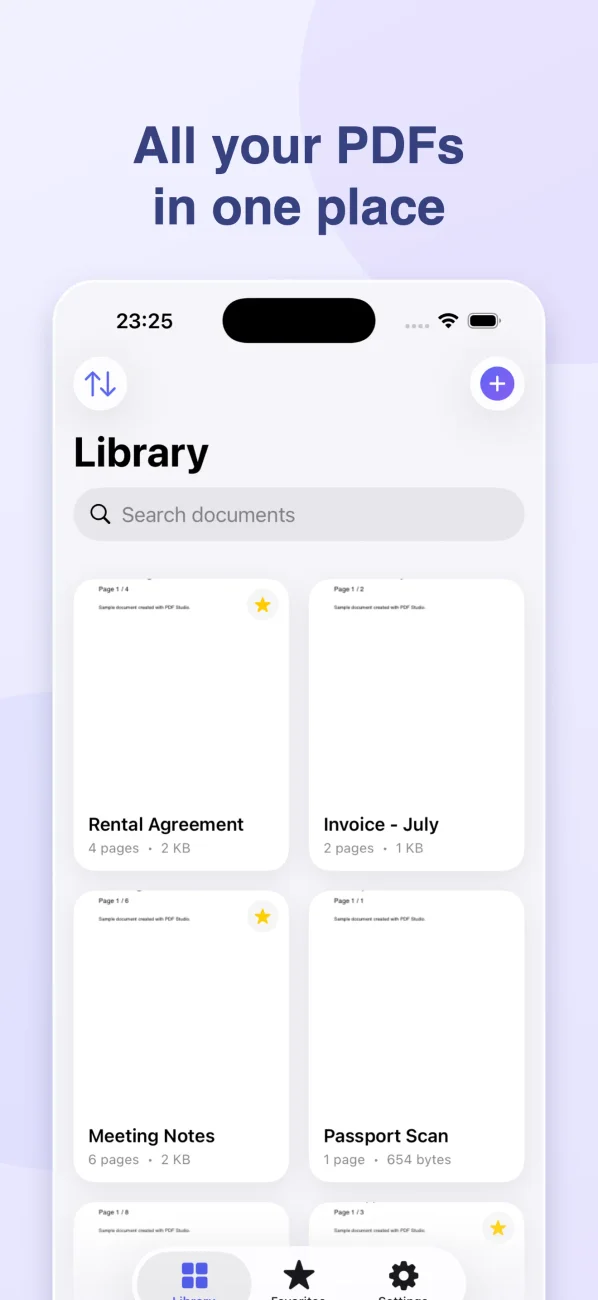
PDF Studio is a calm, fast PDF editor and scanner. It is completely free: no ads, no subscription, no account. Your documents stay on your device.
LIBRARY
• Recent documents, folders, tags and favorites
• Full-text search that finds words inside your PDFs and shows where they appear
• Drag one document onto another to merge them
• Grid or list view, trash with 30-day recovery
MARKUP
• Highlight, underline or strike through by dragging across text
• Pen, rectangle, oval and arrow — shapes snap neatly into place
• Sticky notes in four colors
• Tap with two fingers to undo, three fingers to redo
SIGN AND FILL
• Saved signatures, placed with corner handles to move and resize
• Add a date stamp under your signature with one tap
• Fill PDF forms or place text and checkmarks anywhere
PAGES
• Reorder pages by dragging, rotate, split, insert blank pages
• Drag pages in from other documents
• Deleted pages can be restored for five seconds
SCAN
• Scan paper with the document camera, fix perspective and choose a color mode
• On-device text recognition (OCR) turns scans into searchable PDFs
READING
• Night reading, smart zoom on double-tap, bookmarks and contents
• Comfort Reading with adjustable text and read-aloud
PRIVACY
• Everything is processed on your device, nothing is uploaded
• Lock the app with Face ID, protect PDFs with a password, back up your library
Available in 14 languages.
What’s new
Version 1.3.1 · Nov 17, 2026
A redesigned PDF Studio.
• New library: recents, folders, tags, full-text search and drag-to-merge
• Reading: tap to hide the bars, page scrubber, smart zoom and night reading
• Floating tool palette: drag to highlight, snapping shapes, sticky notes
• Signatures with corner handles and a one-tap date stamp
• Pages: drag to reorder, split, insert from other documents, undo delete
• Scans become searchable PDFs automatically
• Two-finger tap to undo, three-finger tap to redo
App privacy
What yusuf hilal declares on the App Store about how this app handles data.
-
Data not collected
The developer does not collect any data from this app.
Privacy practices may vary, for example with the features you use or your age.
Information
- Seller
- yusuf hilal
- Category
- Productivity
- Version
- 1.3.1
- Updated
- Nov 17, 2026
- Released
- Jul 14, 2026
- Size
- 4.1 MB
- Requires
- iOS 17.0 or later
- Age rating
- 4+
- Languages
- English, Arabic, French, German, Hindi, Indonesian, Italian, Japanese, Korean, Portuguese, Russian, Simplified Chinese + 2 more
- Copyright
- © 2026 Yusuf Hilal
You might also like
-
 FastPDF – PDF Editor & ReaderProductivity
-
 PDF Editor: Scan & CompressMerge, Sign & Edit Offline
-
 PencovaProductivity
-
 Teapot Notes: Digital NotebookHandwriting & Audio to Text
-
 Evrak: UDF PDF ConverterOpen, preview and share files
-
 PDF Editor & Scanner: FolbrioScan, Sign, OCR & Photo to PDF
-
 Flatten Scan: Offline PDFPrivate document scanner
-
 Oko PDFProductivity
-
 UDF StudioView, edit & sign UYAP UDF
-
 Dopamin: DEHB Görev YöneticisiProductivity