
- Age rating4+
- CategoryUtilities
- DeveloperPearson Education, Inc.
- LanguagesEnglish
- Size33.3 MB
Links to the official App Store page
Download.org hosts no file of Pearson Authenticator. The button opens its official App Store page, published by Pearson Education, Inc. Listing last checked on Nov 18, 2026.
Screenshots


About
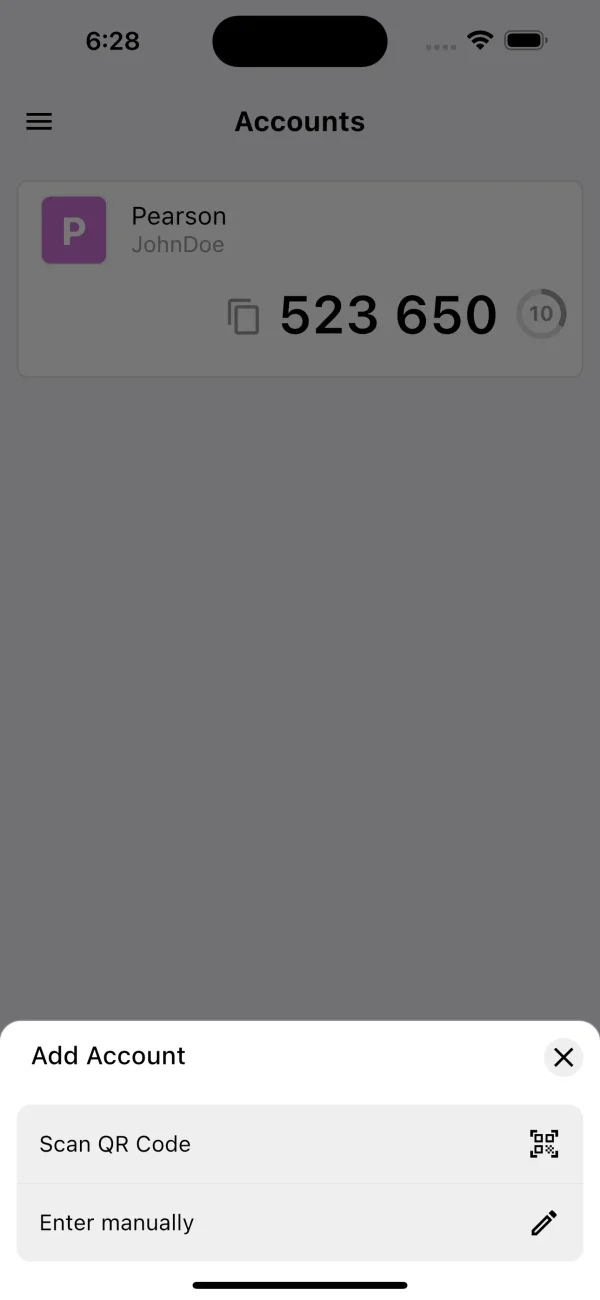
Pearson Authenticator works in conjunction with the Pearson Identity Platform to deliver easy, yet secure access to apps and services.
Users can register their phones, using QR codes, to receive notifications or generate One-Time Passwords which can be used to securely log in.
Features include:
- Automatic setup via QR codes
- Support for multiple accounts
- Support for TouchID and FaceID to authorize access
- Support for Time and Counter based One-Time Password generation
What’s new
Version 1.3.0 · Oct 25, 2024
This app has been updated by Apple to prepare for watchOS 27 compatibility. No new features are included.
App update alert feature
App privacy
What Pearson Education, Inc. declares on the App Store about how this app handles data.
-
Data not collected
The developer does not collect any data from this app.
Privacy practices may vary, for example with the features you use or your age.
Information
- Seller
- Pearson Education, Inc. (Curriculum Group)
- Category
- Utilities
- Version
- 1.3.0
- Updated
- Oct 25, 2024
- Released
- Nov 28, 2023
- Size
- 33.3 MB
- Requires
- iOS 12.0 or later
- Age rating
- 4+
- Price
- Free
- Languages
- English
- Copyright
- © 1996-2023 Pearson All rights reserved
You might also like
-
 MFA Authenticator ‒ Secure 2FA2 Factor Auth: OTP & Verify
-
 RingRxUtilities
-
 Emergency Management SuiteUtilities
-
 Time’s Up! — Visual TimerFocus timer & countdown clock
-
 E3 SafetyEmergency & Safety App: E3
-
 MultiTimer: Multiple timersVisual countdown seconds timer
-
 Glint MobileAssistive Technology
-
 Authenticator App · 2FA2FA: Two Factor Authentication
-
 Authenticator App†2FA Authentication MFA OTP
-
 Titan HSTUtilities