
Peji - Chat and Browser Agent
AI chat in your own browser
Designed for iPhone, iPad
Free · In-app purchases
- Age rating17+
- CategoryUtilities
- DeveloperMatteo Ricupero
- LanguagesEnglish+ 4 more
- Size34.7 MB
Links to the official App Store page
Download.org hosts no file of Peji - Chat and Browser Agent. The button opens its official App Store page, published by Matteo Ricupero. Listing last checked on Nov 20, 2026.
Screenshots



About
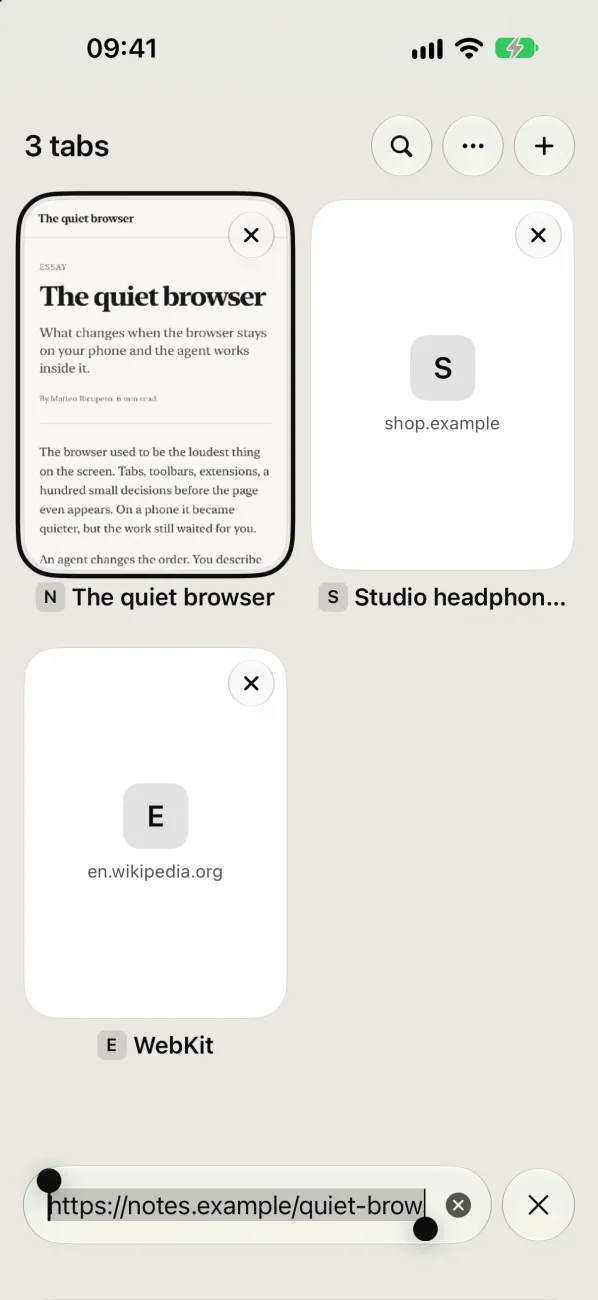
Peji is a chat with a browser inside it. Write what you need: the agent opens the pages on your iPhone, reads them, clicks, types and fills in forms. The browser is on the phone, not in the cloud, so the sites you are already signed into work, you watch every step in the chat, and you can stop it whenever you want. It opens on the browser, and the assistant setup is in the chat.
It does not answer from memory. It opens the page, reads it the way you would and uses what it finds.
WHAT IT CAN DO
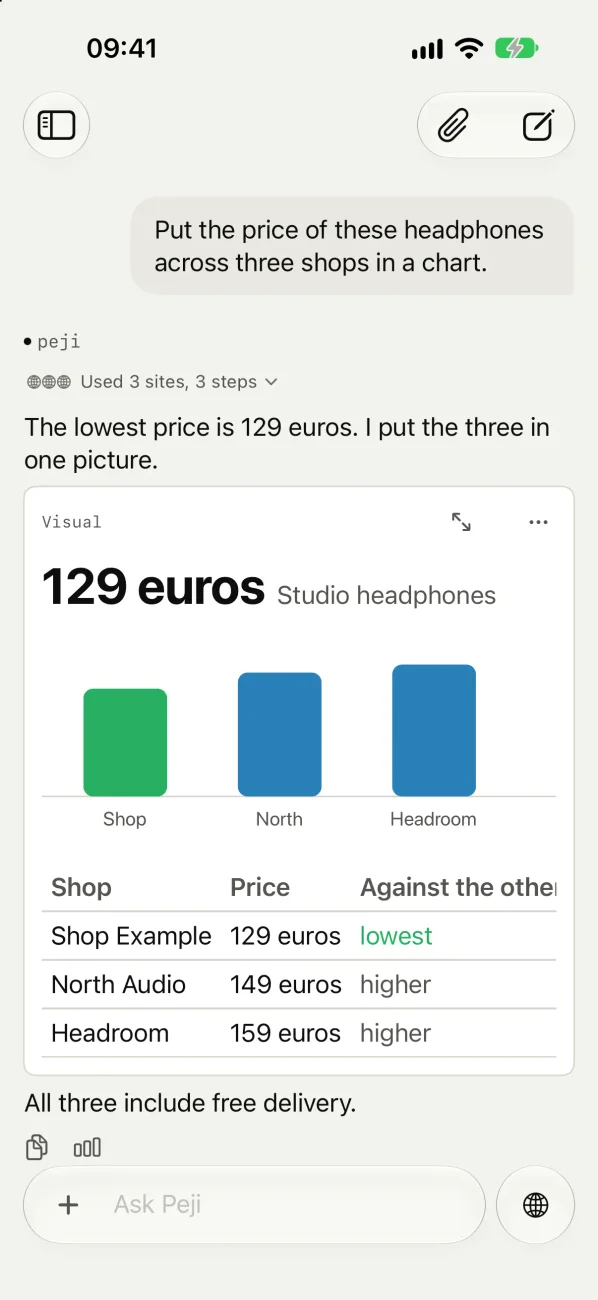
- Browse for you: open a site, search a flight, compare prices in three shops, read a PDF.
- Work across tabs: a new request opens a new tab instead of replacing yours, and moves between them to bring the data back.
- Read articles, lists, forms, PDFs and content inside embedded frames.
- Look at the page: a chart, a map, a photo or a video frame goes to the model as an image.
- Generate photos and images from a text description.
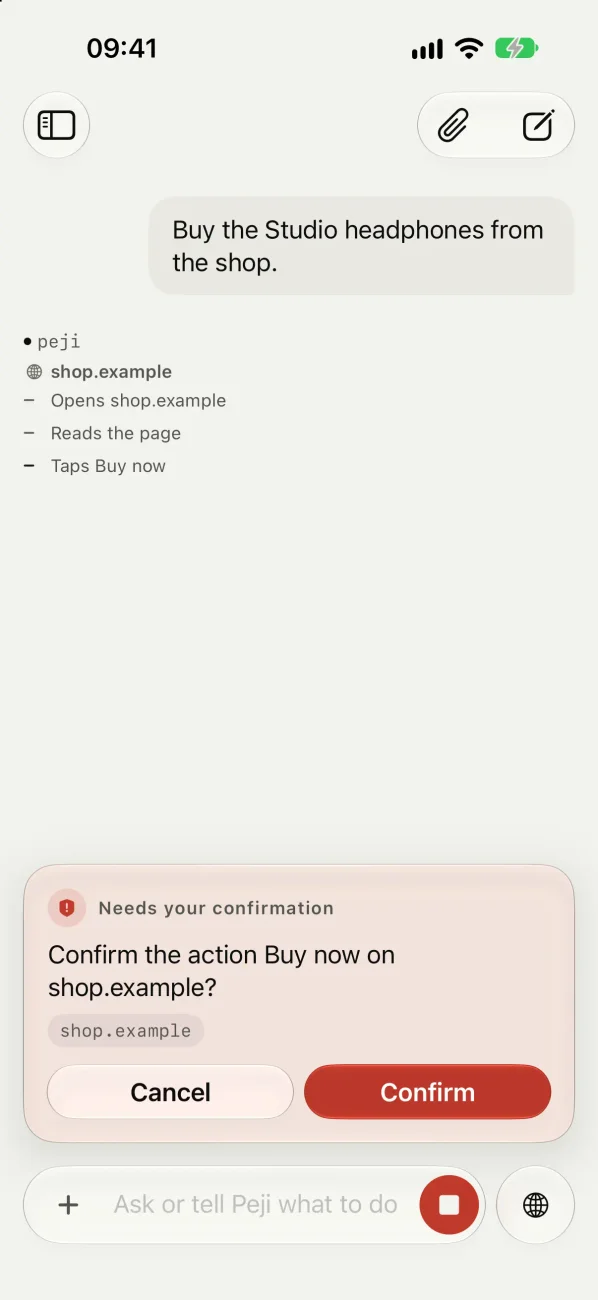
- Fill in forms, with a confirmation before every action that sends, buys, books, pays, deletes or publishes.
- Use the sites you are already signed into: the agent works in the same WebKit tabs you use.
- Answer without opening anything, when the question does not need the web.
THE CHAT
Answers start sooner and are written as they arrive: you read from the first line, and the chat no longer jumps while you scroll. Branch the chat from any reply, or edit one of your messages: the edit opens a new chat, and the old one keeps its own history.
ROUTINES
Save the requests you repeat, with a title. One tap puts the routine in the message field: change it if you need, then send. For example: check three weather sites for tomorrow and average them, or draft a post from my last ones, stopping before publishing.
LONG TASKS
A checkpoint after each step, and the full list of steps one tap away. If a call interrupts a task, continue it from where it stopped. On iOS 26 a task keeps going in the background, with its progress in a Live Activity.
FILES AND PHOTOS
- Up to four photos and three documents in one message.
- Each chat has a folder: the agent saves what it collects and reuses it later.
A NEW CHAT FROM ANYWHERE
The Action button, Control Center, the Lock Screen, Shortcuts and Siri open Peji on an empty chat. Dictation runs on the iPhone with Whisper, and the audio is deleted after it is transcribed.
THE BROWSER IS REAL
Tabs with an address bar, back and forward, a tab switcher, sharing and session restore. Suggestions for visited sites and for Google sit in one panel, in the chat and above the address bar. The light theme is a white canvas, without the cream.
TWO WAYS TO USE THE INTELLIGENCE
- Peji, the built-in provider: an email and password account with a free plan and a monthly usage allowance. Requests pass through the Peji server, which counts the usage and forwards them to the model, without storing the text; the model provider keeps no data.
- Your own endpoint: any OpenAI-compatible chat completions endpoint with streaming and tool calls. The key stays in the Keychain, and the Peji server receives nothing.
FREE AND PRO
Every feature is in the free plan: routines, custom instructions, iCloud backup, photos and files, the agent on several tabs. Peji Pro adds a larger monthly usage allowance. The subscription is monthly or yearly, renews automatically and is managed in the iOS settings. Your own endpoint works without a subscription.
PRIVACY
- Chats, attachments, routines and settings stay on your iPhone.
- The backup goes to your private iCloud Drive container, without your keys.
- API keys stay in the Keychain, never in chats, backups or logs.
- The Peji server keeps your account, session data, usage counters and plan. Not your messages, pages, images or files.
Made for iPhone. It also runs on iPad and on Macs with Apple silicon.
Privacy policy: https://peji.si/privacy
Terms: https://peji.si/terms
Terms of Use (EULA): https://www.apple.com/legal/internet-services/itunes/dev/stdeula/
What’s new
Version 1.13.0 · Nov 18, 2026
• Peji can be your default browser. Links from other apps open in a tab
• Passkeys and saved passwords work in the page, through iOS
• Suggestions share one panel: sites first, then Google, with Search in the Google header
• Offline asks before the agent opens a page, and names the site
App privacy
What Matteo Ricupero declares on the App Store about how this app handles data.
-
Data linked to you
May be collected and linked to your identity.
- Purchases
- Contact info
- User content
- Usage data
Privacy practices may vary, for example with the features you use or your age.
Information
- Seller
- Matteo Ricupero
- Category
- Utilities
- Version
- 1.13.0
- Updated
- Nov 18, 2026
- Released
- Oct 29, 2026
- Size
- 34.7 MB
- Requires
- iOS 18.6 or later
- Age rating
- 17+
- Price
- Free
- In-app purchases
- Yes
- Languages
- English, French, German, Italian, Spanish
- Copyright
- © 2026 Matteo Ricupero
You might also like
-
 SlanviBrowse and ask, side by side
-
 BLAnet ExplorerUtilities
-
 Kesl AI BrowserDoes website tasks for you
-
 Nova Browser: One ExperienceEverywhere
-
 TitleLess BrowserAd-Free, Full-Screen Browsing
-
 SwatBrowser: Browse in PeaceStop scams, pop-ups & trackers
-
 LinkRouter: Opener for SafariOpen Links in Your Chosen Apps
-
 Drop BrowserWeb, Video & Image Sequences
-
 Blanc: Web BrowserYour Blanc tabs, on iPhone too
-
 XBrowser: X Private BrowserAloha, Ad Block, Multi Account