
- Age rating4+
- CategoryPhoto & Video
- DeveloperGuan-Ting Lin
- LanguagesEnglish+ 4 more
- Size8.8 MB
Links to the official App Store page
Download.org hosts no file of Photo Squeezy. The button opens its official App Store page, published by Guan-Ting Lin. Listing last checked on Nov 15, 2026.
Screenshots

About
Reclaim Your Phone's Storage with Squeezy - The Smart Photo Compression App
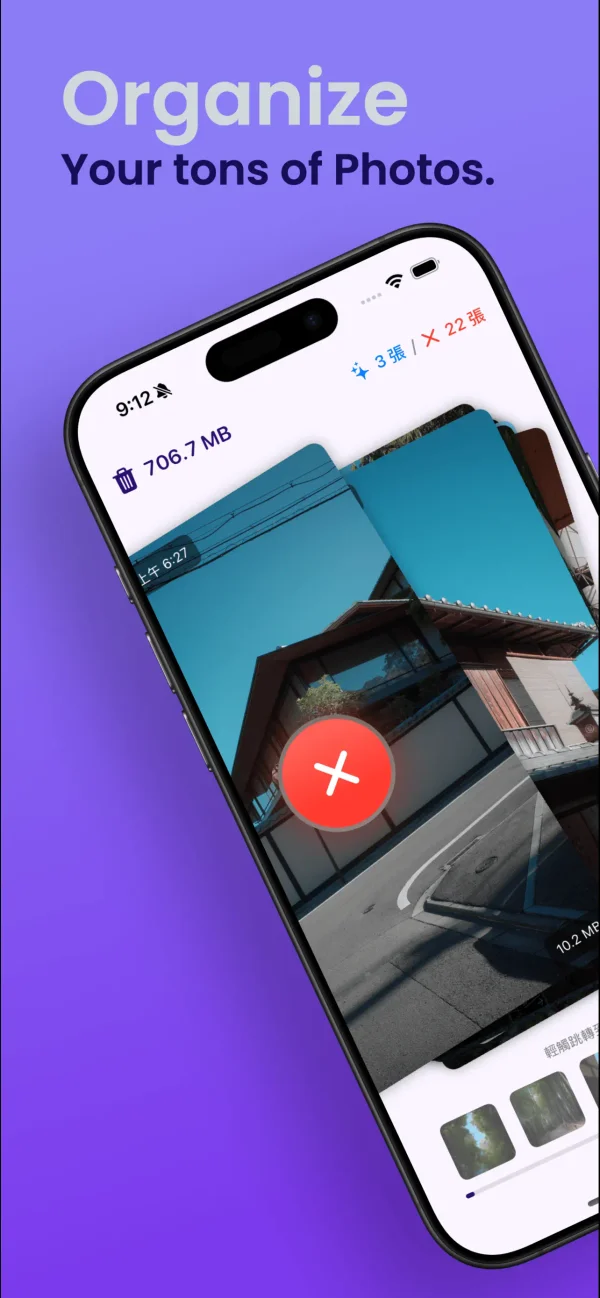
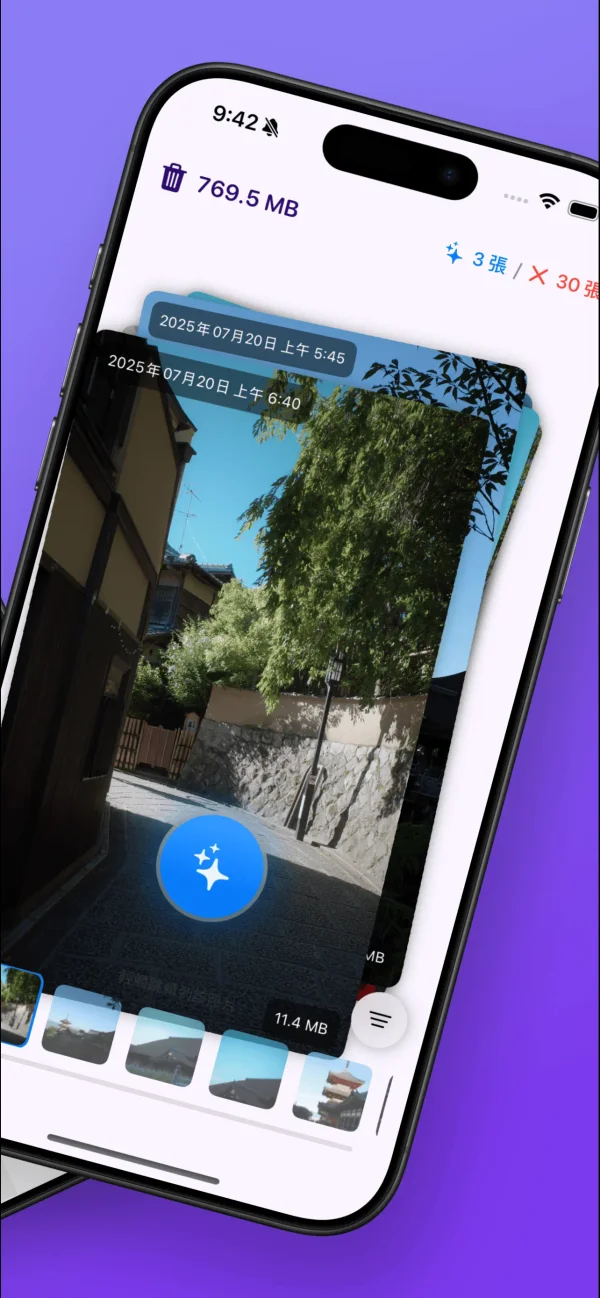
Transform your photo management experience with Squeezy's unique deck-style interface. Simply swipe through your photos and compress them with intelligent algorithms that preserve visual quality while dramatically reducing file sizes.
- Key Features:
Intuitive Gesture Controls
• Swipe down to compress photos
• Swipe left to skip, right to delete, Swipe up to favorite important photos
• Long press to view full-resolution images
Advanced Compression Technology
• Preserves EXIF metadata including creation dates and GPS data
• Maintains photo chronological order in your library
• Smart binary search algorithm finds optimal compression levels
• Typical savings: 70-90% size reduction with minimal quality loss
Batch Operations & Smart Sorting
• Process multiple photos at once
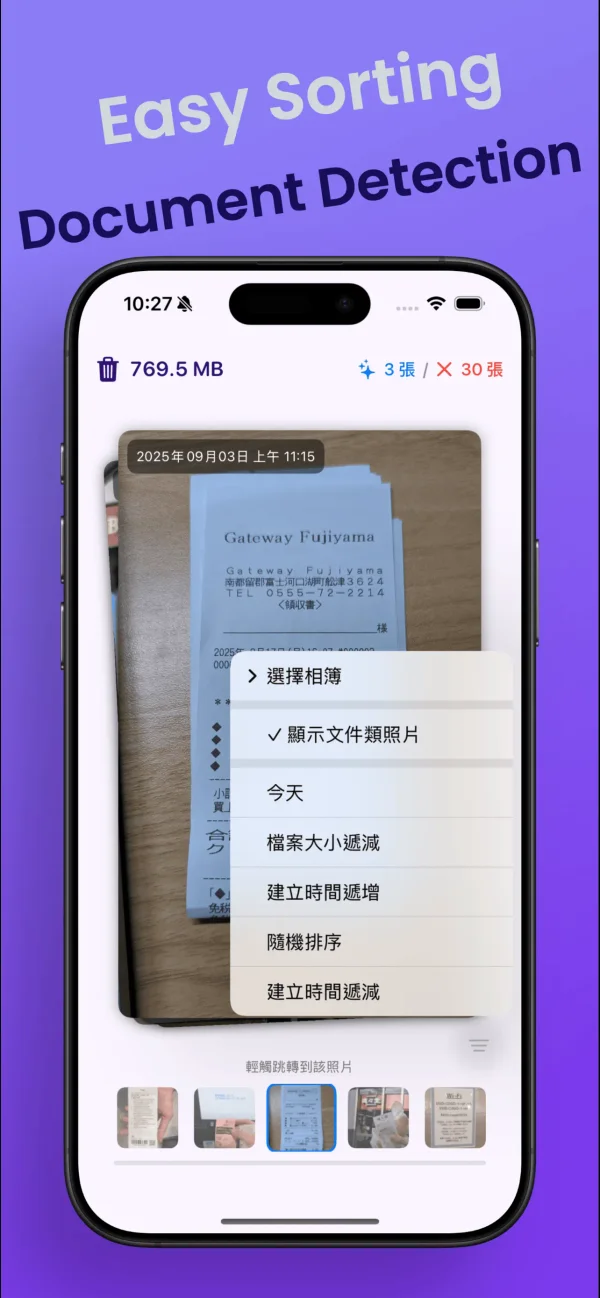
• Sort by creation date, file size, or random shuffle
• Filter out receipts and documents automatically
• Album-specific compression for targeted cleanup
Privacy & Control
• All processing happens on-device - no cloud uploads
• Atomic photo library operations ensure data integrity
• Comprehensive undo system for peace of mind
• Optional write permissions - you stay in control
Real-time Progress Tracking
• Visual carousel shows compression progress
• Live storage savings counter
• Detailed statistics on freed space
• Persistent tracking across app sessions
Perfect for:
• iPhone users running low on storage
• Photography enthusiasts with large libraries
• Anyone who wants to organize photos efficiently
• Users seeking a fast, gesture-driven interface
Squeezy combines the power of professional image compression with an interface so intuitive, it feels like a game. Whether you're freeing up space for new memories or organizing years of photos, Squeezy makes it effortless.
Why Choose Squeezy?
Unlike other photo apps, Squeezy preserves your photos' original timestamps and metadata, ensuring your memories stay organized exactly as they were. The deck-style interface makes photo review engaging rather than tedious.
Download Squeezy today and discover how satisfying photo management can be!
What’s new
Version 1.9.1 · Nov 8, 2026
- Fixed an issue where a video could play sound in the background while a photo was shown on top.
- Video previews in the card stack now play muted. Long-press to view in full screen with sound.
- The card on top now always matches the photo you're acting on, so swipes no longer bounce back.
- Photos that can't be loaded are now skipped automatically instead of freezing the deck.
- Fixed videos sometimes not playing after browsing several videos in full screen.
- Improved battery life and memory usage during video playback.
- Add On This Day and Screenshots filters, plus a localized noon notification when a day has more than 5 past-year photos and videos.
App privacy
What Guan-Ting Lin declares on the App Store about how this app handles data.
-
Data used to track you
May be used to track you across apps and websites owned by other companies.
- Identifiers
- Usage data
-
Data linked to you
May be collected and linked to your identity.
- Identifiers
- Usage data
Privacy practices may vary, for example with the features you use or your age.
Information
- Seller
- Guan-Ting Lin
- Category
- Photo & Video
- Version
- 1.9.1
- Updated
- Nov 8, 2026
- Released
- Sep 21, 2025
- Size
- 8.8 MB
- Requires
- iOS 18.2 or later
- Age rating
- 4+
- Price
- Free
- Languages
- English, Japanese, Korean, Simplified Chinese, Traditional Chinese
- Copyright
- © Bryan Lin
You might also like
-
 Pibook: Organize & Edit PhotosAll-in-one photo library tool
-
 deja: Relive your camera rollClean up photos, free storage
-
 AIO CameraLive color, manual, RAW output
-
 Tenra: Film Camera, DarkroomFilm filters & darkroom ritual
-
 Camie - Camera Photo TransferBrowse before you import
-
 Photo Clean Master: AI CleanSwipe & Clean with Ease
-
 Suila — Video EditorSpeed curves, captions, music
-
 LumRollMake film photos.
-
 EZ CamPhoto & Video
-
 MultiCam - Dual Capture PhotosDuo camera capture reactions