
PhraseX - Saved Text Keyboard
Quick Replies & Word Selection
Designed for iPhone, iPad, Mac
Free · In-app purchases
- Age rating4+
- CategoryProductivity
- Developer兴宇 吴
- LanguagesEnglish+ 18 more
- Size24.0 MB
Links to the official App Store page
Download.org hosts no file of PhraseX - Saved Text Keyboard. The button opens its official App Store page, published by 兴宇 吴. Listing last checked on Nov 26, 2026.
Screenshots
About
Keep the words you use every day ready to go. Save replies, email signatures, addresses, and work templates in PhraseX, then insert them with a tap from your keyboard. Organize your text, reuse copied content, and choose just the words you need for chats, email, and everyday work.
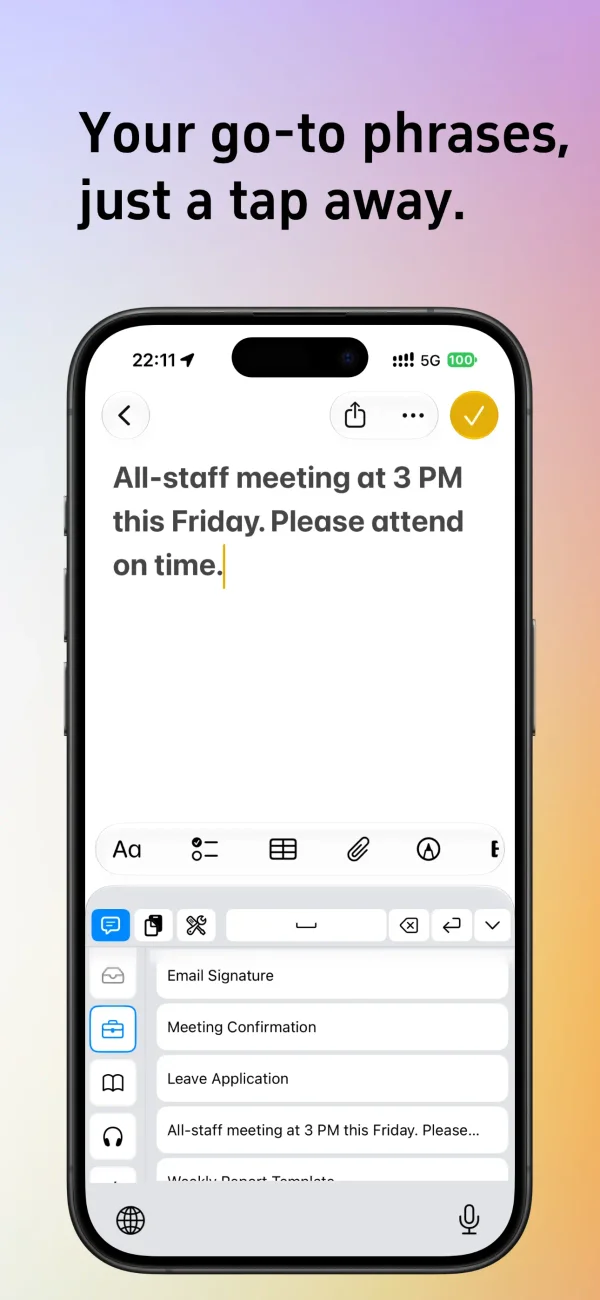
SAVED PHRASES, READY TO USE
Group your phrases into categories and use the PhraseX keyboard on iPhone and iPad to insert them. Pin important items, reorder them manually, and search across categories. Pin or delete multiple categories and phrases at once, or move several phrases together.
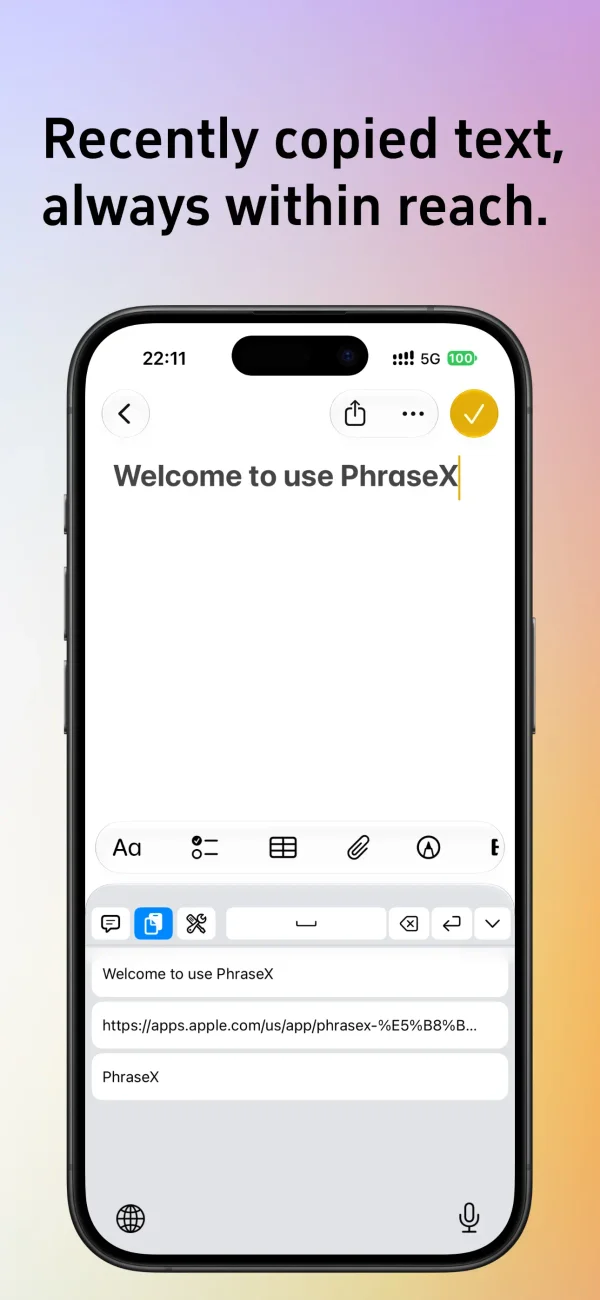
REUSE YOUR CLIPBOARD HISTORY
Save copied text, pin frequently used entries, and arrange them your way. Access your history from the keyboard or save an entry as a phrase in the category you choose.
PICK THE WORDS YOU NEED
Split a saved phrase or clipboard entry into words. On iPhone and iPad, tap or swipe across words to insert them directly into the text field. On Mac, preview your selection in the quick panel, then copy the result.
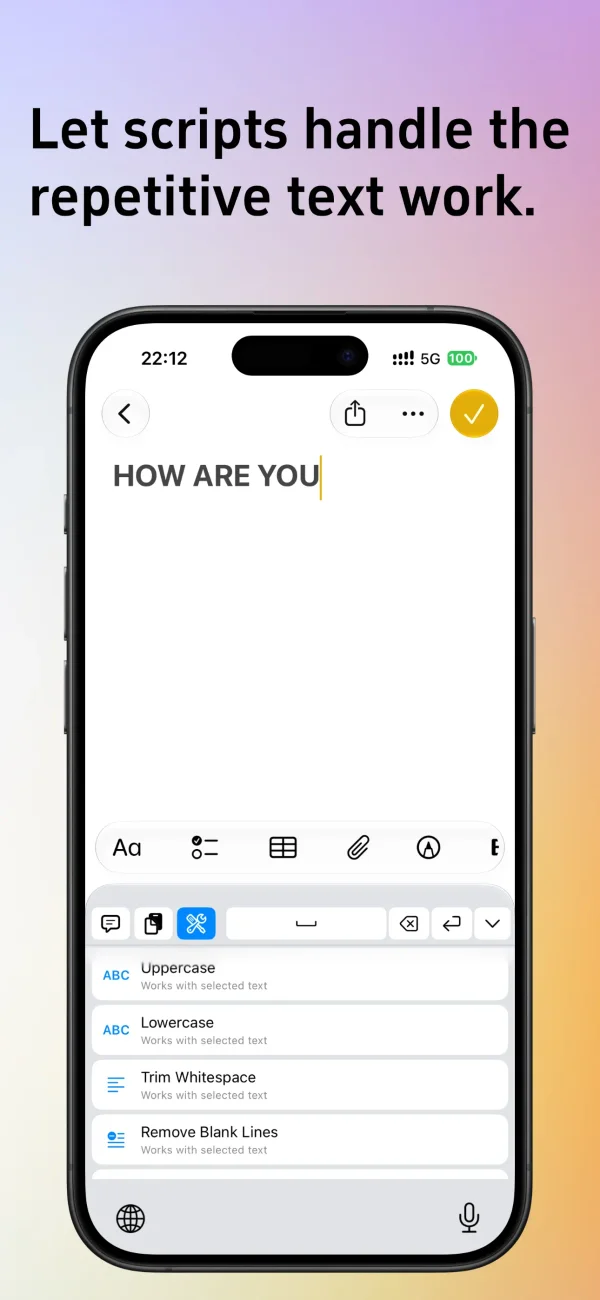
TEXT TOOLS AND JAVASCRIPT
Add tools from the script library to change letter case, trim extra whitespace, remove blank lines, format JSON, or insert the date and time. Write your own JavaScript to process selected text or generate new text.
WIDGETS, SPOTLIGHT, AND SHORTCUTS
Open common actions from Home Screen widgets or by touching and holding the app icon on iPhone and iPad. Enable Spotlight to find phrases, clipboard entries, and scripts in system search. Shortcuts actions let you get or save phrases, run scripts, and save clipboard entries.
YOUR TEXT ACROSS DEVICES
Enable iCloud sync for phrases, categories, text clipboard history, and scripts on iPhone, iPad, and Mac using the same iCloud account. On Mac, open the quick panel from the menu bar or a custom global keyboard shortcut, copy an item, and press Command-V in your destination app. The Mac image clipboard stays on that Mac.
READ ON APPLE WATCH
Send the phrases you choose from your paired iPhone to Apple Watch. Browse by category, read full text in large type, and view received content offline. You can also open the app from your watch face.
MAKE IT YOURS AND BACK IT UP
Adjust keyboard height, font size, and phrase previews. Import and export JSON backups. The interface supports 19 languages.
Core features are free. PhraseX Pro adds higher content limits, the full built-in script library, iCloud sync, the iOS main app's privacy lock, and custom keyboard starting pages and column layouts. See the app for purchase options and pricing.
BEFORE YOU START
• Add the PhraseX keyboard in your iPhone or iPad settings.
• On iOS, clipboard entries are captured only in permitted situations, such as when the clipboard page or the keyboard's clipboard mode is open. PhraseX does not continuously monitor the clipboard in the background.
• Reading the system clipboard, saving entries as phrases, syncing directly with iCloud, and running online scripts from the keyboard require Allow Full Access.
• Apple Watch receives content through your paired iPhone, not directly from iCloud. The iPhone app's privacy lock does not apply to Watch. Sync depends on network conditions and system scheduling. See the in-app guide for details.
Privacy Policy: https://phrasex-legal.wtx132.com/en/
Terms of Use: https://www.apple.com/legal/internet-services/itunes/dev/stdeula/
What’s new
Version 1.7.0 · Nov 26, 2026
• Bulk phrase import: Paste text or choose TXT and CSV files, then preview content, categories and duplicates before importing
• Continuous Copy: Start manually and grant paste permission to collect text copied in other apps through a Picture in Picture window; close the window to stop collecting
• Merge text: Combine phrases in the same category or multiple text clipboard entries, keeping the originals or replacing them with the merged result
• Word selection and scripts in previews: Select the parts you need or run a text-processing script, review the result, then replace the content or save it as a new phrase
• Import TXT and CSV files from the system share menu, or use Open With to preview and import them in PhraseX
• Improved duplicate handling: Copying the same text again reuses the existing entry and moves it to the top of its own group
• New appearance options: Follow the system or choose light or dark mode and customize the accent color
• Updated guides and feature demos with steps for bulk import, merging and processing text in previews
• Fixed some issues with iCloud sync, the clipboard and script execution
App privacy
What 兴宇 吴 declares on the App Store about how this app handles data.
-
Data not collected
The developer does not collect any data from this app.
Privacy practices may vary, for example with the features you use or your age.
Information
- Seller
- 兴宇 吴
- Category
- Productivity
- Version
- 1.7.0
- Updated
- Nov 26, 2026
- Released
- Sep 25, 2026
- Size
- 24.0 MB
- Requires
- iOS 17.0 or later
- Age rating
- 4+
- Price
- Free
- In-app purchases
- Yes
- Languages
- English, Arabic, Dutch, French, German, Hindi, Indonesian, Italian, Japanese, Korean, Portuguese, Russian + 7 more
- Copyright
- © 2026 wutongxue132
You might also like
-
 BlinkPaste: Snippet KeyboardQuick Replies, Less Retyping
-
 Text2FileProductivity
-
 BriefFeedAI summaries, key points first
-
 EverPass: Expiry ReminderDocument Wallet & Passport Box
-
 Recly: Record for Your AIRecord, transcribe, automate
-
 OWrite ProDo every little thing well.
-
 AtelierRecords for CollectorsMulti-generation art records.
-
 OneVoice: Offline RecorderPrivate voice notes, offline
-
 OneScan: PDF & ID ScannerScan, Save & Find Documents
-
 OneOpen: File ViewerHTML, Markdown, CAD & 3D