
PictureTimer
Gesture Drawing Practice Timer
Designed for iPhone, iPad
In-app purchases
- Age rating4+
- CategoryGraphics & Design
- DeveloperZinc White Limited
- LanguagesGerman+ 9 more
- Size7.7 MB
Links to the official App Store page
Download.org hosts no file of PictureTimer. The button opens its official App Store page, published by Zinc White Limited. Listing last checked on Nov 12, 2026.
Screenshots


About
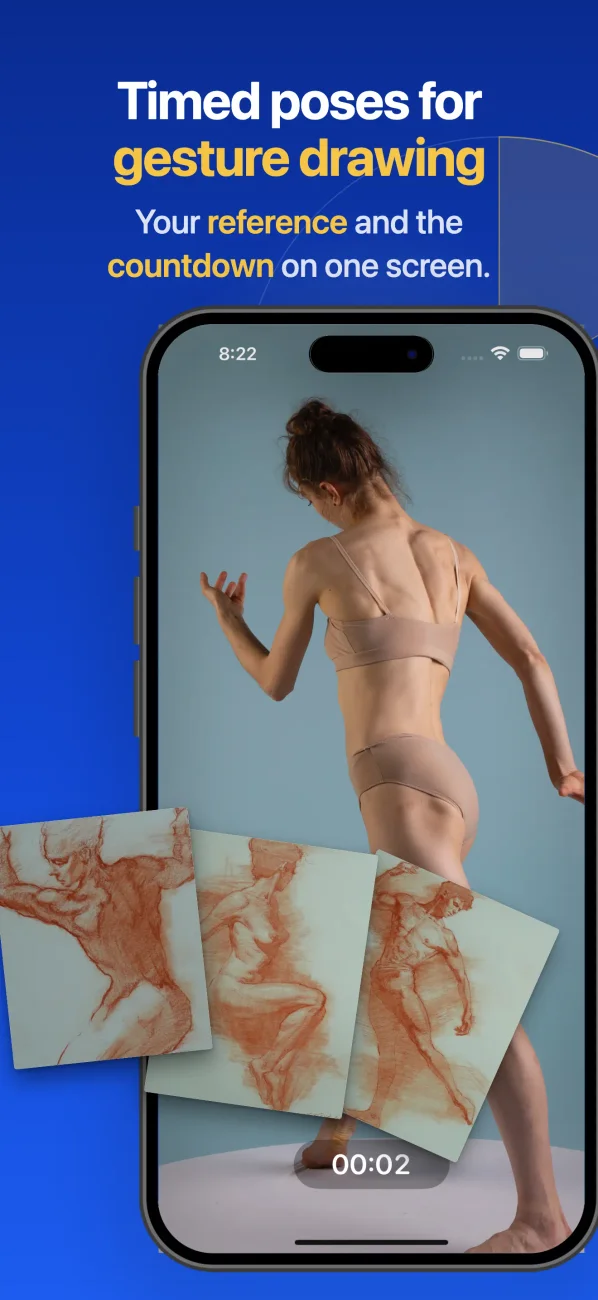
Build a regular drawing habit with your own reference photos. PictureTimer turns images into timed slideshows with an on-screen countdown for gesture drawing, figure studies, croquis and sketching practice.
PRACTICE WITH YOUR OWN REFERENCES
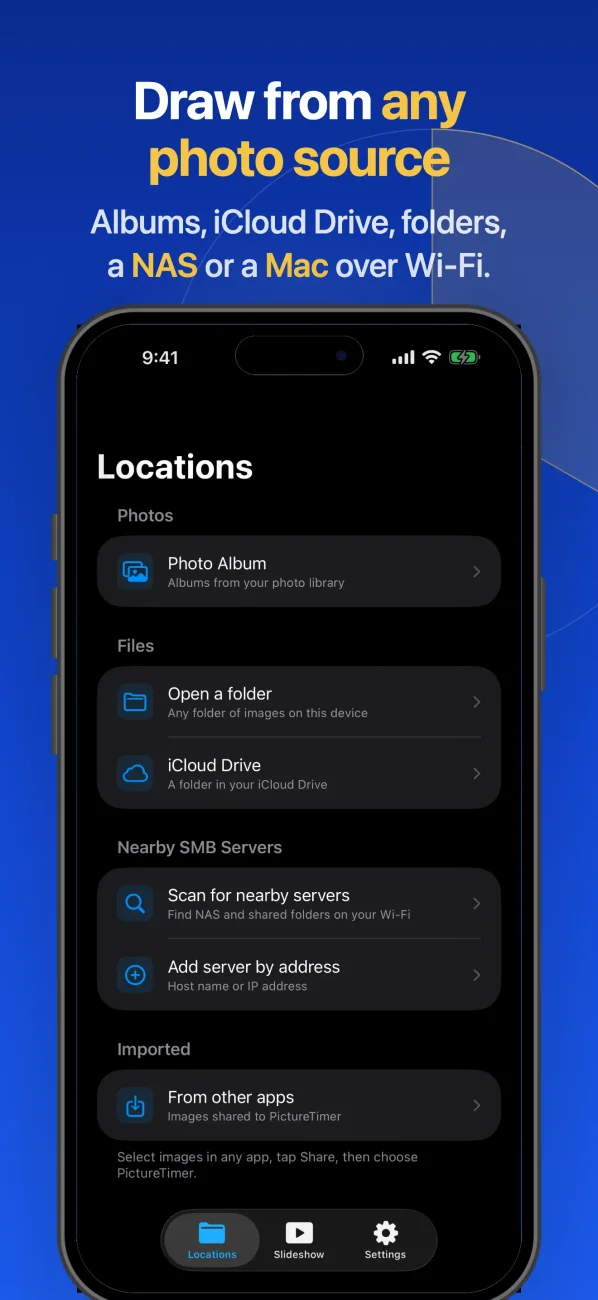
Choose photos from device albums, iCloud or folders. Connect to Mac shared drives and compatible NAS devices using SMB to work with your existing image library.
KEEP YOUR SESSION MOVING
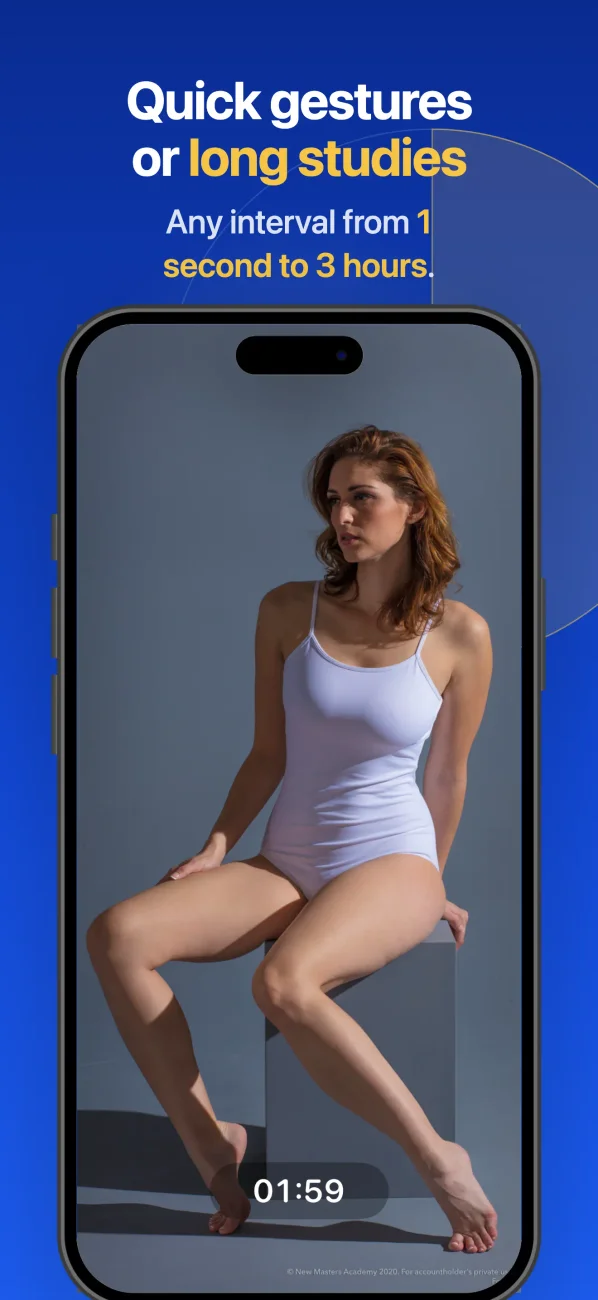
View each reference alongside a countdown so you can focus on drawing. Use timed slideshows for personal practice, art classes, lesson pacing or presentations.
MORE CONTROL WITH PICTURETIMER PLUS
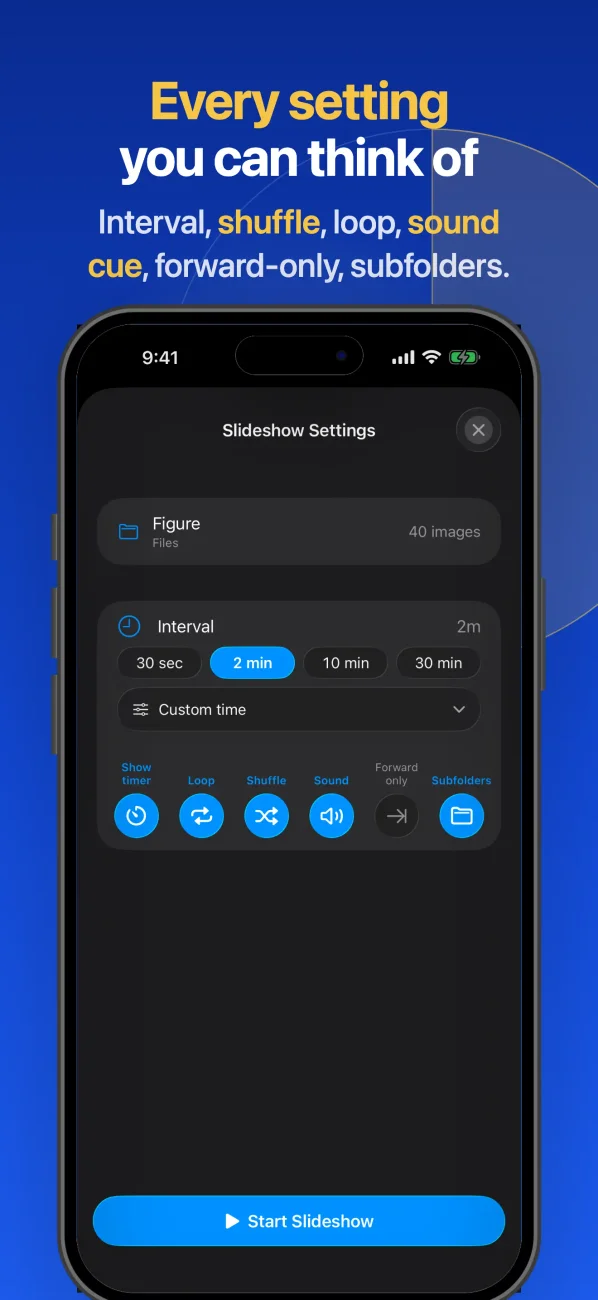
Choose a Plus subscription or the one-time Plus Lifetime purchase to unlock custom time intervals, images from subfolders, shuffle, a time-up sound and forward-only mode to keep your practice moving to the next reference.
Bring the photos you want to study, choose your slideshow settings and start drawing.
Privacy Policy: https://zincwhite.art/privacy.html
Terms of Use: https://www.apple.com/legal/internet-services/itunes/dev/stdeula/
What’s new
Version 26.6.1 · Sep 20, 2026
Sound and style for the timer:
• A chime at the end of each pose — nine to choose from, and they sound even when the ring switch is silenced.
• A time warning part-way through a pose, so you can start finishing instead of being cut off.
• Set the timer's size, color, position and background, or drag it aside mid-session.
• Save your own intervals and tap them next time.
Plus bug fixes.
App privacy
What Zinc White Limited declares on the App Store about how this app handles data.
-
Data not collected
The developer does not collect any data from this app.
Privacy practices may vary, for example with the features you use or your age.
Information
- Seller
- Zinc White Limited
- Category
- Graphics & Design
- Version
- 26.6.1
- Updated
- Sep 20, 2026
- Released
- Sep 13, 2025
- Size
- 7.7 MB
- Requires
- iOS 17.6 or later
- Age rating
- 4+
- In-app purchases
- Yes
- Languages
- German, English, French, Italian, Japanese, Korean, Portuguese, Spanish, Traditional Chinese, Simplified Chinese
- Copyright
- © 2025 Zinc White Limited
You might also like
-
 PoseTimeTimed Drawing for Artists
-
 Seshr: Build Drawing SessionsTimed intervals, your images.
-
 refs.draw with references
-
 Quick Poses: Gesture DrawingImprove with timed practice
-
 5min Sketch ProDaily drawing habits
-
 Pixel Designer ProPIxel Art Editor
-
 MesuraFurniture at its real size
-
 Croquiary - 크로키 연습Graphics & Design
-
 Vision CheerJoyful Visuals: Vision Cheer
-
 Pixel Art Maker PixelCanvasIntuitive Pixel Art Creation