
- Age rating4+
- CategoryProductivity
- DeveloperGEOFFREY SELLERS BLOSSER
- LanguagesEnglish+ 8 more
- Size23.4 MB
Links to the official App Store page
Download.org hosts no file of Pimkin Mail. The button opens its official App Store page, published by GEOFFREY SELLERS BLOSSER. Listing last checked on Nov 25, 2026.
Screenshots
About
Pimkin connects to Gmail, Microsoft 365, iCloud, Fastmail, Zoho Mail and other email accounts, and puts their mail, calendars, contacts and tasks side by side. Your accounts stay where they are. You connect each one once.
Mail
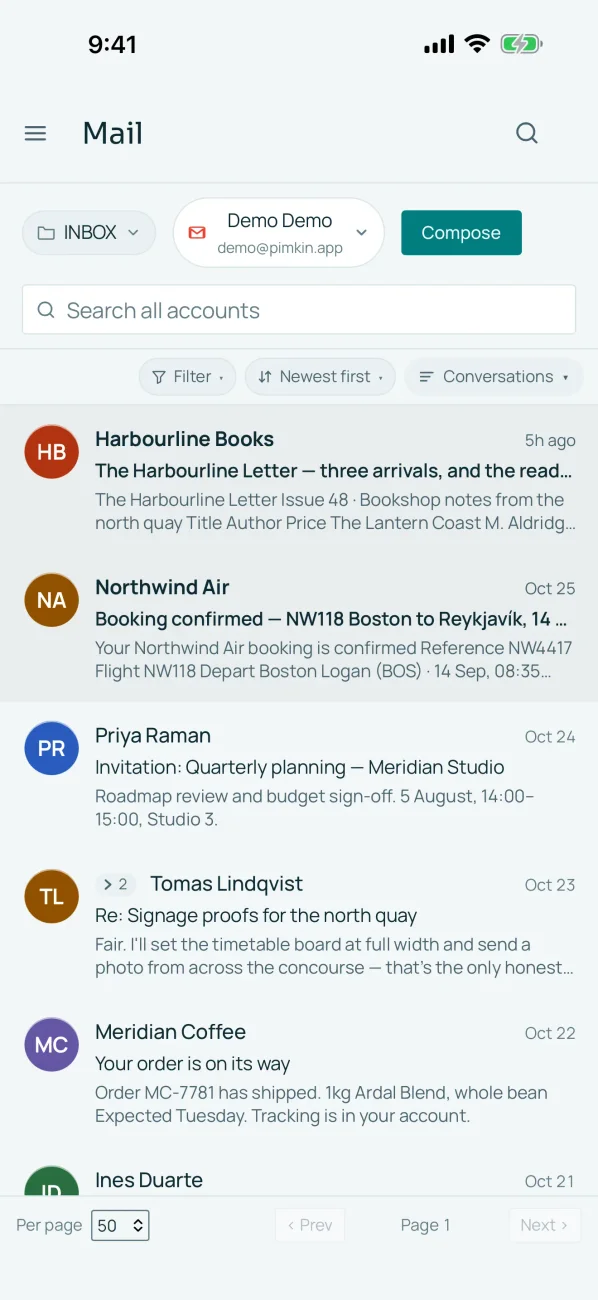
• One inbox across every account, with each message marked by its account
• Replies go out from the account the message came to, and Gmail aliases can be used as the sender
• Send later: choose when a message goes out, then change or cancel it from Scheduled
• Remind me if no reply: mail you sent that gets no answer appears under No reply yet, above the Inbox
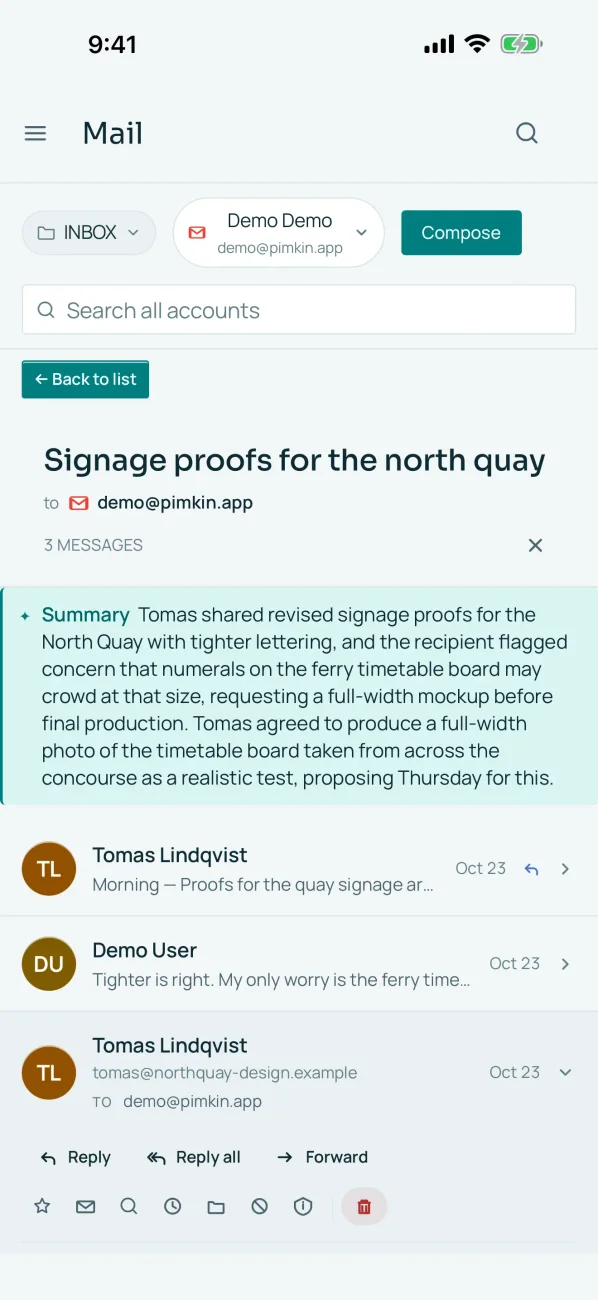
• Make a task or an event from a message, with a link back to the mail
Calendar
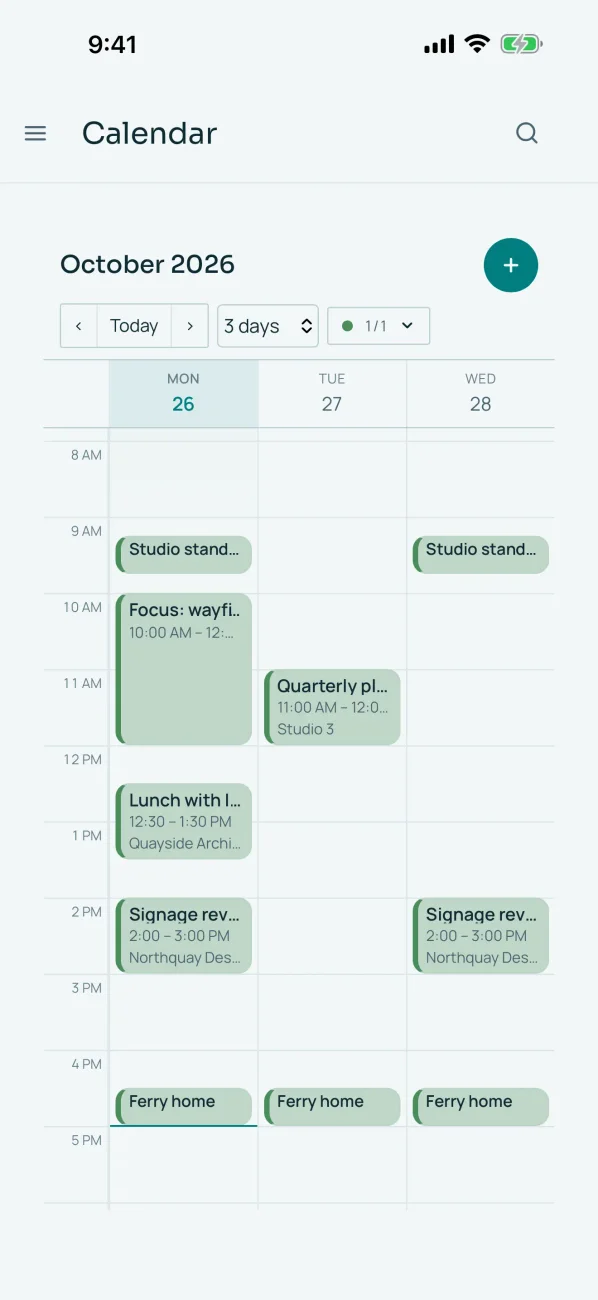
Calendars from Google, Microsoft 365, iCloud, Fastmail, Zoho and other accounts in one grid. Events you create or change are saved to their calendar. iCloud calendars are view only.
• Accept or decline an invitation from the email it came in
• Coming up, a panel beside your mail with your next meeting, the week's events and the tasks that are due
Contacts
Google, Microsoft 365, iCloud, Fastmail, Zoho and your company directory in one address book. Changes are saved to the account the contact came from. iCloud contacts are view only.
• Call, email or open a map from a contact's card
• Your company directory, searchable next to your own contacts
Tasks
Google Tasks, Microsoft To Do and other task lists in the same app as your mail and calendar, synced both ways.
• Today, Upcoming and No date views across all your task lists
Search, rules and junk
• Search every account at once, with from:, to:, tag: and has:attachment
• Rules that tag, move, forward or delete mail. Describe one in plain words and Pimkin drafts it for you to check.
AI, if you want it
Off until you turn it on, one feature at a time. Before Pimkin sends any of your mail for AI, it tells you the text goes to Anthropic, the AI company that runs these features, and asks you to agree.
• Marks the mail that needs your attention
• A short summary at the top of a conversation when you open it, and of an attachment or a linked page when you ask
• Spots mail you sent that is still waiting for an answer, and suggests a reminder or a nudge
• Suggests a task or an event when mail you receive asks for one
• AI summaries and suggestions carry an AI label
On iPhone and Apple Watch
• A notification when new mail arrives. Tap it to open that message.
• Home Screen widgets with your unread count, your next meeting and your newest mail
• Ask Siri for your unread count, your next meeting or your latest mail
• Share a link or a file from another app into Pimkin, to email it or add it as a task
• The Apple Watch app comes with it, with your inbox and your agenda
• The installed apps keep a copy of everything, so you can read without a connection. Moves, deletes and edits made offline are sent when you reconnect.
• Choose for each account whether to be notified about all mail, important senders only, or nothing, and set quiet hours
• Sign in with a passkey, an email and password, or your Apple, Google or Microsoft account
Your data is not for sale
No ads, no profiling and no resale. The sign-ins that let Pimkin reach your accounts are encrypted at rest, with a key only the service holds.
What’s new
Version 1.6.98 · Nov 25, 2026
Already use Gmail? Add Microsoft 365, iCloud and your other accounts beside it: one inbox, one calendar and one address book.
• Ask your inbox: type a question in search and press Enter. AI answers it from your mail, and each answer links to the messages it came from. Turn it on in Settings → Mail where your account allows it.
• On Gmail, a right swipe now archives a message instead of deleting it.
• Mute works on more mailing lists.
• Signing up or resetting your password with email works in the app.
• A Google or Microsoft account whose access was taken back is removed after 30 days, with an email a week before.
• The search box on the search results page can be edited again.
App privacy
What GEOFFREY SELLERS BLOSSER declares on the App Store about how this app handles data.
-
Data linked to you
May be collected and linked to your identity.
- Contact info
- Contacts
- User content
- Search history
- Identifiers
- Diagnostics
Privacy practices may vary, for example with the features you use or your age.
Information
- Seller
- GEOFFREY SELLERS BLOSSER
- Category
- Productivity
- Version
- 1.6.98
- Updated
- Nov 25, 2026
- Released
- Aug 20, 2026
- Size
- 23.4 MB
- Requires
- iOS 16.4 or later
- Age rating
- 4+
- Price
- Free
- Languages
- English, Arabic, German, Hebrew, Japanese, Korean, Simplified Chinese, Spanish, Traditional Chinese
- Copyright
- © 2026 Ganshiki LLC
You might also like
-
 Tessly notePlanner, budget & goals
-
 Heads Up Meeting AlarmsNo hints, real meeting alarms
-
 CORTEX PRISMPRISM
-
 Mayl: Private EmailGmail, Outlook & IMAP in one
-
 ClevverToDoProductivity
-
 Lunaco: Secure Calendar·TasksPlanner, Timetable & Tasks
-
 Caffeinated CalendarYour Calendars, Your Rules
-
 Sync with ComputerBackup photos to Computer
-
 Recall: Daily notesSecond Brain
-
 1TimeTable: Widgets & updatesShared schedules, live widgets