
PiPomo: Floating Timer Script
Pomodoro, Teleprompter, Clock
Designed for iPhone, iPad
Free · In-app purchases
- Age rating4+
- CategoryUtilities
- DeveloperVinh Vo
- LanguagesEnglish+ 18 more
- Size13.8 MB
Links to the official App Store page
Download.org hosts no file of PiPomo: Floating Timer Script. The button opens its official App Store page, published by Vinh Vo. Listing last checked on Nov 23, 2026.
Screenshots



About
Keep your focus timer, clock, or script floating over every app.
PiPomo puts a timer, clock, or teleprompter in a small Picture-in-Picture window that stays on screen while you study, work, browse, or record. One glance tells you where you are — no switching apps, no unlocking to check the time.
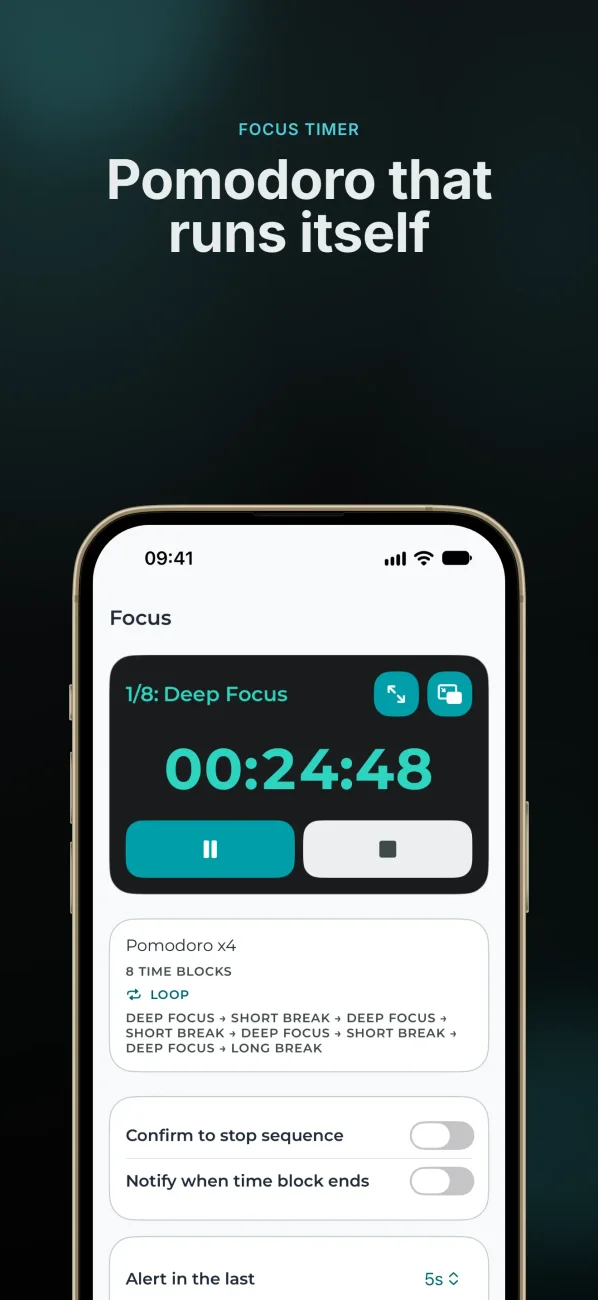
FOCUS TIMER THAT RUNS ITSELF
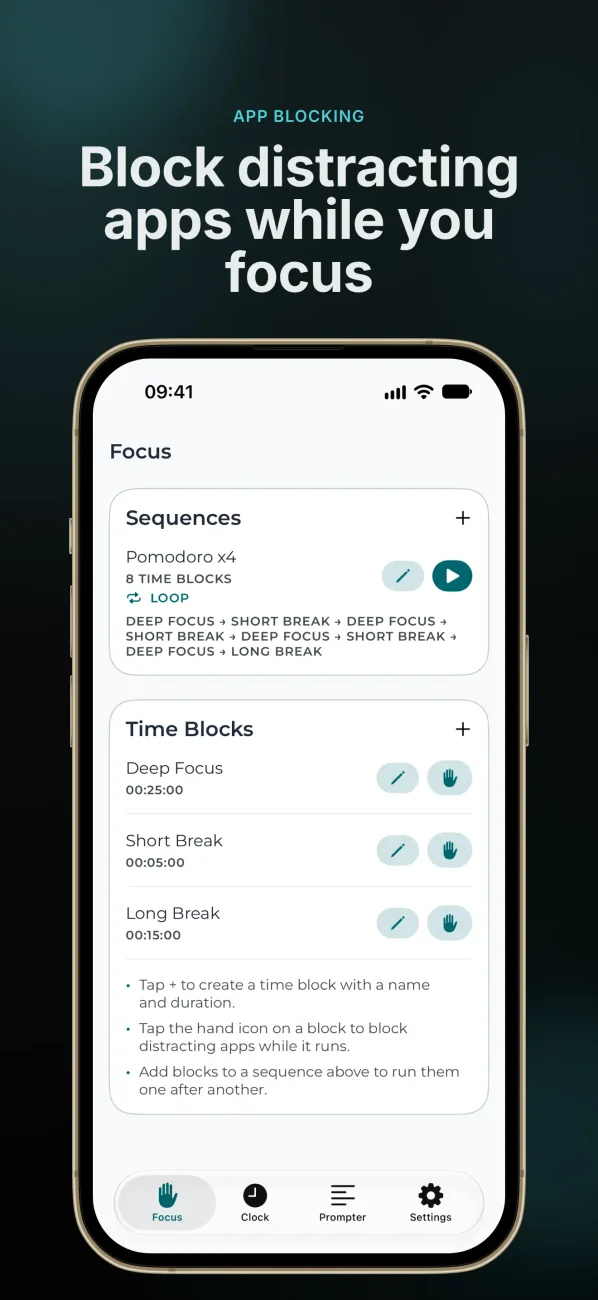
• Pomodoro and custom time blocks, chained into routines that move to the next block on their own
• Loop a routine for long study or work sessions
• Block distracting apps during each block with Screen Time
• Time left floats over any app and shows on your Lock Screen and in the Dynamic Island
• Pick an ending-soon sound for each block, or one sound for a whole routine
• Turn calendar events into time blocks and get a reminder when they start
• Start or stop a routine with Siri
• Optional type-to-confirm before quitting early, so you finish what you started
A CLOCK YOU CAN ALWAYS SEE
• Floating clock, stopwatch, and countdown over any app
• Sound and flash before a countdown ends, plus an optional notification
• Clock faces worth looking at: Neon, Aurora, Nixie, Orbit, Phosphor, Moonlight, and Rain
• Full-screen mode for a desk or bedside clock
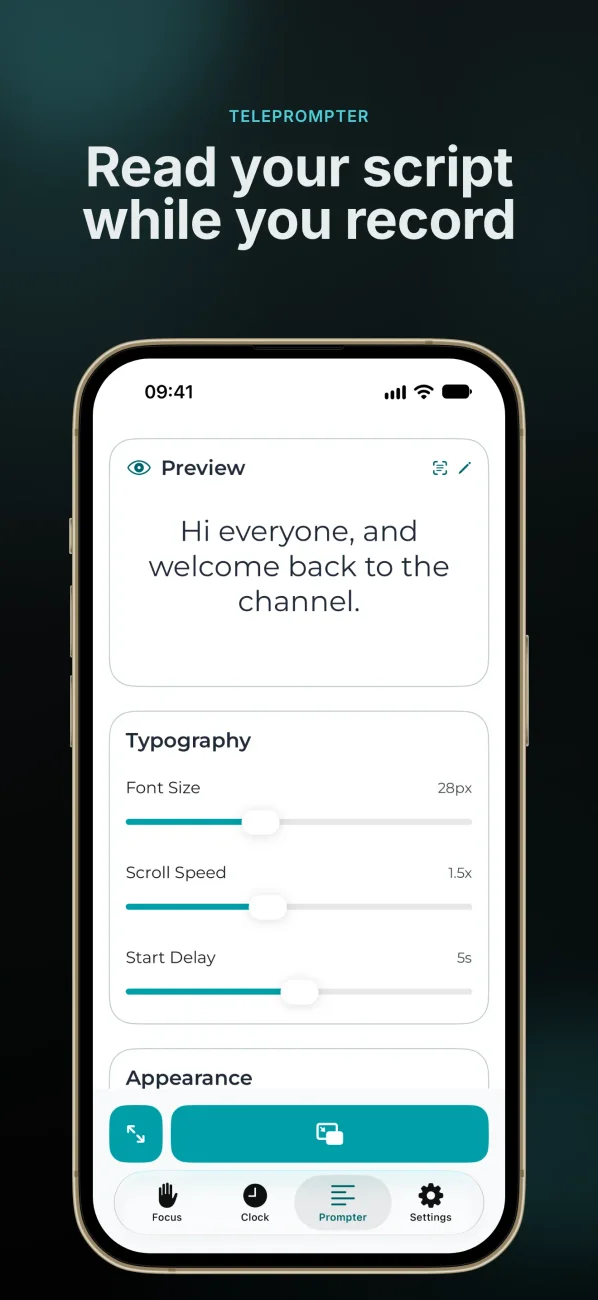
TELEPROMPTER FOR CREATORS
• Your script scrolls in a floating window while you record or join a video call
• Adjust font size, scroll speed, alignment, and start delay
• Continuous scroll and mirror mode for teleprompter glass
• Import a script from a photo with text recognition
• Save and reuse scripts
MADE FOR
Students, remote workers, presenters, streamers, content creators, teachers — anyone who loses track of time.
MAKE IT YOURS
• Text colors, backgrounds, 12/24-hour time, and milliseconds
• Light and dark themes, haptics, and notification controls
• 19 languages, matching your device language: English, Vietnamese, Arabic, Chinese (Simplified and Traditional), Dutch, French, German, Hindi, Indonesian, Italian, Japanese, Korean, Polish, Portuguese (Brazil), Russian, Spanish, Thai, and Turkish
FREE AND PRO
Free: floating clock, focus time blocks with app blocking, one routine, and the teleprompter. PiPomo Pro unlocks stopwatch and countdown, unlimited routines and calendar imports, all clock faces, colors and backgrounds, full-screen mode, photo import, start delay, and Live Activities. Choose a monthly or yearly subscription, or a one-time lifetime purchase.
Subscriptions renew automatically unless cancelled at least 24 hours before the end of the current period. Manage or cancel anytime in your App Store account settings.
Terms of Use: https://www.apple.com/legal/internet-services/itunes/dev/stdeula/
Privacy Policy: https://shopca.vn/app/piprompt/privacy/
What’s new
Version 4.1 · Nov 21, 2026
• Calendar to focus: turn any calendar event into a time block, with a reminder when it starts — tap it to begin
• Ending-soon sounds per block: give each time block its own sound, or set one for a whole routine
• Easier routine editing: reorder, remove, and edit blocks right in the routine
• Quick welcome tour: try the floating clock in seconds on first launch
• PiPomo now speaks 19 languages and follows your device language automatically
• Fixed text that sometimes showed in the wrong language
• Smoother performance and small fixes
Enjoying PiPomo? A quick rating helps a lot. Thank you!
App privacy
What Vinh Vo declares on the App Store about how this app handles data.
-
Data not collected
The developer does not collect any data from this app.
Privacy practices may vary, for example with the features you use or your age.
Information
- Seller
- Vinh Vo
- Category
- Utilities
- Version
- 4.1
- Updated
- Nov 21, 2026
- Released
- Jun 19, 2026
- Size
- 13.8 MB
- Requires
- iOS 17.0 or later
- Age rating
- 4+
- Price
- Free
- In-app purchases
- Yes
- Languages
- English, Arabic, Dutch, French, German, Hindi, Indonesian, Italian, Japanese, Korean, Polish, Portuguese + 7 more
- Copyright
- © Copyright (c) 2025 PiPrompt
You might also like
-
 FloatimerFloating PiP Timer
-
 FloatingTimer-Suspension ClockUtilities
-
 Micro Clock: Floating TimerCountdown, Stopwatch & Focus
-
 Floating Clock - Deal SnipingPerfect for sniping deals
-
 Floating Clock &StopWatchOverlay, Always-on screen time
-
 SomTime: Island & PiP ClockFloating Window & Server Time
-
 Gaber: Flash Sale ClockMillisecond floating clock
-
 Float ClockUtilities
-
 Dovela: Flip Clock & FocusWidgets, Seconds & White Noise
-
 Monitor MirrorUtilities