Pixel Position & Color Picker
XY Coordinates & Eyedropper
Designed for iPhone, iPad
Free · In-app purchases
- Age rating4+
- CategoryDeveloper Tools
- DeveloperMasashi Kawakami
- LanguagesEnglish+ 8 more
- Size12.1 MB
Links to the official App Store page
Download.org hosts no file of Pixel Position & Color Picker. The button opens its official App Store page, published by Masashi Kawakami. Listing last checked on Nov 19, 2026.
Screenshots


About
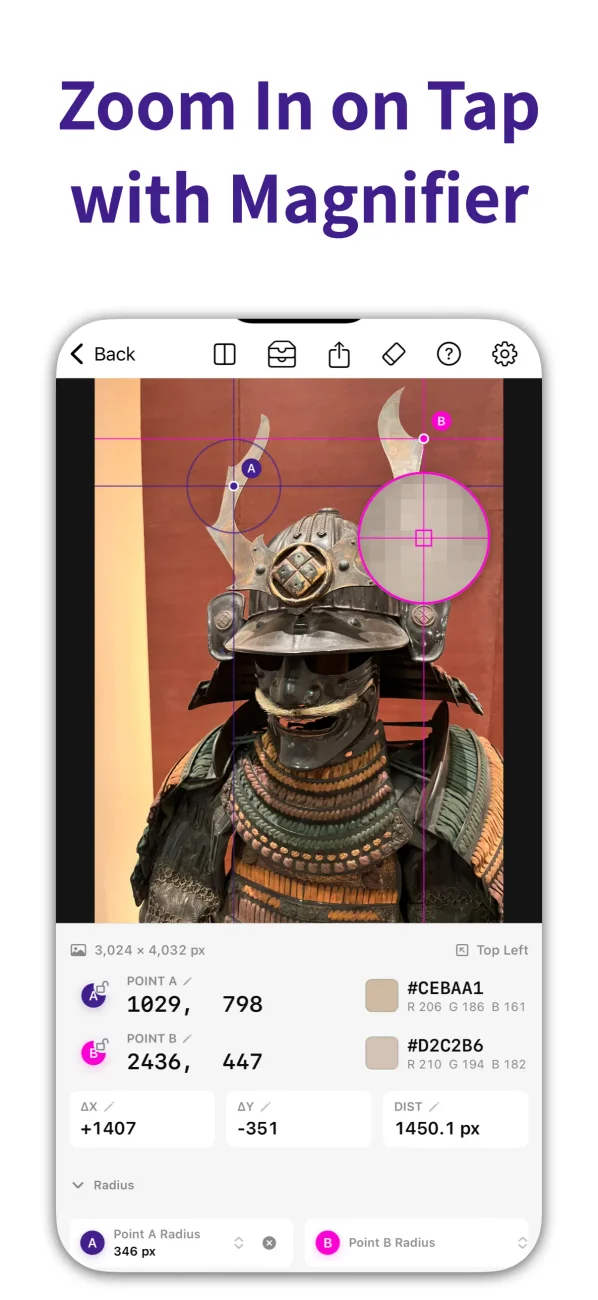
An image measuring app: tap a photo to read that point's coordinates, color, and the distance between two points as numbers.
Replace eyeballing with pixel-level numbers. Images open straight from your photo library, so you can measure screenshots and camera photos right away.
■ GREAT FOR • Checking margins and misalignment in app or web screenshots, down to the pixel • Comparing a design mockup with the built screen and confirming position differences in numbers • Looking up color codes in an image for documents or designs • Quickly checking the contrast ratio between text and background colors • Finding tap coordinates for automation tools and scripts • Recording positions and distances in photos for experiments, observation, or image analysis prep
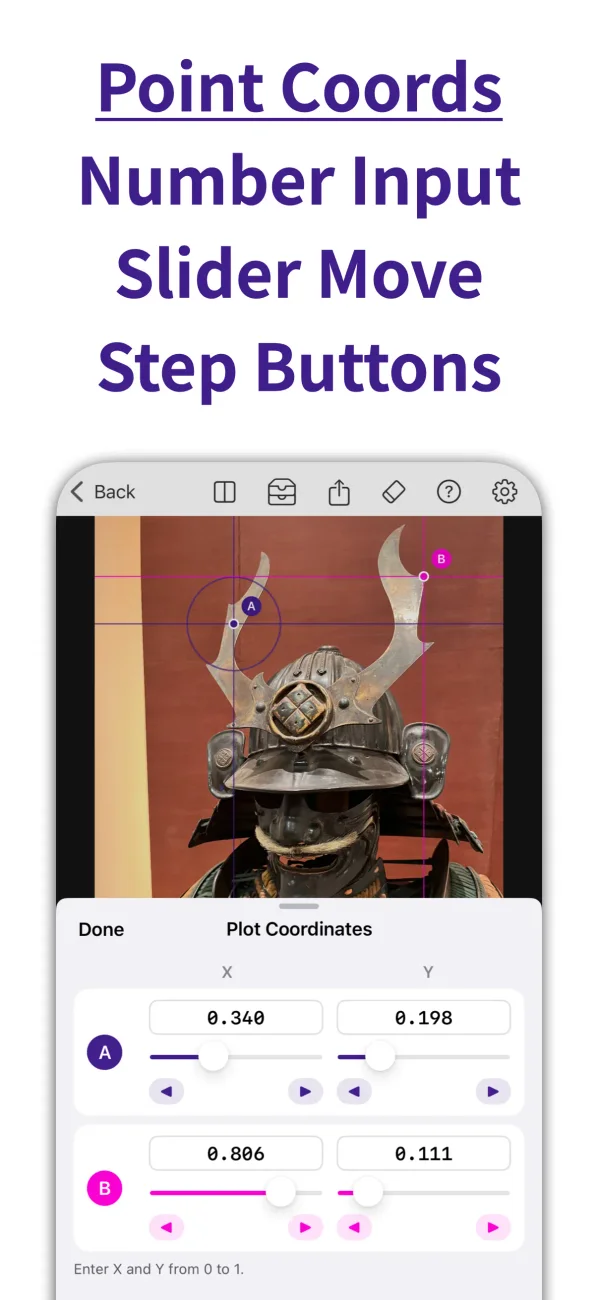
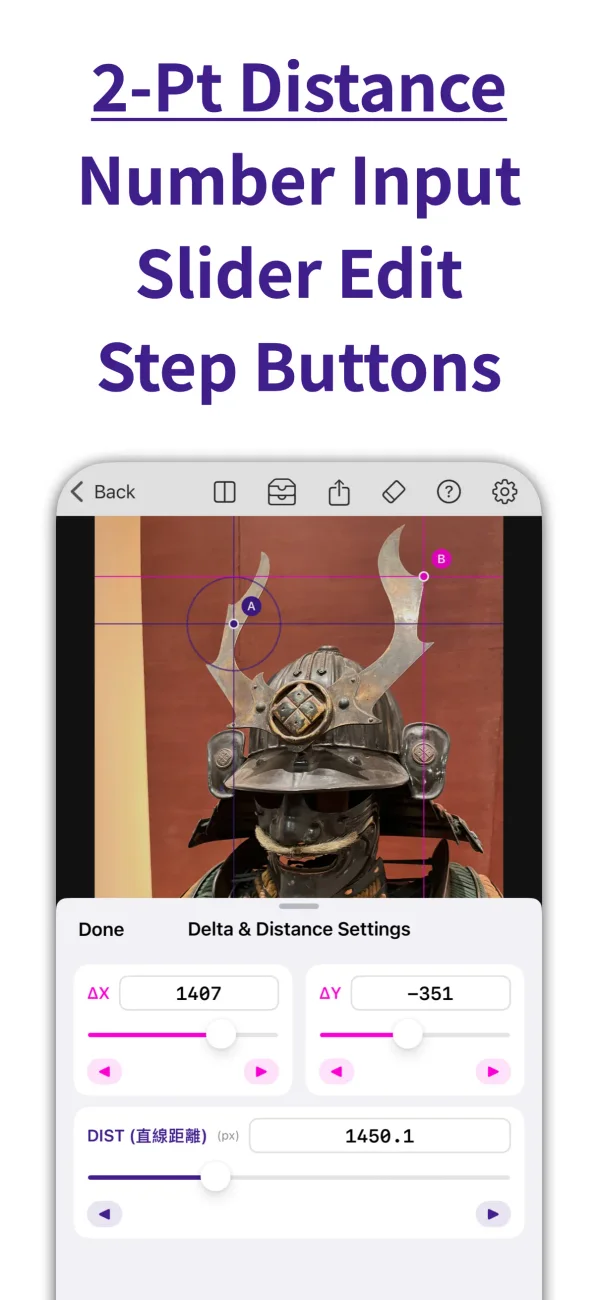
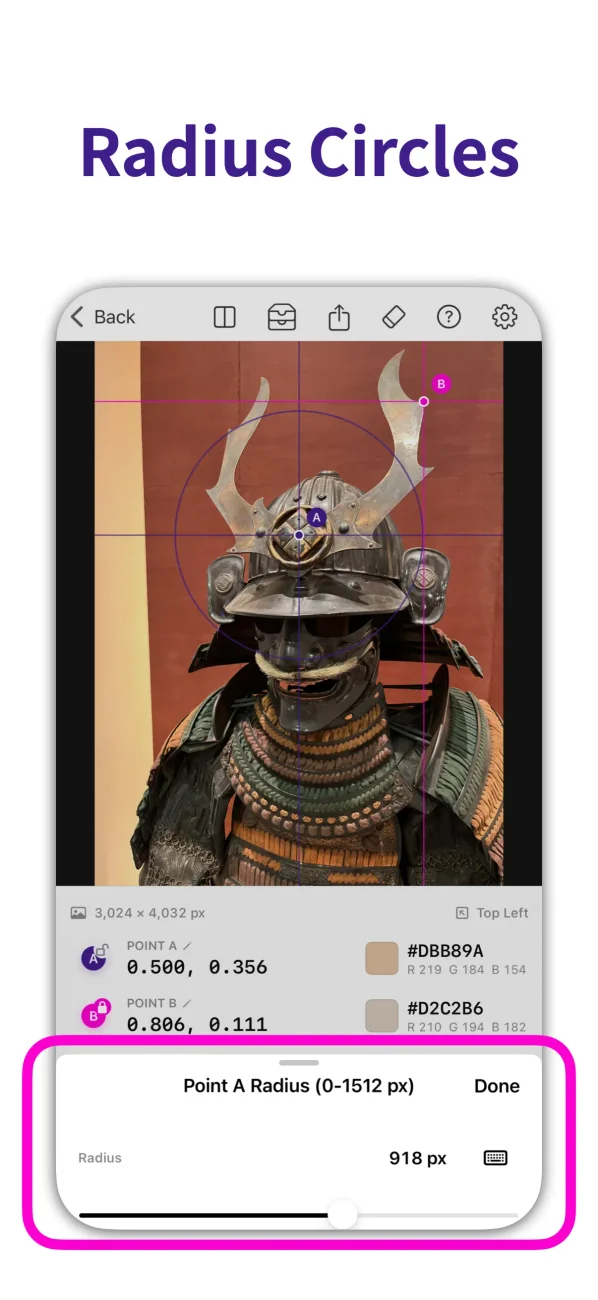
■ WHAT YOU CAN MEASURE • Coordinates: pixel coordinates (X, Y) of the tapped point • Color: choose two formats from HEX, RGB, HSB (HSV), and HSL. Long-press to copy • Delta: horizontal (ΔX) and vertical (ΔY) difference between points A and B • Distance: straight-line distance between two points • Contrast ratio: calculated from the colors of points A and B (using the WCAG formula) • Relative position: shown as a proportion of the whole image, from 0 to 1 • Radius circles: draw a circle of any radius around each point
■ HIT THE EXACT PIXEL • Pinch to zoom up to 8×, drag to pan • Pixel magnifier and crosshair show what's under your finger as you place a point • Enter coordinates as numbers to place points exactly • Fine-tune with sliders, or move one pixel at a time with direction buttons • Set ΔX, ΔY, or distance to move the other point • Lock a point to keep your reference fixed while measuring • Undo and redo point moves • Operate all sliders with multiple fingers at once
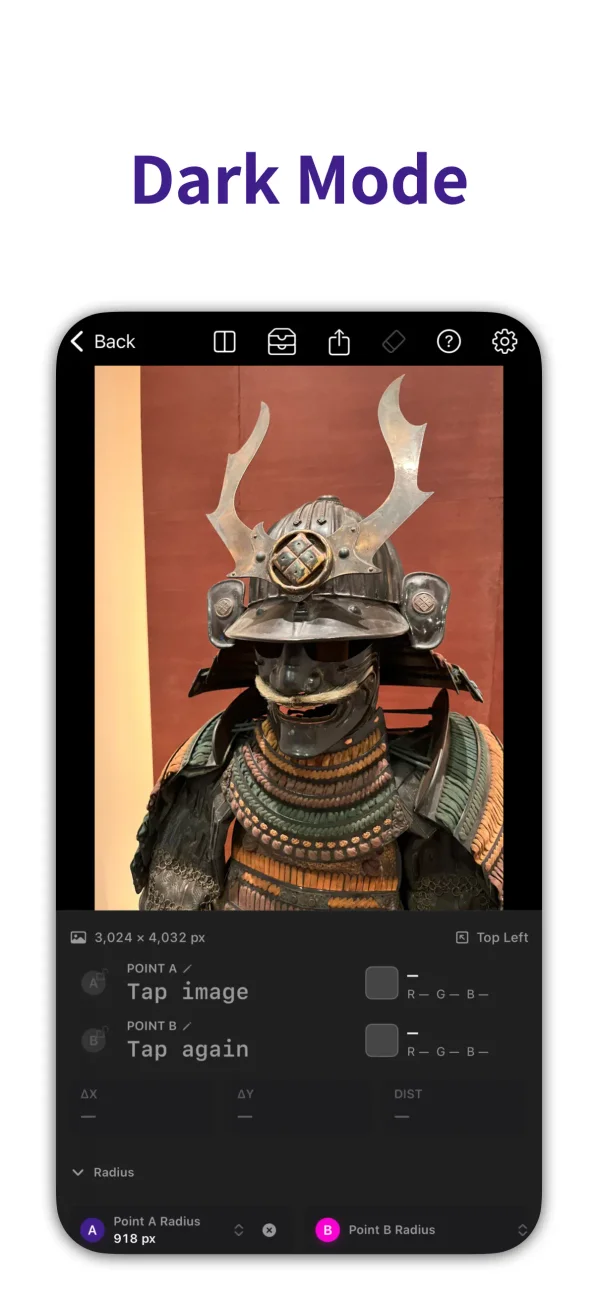
■ MAKE IT YOURS • Set the origin (0, 0) to the top left, top right, bottom left, or bottom right • Hide color information for a clean coordinates-only view • Toggle the magnifier, its range, and the radius controls • Light, Dark, or System appearance • Available in 9 languages, switchable inside the app
■ SHARE RESULTS Export an annotated image with your lines and circles. Include the coordinate panel to send the numbers in the same image.
■ LARGE PHOTOS AND PRIVACY • High-resolution photos display smoothly, with coordinates shown in original image pixels • iCloud photos load automatically for measuring • Works with limited photo access, showing only the photos you allow • Measurement happens on your device; photos are not sent to the developer's servers Note: For images over 4096 pixels on the long side, colors are approximated from a reduced image (the app shows a notice).
■ FREE Core tools, including coordinate, color, distance, and delta measurement, the magnifier, origin selection, radius circles, and sharing, stay free with no usage limits. On the free tier, ads appear on screens such as the photo list and Settings. The screen where you measure images shows no ads, so you can stay focused.
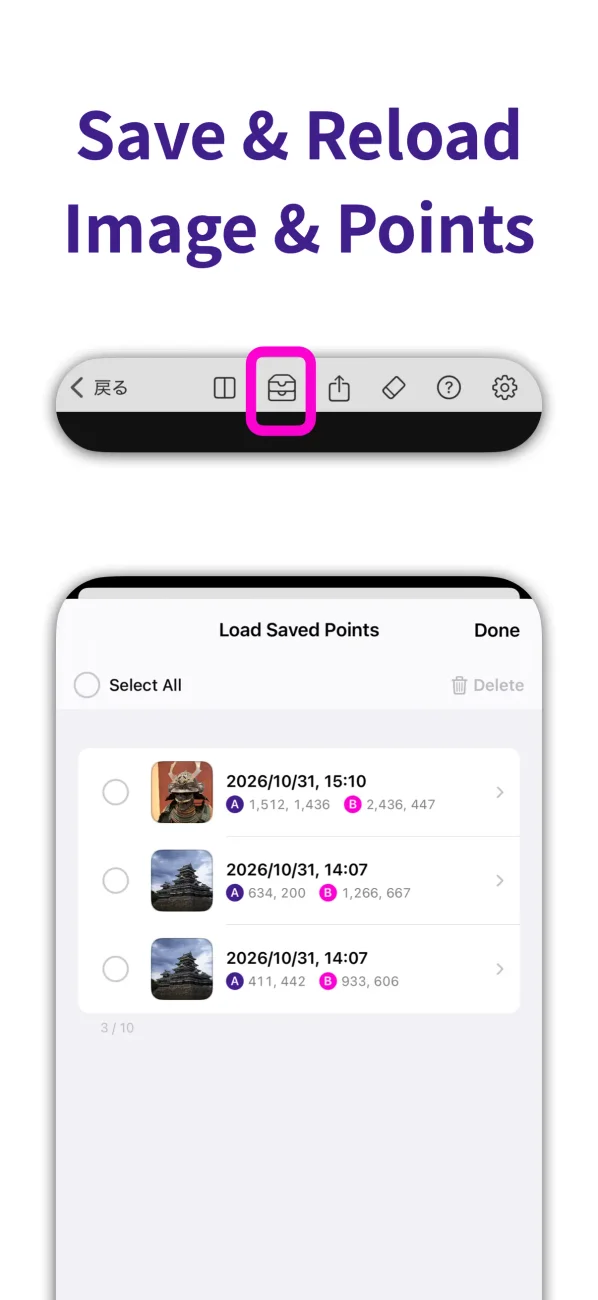
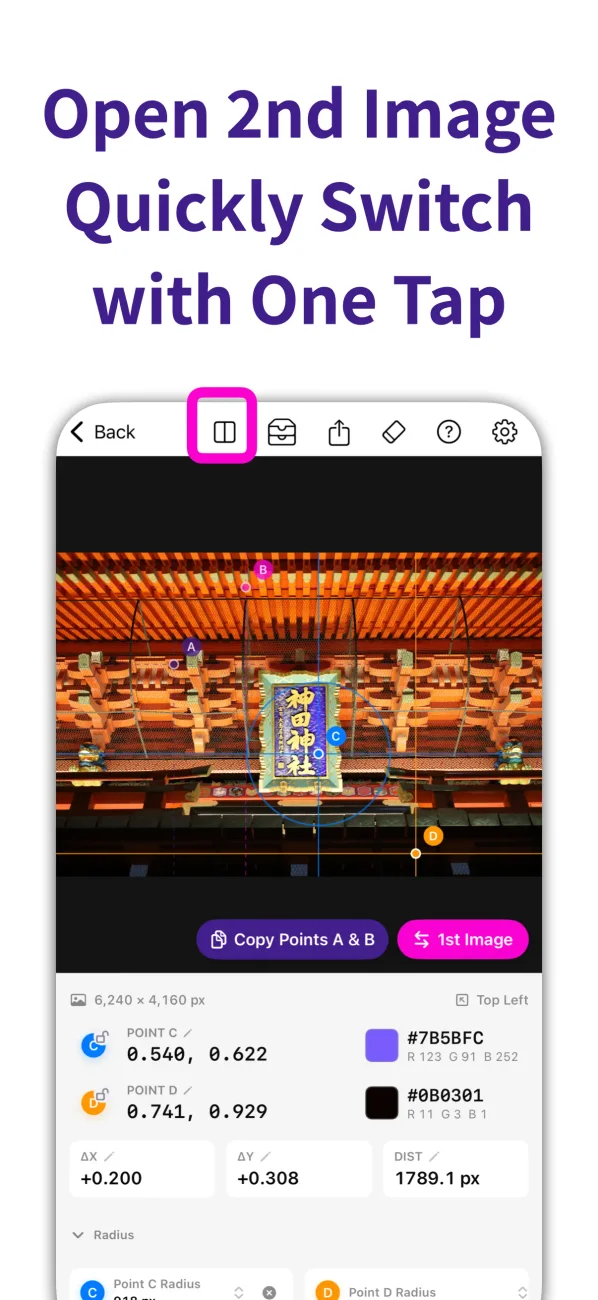
■ PRO • Hide ads • Two-image comparison: keep your first measurement, open another image, and place points C and D. Copy points A and B to the second image and switch images with one tap • Presets: save up to 10 image-and-coordinate sets and load them with coordinates locked (saved data is deleted if you remove the app)
Try Pro features on your first 5 images after installing. After that, watch a rewarded ad to unlock 3 more uses. Choose Lifetime, Yearly subscription, or Monthly subscription. Every plan includes the same features. The yearly plan includes a 1-week free trial for eligible users.
Subscriptions automatically renew unless canceled at least 24 hours before the end of the current period. You can manage or cancel them in your App Store account settings.
For iPhone and iPad.
■ LEGAL
Terms of Use (EULA): https://store.kawasuke.workers.dev/eula
Privacy Policy: https://store.kawasuke.workers.dev/privacy
What’s new
Version 1.7 · Nov 18, 2026
• Added Undo and Redo support, allowing you to restore point movement history on the canvas up to 50 operations.
• Greatly expanded color formats with support for HSB (HSV) and HSL in addition to HEX and RGB. You can freely choose which two formats to display stacked.
• Added A/B point color contrast ratio display to easily check color visibility and accessibility between two points.
• Enhanced coordinate adjustment with numbers or sliders: the canvas now automatically follows points to keep them in view, accompanied by the magnifier during edits.
• Optimized toolbar layout on large displays and newer OS versions, along with minor bug fixes and stability improvements.
App privacy
What Masashi Kawakami declares on the App Store about how this app handles data.
-
Data used to track you
May be used to track you across apps and websites owned by other companies.
- Location
- Identifiers
- Usage data
- Diagnostics
-
Data not linked to you
May be collected but is not linked to your identity.
- Location
- Identifiers
- Usage data
- Diagnostics
Privacy practices may vary, for example with the features you use or your age.
Information
- Seller
- Masashi Kawakami
- Category
- Developer Tools
- Version
- 1.7
- Updated
- Nov 18, 2026
- Released
- Jul 30, 2026
- Size
- 12.1 MB
- Requires
- iOS 18.4 or later
- Age rating
- 4+
- Price
- Free
- In-app purchases
- Yes
- Languages
- English, French, German, Japanese, Korean, Portuguese, Simplified Chinese, Spanish, Traditional Chinese
- Copyright
- © 2026 kawasuke.store
You might also like
-
 SpecShotMeasure & Pick UI Colors
-
 SimpleSSM - Terminal for EC2Session Manager for AWS
-
 RemoteSimControl simulators remotely
-
 WaycarCoding agents over SSH & Mosh
-
 GitBeatStay motivated to code
-
 Pixel Ruler ProAI Measure, Pick & Design
-
 SF Symbols FinderDraw to find SF Symbols
-
 dHP: Make Apps with AI & HTMLView, run & edit HTML with AI
-
 PixelsMeasureMeasure what you see in pixels
-
 OpenLens- OpenCode clientOpenCode remote client