
Pixelsynth: AUv3 Visual Synth
Play, shape & see your sound
Designed for iPhone, iPad
Free
- Age rating4+
- CategoryMusic
- Developerde Bastion, Inc
- LanguagesEnglish
- Size8.4 MB
Links to the official App Store page
Download.org hosts no file of Pixelsynth: AUv3 Visual Synth. The button opens its official App Store page, published by de Bastion, Inc. Listing last checked on Nov 27, 2026.
Screenshots
About
Make a sound in seconds—and shape it while it plays.
Pixelsynth turns taps, drags, melodies, and chords into a colorful instrument you can understand by watching it. Everything you play lives on one screen. Touch a note and start exploring.
FROM THE DEVELOPER OF PIXELBOOP
Pixelsynth is a new visual instrument from the maker of Pixelboop. Both apps share a love of playful grids, immediate feedback, and musical ideas that begin with one touch.
PLAY FIRST. LEARN BY WATCHING.
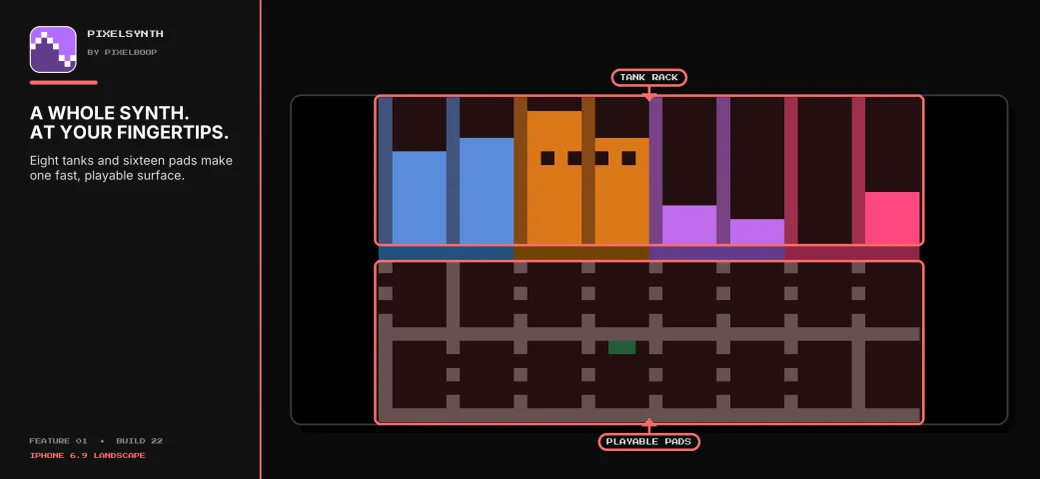
Sixteen pads invite you to find a melody, hold a chord, or strum across the screen. Notes light up as you play, and every sound control moves in front of you. You can see what each gesture is doing while you hear the result.
SHAPE THE SOUND LIVE
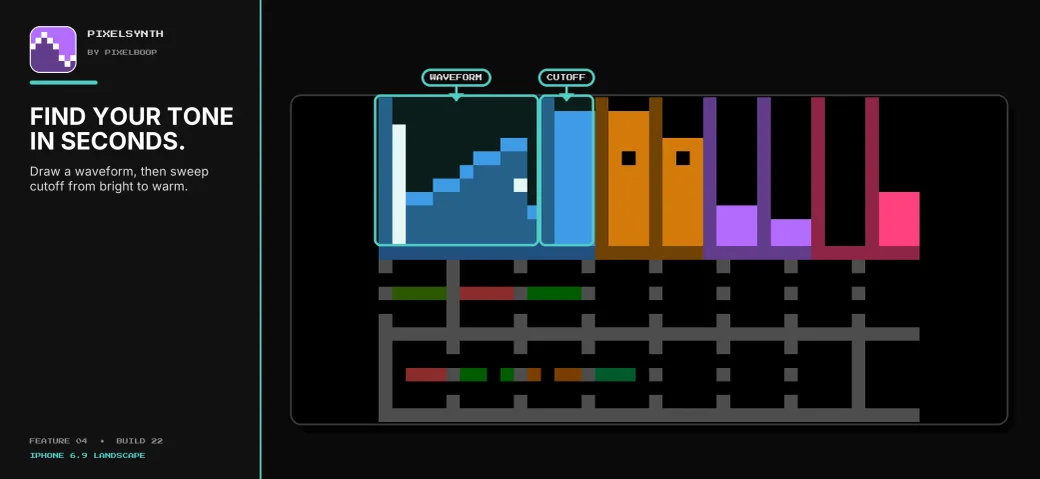
• Switch waveforms to change the character of your sound.
• Sweep the filter from bright and open to soft and focused.
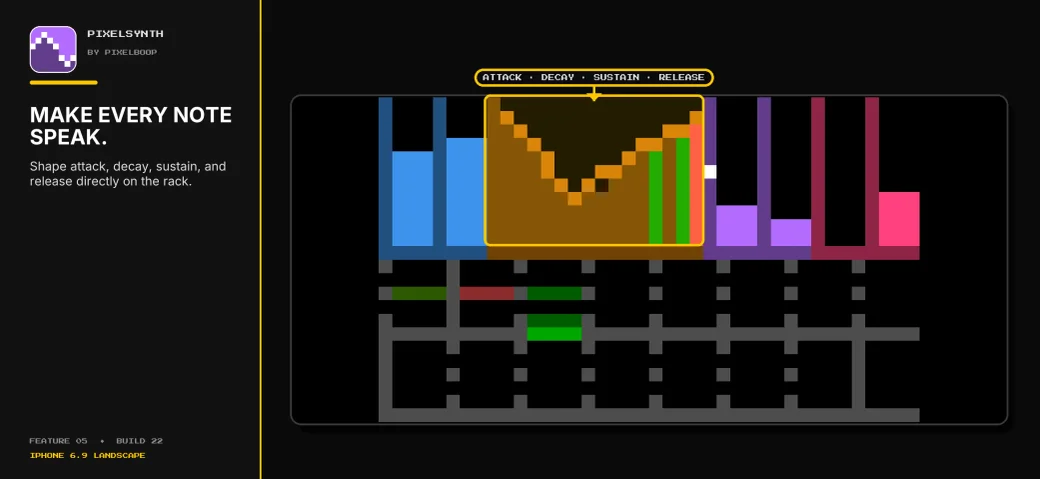
• Shape attack, decay, sustain, and release for crisp plucks, swelling notes, and long tails.
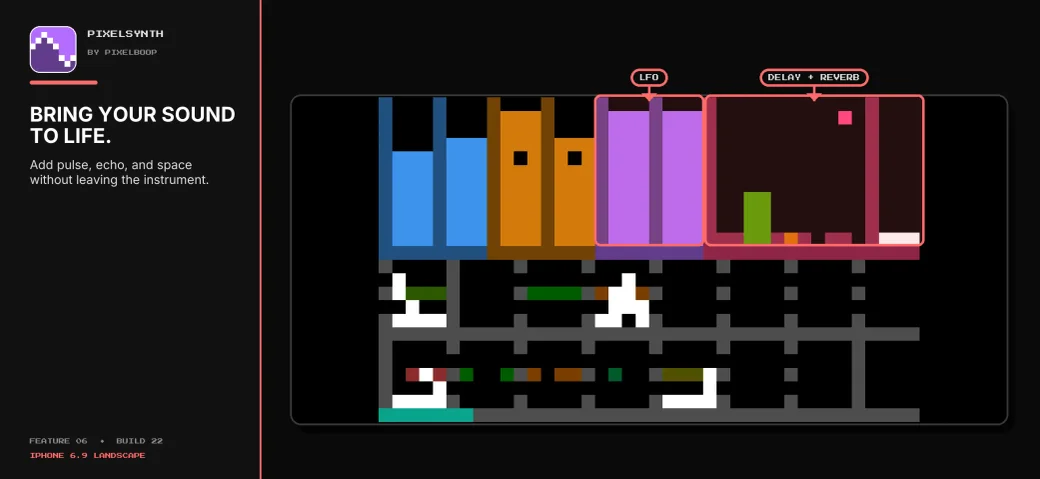
• Add motion with LFO, repeating echoes with delay, and depth with reverb.
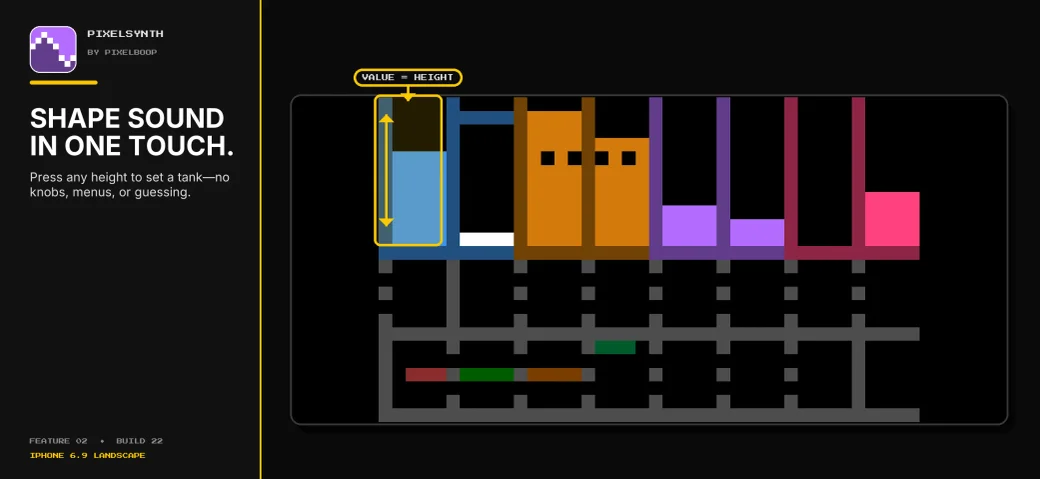
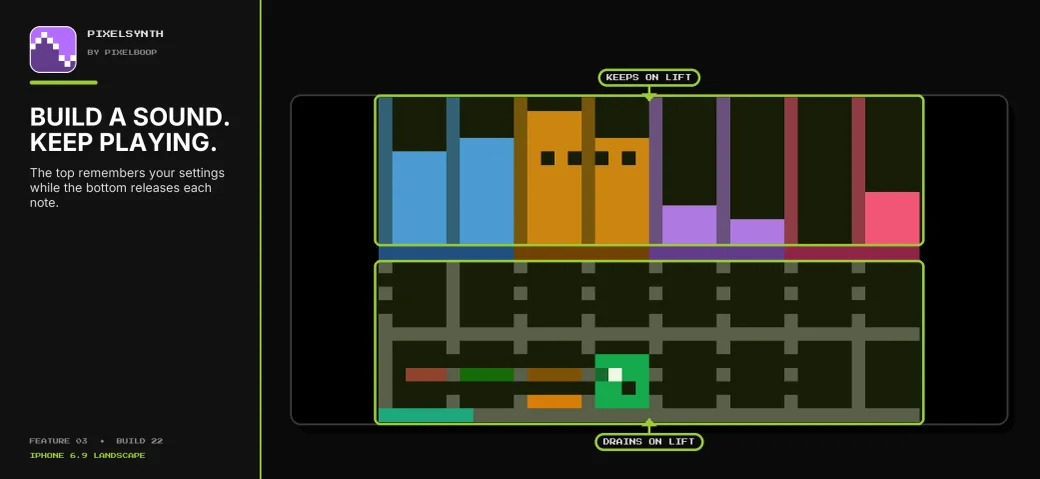
Each control is a colorful tank. Touch higher or lower inside it to set the value directly. Values in the upper half stay where you leave them; notes in the lower half drain away after you lift. It feels immediate because the picture and the sound follow the same gesture.
MADE TO BE SEEN
Created by a Deaf musician, Pixelsynth treats visual feedback as part of the instrument. The entire musical surface is drawn on a 40 by 24 pixel grid—just 960 pixels—so every control stays visible and every change has a visual response.
PLAY IT YOUR WAY
Open Pixelsynth as a standalone instrument on iPhone or iPad, or load the included AUv3 instrument in a compatible iOS music host. Your host can send MIDI notes and save the instrument state with your project. A compatible host is available separately.
FREE TO EXPLORE
No account. No in-app purchases. No third-party ads. The instrument works offline. The standalone app may occasionally show developer news or an introduction to Pixelboop, which you can close immediately. Pixelsynth does not track you or collect the music you play.
Open it. Touch a note. See where it takes you.
What’s new
Version 1.1.1 · Oct 8, 2026
New in 1.1.1
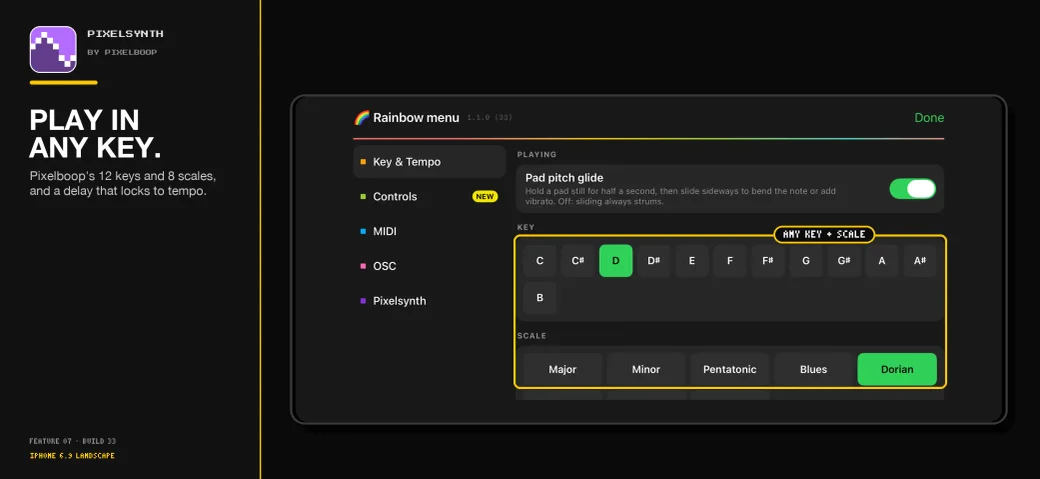
• See your pitch glides. Hold a pad and slide: a marching line now runs from the note to your finger, so you can watch the bend and the vibrato.
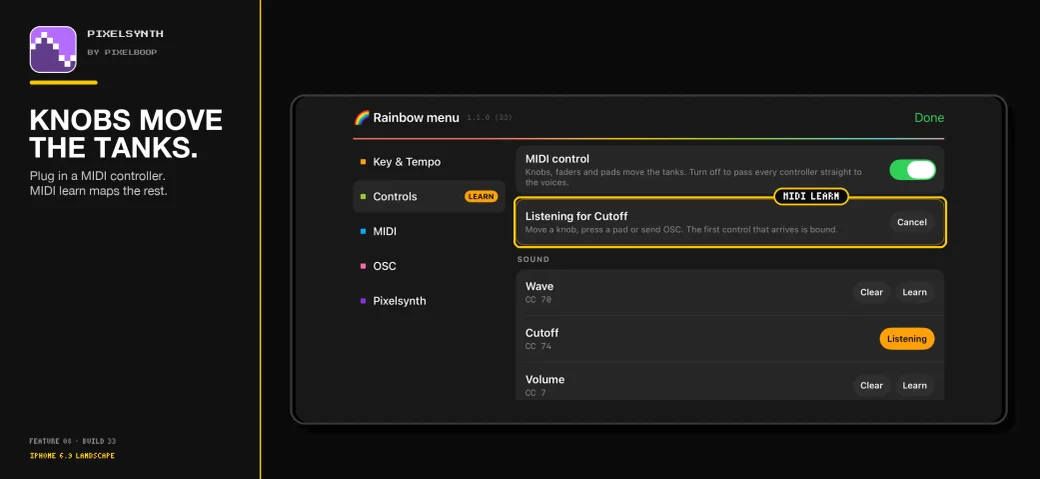
• The delay tank now sets how much delay you hear, with a gentle number of repeats, and leaves the delay time alone. Open the tank for the full time and repeat range. CC 94 on a MIDI controller moves it the same way.
App privacy
What de Bastion, Inc declares on the App Store about how this app handles data.
-
Data linked to you
May be collected and linked to your identity.
- Diagnostics
Privacy practices may vary, for example with the features you use or your age.
Information
- Seller
- de Bastion, Inc
- Category
- Music
- Version
- 1.1.1
- Updated
- Oct 8, 2026
- Released
- Sep 20, 2026
- Size
- 8.4 MB
- Requires
- iOS 16.0 or later
- Age rating
- 4+
- Price
- Free
- Languages
- English
- Copyright
- © 2026 Audiolux
You might also like
-
 Tako KickGenerative Morphing Drums
-
 Atmospheres 2: Magic ReverbCreative reverb from text
-
 SL Radio MiniAUv3 Radio Effect Plug-in
-
 Magnetic Echo - Tape DelayVintage Reverb & AUv3 Plugin
-
 Pendulums: Chaos MelodyChaos Theory + Music Theory
-
 Sampledex Effect ShiftMusic
-
 2099 Techno: Generative SynthChaos-driven acid track writer
-
 Roboto AUv3 Singing SynthSinging Voice Synthesizer
-
 95 LoFi: Generative Beat MakerChaos-driven Chillhop Studio
-
 1981 FM: 80s Track GeneratorChaos-driven 80s track writer