
- Age rating4+
- CategoryUtilities
- DeveloperRaul Heredia
- Size25.4 MB
Links to the official App Store page
Download.org hosts no file of PlanToSim. The button opens its official App Store page, published by Raul Heredia. Listing last checked on Nov 20, 2026.
Screenshots

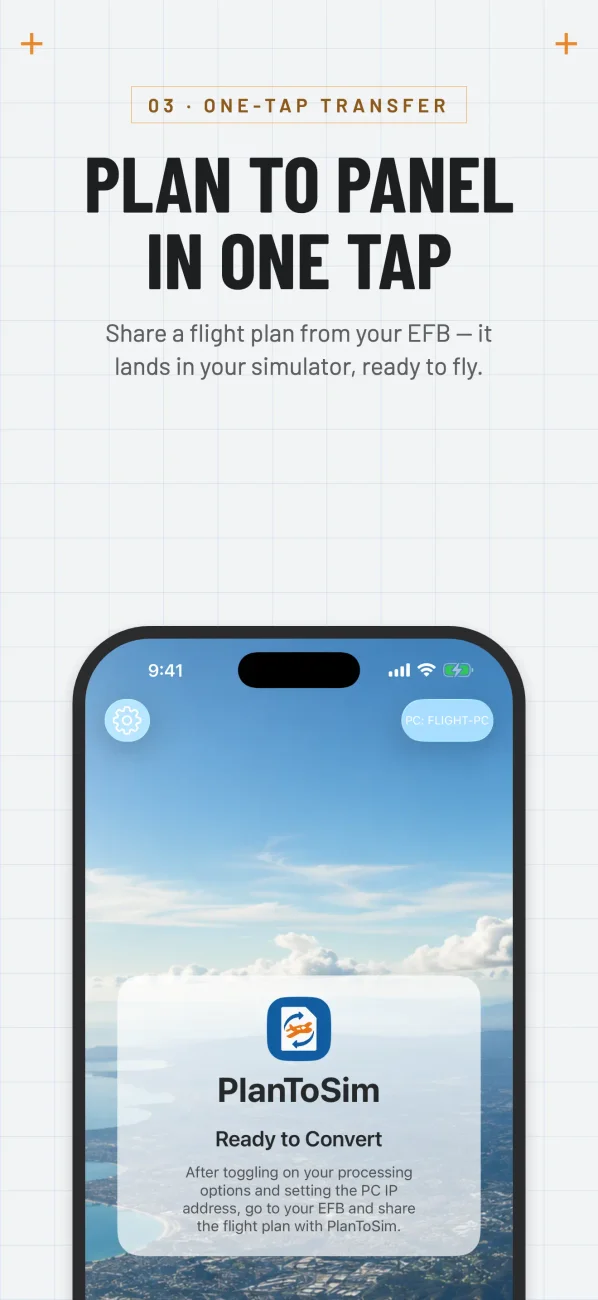
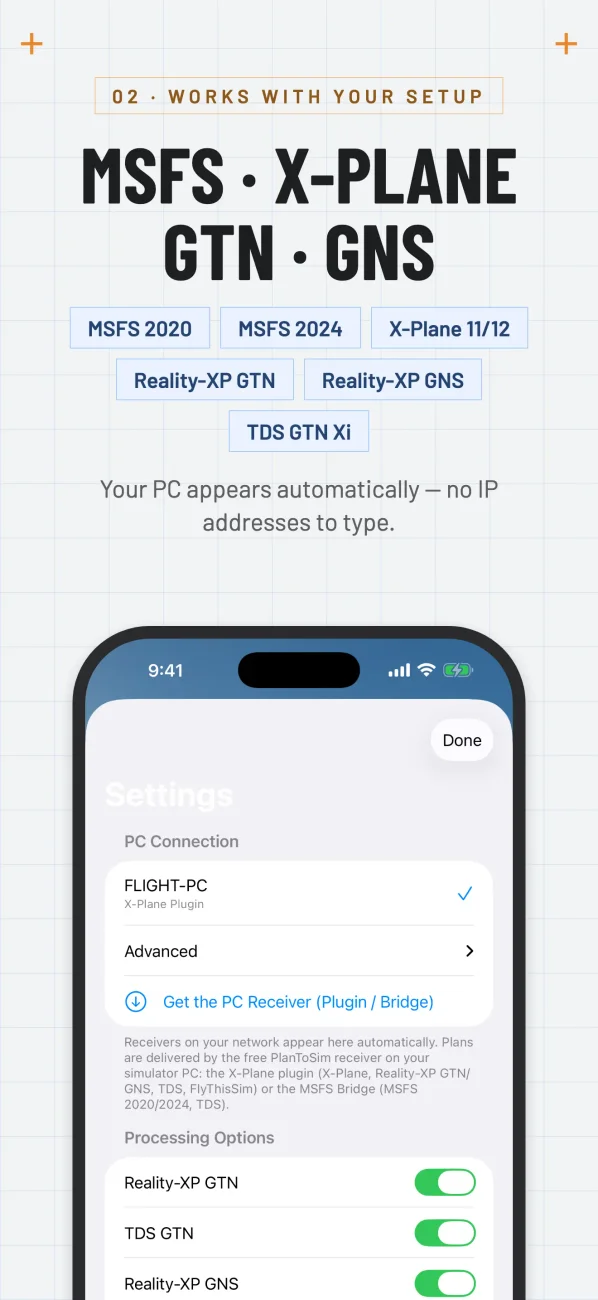
About
Share a flight plan from ForeFlight, Garmin Pilot, or FlyQ — and it lands in your simulator's GPS in seconds.
PlanToSim sends your EFB flight plans straight to Microsoft Flight Simulator 2020 and 2024, X-Plane 11 and 12, and the most popular add-on GPS navigators — complete with departures, arrivals, approaches, and airways.
Plan on your iPad. Fly it on your PC. No file copying, no folder digging, no cables.
WORKS WITH YOUR SIMULATOR
• Microsoft Flight Simulator 2020 & 2024 — native .pln flight plans, delivered by the free PlanToSim MSFS Bridge
• X-Plane 11 & 12 — native FMS flight plans, delivered by the free PlanToSim X-Plane plugin
• TDS GTN Xi — native procedures (.gfp)
• Reality-XP GTN 750/650 (.gfp)
• Reality-XP GNS 530/430 (Garmin .fpl)
• SimAVIO / FlyThisSim TouchTrainer (beta) — plans land in a GNS 530/430 flight-plan slot
REAL PROCEDURES, INTACT
• Full SID, STAR, and approach support — procedures arrive as procedures, not flattened waypoint strings
• Waypoint-only files from ForeFlight and Garmin Pilot are matched against the navigation database to restore named procedures and airways (Rebuild Procedures — on by default, one toggle to turn off)
• Runway-aware departure and arrival matching
• Airway expansion (Victor, Jet, T- and Q-routes)
• Cruise and per-fix altitudes carried through
FRESH NAVIGATION DATA
• Built-in database: 47,000+ airports, 72,000+ fixes, 1,800+ procedures
• Updated every AIRAC cycle — refresh in the app with one tap
FAST, PRIVATE, LOCAL
• Your simulator PC appears in the app automatically — no IP addresses to find or type
• Transfers over your own Wi-Fi — plans go from your iPad to your PC and nowhere else
• No account, no subscription, no tracking, no data collection
• Clear delivery confirmation for every transfer — and if your PC can't be reached, the app tells you within seconds and offers one-tap retry
HOW IT WORKS
1. Install the free receiver on your flight-sim PC: the PlanToSim X-Plane plugin or the PlanToSim MSFS Bridge (both linked from the app's Settings).
2. Open PlanToSim — your PC appears automatically. Then share a flight plan from ForeFlight (.fpl), Garmin Pilot, or FlyQ to PlanToSim.
3. Pick your destinations once in Settings — every send converts and delivers automatically.
SIMAVIO NOTE (beta)
SimAVIO loads its flight-plan store when it starts. Send your plan first, then start SimAVIO (or close and reopen its panel) — your plan is waiting when you sit down.
One $4.99 purchase covers every simulator and every format — no add-ons, no subscriptions, no unlocks.
REQUIREMENTS
• iPhone or iPad with iOS 17.6 or later
• A Windows flight-sim PC on the same local network
• One free PlanToSim receiver on that PC: the X-Plane plugin or the MSFS Bridge (free downloads, linked in Settings)
What’s new
Version 1.4 · Jul 27, 2026
PlanToSim 1.4 makes setup disappear — and brings full procedures to ForeFlight and Garmin Pilot files.
• Zero-setup connection: your simulator PC now appears in the app automatically — no more typing IP addresses. Tap it once and you're connected. (Manual entry is still there if you want it.)
• Rebuild Procedures: ForeFlight and Garmin Pilot files carry waypoints only — PlanToSim now matches them against its navigation database and restores your named SIDs, STARs, approaches, and airways for TDS GTN, X-Plane, and MSFS. Reality-XP and SimAVIO still receive your waypoints exactly as filed.
• Garmin flight plan files: open .fpl and .gfp flight plans directly — from the Files app, email, or anywhere you keep them.
• Resend Last Plan: one tap re-sends your most recent flight plan — after a settings change, a sim restart, or relaunching the app.
• SimAVIO (beta): delivery confirmations now tell you whether to restart SimAVIO — or that your plan will load when it starts.
• Clearer delivery feedback: if a send fails, the app now says exactly what went wrong for each destination — and when your PC is visible on the network, one tap sends to it.
Requires the free PlanToSim receiver v1.1.0 (X-Plane plugin or MSFS Bridge) for automatic discovery — older receivers keep working with a manual IP address.
App privacy
What Raul Heredia declares on the App Store about how this app handles data.
-
Data not collected
The developer does not collect any data from this app.
Privacy practices may vary, for example with the features you use or your age.
Information
- Seller
- Raul Heredia
- Category
- Utilities
- Version
- 1.4
- Updated
- Jul 27, 2026
- Released
- Dec 5, 2025
- Size
- 25.4 MB
- Requires
- iOS 17.6 or later
- Age rating
- 4+
- Price
- $4.99
- Copyright
- © 2025 Raul Heredia
You might also like
-
 FlightStreamXEFB to X-Plane Flight Plans
-
 Virtual PAPIA PAPI for every runway
-
 xClusterShow dx cluster spots on map
-
 SF50 TOLDVision Jet takeoff and landing
-
 SmartHome 2Utilities
-
 Flight Sim DeckThe ultimate flight companion
-
 WindsAloftProUtilities
-
 C182 PerformanceFor Cessna 182 and 210
-
 Flight Assessment of Risk ToolAssess your risk before flight
-
 HAM Radio Logbook, QSO JournalADIF Import, Export & Backup