
Plato – Disappearing Notes
Private Markdown journal
Designed for iPhone, iPad
Free · In-app purchases
- Age rating4+
- CategoryProductivity
- DeveloperWonmo Seong
- LanguagesEnglish
- Size2.6 MB
Links to the official App Store page
Download.org hosts no file of Plato – Disappearing Notes. The button opens its official App Store page, published by Wonmo Seong. Listing last checked on Nov 26, 2026.
Screenshots
About
A privacy-focused Markdown journal: no account, no cloud, no tracking. Your entries never leave your device.
Some thoughts aren't meant to last forever. Plato is a journal where every entry has a timer. Write today's entry, link your ideas, file them in folders, and let them go. When the time runs out, the entry is gone for good.
A JOURNAL FOR TODAY
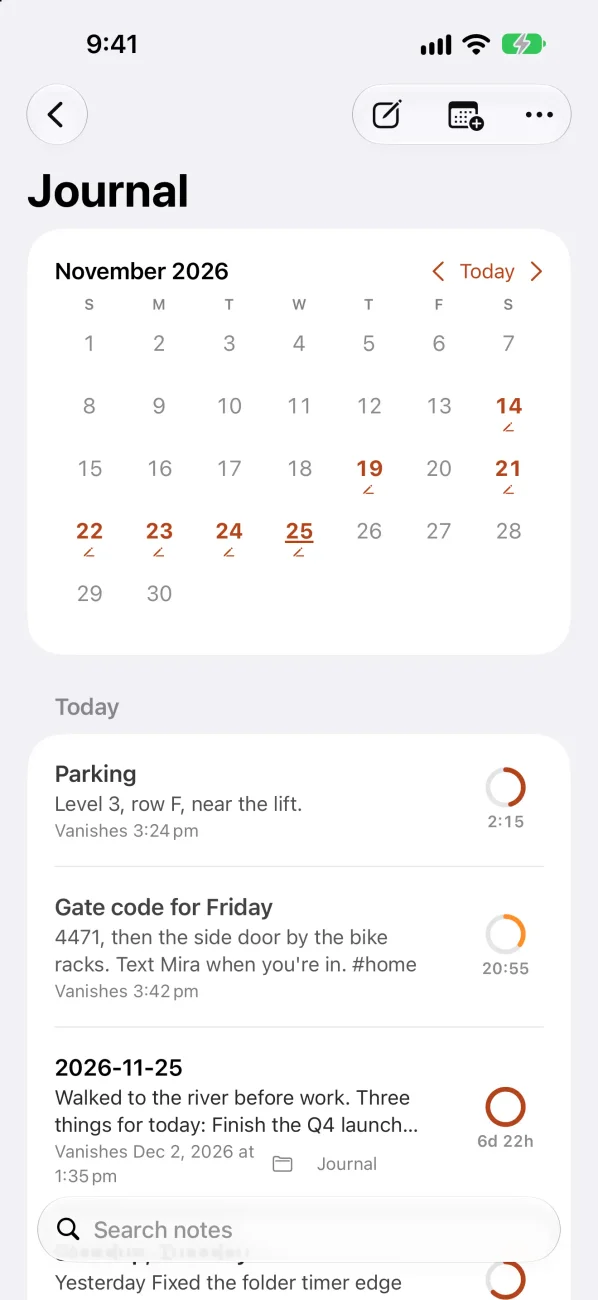
Tap Today to open today's entry, or start it. The Journal view groups entries by day, and a calendar marks every day you wrote something. Tap a day to read it again. An optional daily reminder, off until you turn it on, nudges you to write.
DISAPPEARING ENTRIES
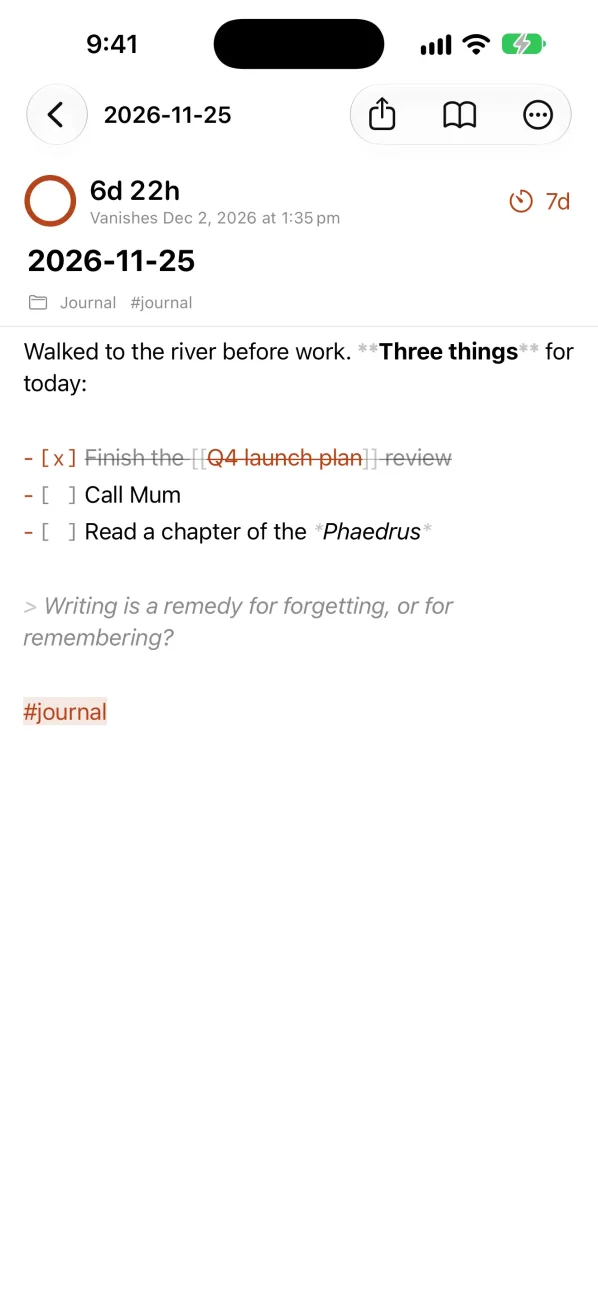
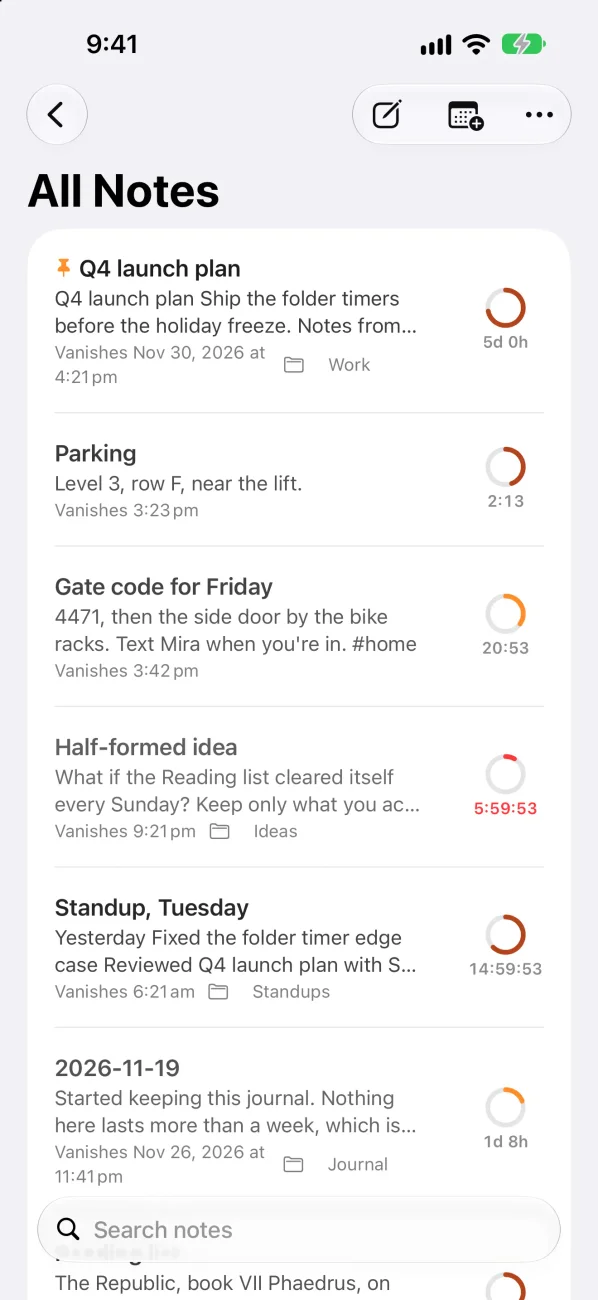
Every entry gets a timer, from 5 minutes to 30 days. A ring drains and the words fade as the time runs out. When it reaches zero, the entry is deleted forever. Done early? Burn it with a swipe.
MARKDOWN, LIVE AS YOU TYPE
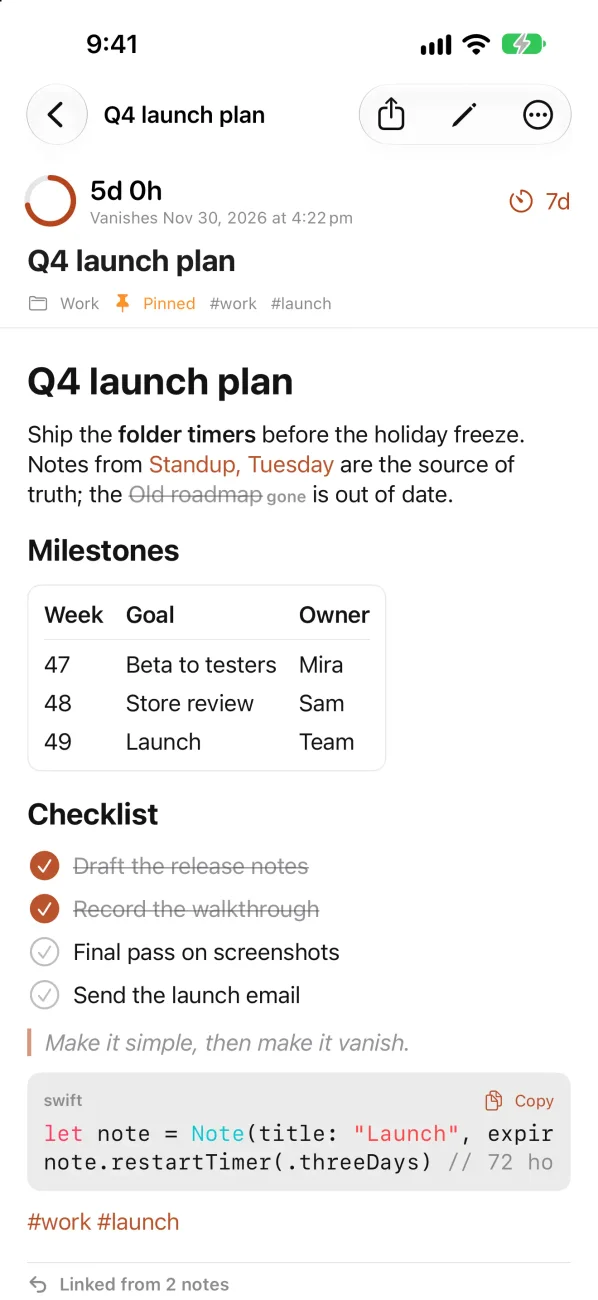
Headings, bold and italic, lists and checklists, quotes, tables, links, images and code blocks with syntax colours, styled as you write. Switch to reading mode with one tap, and tick off checklist items right in the entry.
LINKED THINKING
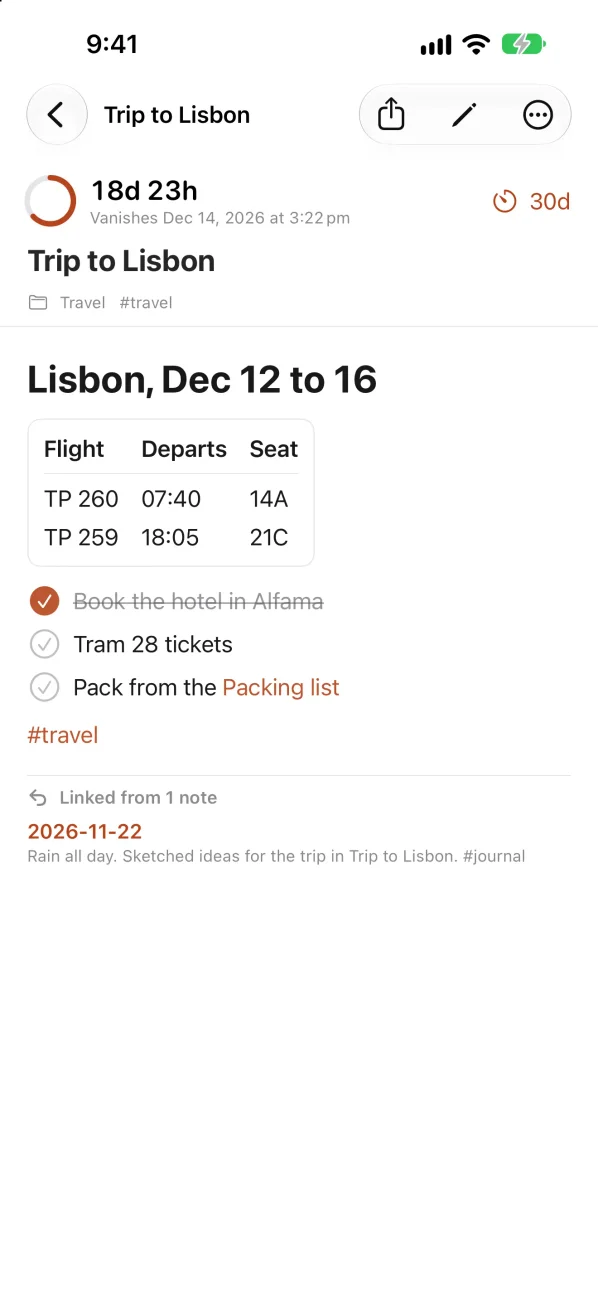
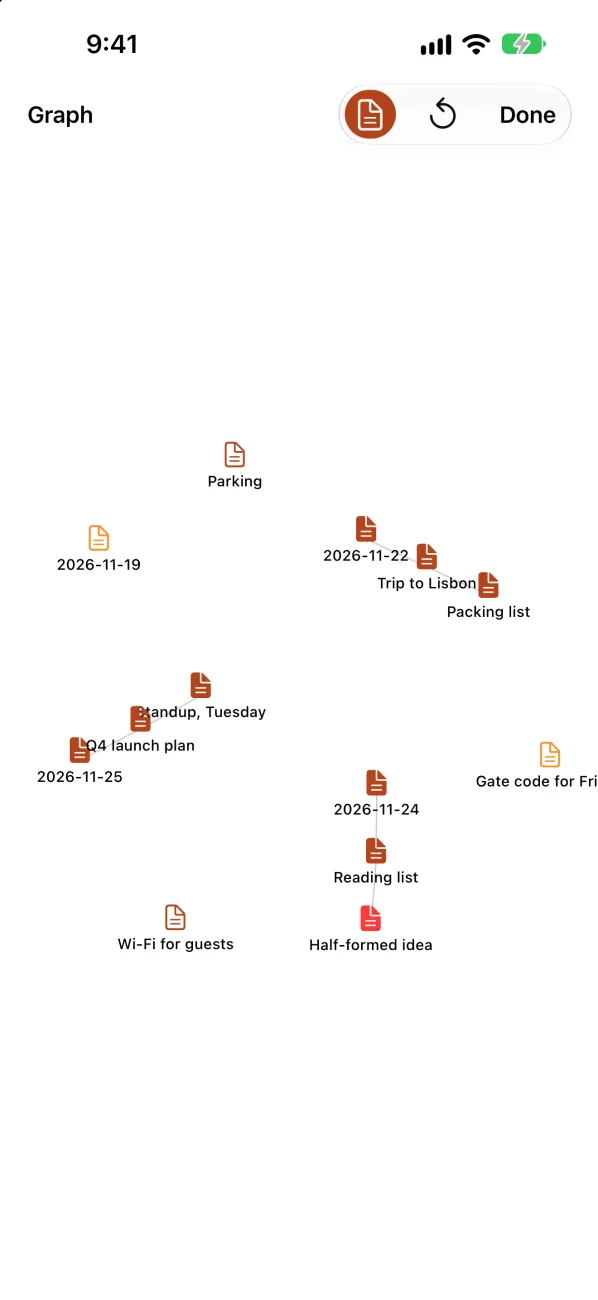
Link entries with [[double brackets]] and Plato suggests titles as you type. Every entry shows which entries link to it. Add #tags and browse them in the sidebar. A graph view shows how your writing connects. When a linked entry vanishes, its links stay, marked gone.
FOLDERS AND SEARCH
Nested folders with counts, drag and drop, pins, sorting by name, date or time left, and folder timers that new entries start with. Smart views show Recent, Expiring Soon and Untagged. Full-text search covers everything, or just the folder or tag you're in.
IPHONE, IPAD AND MAC
A native Mac app is included, with a sidebar, multiple windows and keyboard shortcuts: Command-N for a new entry, Command-F to search. Each device keeps its own journal. To move entries, share them with AirDrop, Mail or Messages, or export them as Markdown files. Export everything as a folder of .md files that opens as an Obsidian vault, and import .md files and folders.
PRIVACY
Notes stay on this device; no cloud sync.
No account, no servers, no analytics, no ads.
Nothing is collected: the App Store privacy label is Data Not Collected.
Entries delete themselves on schedule, and burned entries are gone at once.
Entries leave the device only when you share or export them yourself.
FREE, WITH AN OPTIONAL TIP JAR
Plato is free. If it's useful to you, an optional Tip Jar in Settings lets you support its development. Tips unlock nothing and are not tax-deductible. Everyone who tips gets a small Supporter badge as thanks.
What’s new
Version 1.3.1 · Nov 26, 2026
Plato is now a private, disappearing Markdown journal.
Today: one tap opens today's dated entry.
Journal view with entries grouped by day and a calendar of the days you wrote.
An optional daily reminder, off until you turn it on.
Share any entry with AirDrop, Mail or Messages, or export Markdown files and an Obsidian vault.
Privacy first: iCloud sync is gone. Notes stay on this device; no cloud sync. Anything version 1.3 copied to your iCloud is deleted the first time you open this update. Each device keeps its own journal.
App privacy
What Wonmo Seong declares on the App Store about how this app handles data.
-
Data not collected
The developer does not collect any data from this app.
Privacy practices may vary, for example with the features you use or your age.
Information
- Seller
- Wonmo Seong
- Category
- Productivity
- Version
- 1.3.1
- Updated
- Nov 26, 2026
- Released
- Apr 7, 2026
- Size
- 2.6 MB
- Requires
- iOS 17.0 or later
- Age rating
- 4+
- Price
- Free
- In-app purchases
- Yes
- Languages
- English
- Copyright
- © 2026 Wonmo (John) Seong
You might also like
-
 Bubble Note: Notes That FadeSelf-deleting private notes
-
 OTN - One Time NoteNotes that fade away
-
 SnapLinesDisappearing Notes
-
 DayflyNotes that vanish in 24 hours
-
 AppPostitSaved Replies, Any App
-
 PromptVault: Prompt LibraryExpert prompts for every AI
-
 myDayZenMindful Daily Planner
-
 EchoNote.aiNever lose a great idea again
-
 Daily MarkdownSimple Daily Journaling
-
 Second Brain - Voice NotesAI Voice Notes