
Pochade – Reference Photo Prep
Grid, crop & value study tool
Designed for iPhone, iPad
Free · In-app purchases
- Age rating4+
- CategoryGraphics & Design
- DeveloperJohn Fowler
- LanguagesEnglish
- Size25.7 MB
Links to the official App Store page
Download.org hosts no file of Pochade – Reference Photo Prep. The button opens its official App Store page, published by John Fowler. Listing last checked on Nov 23, 2026.
Screenshots
About
Pochade is free to try with five sample references and three free imports of your own photos, with every tool included. Pochade Pro is a single one-time purchase that unlocks unlimited imports. No subscription, no ads, yours forever.
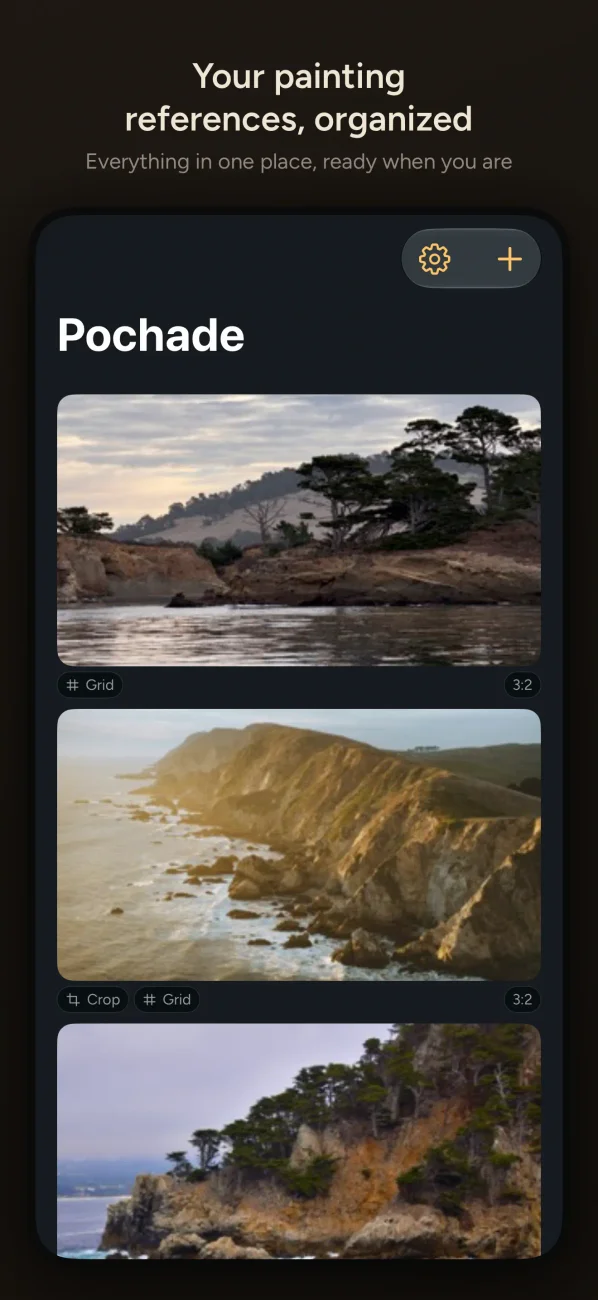
Pochade is a focused reference prep app for painters. Import a photo, study its values, block in its big shapes, compose your framing, and plan your grid, all before brush hits canvas.
No AI generation. No social features. No clutter. Just the reference tools painters actually need, designed for iPad, iPhone and iPhone Duo.
STUDY VALUES WITH CLARITY
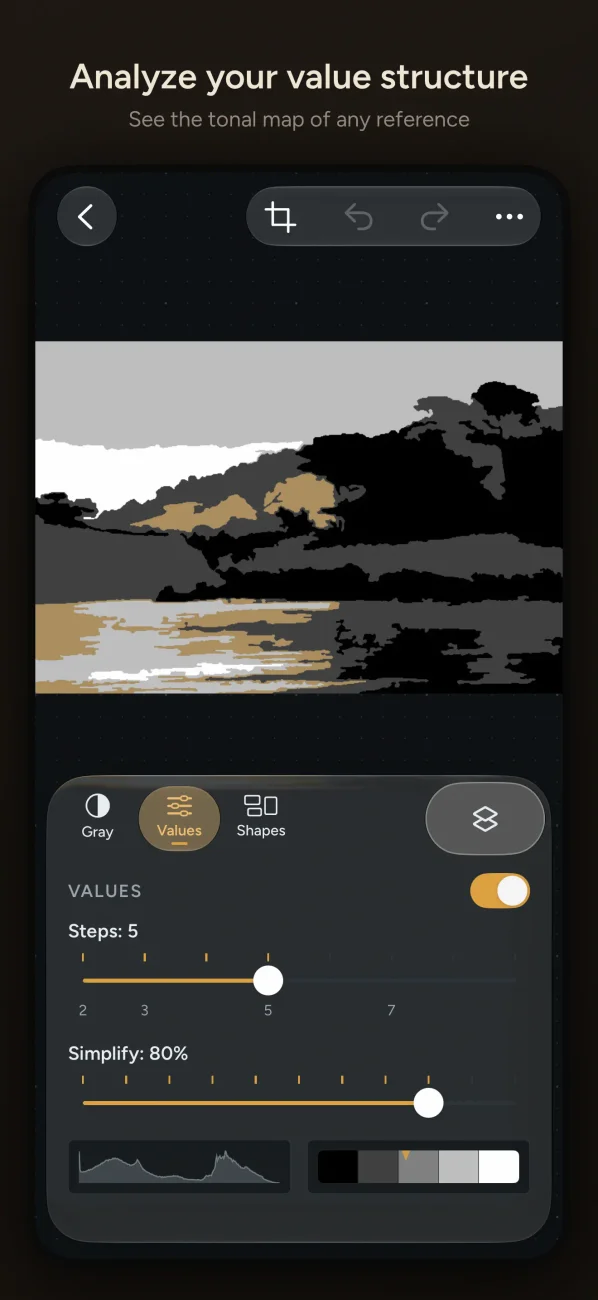
The hardest part of painting from a photo is seeing the value structure. Pochade simplifies your reference into 2 to 9 tonal steps so you can map out your lights and darks before you start mixing paint. A Simplify slider smooths away small detail, a live histogram shows your tonal range, and tapping any step isolates it so you can see exactly where that tone falls. Turn Simplify up and small specks merge away, so 2 steps gives a clean notan.
BLOCK IN THE BIG SHAPES
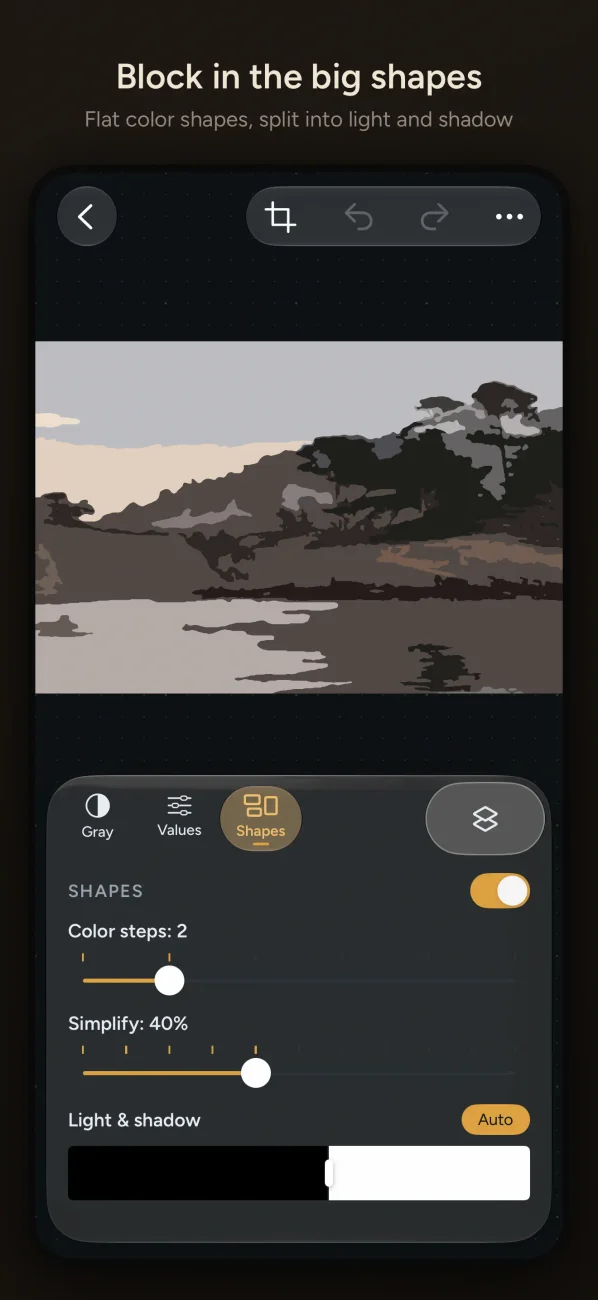
Shapes breaks your reference into a few big, flat shapes, each its own average color, so you can see how to block in the painting. Choose 1 to 6 color steps, set how simple the shapes get, and move the split between the light family and the shadow family, or leave it on Auto.
DRAW THE FIRST LINES
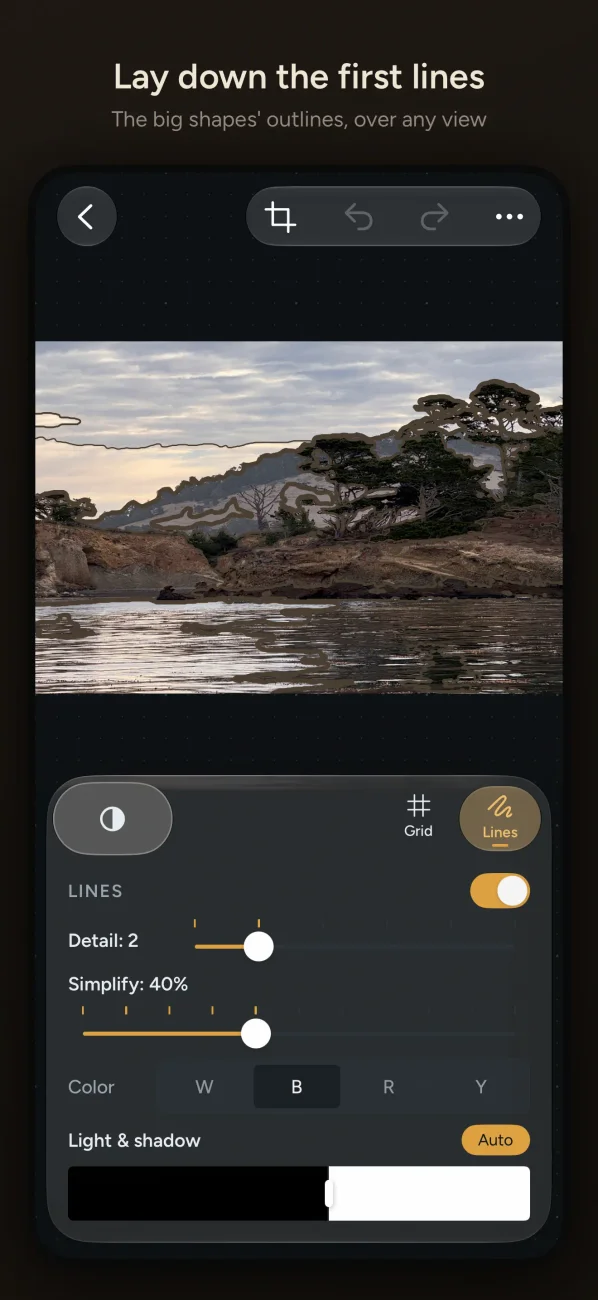
Lines draws the outlines of the big shapes over any view, heaviest where light meets shadow: the first lines to lay down. Pick how much detail to draw and a color that reads against your image.
COMPOSE YOUR FRAMING
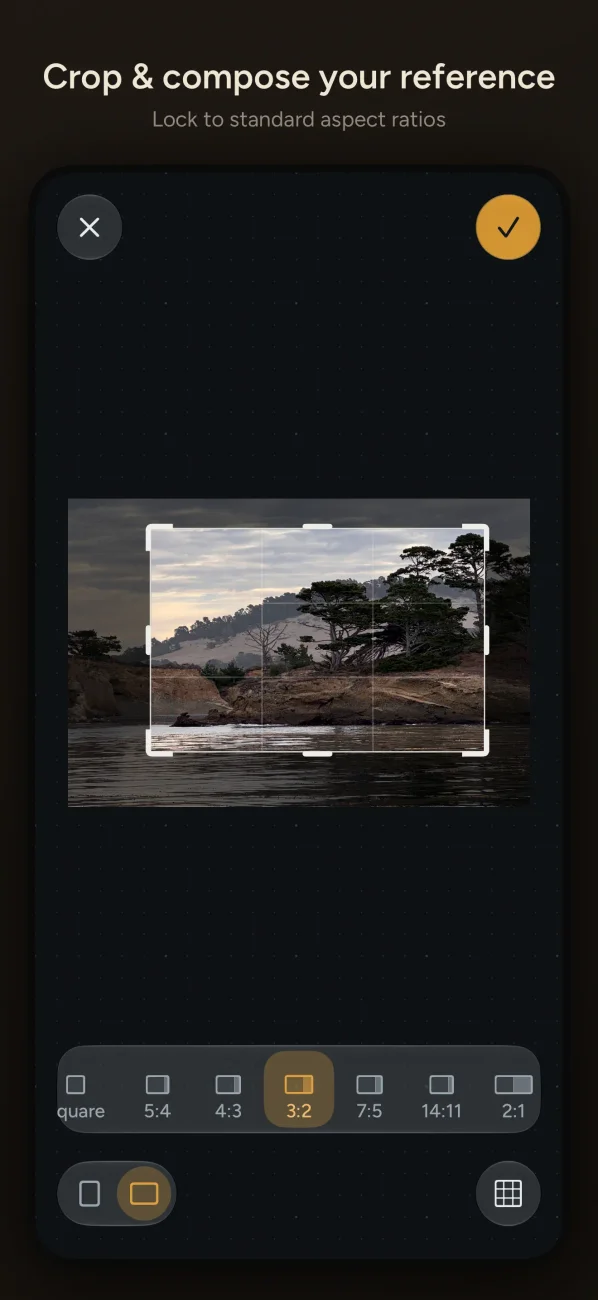
Crop in a focused mode: drag the frame over your photo and resize it by its handles. Choose a common panel ratio (square, 4:5, 3:4, 2:3, 5:7, 11:14, 1:2) in portrait or landscape, set an exact custom ratio, or crop freely. Rule of thirds, phi grid and diagonal guides help you place your subject. Your source image is never altered, so adjust your composition as often as you like.
OVERLAY A PLANNING GRID
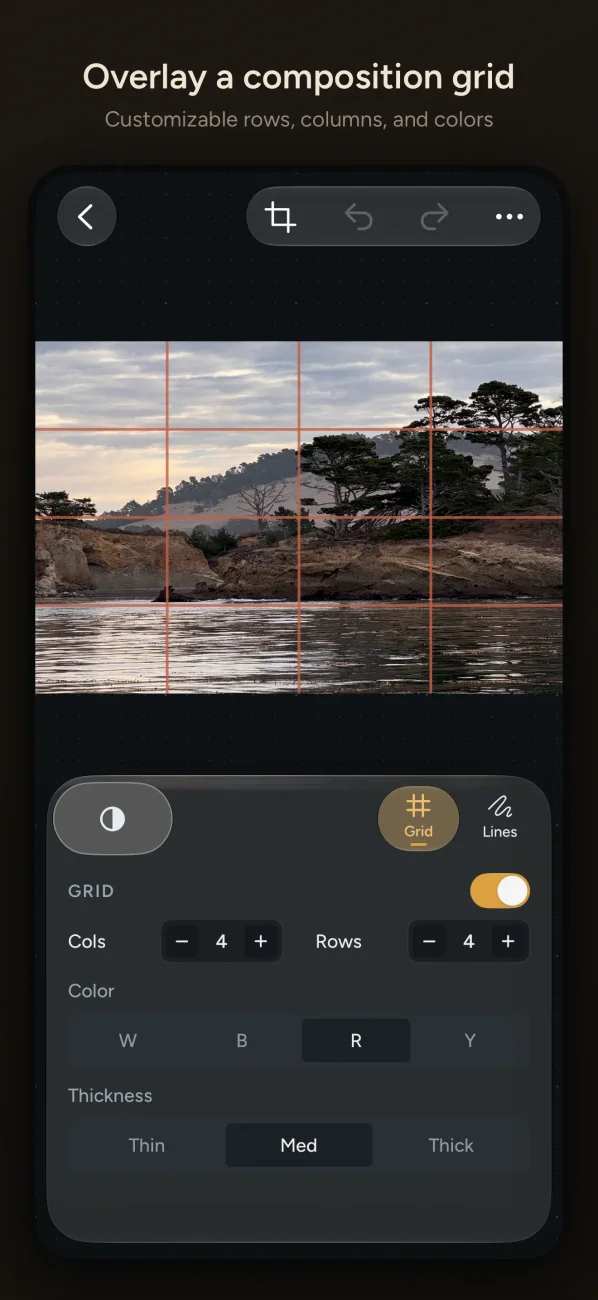
Add a customizable grid overlay to plan your drawing transfer. Choose your row and column count (2–12 each), pick a color that reads well against your image, and adjust line thickness. The grid respects your crop, so what you see is what you'll paint.
SEE IT IN GRAY
Gray strips away color so you can focus purely on value relationships — the foundation of every strong painting.
VIEWS AND OVERLAYS
Gray, Values and Shapes are views: one shows at a time. Grid and Lines are overlays, drawn over whichever view is showing. Press and hold the photo to flip the tool you have open, or hold with two fingers to peek at the plain photo.
ZEN MODE
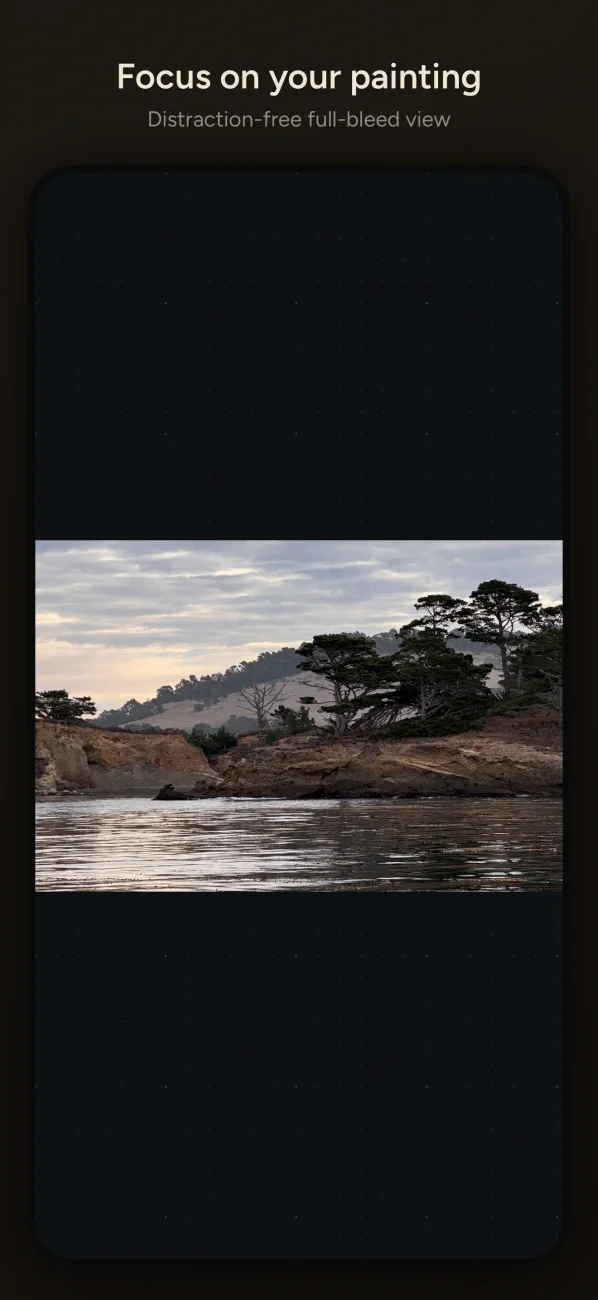
Zen mode hides every control so you can study your reference without distraction. Pinch to zoom, pan, and twist to rotate. On iPhone, turn your phone sideways to see your reference in landscape (iOS 27 or later).
EXPORT
Save your prepared reference as an image, or export a layered PSD with the reference, gray, values, shapes, lines and grid on their own layers, ready for Procreate.
BUILT FOR HOW PAINTERS WORK
Your sessions save automatically as you adjust tools. Come back tomorrow or next week and pick up right where you left off. Undo and redo are built in, up to 50 steps deep.
A session library keeps your references organized with thumbnail previews and tool state badges so you can see at a glance what you've done with each image.
BUILT NATIVELY FOR iPAD, iPHONE AND iPHONE DUO
Pochade is built natively for iPad, iPhone and iPhone Duo. On iPhone Duo, fold or unfold mid-session and you keep your place, or half-fold it into tabletop to stand your reference above the fold with your tools below. Everything runs on-device. Your photos and sessions stay local.
What’s new
Version 1.4 · Nov 22, 2026
Two new tools for the start of a painting and first class iPhone Duo support.
SHAPES TOOL
Shapes breaks your photo into a few big, flat shapes, each its own color, so you can see how to block in. Set how many color steps, how simple the shapes get, and where light ends and shadow begins.
LINES TOOL
Lines draws the outlines of those big shapes over any view, heaviest where light meets shadow: the first lines to lay down. Shapes and Lines each export as their own layer in the Procreate PSD.
Tools now come in two groups, on iPad, iPhone and in zen mode. Views (Gray, Values and Shapes) change how the photo looks, one at a time. Overlays (Grid and Lines) draw on top.
Press and hold the photo to flip the tool you have open, or hold with two fingers to see the plain photo. Let go and everything comes back.
IPHONE DUO
Now on iPhone Duo. Fold or unfold mid-session and you keep your place. Half-fold it into tabletop and your reference stands above the fold, with your tools below.
App privacy
What John Fowler declares on the App Store about how this app handles data.
-
Data not linked to you
May be collected but is not linked to your identity.
- Usage data
- Diagnostics
Privacy practices may vary, for example with the features you use or your age.
Information
- Seller
- John Fowler
- Category
- Graphics & Design
- Version
- 1.4
- Updated
- Nov 22, 2026
- Released
- Mar 12, 2026
- Size
- 25.7 MB
- Requires
- iOS 26.0 or later
- Age rating
- 4+
- Price
- Free
- In-app purchases
- Yes
- Languages
- English
- Copyright
- © 2026 Eliot Fowler
You might also like
-
 Viridian: Paint MixingColor matcher & mix recipes
-
 AtelierKitTools for Traditional Artist
-
 Painter's Toolkit: Color MatchValue Study, Grid & Pigments
-
 Painter's Tools: Value & ColorPaint mixing & drawing grids
-
 Art Reference: Value StudySee light and shadows
-
 Huely: Paint Color MatchIdentify any color from photo
-
 PaintStepsYour photos to painting tutos!
-
 Shape SketchShape Simplify / Notan Study
-
 Undertint: Watercolor MixingMatch photo colors to paints
-
 PainterLab:Paint MixingColor Study, Value & Notan