Pocket Docs - Document Storage
Docs Manager & File Organizer
Designed for iPhone, iPad
Free · In-app purchases
- Age rating4+
- CategoryProductivity
- DeveloperEvgeniy Konev
- LanguagesEnglish+ 9 more
- Size9.5 MB
Links to the official App Store page
Download.org hosts no file of Pocket Docs - Document Storage. The button opens its official App Store page, published by Evgeniy Konev. Listing last checked on Nov 14, 2026.
Screenshots

About
- SAFE -
We don't use servers to store data, your documents are stored only on your device. For extra security, you can set a password and use TouchId or FaceId to quickly unlock.
- OFFLINE -
Create and view documents offline, the app works without an internet connection.
- DOCUMENT UPLOADING -.
You can add a document to the app in several ways. Scan with the built-in scanner, upload a pdf from your device, or upload photos of a document. Documents are stored in PDF format.
- DOCUMENT FIELDS -
In the app you can create fields for each document. This way you can record the most frequently used data and not have to search through the entire PDF document. Saved fields can easily be copied to use where you need them. You can copy individual fields or all fields at once.
- QR DOCUMENTS -
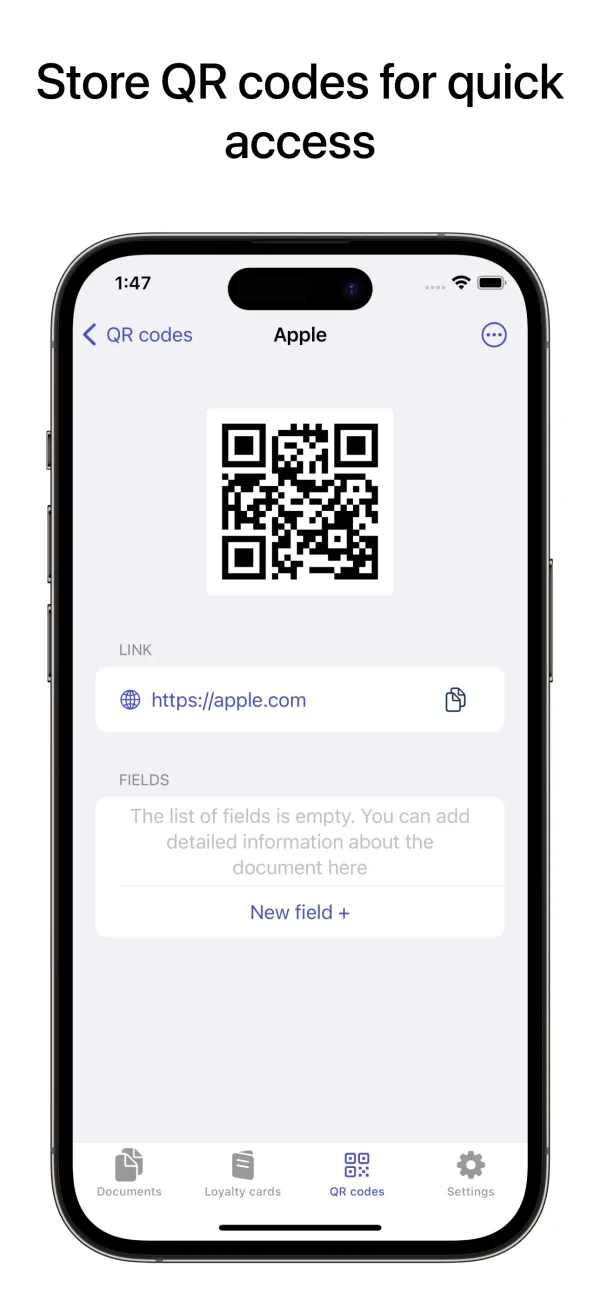
A new section of the app allows you to store qr codes. So you can scan movie tickets, transport tickets and any other information which is stored as a QR code.
- QR-codes -
Save qr codes for quick access. Here you can also create fields to quickly copy important information. For example, you can store ticket information, qr and any other information available as qr.
- SENDING DOCUMENTS -
Send PDF documents via email, social media, and other available methods.
What’s new
Version 4.4.0 · Aug 1, 2024
- Added text recognition feature. Now you can view the document page by page and copy text even from scanned document pages;
- Discontinued support for some localizations due to translation difficulties.
App privacy
What Evgeniy Konev declares on the App Store about how this app handles data.
-
Data not linked to you
May be collected but is not linked to your identity.
- Purchases
- Usage data
Privacy practices may vary, for example with the features you use or your age.
Information
- Seller
- Evgeniy Konev
- Category
- Productivity
- Version
- 4.4.0
- Updated
- Aug 1, 2024
- Released
- Nov 30, 2020
- Size
- 9.5 MB
- Requires
- iOS 16.0 or later
- Age rating
- 4+
- Price
- Free
- In-app purchases
- Yes
- Languages
- English, Danish, French, German, Italian, Japanese, Portuguese, Russian, Simplified Chinese, Spanish
- Copyright
- © 2022 Konev E.O.
You might also like
-
 Digital Document OrganizerDocuments Manager, Docs
-
 Secure X- Data Vault & WalletPassword, Gallery, Card Keeper
-
 Docs24 - Organize documentsAll documents in one place
-
 My Documents: Digital StorageID Card Wallet & Passport Safe
-
 GoodID – Your digital walletIdentity wallet
-
 PDF Document Scanner - CaptizeSmart Receipts, Convert & Edit
-
 Document Manager:Docs,SheetsEdit documents,spreadsheets
-
 FileCentral for iPhoneSimple file & cloud management
-
 Prisidio: Digital VaultYour Digital Vault. For Life.®
-
 KeepLink: Organize your LifeLink & Retrieve your Data