Pocket Note: Sticky Widget
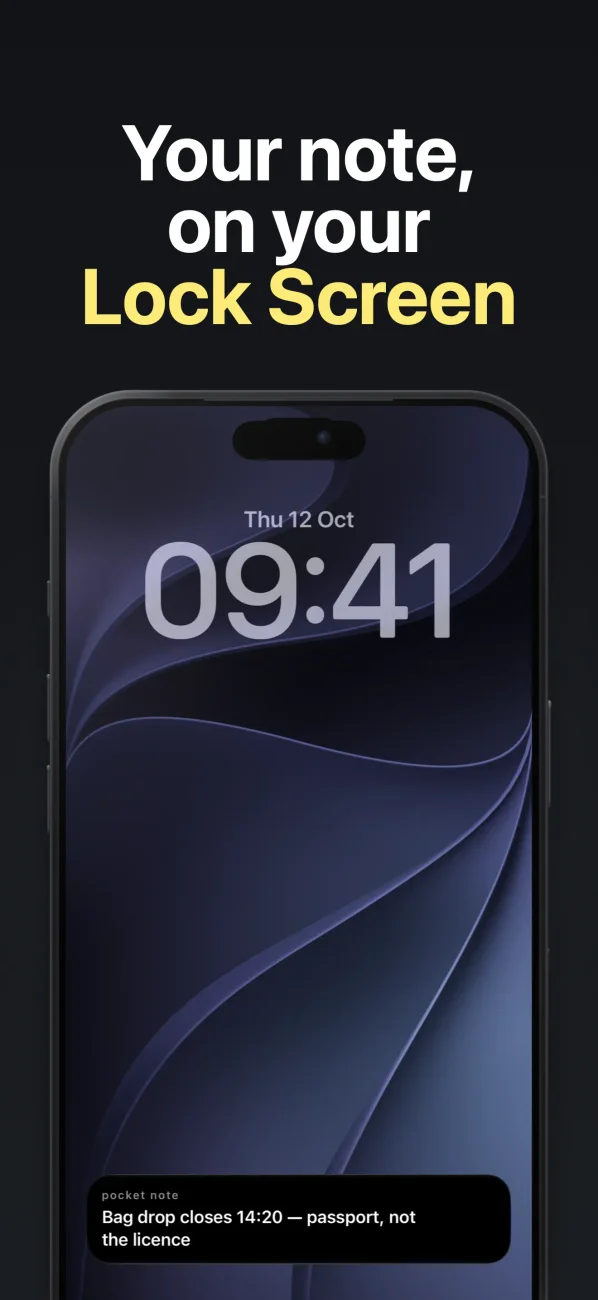
One note, on your Lock Screen
Designed for iPhone, iPad
Free · In-app purchases
- Age rating4+
- CategoryProductivity
- DeveloperDavid Norris
- LanguagesEnglish
- Size17.1 MB
Links to the official App Store page
Download.org hosts no file of Pocket Note: Sticky Widget. The button opens its official App Store page, published by David Norris. Listing last checked on Nov 20, 2026.
Screenshots


About
One note, in front of you all day.
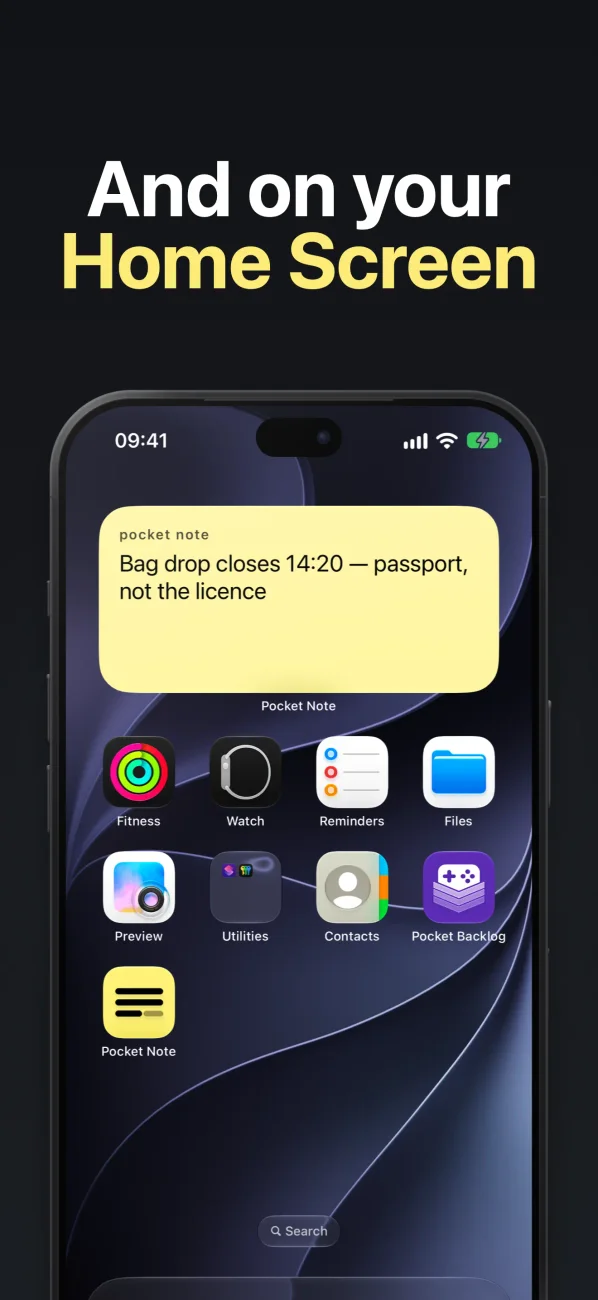
Pocket Note keeps a single thought on a card and puts it where you will see it: your Lock Screen, a Home Screen widget, the Dynamic Island. You do not have to open the app to remember what you wrote.
ONE NOTE AT A TIME
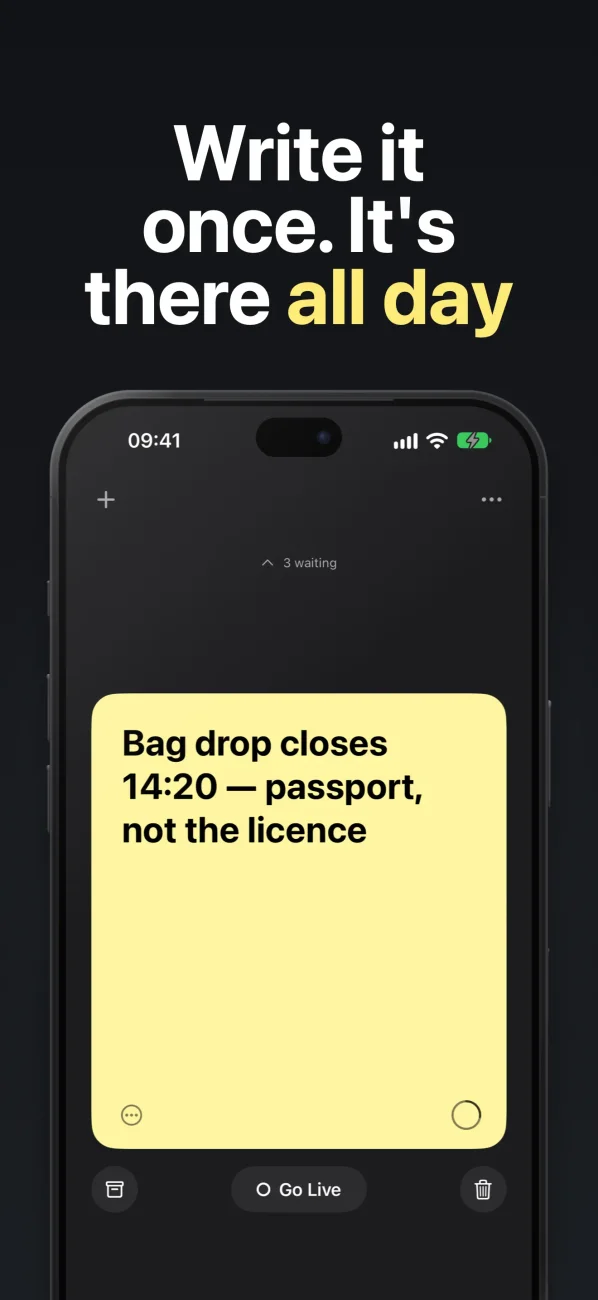
• Write straight onto the card. It saves as you type.
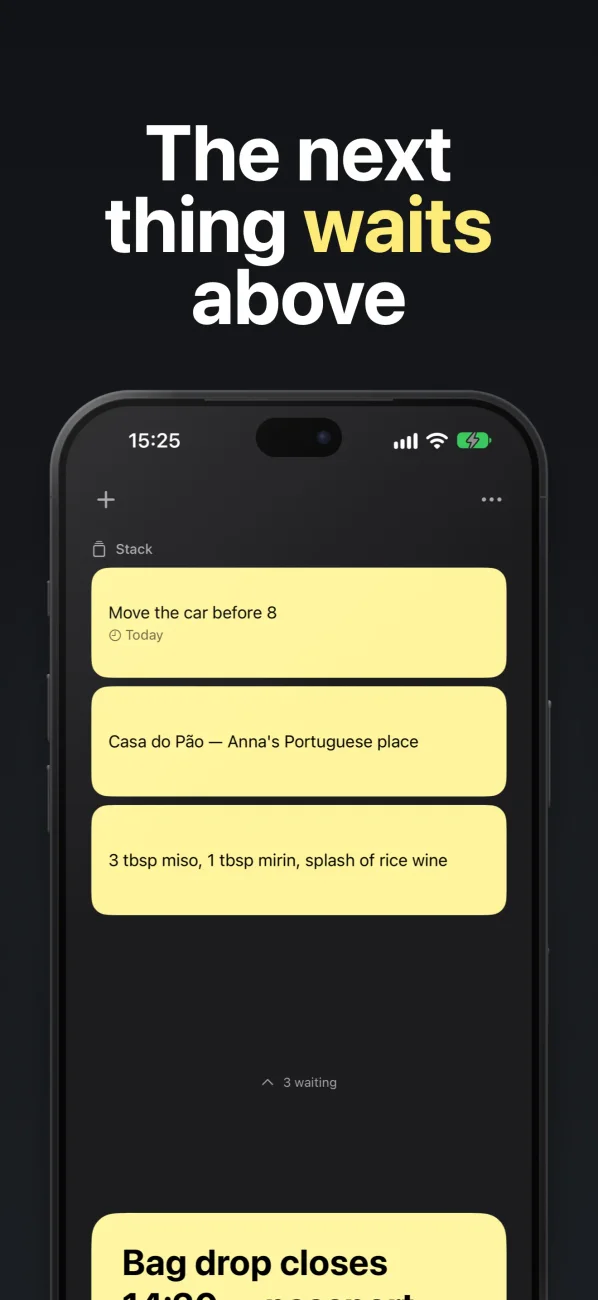
• Something else on your mind? Tap plus and the note steps back into the Stack above, leaving you a blank card.
• Pick it up again from the Stack whenever you are ready. Nothing is lost.
WHERE YOU WILL SEE IT
• Home Screen widgets: small, medium and large.
• Lock Screen widgets.
• Go Live: your note on the Lock Screen and in the Dynamic Island while you get on with your day.
All of it free.
NOTHING GETS LOST
• Finished notes rest in the Archive below the card, and any of them comes back with a tap.
• Give a note a time and it rises to the top of the Stack when it is due.
BLACK AND WHITE
No folders, no titles, no wall of notes you will never open again. Colour is the paper, never the interface: twelve tinted papers, and the old one peels away like a sheet off a pad when you change it.
FREE, OR PRO
Pocket Note is free with one note, a stack of five, two weeks of archive and Canary paper. Pocket Note Pro removes the limits and adds Later, the other eleven papers, fifteen colours for the app icon, iCloud sync and App Lock. Pay monthly, yearly with the first week free, or once.
Privacy Policy: https://pocketlab.studio/pocket-task/privacy
Terms of Use: https://pocketlab.studio/pocket-task/terms
What’s new
Version 1.3.0 · Oct 16, 2026
Pocket Task is now Pocket Note.
Lists, due dates and priorities are gone. What is left is one card, one thought, and room to breathe. Write straight onto the card and it saves as you type. Tap the archive when you are done.
Because the app is a different shape, notes and tasks from earlier versions do not carry over. If there is anything in Pocket Task you want to keep, copy it out before you update.
• The Stack: tap plus and your note steps back above the card, leaving you a blank one.
• The Archive: finished notes rest below, restorable with a tap.
• Go Live: your note on the Lock Screen and in the Dynamic Island. Free.
• Widgets: small, medium and large, plus Lock Screen. Free.
• Papers: twelve tints, and the old one peels away when you change it. Canary is free; the other eleven are Pocket Note Pro.
• Later: give a note a time and it comes back to the top. Pro.
• A new icon, and fifteen more colours for it in Settings › Appearance. Pro.
• Light, dark or System, also in Appearance.
App privacy
What David Norris declares on the App Store about how this app handles data.
-
Data not linked to you
May be collected but is not linked to your identity.
- Identifiers
- Usage data
- Diagnostics
Privacy practices may vary, for example with the features you use or your age.
Information
- Seller
- David Norris
- Category
- Productivity
- Version
- 1.3.0
- Updated
- Oct 16, 2026
- Released
- May 6, 2026
- Size
- 17.1 MB
- Requires
- iOS 26.0 or later
- Age rating
- 4+
- Price
- Free
- In-app purchases
- Yes
- Languages
- English
- Copyright
- © 2026 PocketLab Studio
You might also like
-
 ListShufflerShuffle anything
-
 Simplio Notepad - Quick NotesWrite thoughts & memos
-
 Pomodoro Timer & Focus・pomoWork & Break Timer・Session Fow
-
 Notes - Notepad Free Note AppSimple Memo Pad & Taking Notes
-
 Make Spreadsheet: Excel ReaderCreate & Read Excel files
-
 Notes: Notebook & RemindersNotepad, Note Taking & Memo
-
 Easy Notebook - simple notes -Productivity
-
 Home Chores & Cleaning: OhWaitMaintenance Tracker & Schedule
-
 Planimeter 2 GPS area measurefield area, land survey on map
-
 Sticky Notes Widget. StickiesMemo papers plus color drawing