Pomodoro Timer - M
A minimalist Pomodoro timer
Designed for iPhone, iPad
Free · In-app purchases
- Age rating4+
- CategoryProductivity
- DeveloperMASATO NISHIURA
- LanguagesEnglish+ 1 more
- Size2.0 MB
Links to the official App Store page
Download.org hosts no file of Pomodoro Timer - M. The button opens its official App Store page, published by MASATO NISHIURA. Listing last checked on Nov 23, 2026.
Screenshots


About
Mute distractions only when you're focusing.
Minimal Pomodoro Timer is a Pomodoro timer built around one promise: turn off distractions only while you're focusing. Screen Time integration blocks selected apps and websites during focus sessions. Live Activity, Dynamic Island, and StandBy keep your progress visible without unlocking your phone.
==================
When to use it
==================
- Deep work blocks at the office
- Exam prep and certification study
- Cutting yourself off from social media for an hour
- Remote work productivity
- Reading, writing, or any creative session
==================
Key features
==================
[Minimal timer]
Tap to switch between Work and Break. Swipe up/down to change Work duration, swipe left/right for Break - no settings menu needed.
[Screen Time-based blocking (Pro)]
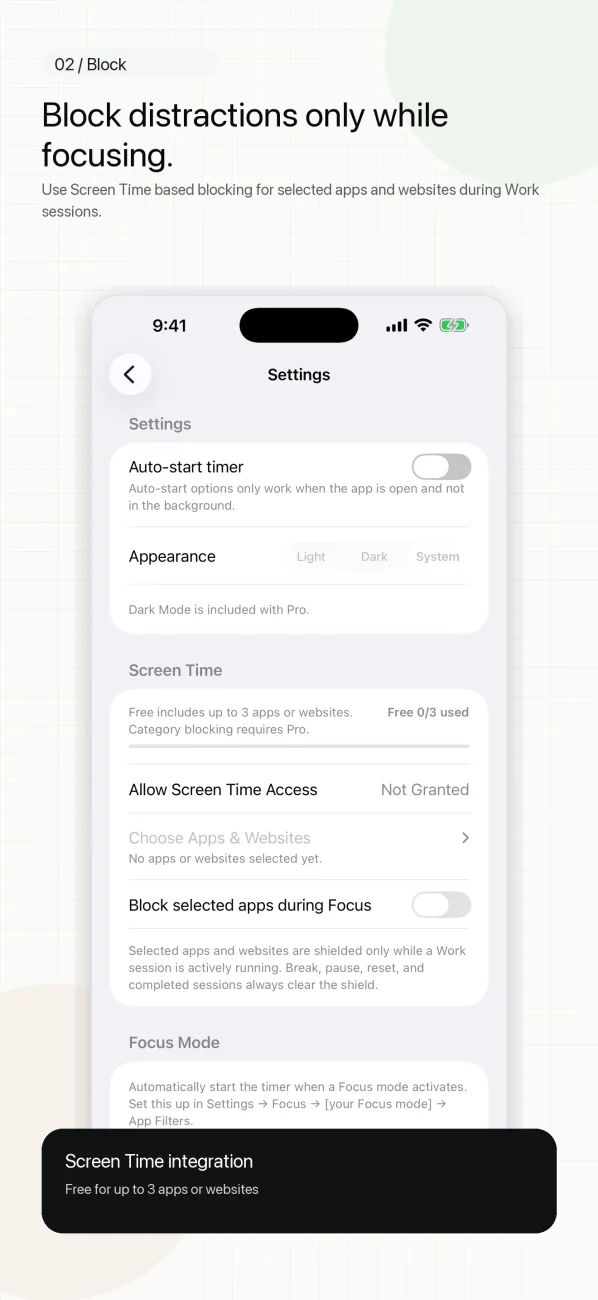
Block selected apps and websites only during focus sessions. Pause / Break / Reset automatically lifts the block, so social media is back during breaks. Pro unlocks unlimited app blocking and category-level rules.
[Live Activity / Dynamic Island]
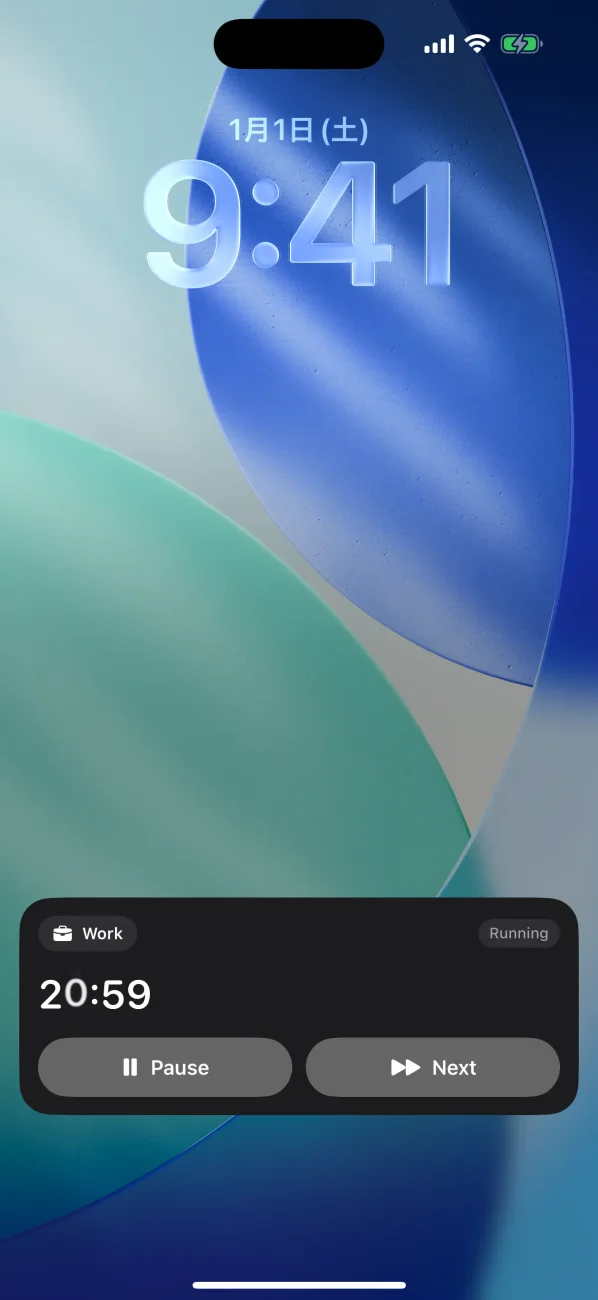
Remaining time and current session stay visible on your Lock Screen, Dynamic Island, and StandBy. After a session ends, if you don't start the next one, the Live Activity disappears in 5 minutes - no clutter.
[Stats dashboard]
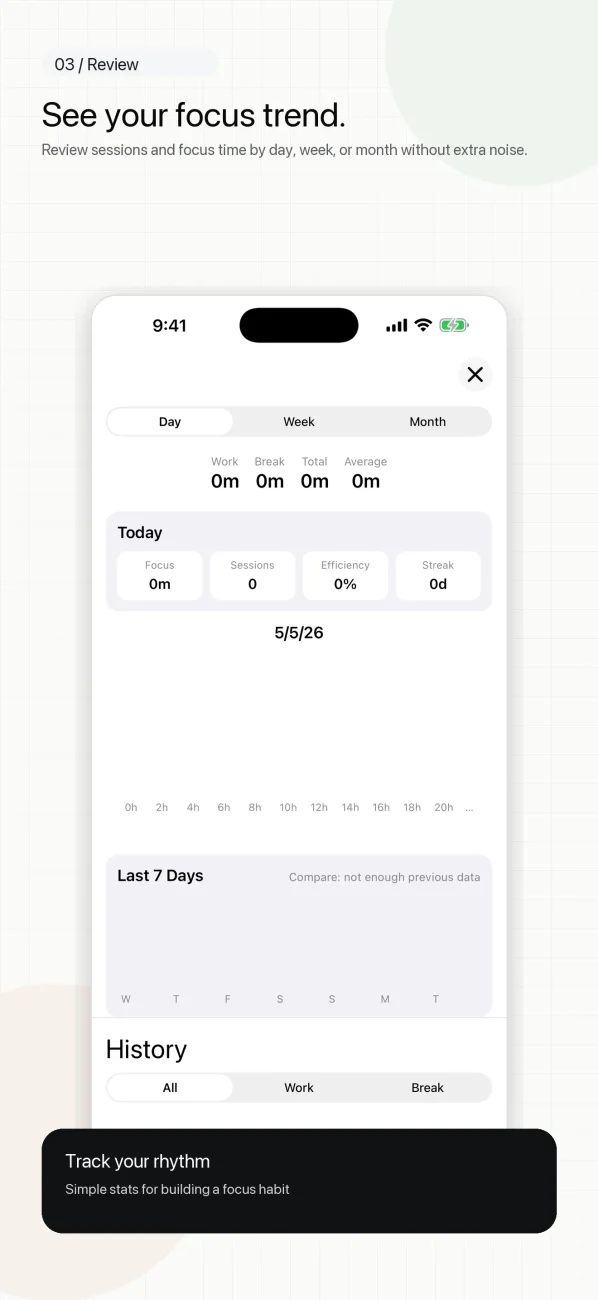
Daily and weekly session count and focus time at a glance. Lightweight tracking to keep momentum.
[Flip-to-toggle]
Flip your iPhone face-down to toggle the Work timer. The quietest possible operation.
==================
Pricing (Pro)
==================
Free: block up to 3 apps or websites. Pro adds:
- Unlimited apps and websites
- Category-level blocking
- Dark Mode
Cancel anytime from the App Store settings.
==================
Highlights
==================
- Fully offline (no internet required)
- No ads, no tracking
- iPhone and iPad supported
- English and Japanese
==================
Privacy
==================
Your data stays on your device. We have no access to it. No third-party analytics or ad SDKs are used.
Terms of Use (EULA): https://www.apple.com/legal/internet-services/itunes/dev/stdeula/
What’s new
Version 1.46 · Nov 20, 2026
Improved timer, settings, and history layouts for iPhone Duo and resizable windows. Improved Live Activity presentation when Dynamic Island space is limited.
App privacy
What MASATO NISHIURA declares on the App Store about how this app handles data.
-
Data not collected
The developer does not collect any data from this app.
Privacy practices may vary, for example with the features you use or your age.
Information
- Seller
- MASATO NISHIURA
- Category
- Productivity
- Version
- 1.46
- Updated
- Nov 20, 2026
- Released
- Jun 16, 2025
- Size
- 2.0 MB
- Requires
- iOS 18.0 or later
- Age rating
- 4+
- Price
- Free
- In-app purchases
- Yes
- Languages
- English, Japanese
- Copyright
- © 2025 Masato Nishiura
You might also like
-
 Pomodoro Timer - Focus KeeperBoost Productivity, Motivation
-
 Pomodoro Timer - CucumberFocus Timer for Night Owls
-
 PomodoroTimer+: Focus & StudyProductivity Timer & Breaks
-
 Simple Pomodoro Timer - DoroNo ads, Super simple timer
-
 Pomodoro Buddy: Focus TimerFocus Timer & Session Tracker
-
 Pomodoro Focus Timer - TomotoStudy & Work Time Management
-
 Pomodoro Timer - FocusKitStudy & Routine Planner
-
 Pomodoro Timer: Focus & WorkProductivity & Concentration
-
 Pomodoro — Focus TimerProductivity
-
 Pomodoro Focus TimerWork sprints, stats & tasks