
Port22: Coding Agents Anywhere
Claude code, Codex & more
Designed for iPhone
Free · In-app purchases
- Age rating4+
- CategoryDeveloper Tools
- DeveloperHarsha Chaganti
- LanguagesEnglish
- Size12.0 MB
Links to the official App Store page
Download.org hosts no file of Port22: Coding Agents Anywhere. The button opens its official App Store page, published by Harsha Chaganti. Listing last checked on Nov 17, 2026.
Screenshots

About
Your AI coding agents are already running on your Mac. Port22 doesn't launch, wrap, or replace them — it attaches to what's there and puts every session on your phone, including a permission prompt you can answer in a tap.
Start Claude Code, Codex, or OpenCode in whatever terminal you like. Nothing about your setup changes. Port22 just gives you the whole fleet from anywhere.
HOW IT WORKS
1. Install the free Port22 agent on your Mac — it's a menu-bar app, no configuration.
2. Pair your phone by typing a six-character code. No account, no sign-up.
3. Your sessions appear. Start them however you already do.
MISSION CONTROL FOR YOUR FLEET
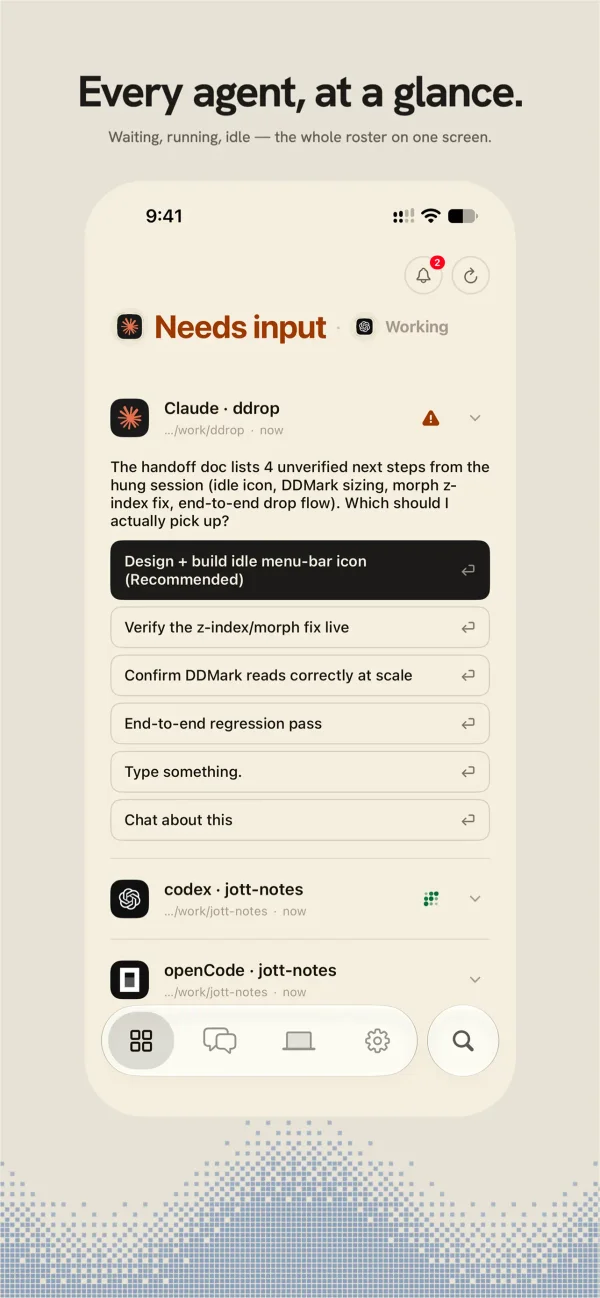
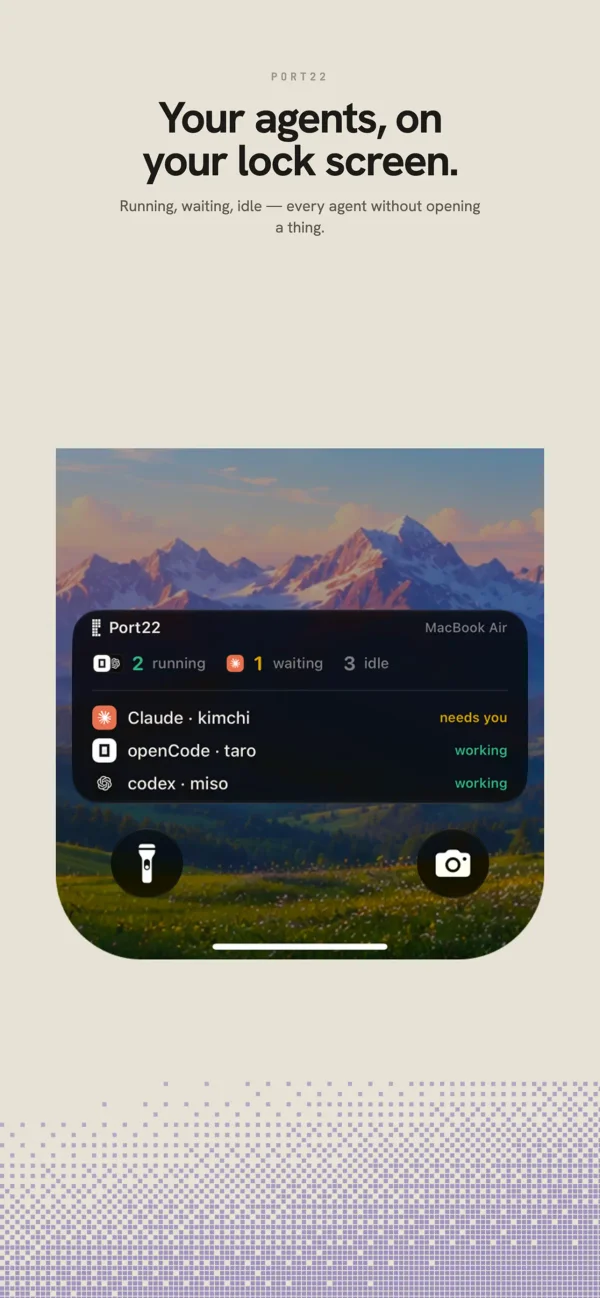
See every session at a glance: which agent is working, which one is blocked on you, which one is done. No log tailing, no raw error strings — just states a human can read.
WHEN AN AGENT IS BLOCKED
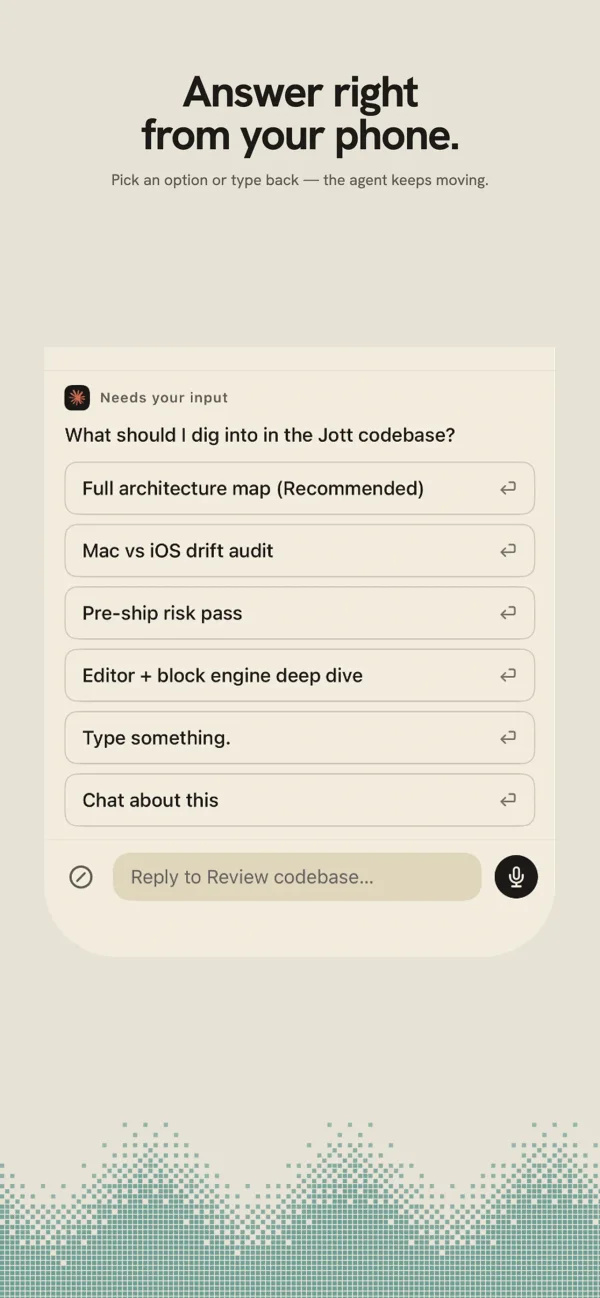
Your phone tells you the moment an agent needs permission. Open Port22 and every
option the agent actually offered is there as a real button — never a guessed
keystroke, never an inferred choice. Answer it and the agent carries on.
THE REAL CONVERSATION
Read the full transcript exactly as it happened — prose, tool calls, diffs. Send a new prompt. Answer a multiple-choice question with real buttons instead of guessed keystrokes. Nothing is truncated.
WORKS OFF YOUR NETWORK
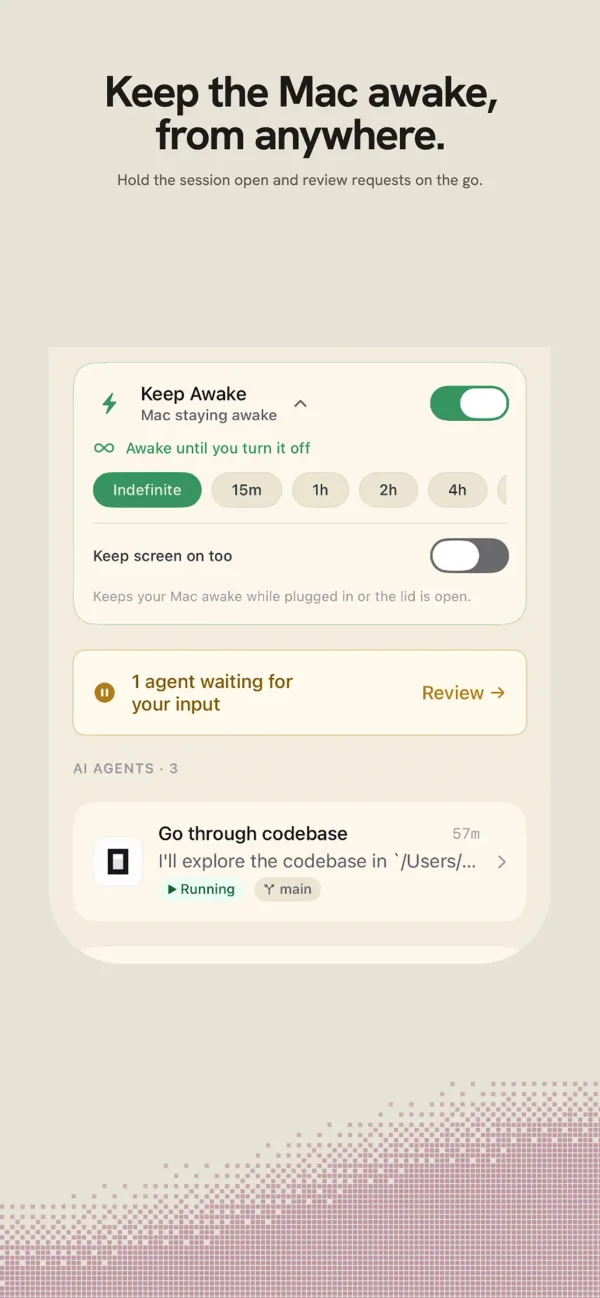
On your network it connects directly over your LAN. Off it, it fails over automatically to an encrypted relay, and you keep working from anywhere. Taurine, our keep-awake mode, stops your Mac napping mid-run so a long job survives the walk to the coffee shop.
END-TO-END ENCRYPTED
Your Mac and your iPhone verify each other's identity when they connect, then talk over an AES-256-GCM encrypted channel that the relay in between cannot read. There is no account and no sign-up — pairing is a code you type once.
FREE FOREVER
One Mac and two sessions, with every feature unlocked. Not a trial and not a crippled tier: off-network access, permission approvals, Taurine, and the full conversation are all included. The two sessions you're using stay free.
PORT22 UNLIMITED
Unlimited Macs and unlimited sessions, so you can drive the whole fleet at once.
An annual subscription that renews automatically until cancelled. Pricing is shown
in the app.
REQUIRES THE MAC AGENT
Port22 needs the free Port22 companion app running on your Mac. Download it at tryport22.com.
Terms: tryport22.com/terms
Privacy: tryport22.com/privacy
What’s new
Version 1.1 · Aug 25, 2026
Now you can see every edit as it lands — real diffs shown right in the transcript as your agent works.
Also in this update:
• Smoother connecting screen
• Sessions in the same project keep their own names and history
• Your messages now align right, like a real chat
• Status icons, animations, and copy refined throughout
App privacy
What Harsha Chaganti declares on the App Store about how this app handles data.
-
Data not linked to you
May be collected but is not linked to your identity.
- Purchases
- Identifiers
Privacy practices may vary, for example with the features you use or your age.
Information
- Seller
- Harsha Chaganti
- Category
- Developer Tools
- Version
- 1.1
- Updated
- Aug 25, 2026
- Released
- Aug 13, 2026
- Size
- 12.0 MB
- Requires
- iOS 17.0 or later
- Age rating
- 4+
- Price
- Free
- In-app purchases
- Yes
- Languages
- English
- Copyright
- © 2026 Harsha Chaganti
You might also like
-
 Agent Meter: AI UsageCodex/Gemini/Claud reset alert
-
 Sesori: Remote AI Coding AgentOpenCode, Codex & Claude Code
-
 QuickTUI: AI Agent TerminalClaude, Codex, herdr & tmux
-
 NowdexTrack your agent usage
-
 Lody - Run Code Agent AnywhereRemote Control for All Agents
-
 KittyLitterCodex on your phone
-
 Remodex - Remote AI CodingControl AI code from the phone
-
 HerdrOfficial Herdr companion app
-
 Moshi: herdr/tmux on SSH/MOSHAgent terminal for Codex CLI
-
 Vicoa: Claude Code & Codex IDEVibe Code Anywhere, AI Agents