
Poster: Photo Frames & Borders
Carousel Maker, Collage & Text
Designed for iPhone
Free · In-app purchases
- Age rating4+
- CategoryPhoto & Video
- DeveloperJURGIS NARVILS
- LanguagesEnglish+ 20 more
- Size75.4 MB
Links to the official App Store page
Download.org hosts no file of Poster: Photo Frames & Borders. The button opens its official App Store page, published by JURGIS NARVILS. Listing last checked on Nov 21, 2026.
Screenshots





About
Make your photography stand out.
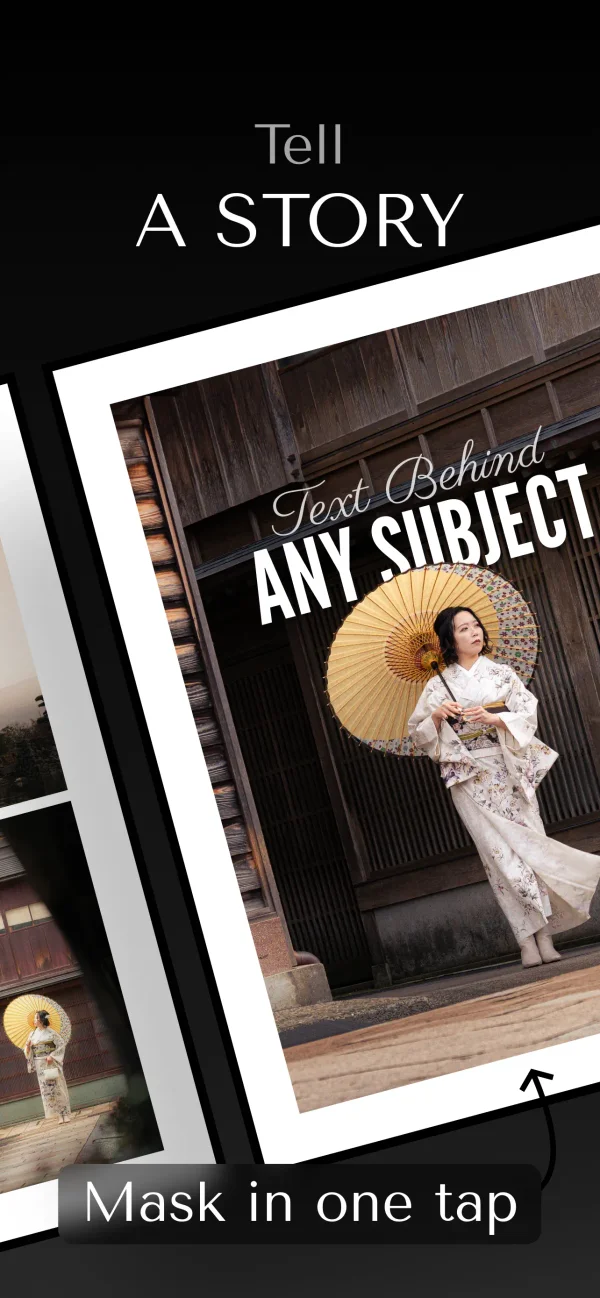
Poster turns your photos into finished social posts. Set the frame and crop. Build a collage or carousel. Add text anywhere, including behind the main subject.
TEXT
Start with a blank text layer or choose from more than 160 templates. Set the font and placement. Add a background or text effect. Use subject masking to place text behind the main subject. Save finished designs to My Templates for later projects.
LAYOUTS AND CAROUSELS
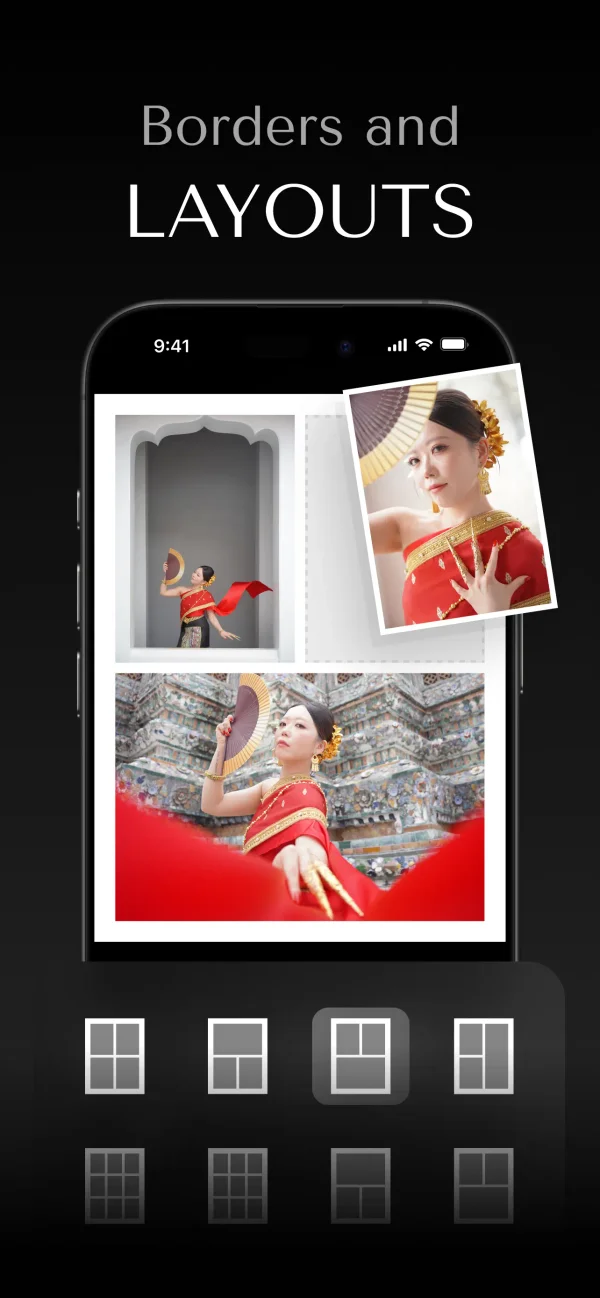
Choose an aspect ratio and move each photo independently. Adjust frames and gaps or use background blur around a fitted photo. Layouts include rows, columns, grids, and mosaics.
Create a carousel in one project. Add pages or reorder them. Split a wide photo across page boundaries so the image continues through the swipe.
SAVE AND PLAN
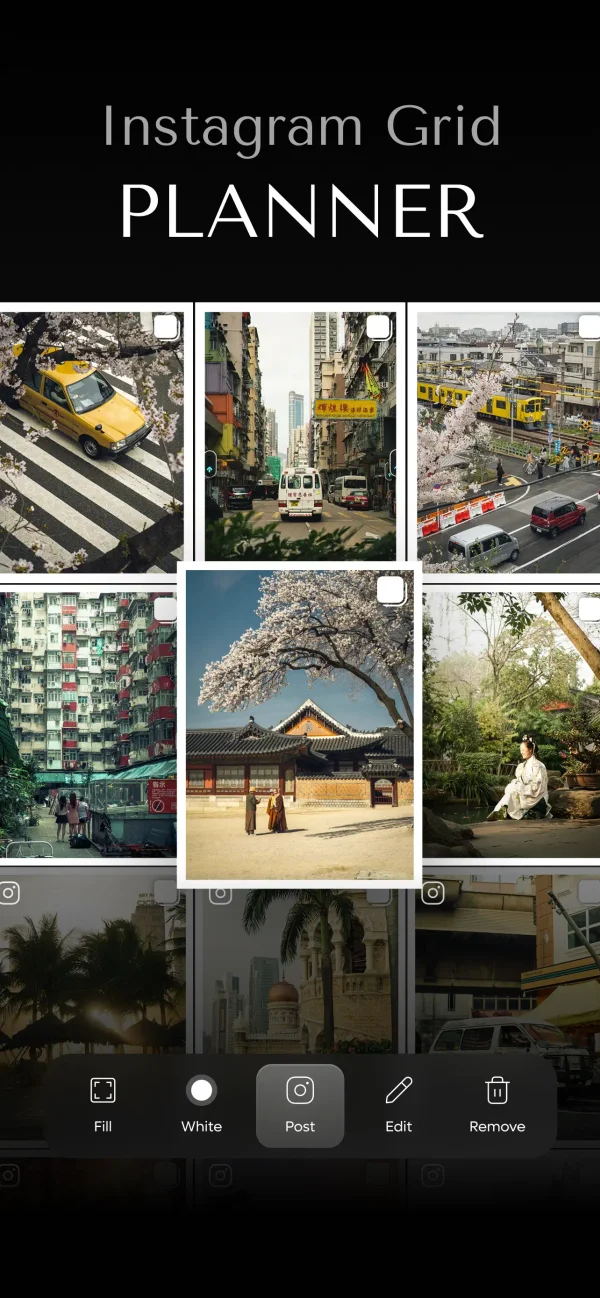
Keep projects in the Library and organize them with folders. Save layouts as templates. Use the Planner to arrange upcoming posts, then mark each one as published after it goes live. Export photos and supported videos to your camera roll.
FREE AND POSTER PRO
Free includes core editing and carousels of up to three pages. A selection of templates and fonts is included.
Poster Pro removes the carousel page limit and adds split-image carousels. Every layout and the full Planner are included. Text effects and subject masking are Pro features. The full font and template collection is included, along with saved templates. Pro also adds background blur and advanced export controls.
Poster Pro is available by subscription or as a lifetime purchase. Subscriptions are billed monthly or yearly. Eligible customers can try the yearly plan free for seven days.
Previous Poster Pro purchases keep lifetime access.
Terms of Use: https://www.apple.com/legal/internet-services/itunes/dev/stdeula/
What’s new
Version 1.2.1 · Nov 20, 2026
Text editing works again on the latest iOS: the keyboard opens, and Edit, Templates and Delete respond.
App privacy
What JURGIS NARVILS declares on the App Store about how this app handles data.
-
Data not linked to you
May be collected but is not linked to your identity.
- Usage data
Privacy practices may vary, for example with the features you use or your age.
Information
- Seller
- JURGIS NARVILS
- Category
- Photo & Video
- Version
- 1.2.1
- Updated
- Nov 20, 2026
- Released
- Oct 17, 2025
- Size
- 75.4 MB
- Requires
- iOS 17.5 or later
- Age rating
- 4+
- Price
- Free
- In-app purchases
- Yes
- Languages
- English, Arabic, Dutch, French, German, Hebrew, Hindi, Indonesian, Italian, Japanese, Korean, Polish + 9 more
- Copyright
- © 2026 George Will
You might also like
-
 White Space - Photo BordersElegant Borders With Batch
-
 Add Border To PhotoPut white frame around image
-
 Elori: Photo Editor & CollageScrapbook & Carousel Maker
-
 No Crop - Simple BorderWhite background for Instagram
-
 Showcase.me, minimalist folioDesign, photo, art portfolio
-
 White BorderPerfect Borders for Instagram
-
 White Background FramePlan Your Grid, Frame Photos
-
 Nola: Carousel & Collage MakerPhoto Grid & Layout Editor
-
 PICFX Film Filters & PresetsAnalog Vintage Photo Editor
-
 Video Crop - Resize VideoChange Video Aspect Ratio