
Posting Pixels
Seamless carousel photo posts
Designed for iPhone, iPad, iPod touch
In-app purchases
- Age rating4+
- CategoryPhoto & Video
- DeveloperSmartLink Basics, LLC
- LanguagesEnglish
- Size37.1 MB
Links to the official App Store page
Download.org hosts no file of Posting Pixels. The button opens its official App Store page, published by SmartLink Basics, LLC. Listing last checked on Nov 15, 2026.
Screenshots

About
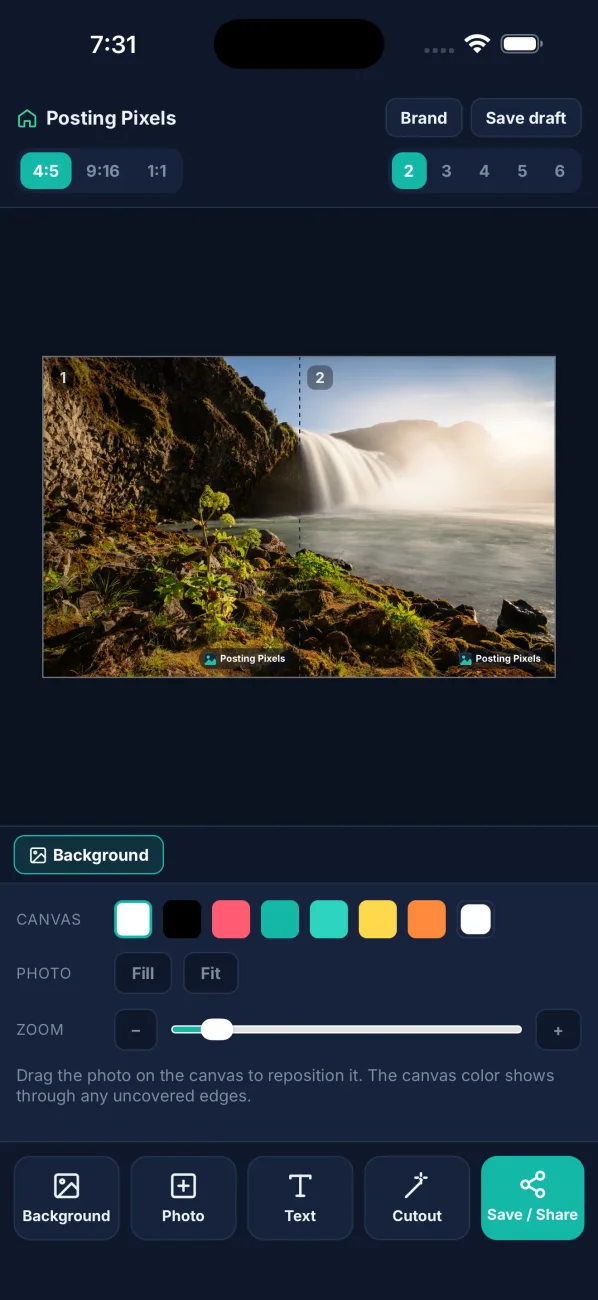
Posting Pixels turns a single photo into a seamless, swipeable Instagram carousel — the kind where the image flows perfectly from one slide to the next as your followers swipe. No more guessing where to cut. Drop in a wide shot, pick how many slides you want, and Posting Pixels slices it on pixel-perfect boundaries so the seams line up every time.
Built for creators, photographers, and brands who want their grid to stand out.
SEAMLESS SPLITS
Import one panoramic or wide photo and split it into 2 to 6 slides that connect edge to edge. Swipe through the carousel and the picture stays whole.
THE RIGHT SIZE FOR EVERY POST
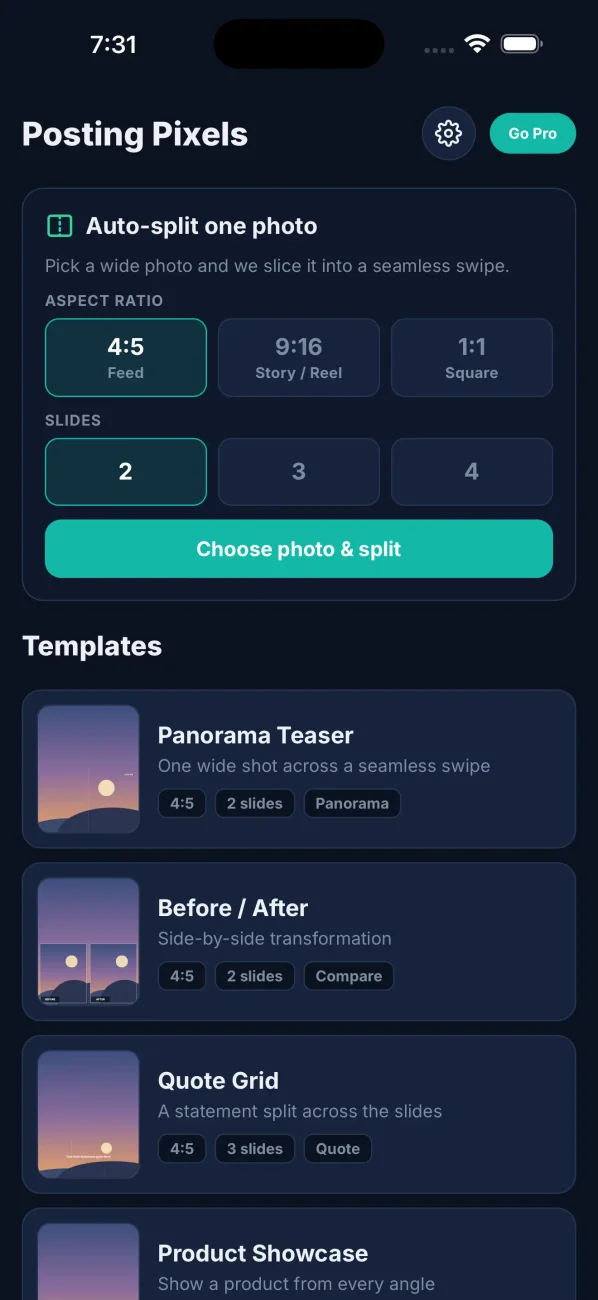
- Feed (4:5) — the tall format that takes up the most real estate in the feed
- Story / Reel (9:16) — full-screen vertical
- Square (1:1) — the classic grid look
DESIGN TOOLS THAT STAY OUT OF YOUR WAY
- Add text with auto-fit backgrounds, custom fonts, colors, and outlines
- Drop in extra photos as layers, crop and position them freely
- Reposition and zoom your background so the split falls exactly where you want
- Ready-made templates to start fast
BRAND KITS
Save your colors and reuse them across every post so your feed always looks like you. Pro unlocks unlimited brand kits.
EXPORT IN SECONDS
One tap exports every slide, numbered and in order, ready to upload to Instagram as a carousel. Pro exports in HD with no watermark.
POSTING PIXELS PRO
Upgrade to remove the watermark and unlock everything:
- No watermark on exports
- HD (2x) export quality
- Every template
- Unlimited brand kits
Pro is available as a monthly or annual subscription. Try the app free — the full editor is yours to explore, and free exports include a small Posting Pixels tag.
PRIVATE BY DESIGN
No account required. Your photos are processed entirely on your device and are never uploaded to our servers.
Terms of Use: https://postingpixels.com/terms
Privacy Policy: https://postingpixels.com/privacy
Made by SmartLink Basics, LLC. Questions? support@smartlinkbasics.com
What’s new
Version 1.1 · Aug 27, 2026
Minor performance enhancements
App privacy
What SmartLink Basics, LLC declares on the App Store about how this app handles data.
-
Data linked to you
May be collected and linked to your identity.
- Purchases
- Identifiers
Privacy practices may vary, for example with the features you use or your age.
Information
- Seller
- SmartLink Basics, LLC
- Category
- Photo & Video
- Version
- 1.1
- Updated
- Aug 27, 2026
- Released
- Jul 27, 2026
- Size
- 37.1 MB
- Requires
- iOS 15.0 or later
- Age rating
- 4+
- In-app purchases
- Yes
- Languages
- English
- Copyright
- © SmartLink Basics, LLC
You might also like
-
 Panoply: Photo & VideoSlice panoramas for Instagram
-
 StoryGridSplit photos into clean grids
-
 Seam: Carousel & Collage MakerSeamless Photo Layouts & Grids
-
 JewelAIVirtual Jewelry on AI Models
-
 PicscrollCross-Screen Collage Maker
-
 Panoslice: Carousel Post MakerPhoto Collage, Design & Layout
-
 Note Camera with TimestampGPS Location & Notes on Photos
-
 PerfectCrop: Image SplitterMake slides from wide photos
-
 GyroflowGyro-based video stabilization
-
 Dual Recorder: DuoShot CameraRecord Portrait & Landscape