Prep Clock: Backward Timer
Plan Backward. Leave On Time.
Designed for iPhone, iPad
Free · In-app purchases
- Age rating4+
- CategoryProductivity
- DeveloperRyan Tinklepaugh
- LanguagesEnglish
- Size17.0 MB
Links to the official App Store page
Download.org hosts no file of Prep Clock: Backward Timer. The button opens its official App Store page, published by Ryan Tinklepaugh. Listing last checked on Nov 23, 2026.
Screenshots

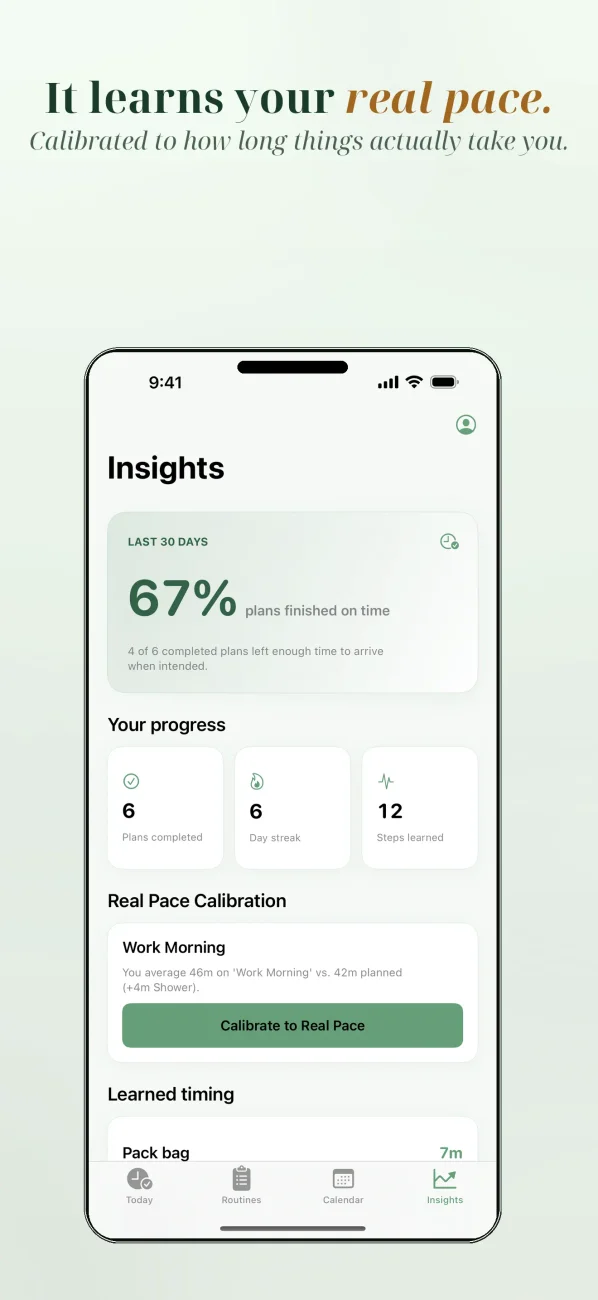
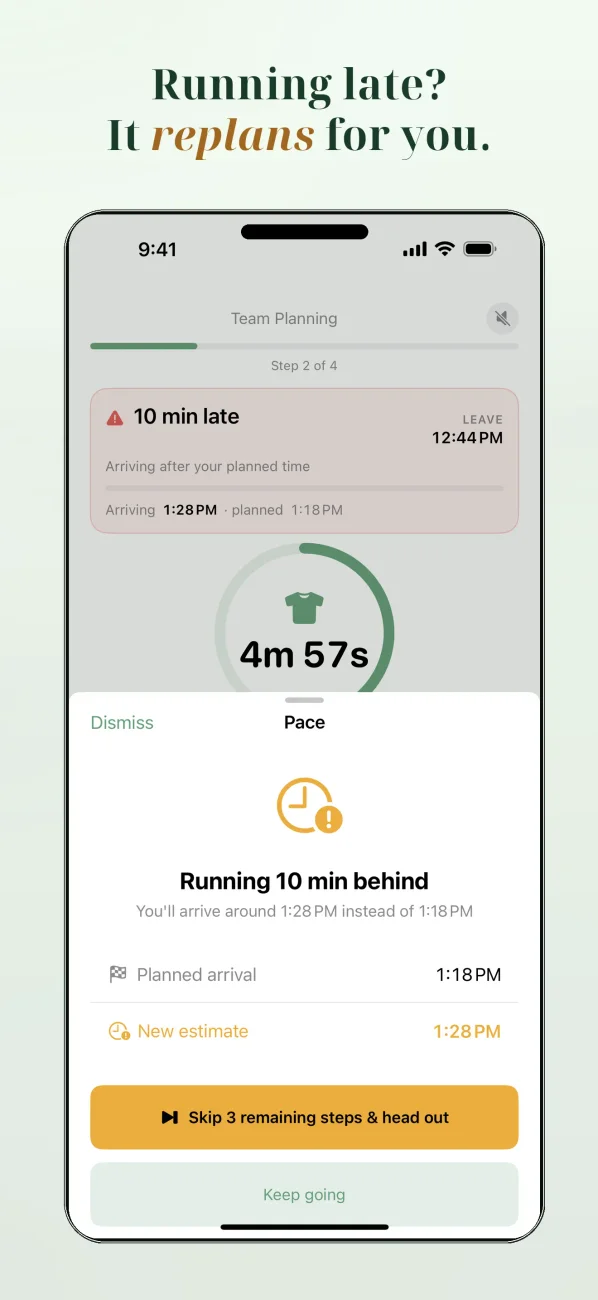
About
Leave on time without guessing. Prep Clock starts with your arrival time, works backward through travel and preparation, and tells you exactly when to begin.
PLAN THE WHOLE DEPARTURE
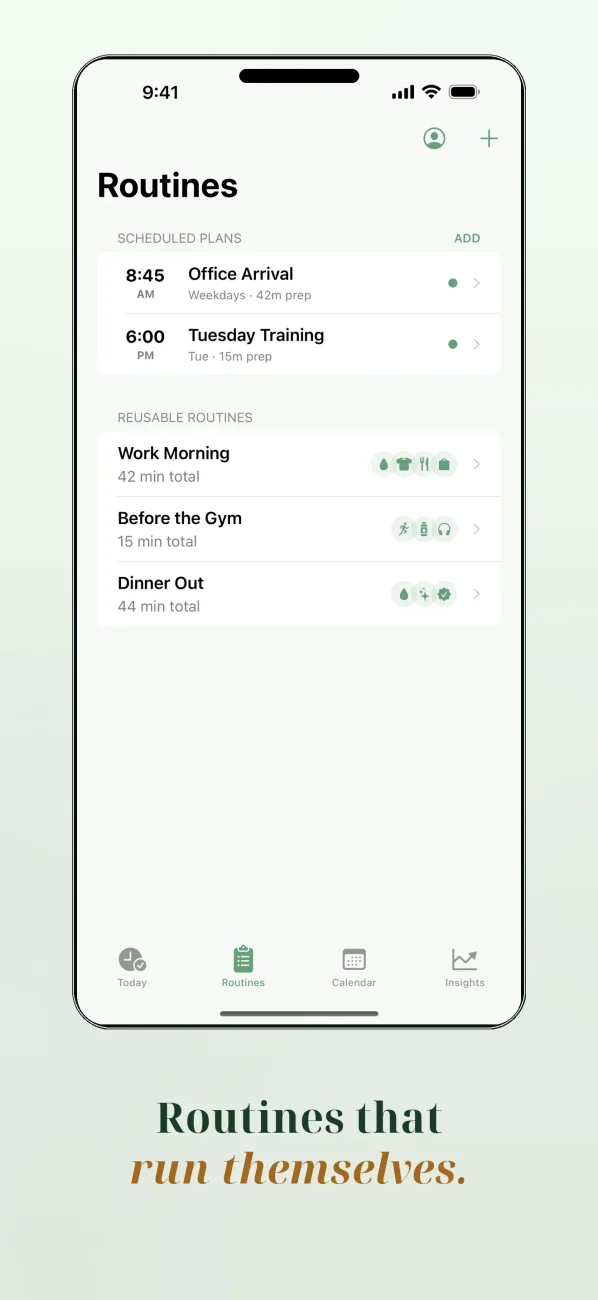
- Build reusable routines from real prep steps.
- Add destination, travel mode, buffer, and arrival time.
- See start-prep, leave, and arrive times together.
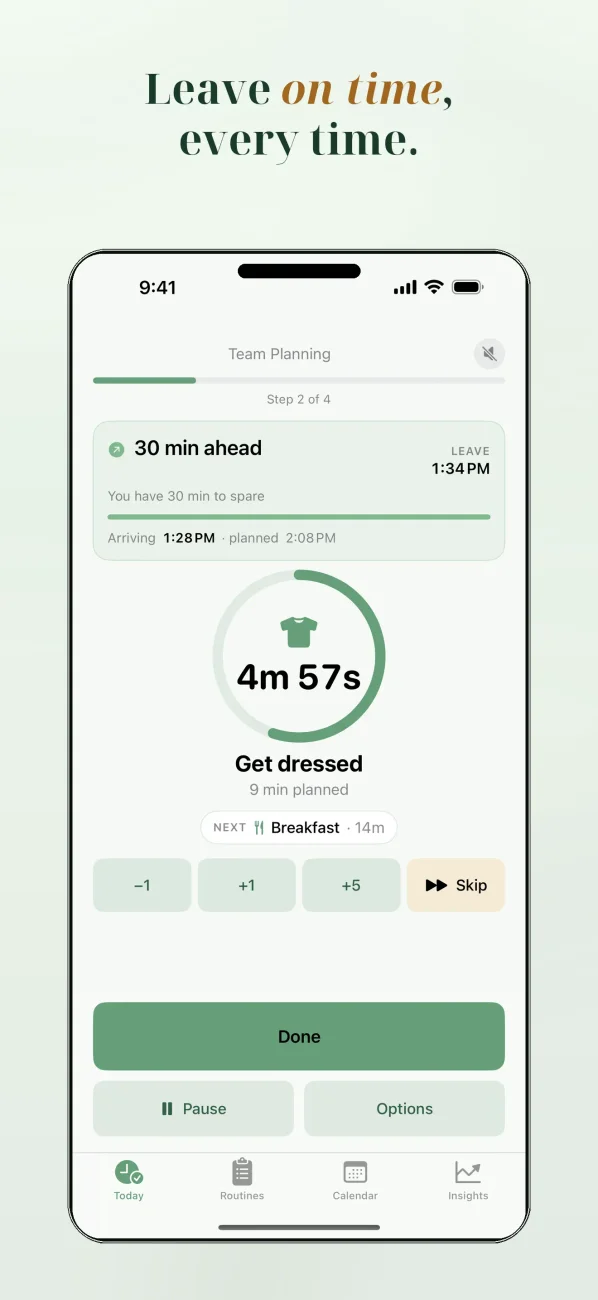
- Run tasks step by step with per-task timing.
- Recalculate when traffic or the plan changes.
- Use Running Late mode to see an honest updated arrival estimate.
LEARN YOUR REAL TIMING
- Record how long tasks actually take.
- Compare planned and observed duration ranges.
- Apply adaptive estimates to future plans.
- Generate upcoming events from recurring prep plans.
FREE
- Up to three upcoming events and three custom routines.
- Core backward planning and commute calculation.
PREP CLOCK PRO
- Unlimited events and routines.
- Recurring plans and adaptive timing.
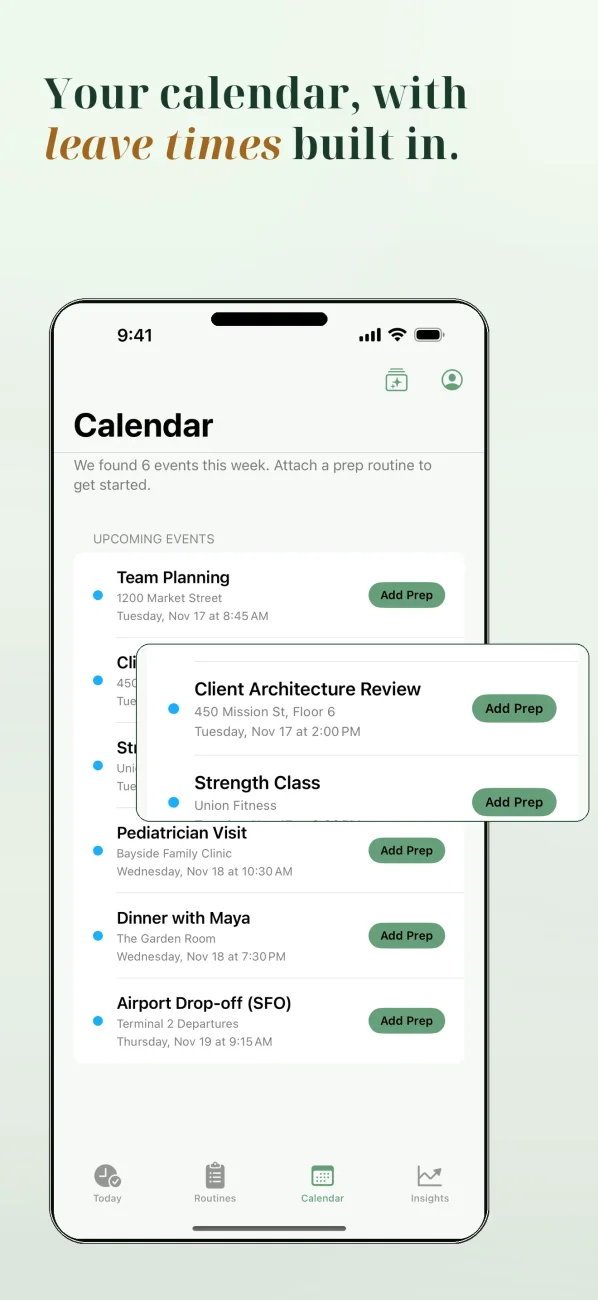
- Manually import selected Calendar events and attach a prep routine. No background calendar sync.
- Running Late mode and additional travel modes.
- Home Screen widgets and Lock Screen Live Activities.
Calendar, location, and notification permissions are requested only when the related feature needs them. Schedule, task, and location details are not sent to an AI service.
Subscriptions renew automatically unless canceled in your Apple ID settings. Restore an existing purchase from Settings > Restore Purchases.
TERMS OF USE
Product Terms of Use: https://www.uncommonweather.com/legal/apps/prepclock-terms.html
Apple Standard Terms of Use (EULA): https://www.apple.com/legal/internet-services/itunes/dev/stdeula/
What’s new
Version 1.1.3 · Nov 22, 2026
Improves subscription recovery and plan selection. You can check purchase status if a completed purchase takes time to unlock Pro.
App privacy
What Ryan Tinklepaugh declares on the App Store about how this app handles data.
-
Data linked to you
May be collected and linked to your identity.
- Purchases
- Location
- Identifiers
- Usage data
- Diagnostics
- Other data
Privacy practices may vary, for example with the features you use or your age.
Information
- Seller
- Ryan Tinklepaugh
- Category
- Productivity
- Version
- 1.1.3
- Updated
- Nov 22, 2026
- Released
- Mar 22, 2026
- Size
- 17.0 MB
- Requires
- iOS 18.0 or later
- Age rating
- 4+
- Price
- Free
- In-app purchases
- Yes
- Languages
- English
- Copyright
- © 2026 Uncommon Weather LLC
You might also like
-
 Ready TimeProductivity
-
 ReadyBy Planner: Never Be LatePlan Backwards. Always On Time
-
 FlowCue AppSequence Timer & Routine
-
 Commute Prep - MorningRushSet routines, arrive on time
-
 Hey OnTime: Meeting ReminderNever be late for pickup
-
 HelpDo: Goals, Todos & HelpDaily planner & schedule
-
 NextStep: Visual Routine TimerMorning steps, finish-by time
-
 Go Time - Always on timeSmart travel planner
-
 Wrist Recorder NotesVoice notes, transcribed
-
 Calibrate: Time Block PlannerTrack focus & productivity