Print to PDF
Photos, Files & Docs to PDF
Designed for iPhone, iPad
Free · In-app purchases
- Age rating4+
- CategoryProductivity
- DeveloperFelix Brix
- LanguagesEnglish+ 21 more
- Size11.6 MB
Links to the official App Store page
Download.org hosts no file of Print to PDF. The button opens its official App Store page, published by Felix Brix. Listing last checked on Nov 18, 2026.
Screenshots

About
Welcome to Print to PDF - the fastest way to convert photos, files, and documents into professional PDF files on the go.
Need to quickly turn a photo into a PDF? Want to merge multiple documents into one file? Print to PDF makes it effortless. No complicated settings, no steep learning curve. Just select your files and create beautiful PDFs instantly.
Every day people use Print to PDF to simplify their document workflow and get things done faster.
CONVERT PHOTOS TO PDF
• Select one or more photos from your library and convert them instantly.
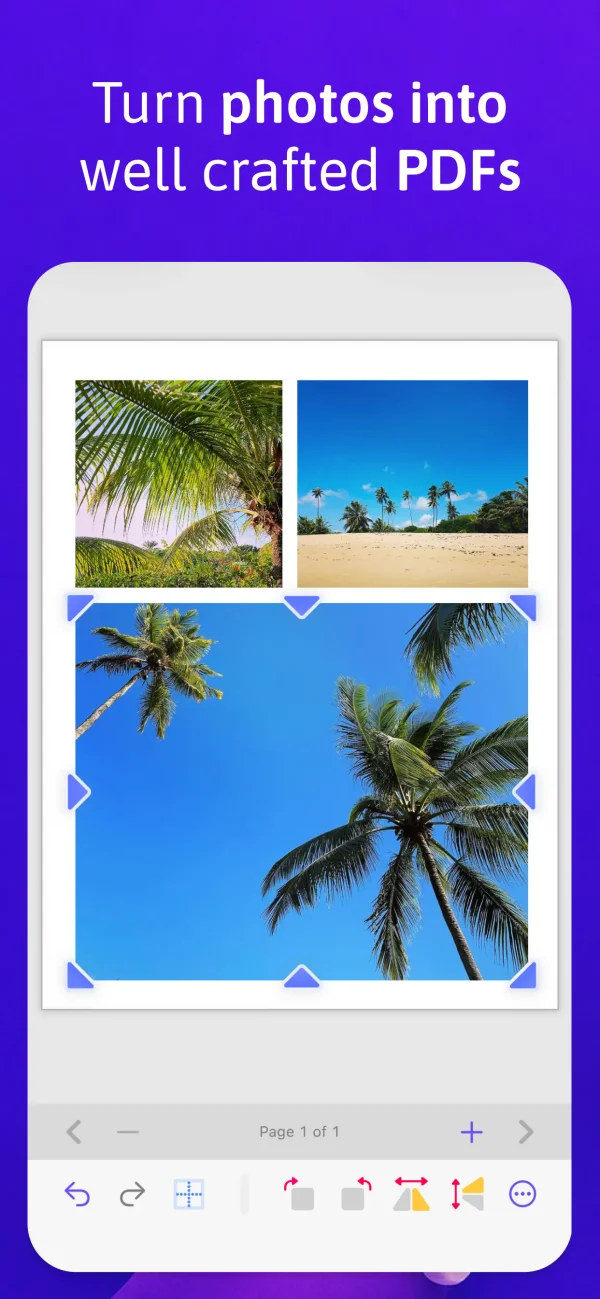
• Choose between one image per page, all images on a single page, or arrange them in grid layouts (2x2, 2x3, 3x3, and more).
• Use auto-crop to fill grid cells evenly, even with mixed photo orientations.
• Arrange, resize, rotate, and organize photos across multiple pages with the built-in editor.
CONVERT FILES & DOCUMENTS
• Import documents, images, or existing PDFs from the Files app.
• Convert web pages, rich text, Office documents, and more.
• Web page titles are automatically used as filenames for easy organization.
• Works with Safari, Photos, Mail, Office, iWork, and many other apps.
MERGE & SPLIT PDFs
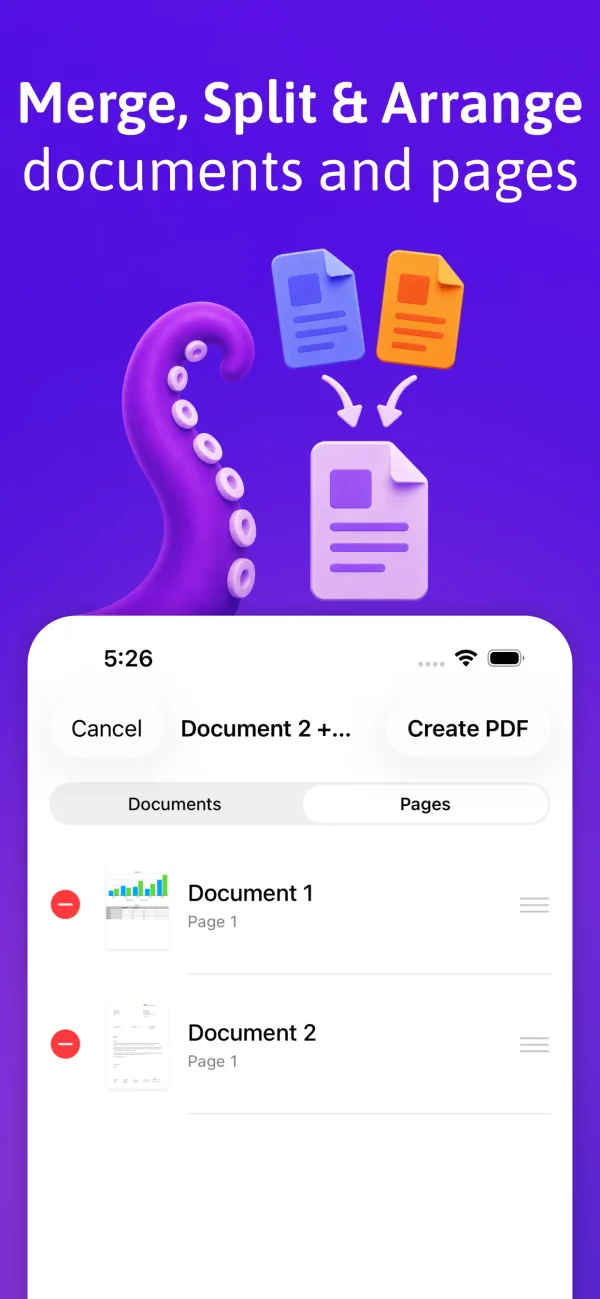
• Combine multiple PDF documents into a single file.
• Split PDFs by extracting selected pages into a new document.
• Reorder, rearrange, or remove individual pages with drag & drop.
• Name your documents and export them right away.
SHARE EXTENSION
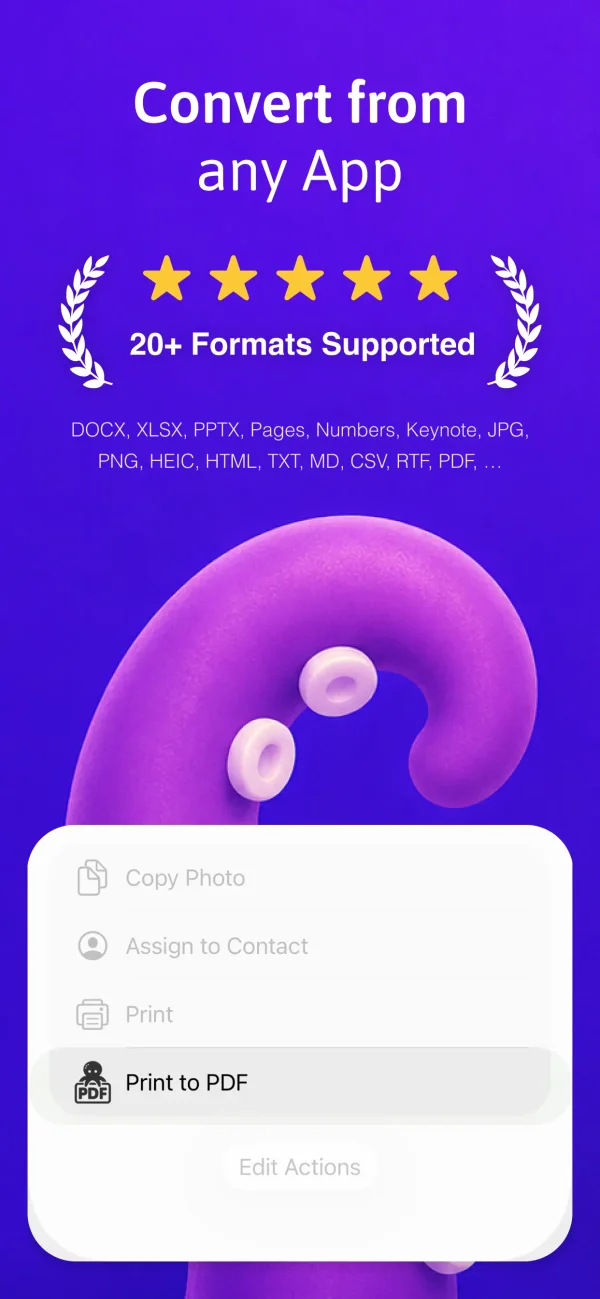
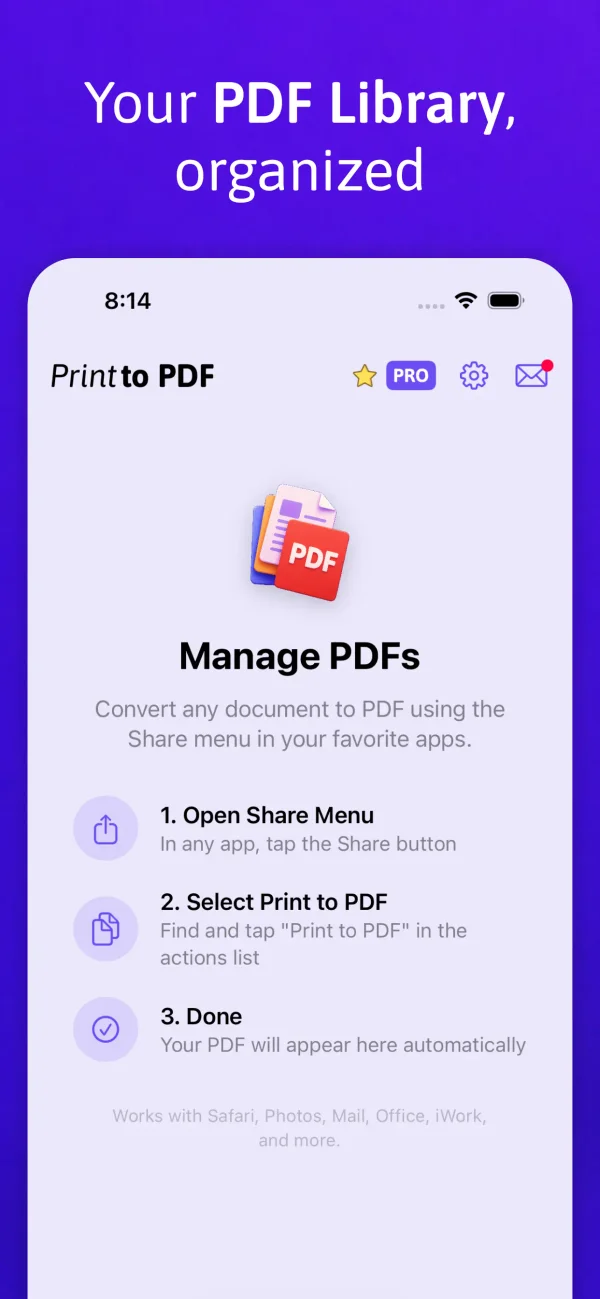
• Use the Share menu in any app to convert content to PDF.
• No need to open Print to PDF first. Convert directly from Safari, Mail, or any app.
• Your converted PDFs appear automatically in the library.
CUSTOMIZE YOUR PDFs
• Choose your page size: A4, US Letter, and more.
• Set margins: borderless, small, medium, or large.
• Select image quality: standard, high, or maximum.
PDF LIBRARY
• All your created PDFs are organized in one place.
• Search, filter by category, rename, share, or delete.
• Quick preview with page count at a glance.
PRINT TO PDF PRO
Unlock the full potential with the extended features of Print to PDF.
UNLIMITED PHOTOS & FILES
• Add unlimited photos and files to your PDFs - no restrictions.
MERGE & SPLIT PDFs
• Combine multiple documents into one professional PDF.
• Extract and split pages into separate documents.
HIGH QUALITY EXPORT
• Export your PDFs in the highest quality for professional results.
Terms of Use: https://www.apple.com/legal/internet-services/itunes/dev/stdeula/
What’s new
Version 1.2 · Jun 20, 2026
Bug fixes and performance improvements. Thanks for using Print to PDF!
Tip: You can convert webpages directly from Safari - just tap the Share icon and pick "Print to PDF". No need to switch apps!
App privacy
What Felix Brix declares on the App Store about how this app handles data.
-
Data linked to you
May be collected and linked to your identity.
- Identifiers
- Usage data
-
Data not linked to you
May be collected but is not linked to your identity.
- Contact info
- Diagnostics
Privacy practices may vary, for example with the features you use or your age.
Information
- Seller
- Felix Brix
- Category
- Productivity
- Version
- 1.2
- Updated
- Jun 20, 2026
- Released
- May 18, 2026
- Size
- 11.6 MB
- Requires
- iOS 17.6 or later
- Age rating
- 4+
- Price
- Free
- In-app purchases
- Yes
- Languages
- English, Arabic, Danish, Dutch, Finnish, French, German, Greek, Indonesian, Italian, Japanese, Korean + 10 more
- Copyright
- © 2026 jungspree
You might also like
-
 PDFConverter- Print to PDFConvert to PDF
-
 Docs Scan - PDF ScannerScan any documents to PDF
-
 Rally StudyStudy Together, Stay Focused
-
 PricePal - RetailersManage Your Store On PricePal
-
 Smart Print: Print & ScannerPrint PDF, Photos & Documents
-
 OffiDocumentOfficial Document Maker
-
 AdelcoProductivity
-
 SeeDis Media BrowserFast picture organiser
-
 Browser IntelligenceAI-Powered Webpage Summaries
-
 Habilitas: Plan & Track It AllProjects, Tasks, Goals, Habits