Printer App - Mobile Print
Print Photos, PDFs & Documents
Designed for iPhone, iPad
Free · In-app purchases
- Age rating4+
- CategoryBusiness
- DeveloperTRIOSDEV (SMC-PRIVATE) LIMITED
- LanguagesEnglish
- Size5.9 MB
Links to the official App Store page
Download.org hosts no file of Printer App - Mobile Print. The button opens its official App Store page, published by TRIOSDEV (SMC-PRIVATE) LIMITED. Listing last checked on Nov 12, 2026.
Screenshots


About
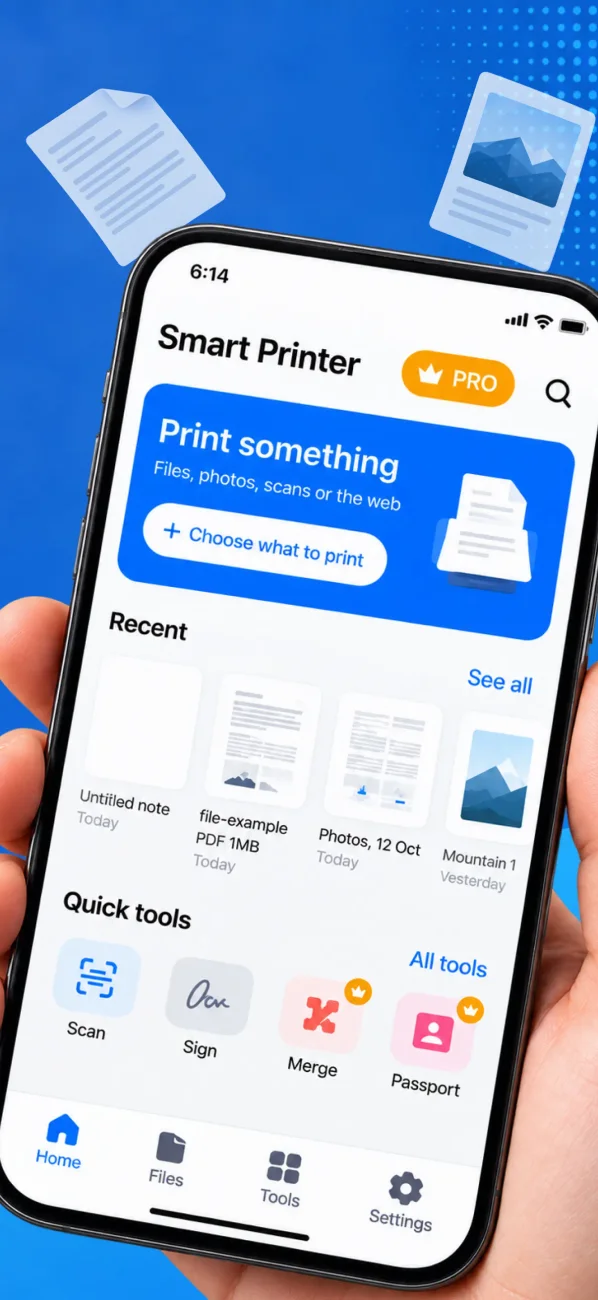
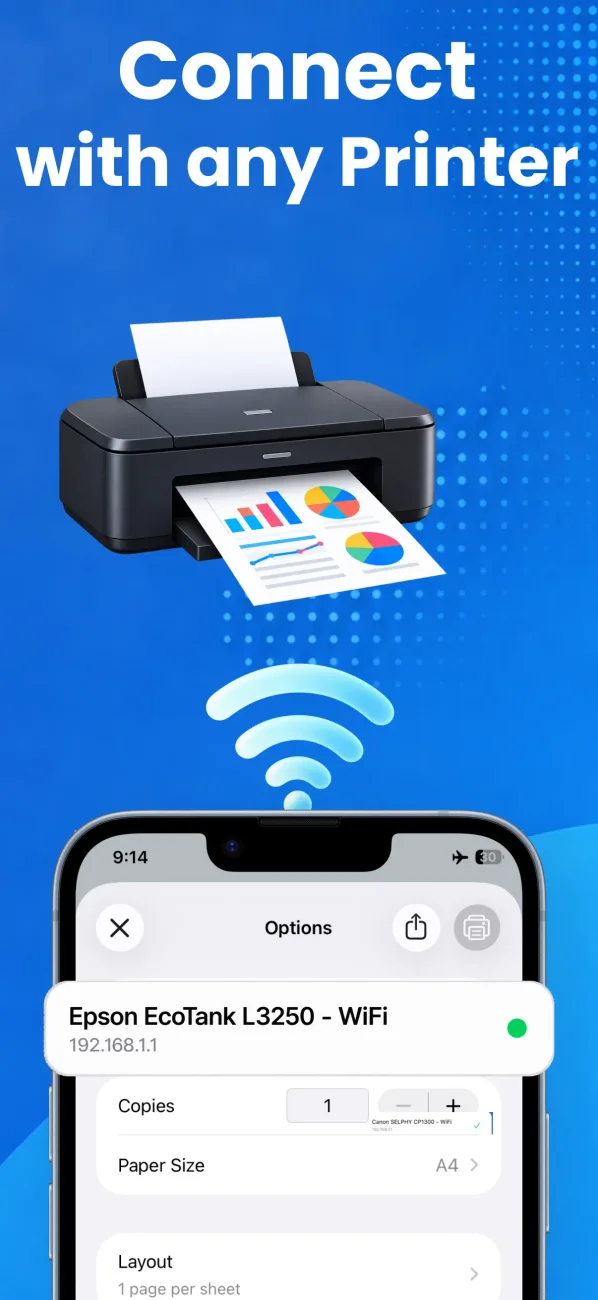
Print documents, photos, PDFs, and web pages with Smart Printer, your all-in-one printing and document management app for iPhone and iPad. From everyday printing to document scanning, PDF editing, and electronic signatures, manage your essential tasks in one convenient place.
Whether you're printing important files, preparing business documents, scanning paperwork, or organizing PDFs, Smart Printer brings useful productivity tools together in a simple and intuitive interface.
PRINT DOCUMENTS, PHOTOS & MORE
Make everyday printing easier with Smart Printer. Select your files, prepare your documents, and manage your printing tasks directly from your device.
- Print PDF files and documents.
- Print photos from your gallery.
- Print web pages and online content.
- Print scanned documents.
- Access recently used files.
- Manage documents for printing.
SCAN DOCUMENTS & ID CARDS
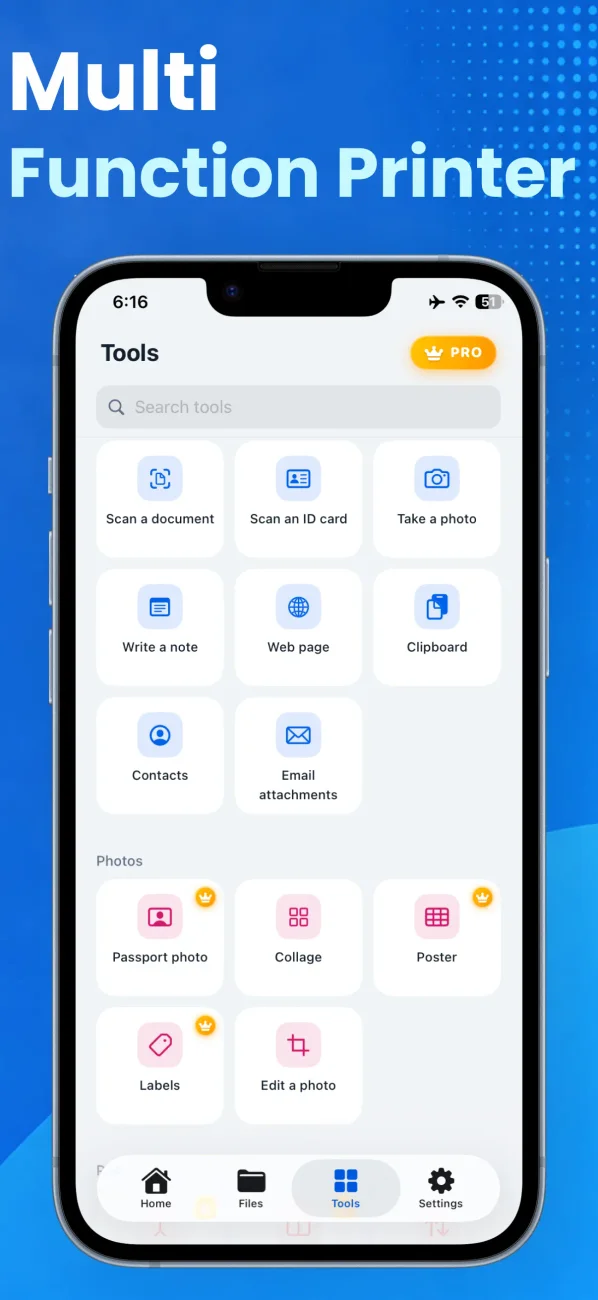
Turn your iPhone or iPad into a convenient document scanner. Capture important paperwork, receipts, and identification cards wherever you are.
- Scan documents using your camera.
- Scan ID cards.
- Capture photos and create digital files.
- Import email attachments.
- Access clipboard content.
- Create notes and manage documents.
POWERFUL PDF EDITOR & TOOLS
Manage your PDF documents with a collection of useful editing and organization tools.
- Merge multiple PDF files into one.
- Split PDFs into separate files.
- Reorder and delete PDF pages.
- Compress PDFs to reduce file size.
- Protect documents with a password.
- Remove passwords from eligible PDFs.
- Add watermarks and page numbers.
- Convert images to PDF.
- Convert PDF pages into images.
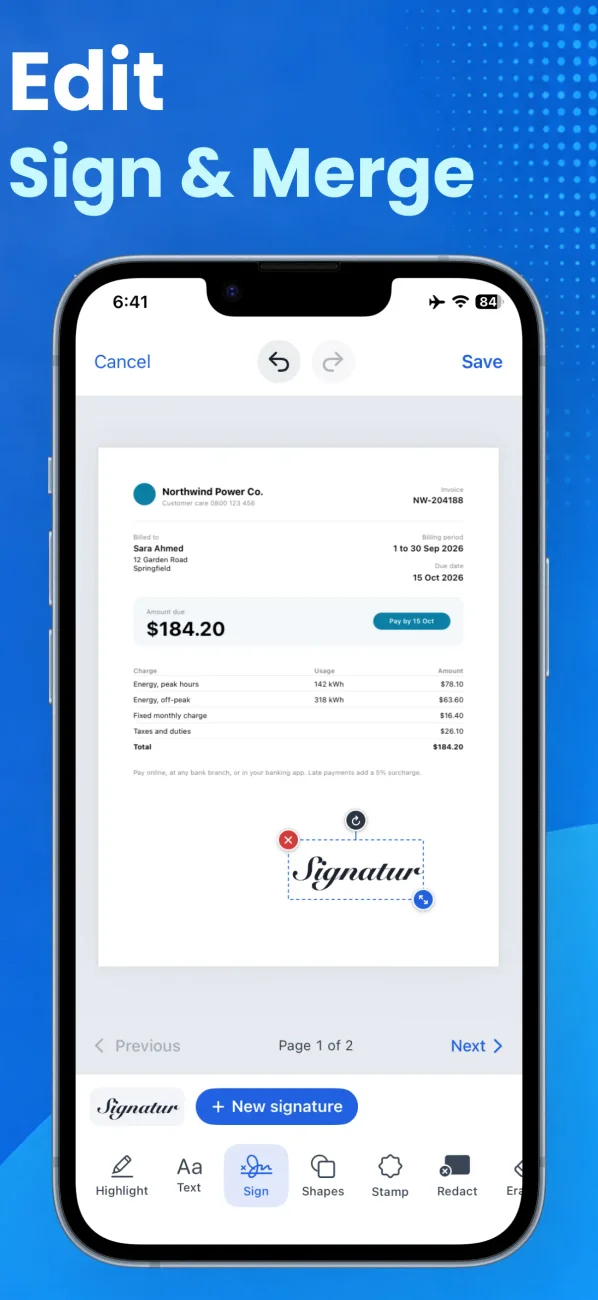
SIGN & EDIT PDF DOCUMENTS
Prepare, customize, and sign important documents directly from your device.
- Create and add signatures to PDFs.
- Fill out PDF forms.
- Highlight important information.
- Add text to documents.
- Insert shapes and stamps.
- Extract text from documents.
- Redact sensitive information.
- Make adjustments to individual pages.
YOUR EVERYDAY PRINTING COMPANION
Smart Printer combines printing, scanning, PDF editing, and document management in one easy-to-use application.
Whether you're a student printing assignments, a professional preparing business files, or someone managing everyday paperwork, Smart Printer helps you stay organized and handle essential document tasks from your iPhone or iPad.
Print documents, scan paperwork, sign PDFs, edit files, and manage your printing needs with Smart Printer.
Privacy Policy
sites.google.com/view/amgtech/privacy-policy
Terms of Use
sites.google.com/view/amgtech/terms-conditions
What’s new
Version 1.0.1 · Nov 7, 2026
- Add UI Improvements
- Bug Fixes
- Performance Impro
App privacy
What TRIOSDEV (SMC-PRIVATE) LIMITED declares on the App Store about how this app handles data.
-
Data not collected
The developer does not collect any data from this app.
Privacy practices may vary, for example with the features you use or your age.
Information
- Seller
- TRIOSDEV (SMC-PRIVATE) LIMITED
- Category
- Business
- Version
- 1.0.1
- Updated
- Nov 7, 2026
- Released
- Nov 3, 2026
- Size
- 5.9 MB
- Requires
- iOS 18.0 or later
- Age rating
- 4+
- Price
- Free
- In-app purchases
- Yes
- Languages
- English
- Copyright
- © 2026 AMG Tech All Rights Reserved.
You might also like
-
 Smart Printer · PrintlumaPrint, Scan & Edit PDF
-
 Ishbek PrinterAuto-print orders for Ishbek
-
 EVoLabels: Food Expiry PrinterPrep, Date & Allergen Labels
-
 Termal Studio: Label MakerFor Thermal & Mini Printers
-
 CarPack Mobile 2Business
-
 PDF to Excel Converter: XLSXConvert PDF to Spreadsheets
-
 SplitX - Manage Group ExpensesSplit bill with friends & mate
-
 Group Expenses - SplitPatronTrack Group Expense and bills.