Prizmo › Document Scanner, OCR
Accurate OCR scan. PDF & DOCX
Designed for iPhone, iPad
Free · In-app purchases
- Age rating4+
- CategoryProductivity
- DeveloperCreaceed SRL
- LanguagesEnglish+ 23 more
- Size88.8 MB
Links to the official App Store page
Download.org hosts no file of Prizmo › Document Scanner, OCR. The button opens its official App Store page, published by Creaceed SRL. Listing last checked on Nov 12, 2026.
Screenshots

About
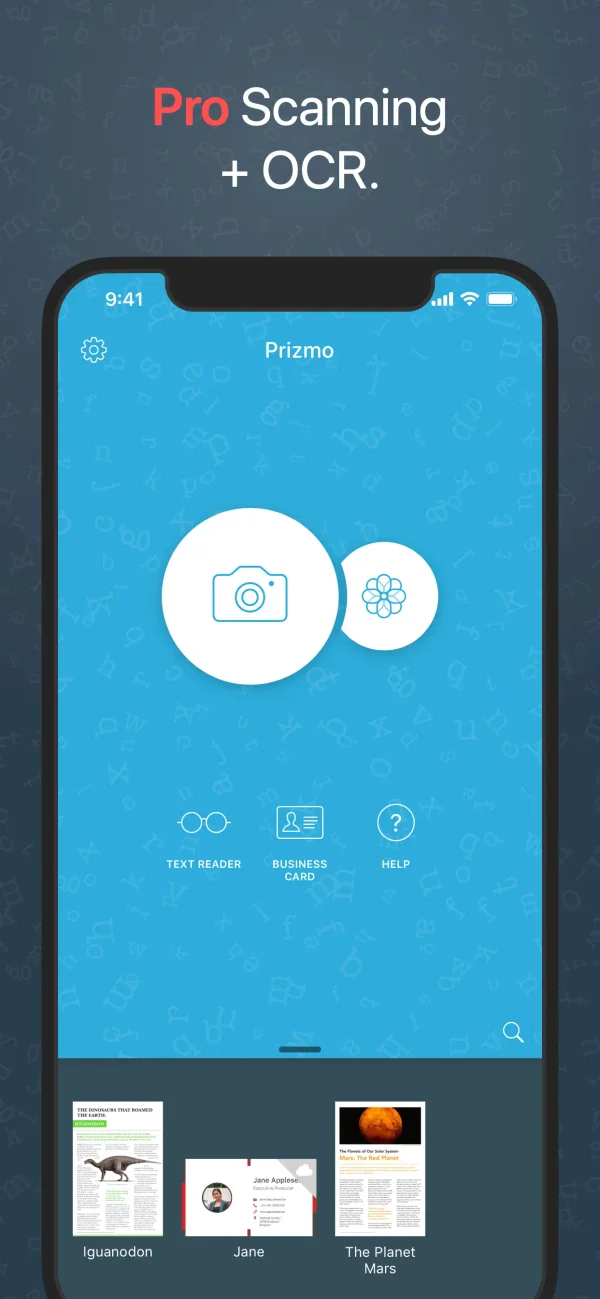
Prizmo is the most capable scanner app for iPhone & iPad to create stunning scans of documents or process business cards from photos. Prizmo offers an efficient capture workflow, powerful editing capabilities, a choice of highly accurate OCRs, text-to-speech & accessibility features, searchable PDF & DOCX exports, and comprehensive automation, all packaged in an elegant & intuitive user interface.
Prizmo will be your trusted mobile scanner, always at hand.
*** Featured in an Apple Keynote presentation ***
"Prizmo is a remarkably deep app that includes a myriad of other features."
— John Voorhees (MacStories)
"When it comes to mobile scanner apps, Prizmo 5 is unmatched for its fast, streamlined workflow and high-quality scans."
— J.R. Bookwalter (MacWorld)
PHOTO CAPTURE
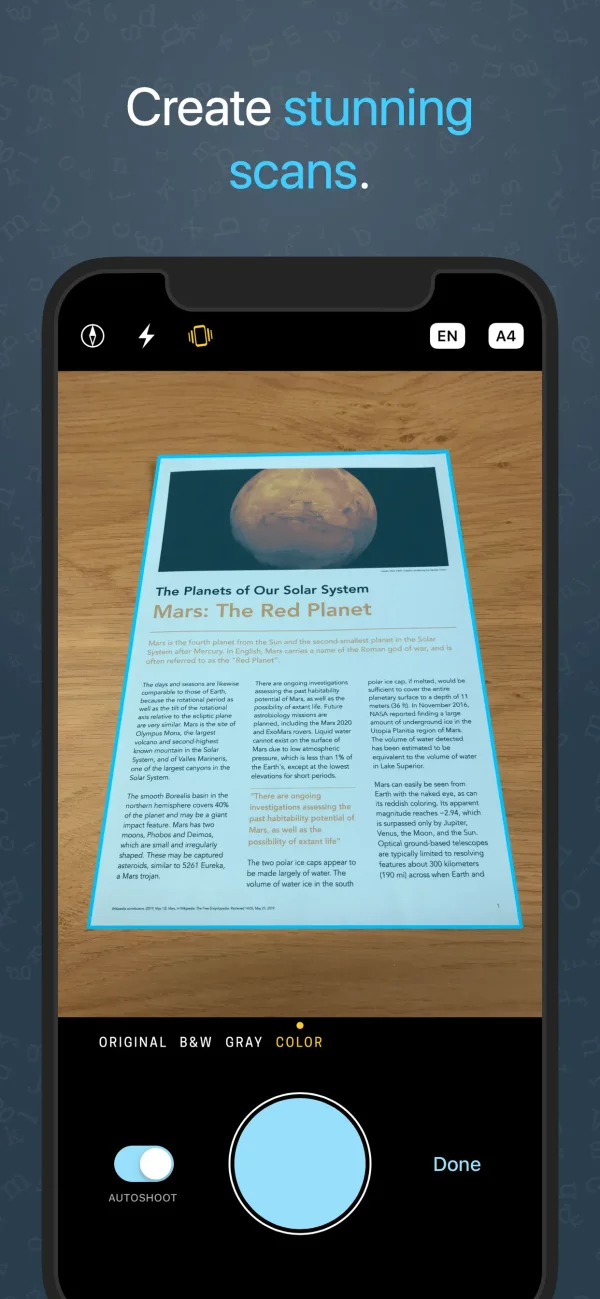
• Capture workflow tailored for speed: in just 3 taps, have your document scanned, cleaned up, cropped, and text-recognized to a multi-page PDF right into your cloud
• Highest quality scans: up to 300+ DPI
• State-of-the-art page detection
• Autoshoot
• Quality review: keep or reshoot
• Innovative stabilization
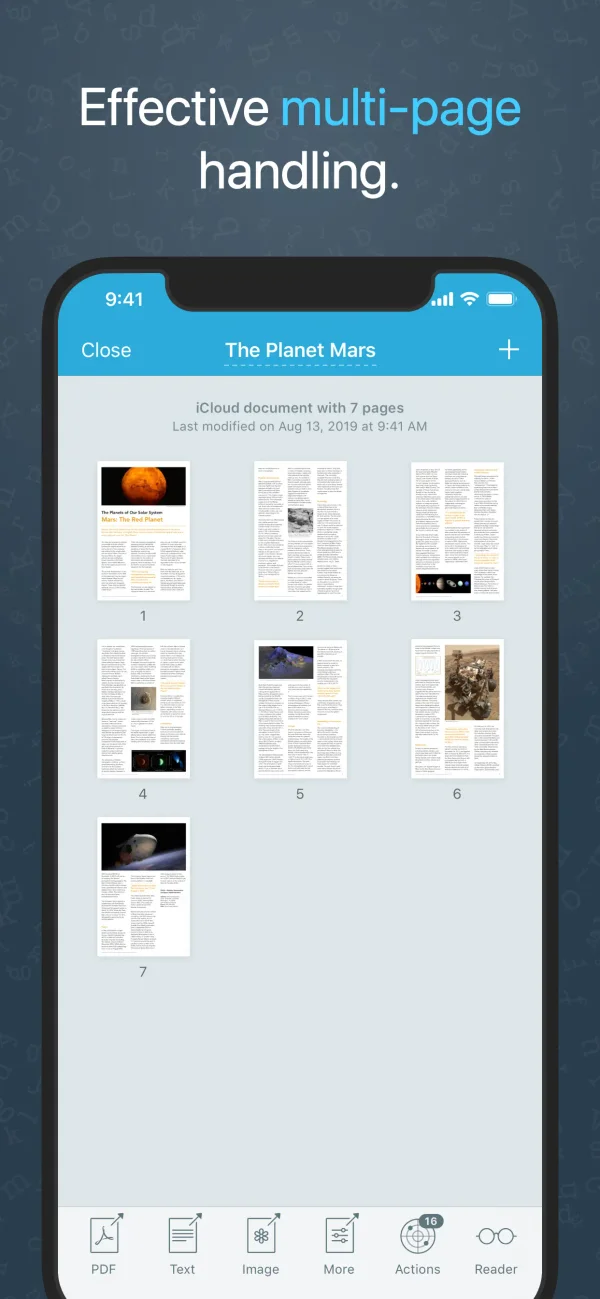
• Multi-page support
TEXT RECOGNITION
• Reliable & accurate on-device OCR with machine learning in 30 languages(*)
• High-performance Cloud OCR in 139 languages(*) + handwriting recognition
• Fine-grained OCR editing: text & regions, binarization, text polarity
• Structural analysis with CoreML
• Background processing
ENHANCE, EDIT & EXPORT
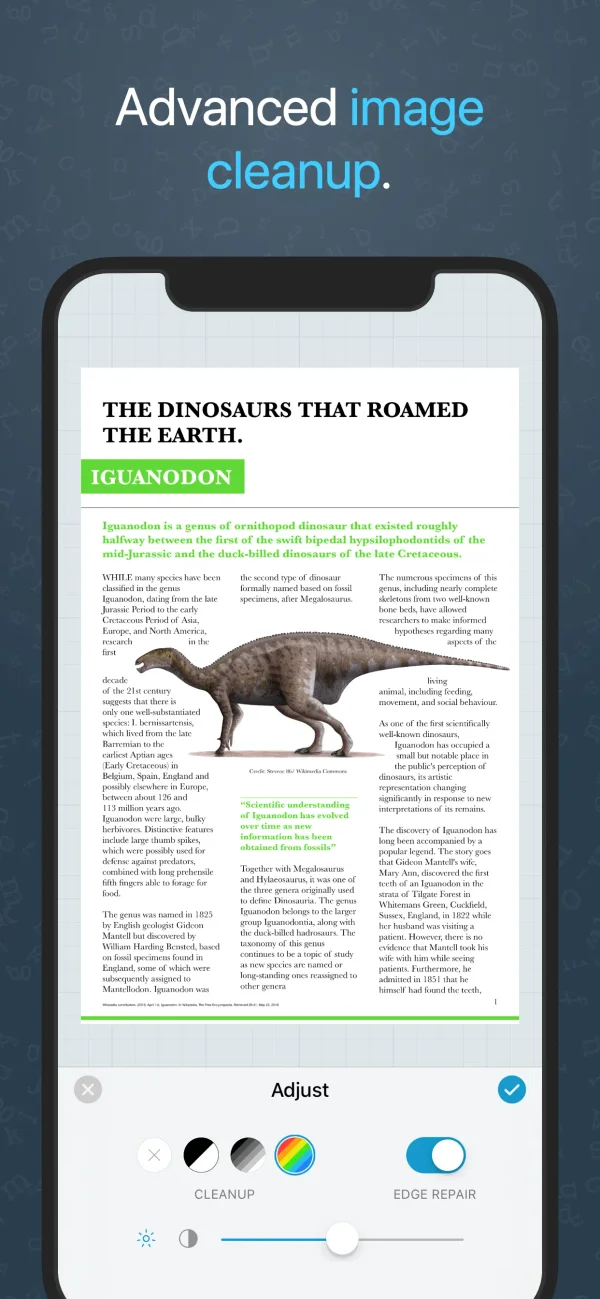
• Adjust rotation, perspective crop, cleanup mode (black/white, color, gray), brightness & contrast, edge repair
• Flattening of curved contents (books & magazines)
• Powerful non-destructive editing: original photo can always be reprocessed from scratch without reshooting
• Export formats: searchable PDF, Microsoft Word DOCX with original layout, TXT, PNG, JPEG
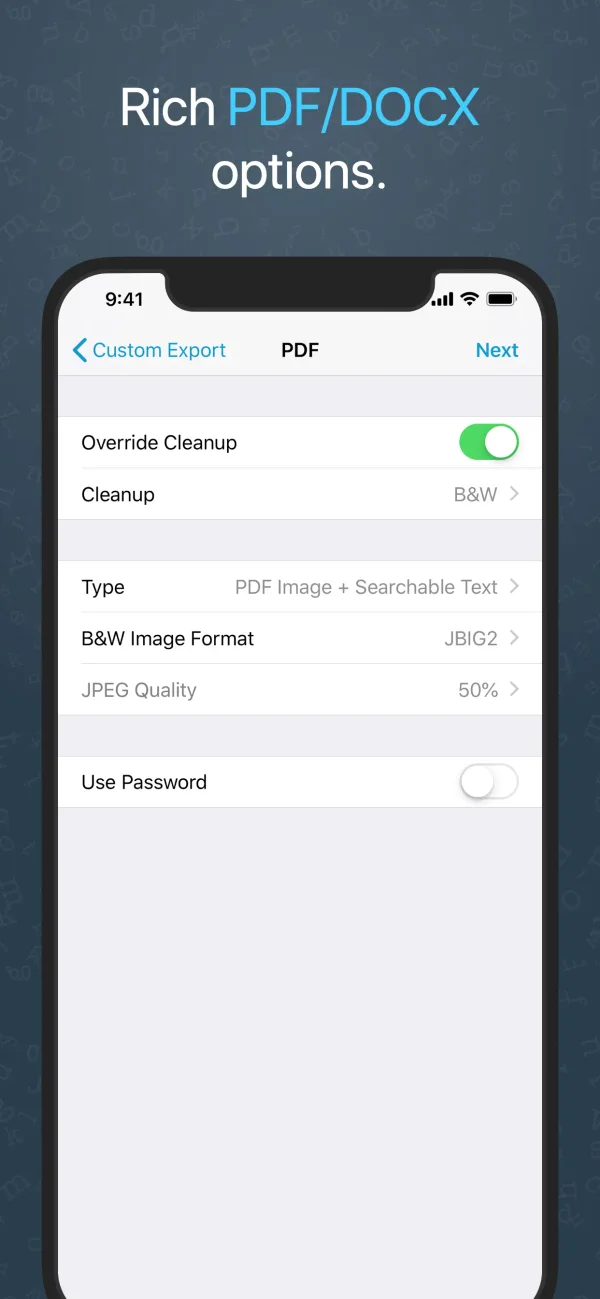
• Advanced PDF options: password protected PDF, efficient compression formats
(customizable JPEG quality, CCITT G4, JBIG2) to generate small files
• Auto Upload: PDFs are automatically sent to your cloud (iCloud, Dropbox, OneDrive, WebDAV)
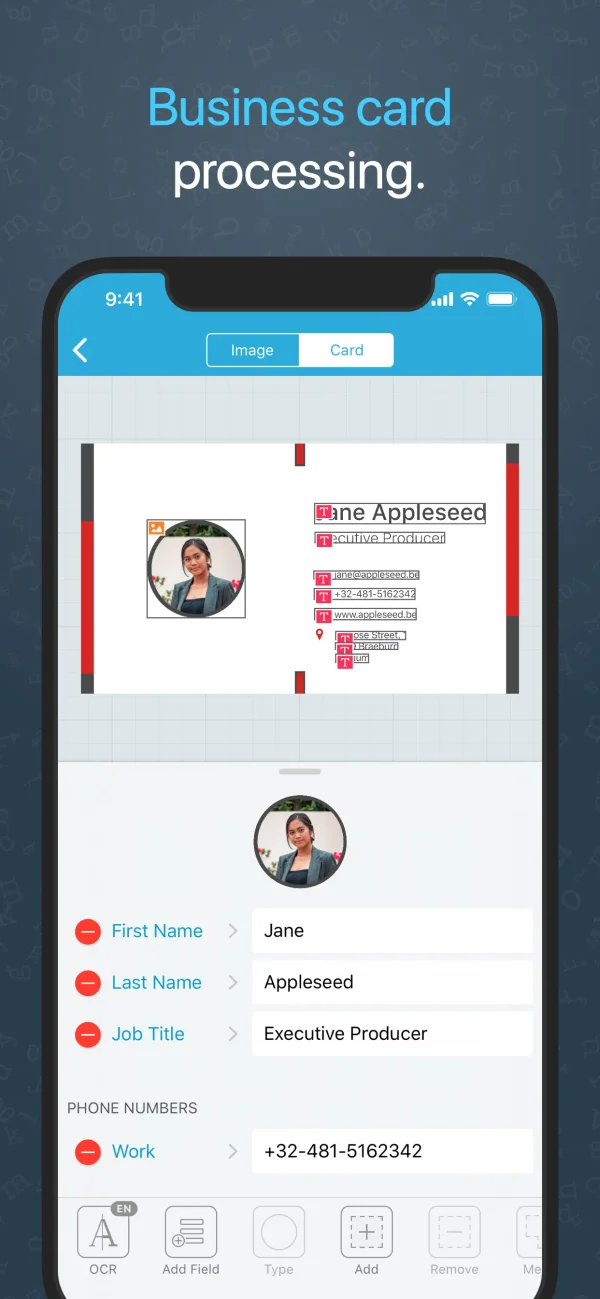
• Export business cards to Contacts or as vCard
• Smart actions: interact with detected phone numbers, dates, locations, email addresses, URLs
ANNOTATION & MARKUP
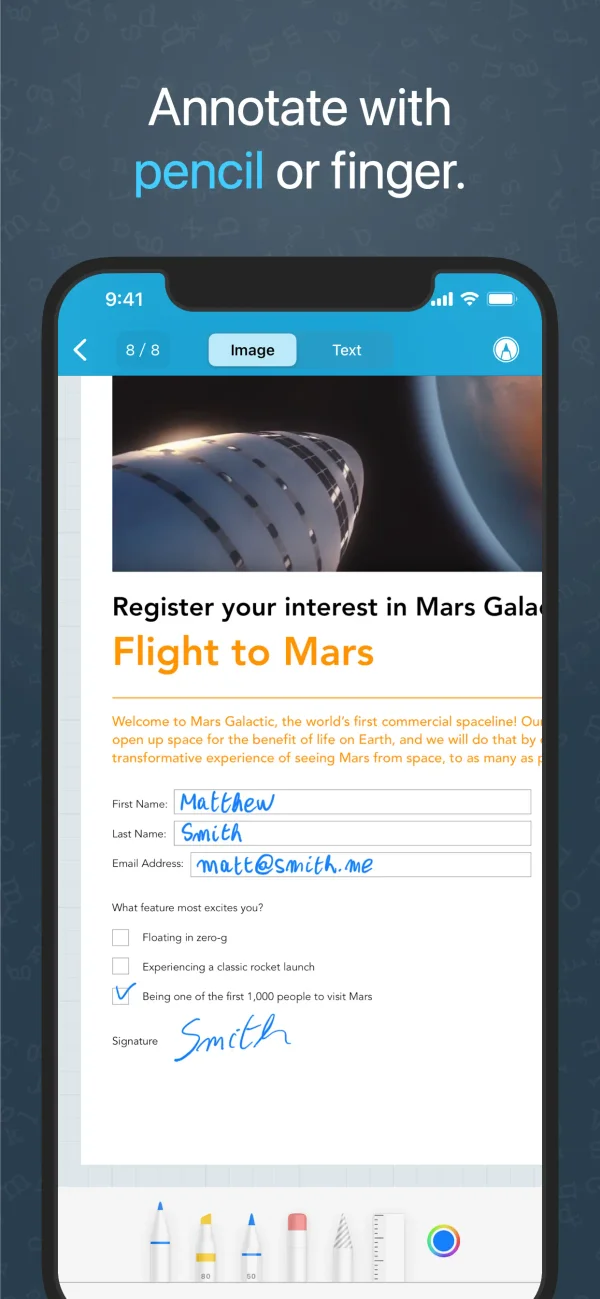
• Powerful annotation engine that works with Apple Pencil, capacitive pencils or finger
• Annotate papers, fill out forms, or sign documents
• Markup is stored in editable form (can be updated or even removed at any time)
TEXT READER & VOICE
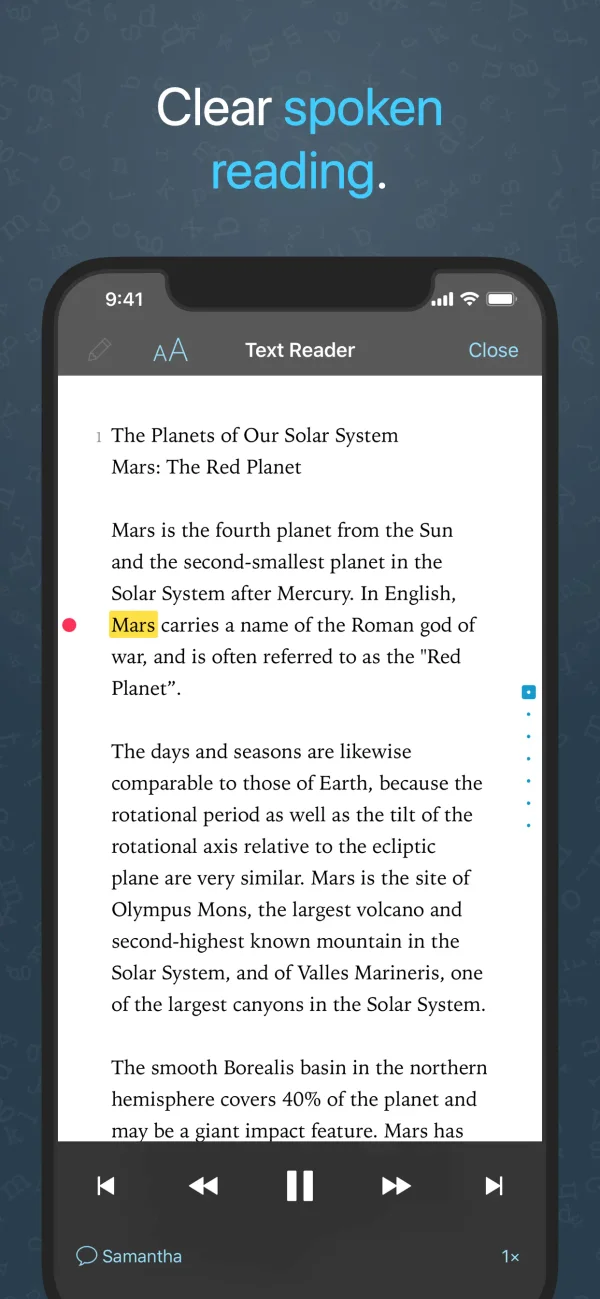
• Comfortable multi-page reading experience
• Customizable margins, line spacing, text size & fonts
• Read text aloud using iOS voices
• Adjustable speech rate & playback controls
• Word highlighting during playback
ACCESSIBILITY
• Optimized for VoiceOver
• Spoken guidance prior to shooting
• Spoken description
• Dynamic Type
• OpenDyslexic reading font
FOR PROS
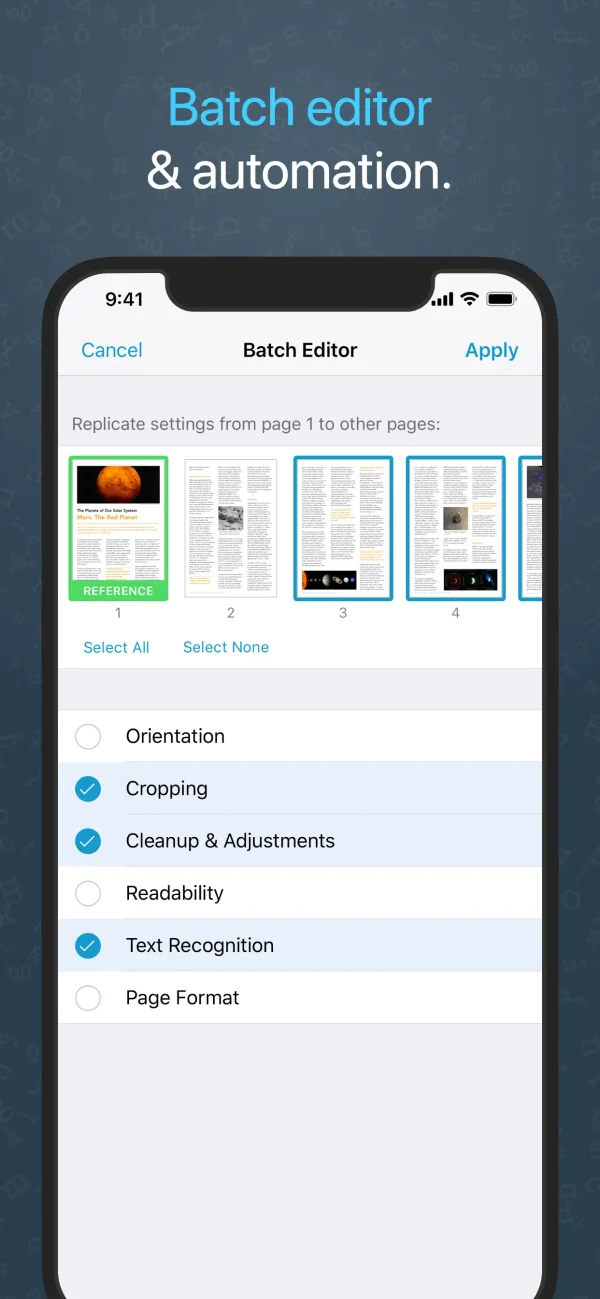
• Batch editing: replicate settings across pages
• Automation (x-callback-url): use Shortcuts app to automate document processing
• Keyboard shortcuts
OS INTEGRATION
• Siri Shortcuts
• Messages extension: scan & send a document without leaving the conversation
• Open In & Photos extensions (process & cleanup)
• iPad multitasking and drag & drop
• iCloud & Continuity across iPhone, iPad & Mac
• Background audio player
PRICING
• Prizmo is available as a free download to try out its core features
• Premium Pack is a one-time purchase to unlock all limitations: unlimited on-device OCR, full access to text & text-to-speech, smart actions, watermark removal
• Cloud Plan subscription (optional) provides the Cloud OCR feature. Plans are detailed in the app
• Volume purchase (VPP): see Prizmo (Volume Ed.)
PRIVACY
Prizmo is "privacy first". Personal data is yours, we don’t access it, we don’t read it, we don’t host it on our servers.
Privacy Policy: https://creaceed.com/privacy
Terms of Use: https://creaceed.com/terms
Feedback: prizmo@creaceed.com
(*) full list of OCR languages available on https://creaceed.com/iprizmo
Cloud OCR requires an Internet connection.
What’s new
Version 5.12 · Oct 19, 2026
Prizmo 5.12 brings enhanced support for iOS 27 and adds support for interface resizing on iPhone Duo.
App privacy
What Creaceed SRL declares on the App Store about how this app handles data.
-
Data not collected
The developer does not collect any data from this app.
Privacy practices may vary, for example with the features you use or your age.
Information
- Seller
- Creaceed SRL
- Category
- Productivity
- Version
- 5.12
- Updated
- Oct 19, 2026
- Released
- Aug 23, 2019
- Size
- 88.8 MB
- Requires
- iOS 17.5 or later
- Age rating
- 4+
- Price
- Free
- In-app purchases
- Yes
- Languages
- English, Czech, Danish, Dutch, Finnish, French, German, Greek, Hindi, Italian, Japanese, Korean + 12 more
- Copyright
- © 2010-2026 Creaceed SRL
You might also like
-
 PDF SqueezerCompress PDFs Offline
-
 Rocket TypistText Expander
-
 Elephas: Secure AI for FilesChat documents, PDFs & notes
-
 PDF Search: AI Chat & ReaderDocument Summarizer, OCR, Scan
-
 Dropshare - File Sharing ToolUpload Anything Anywhere
-
 Soulver 4Notepad, meet calculator.
-
 Godspeed – To Do ListBuilt for speed
-
 Timemator: Time TrackerWork Hours Tracker & Billing
-
 Focused Work - Pomodoro TimerTime Management, Focus & ADHD
-
 ByDesign: ToDo List & CalendarDaily Planner, Tasks & Habits