
Project Time Tracker: Hours
Freelance Timesheet, no signup
Designed for iPhone, iPad
Free · In-app purchases
- Age rating4+
- CategoryProductivity
- DeveloperLukas Hummel
- LanguagesEnglish+ 1 more
- Size4.9 MB
Links to the official App Store page
Download.org hosts no file of Project Time Tracker: Hours. The button opens its official App Store page, published by Lukas Hummel. Listing last checked on Nov 12, 2026.
Screenshots


About
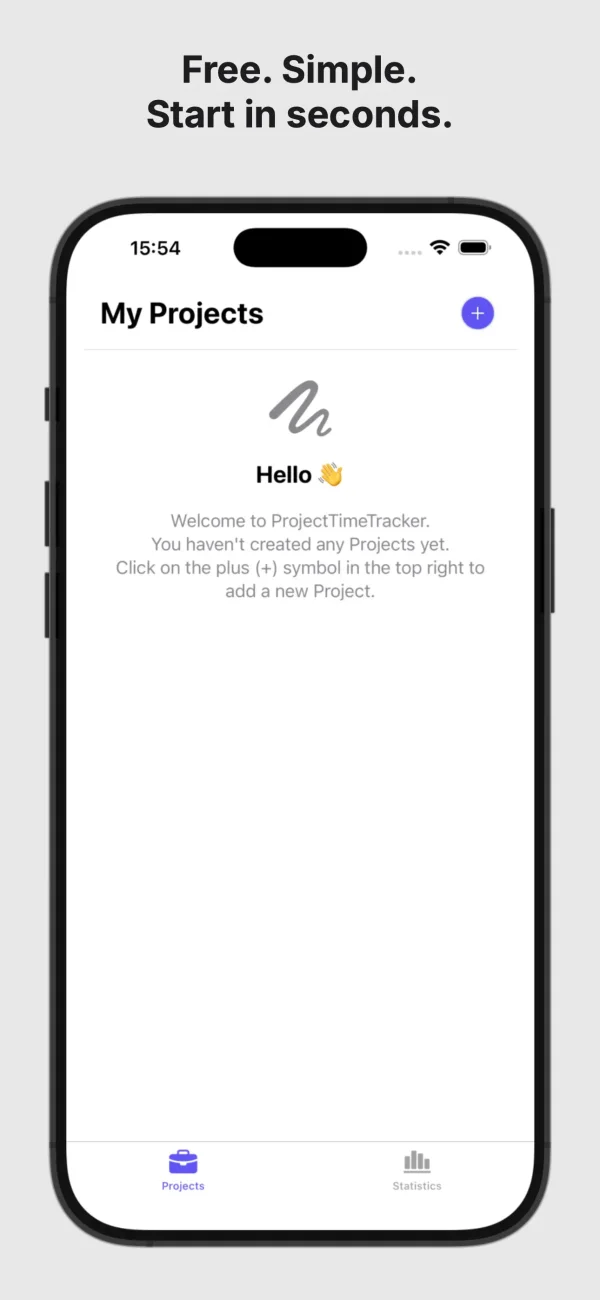
TIME TRACKING WITHOUT A SIGN-UP – OPEN, START, DONE.
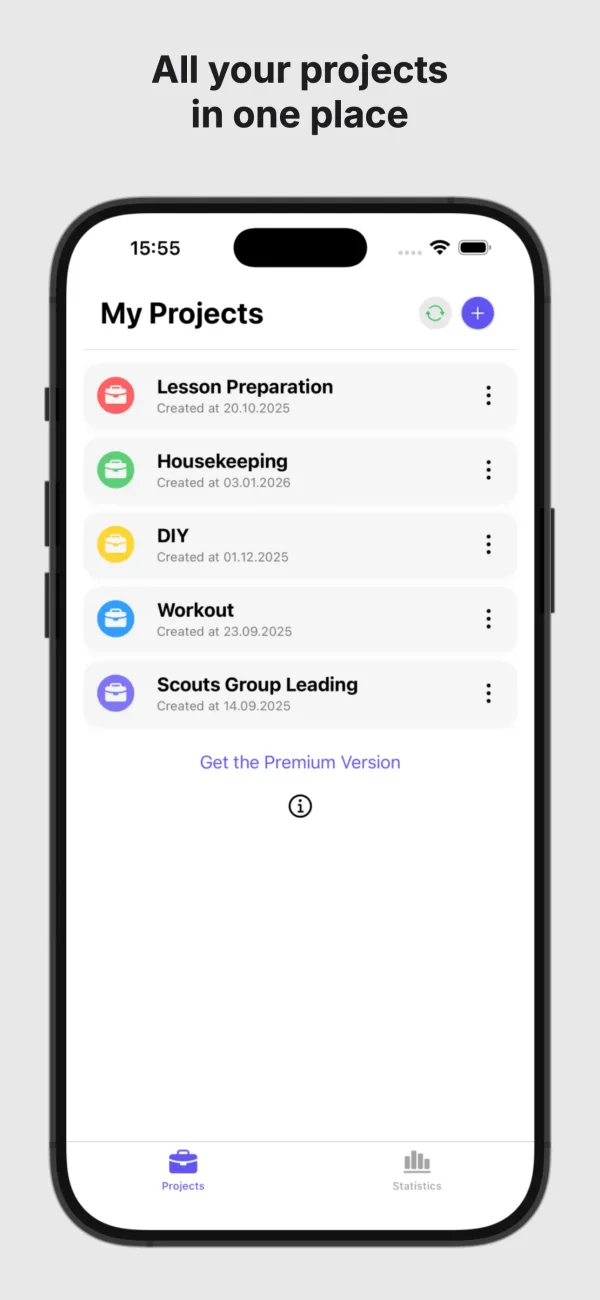
No email, no password, no account. ProjectTimeTracker records your working hours per project, works completely offline, and turns your hours into a clean timesheet.
Built for freelancers, contractors and anyone with flexible hours who has to prove or bill their time – without team software and without a learning curve.
HOW IT WORKS:
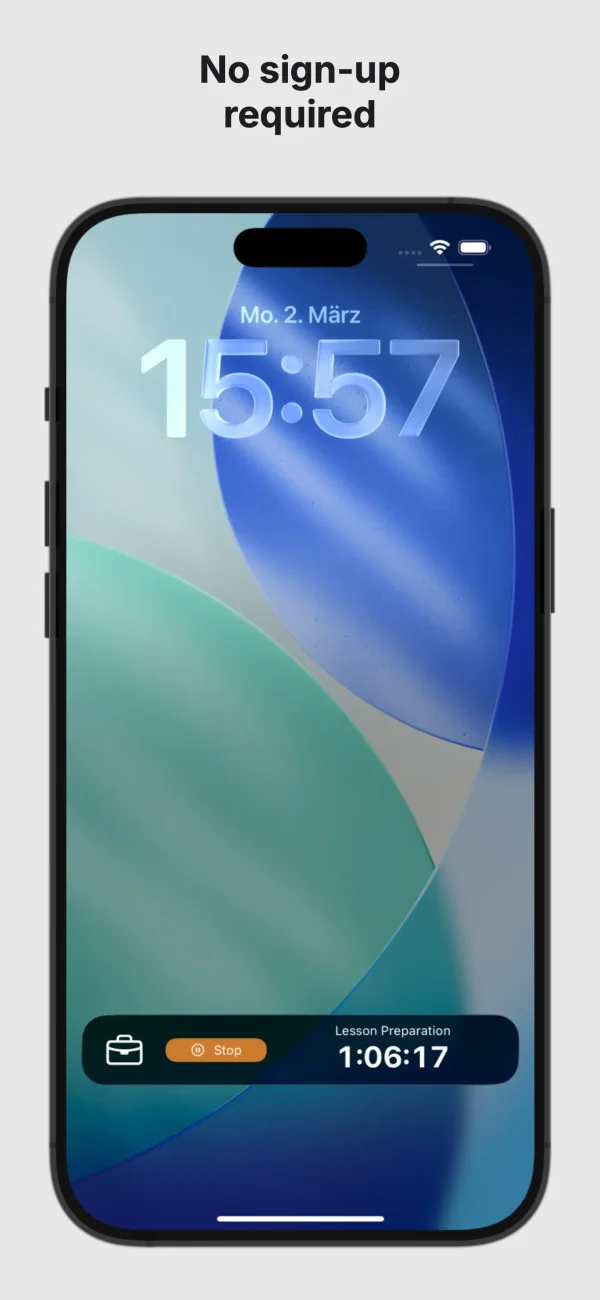
• Create a project, hit start – the timer keeps running even if you close the app or restart your device
• Live Activity on the Lock Screen and in the Dynamic Island: project, elapsed time, status at a glance
• Forgot to start it? Add the hours manually afterwards
• Notes and tags per entry, so every hour has a reason
TIME GUARD AGAINST OVERWORK:
Set a daily limit, for one project or across all of them. A progress ring shows where you stand, and when you hit the limit the app reminds you to call it a day. Other apps optimise for more billable hours. This one doesn't.
INSIGHTS:
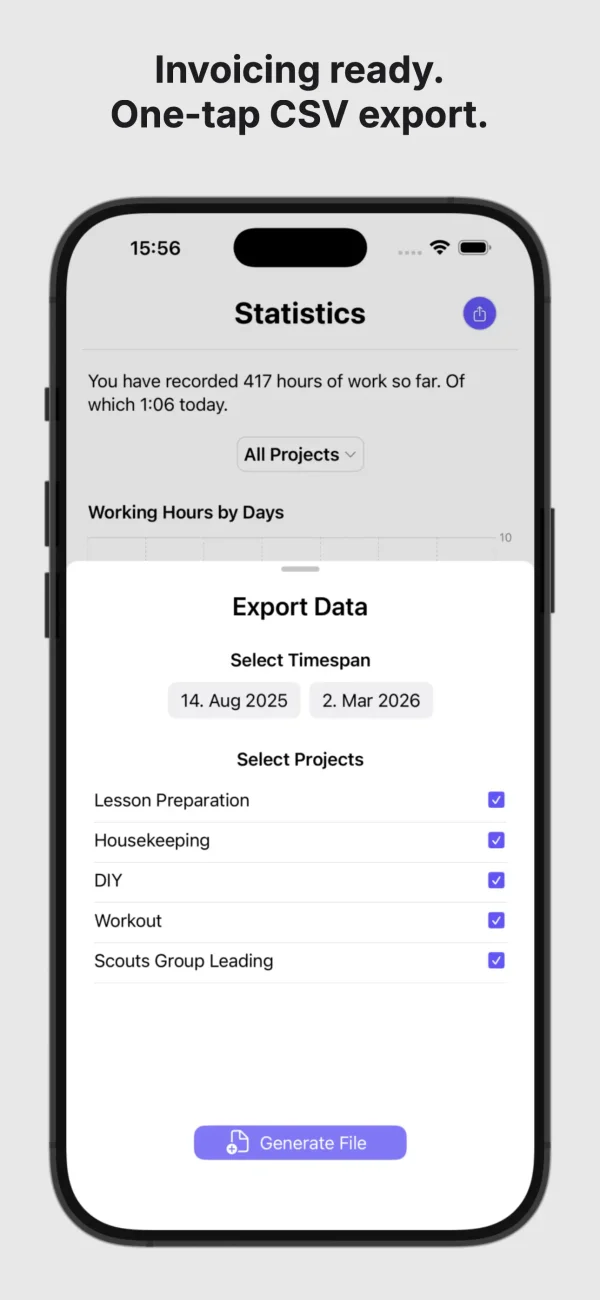
• Working time by day, week, month and year
• Breakdown per project
• Filter by project and by any date range you choose
YOUR DATA STAYS YOURS:
Everything lives on your device first. Sync between iPhone and iPad runs on an anonymous device ID – you never enter personal data.
IPHONE AND IPAD:
One app for both. On iPad you get a real split view instead of a stretched iPhone app, two-column charts and keyboard shortcuts (⌘N, ⇧⌘N, ⌘Space).
FREE TO USE:
Unlimited projects, every feature, all statistics and up to 250 time entries per calendar year – free forever.
PREMIUM:
• Unlimited time entries
• PDF timesheets to send to your clients
• Export to Excel, CSV or straight into your calendar
• Full JSON backup
Premium is a monthly or yearly subscription, cancel anytime.
Track time. Analyze work hours. Invoice with confidence.
Terms of Use (EULA): https://www.apple.com/legal/internet-services/itunes/dev/stdeula/
What’s new
Version v2.11 · Nov 10, 2026
New: widgets for your Home and Lock Screen with the running timer and today's time · A reminder when a timer has been running for 10 hours · Delete time entries by swiping left · Bug fixes and improvements
App privacy
What Lukas Hummel declares on the App Store about how this app handles data.
-
Data not collected
The developer does not collect any data from this app.
Privacy practices may vary, for example with the features you use or your age.
Information
- Seller
- Lukas Hummel
- Category
- Productivity
- Version
- v2.11
- Updated
- Nov 10, 2026
- Released
- Sep 14, 2024
- Size
- 4.9 MB
- Requires
- iOS 18.0 or later
- Age rating
- 4+
- Price
- Free
- In-app purchases
- Yes
- Languages
- English, German
- Copyright
- © Lukas Hummel
You might also like
-
 Stundu Time TrackerTimesheets for freelancers
-
 SimpleTimeLoggerTime Tracking made easy
-
 Stackclock: Work Hours TrackerTime log, many timers, no ads
-
 Project Time LogProject Time Tracking
-
 Project TrackerProductivity
-
 APSO PZEProductivity
-
 snaptabProductivity
-
 Company9Productivity
-
 TimeTrack: Work & Study TimerTime Log, Hours & Stopwatch