
QR Scanner – Read QR Codes
No ads, no subscription
Designed for iPhone, Mac
Free · In-app purchases
- Age rating4+
- CategoryUtilities
- DeveloperWandrille MOUSSEL
- LanguagesEnglish+ 4 more
- Size3.5 MB
Links to the official App Store page
Download.org hosts no file of QR Scanner – Read QR Codes. The button opens its official App Store page, published by Wandrille MOUSSEL. Listing last checked on Nov 23, 2026.
Screenshots

About
QR Scanner reads QR codes in an instant with your iPhone camera, and offers the right action right away: open the link, join the Wi‑Fi, add the contact.
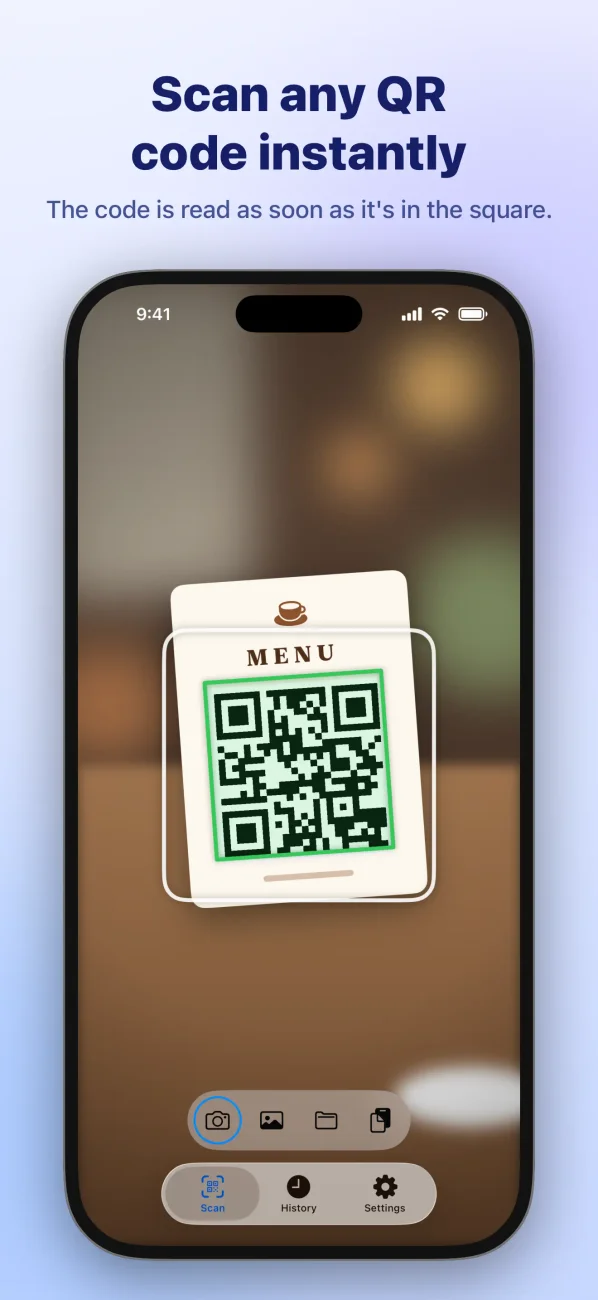
Aim the code in the square: it gets a green outline and the result shows up. A QR code in a screenshot, a photo or a web page? Share it to QR Scanner and it reads it without leaving the app you're in.
MANY WAYS TO SCAN
• The camera, with an aiming square to pick one code among several
• Multi scan: the camera stays open and each code shows in a banner
• A photo, a file or a copied image
• The Share menu, from Photos, Safari, Messages…
• Control Center, the Lock Screen, the Action button, Siri or the Shortcuts app
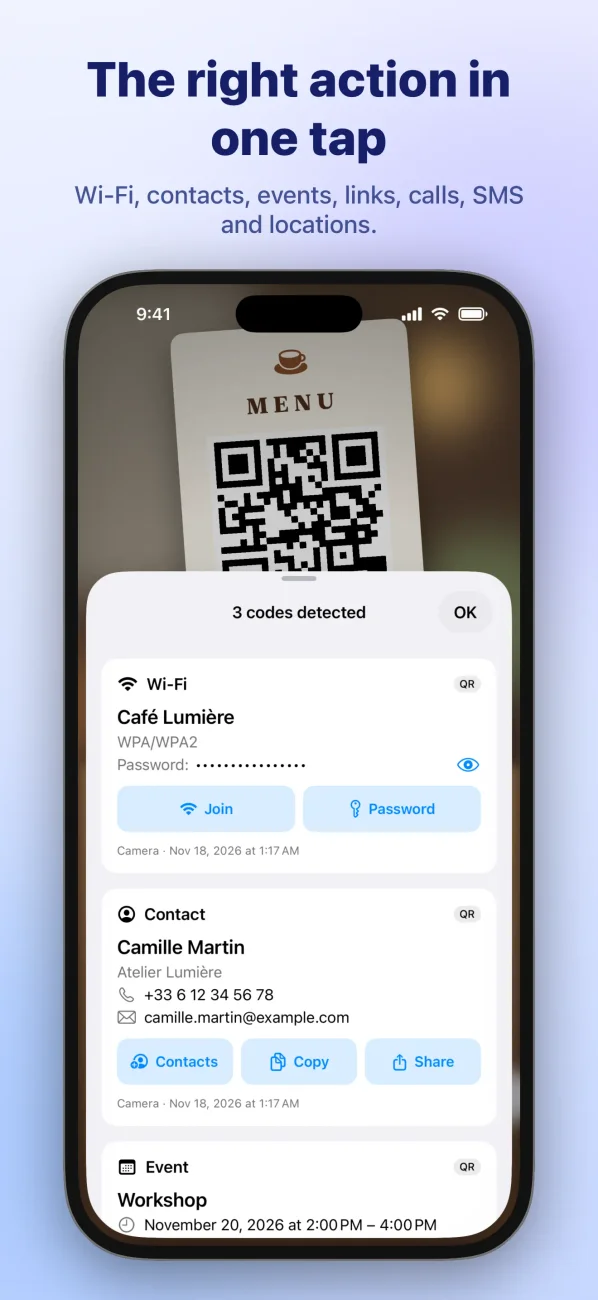
THE RIGHT ACTION, RIGHT AWAY
• Link: open or copy
• Wi‑Fi: join the network in one tap, or copy the password
• Contact (vCard, MECARD): add to Contacts
• Event: add to Calendar
• Email, phone, SMS: write, call, send a message
• Location: open in Maps
• 2FA code: copy the secret discreetly
QR Scanner also reads Aztec, PDF417 and Data Matrix codes.
SHOW A QR CODE
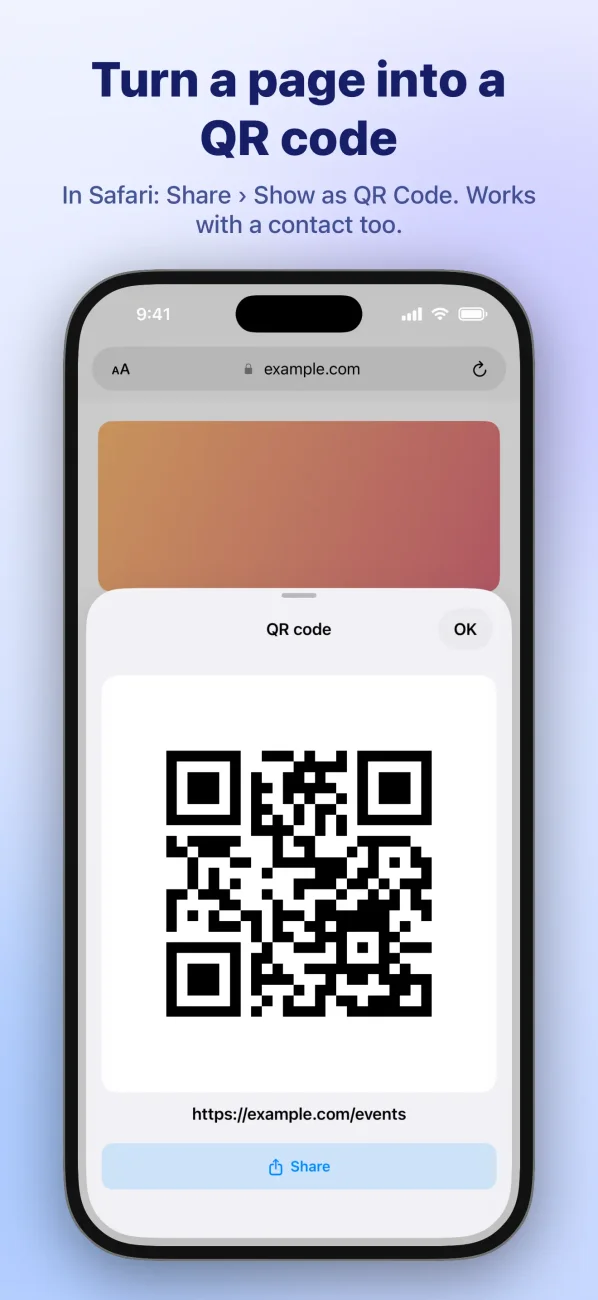
• Show as QR Code: in Safari, Contacts or selected text, Share › Show as QR Code turns a page, a contact or text into a QR code to show or send
• Show a code from your history full size again, or share it as an image
WATCH OUT FOR BOOBY-TRAPPED LINKS
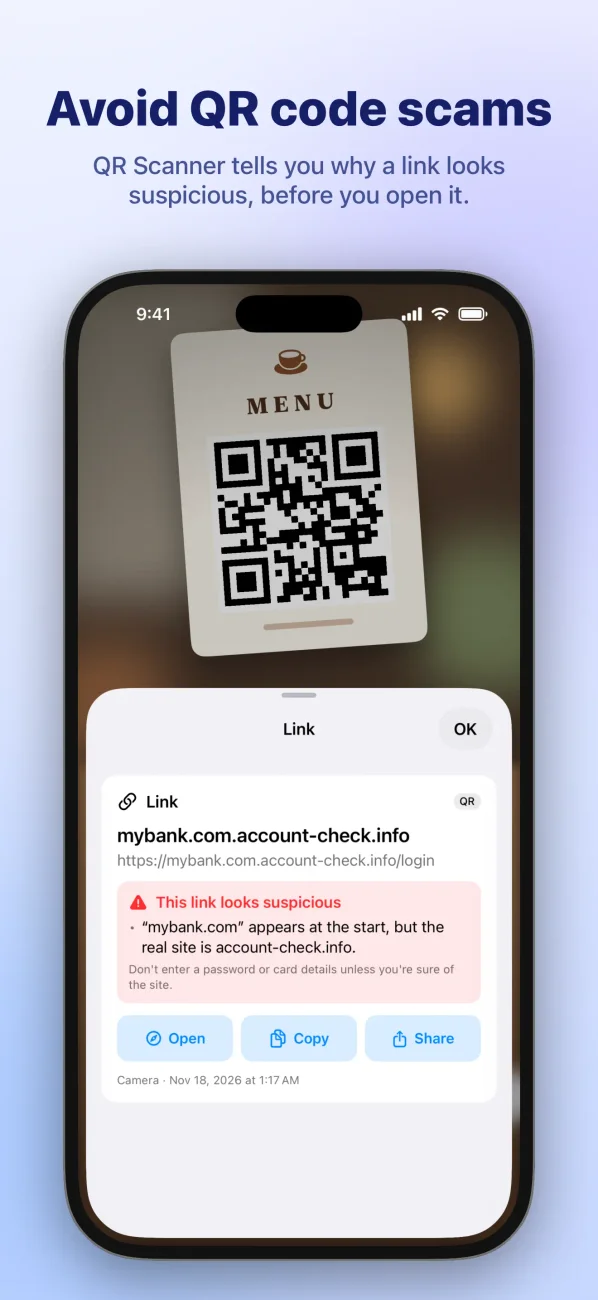
QR Scanner checks every link on your iPhone, without sending anything, and warns you when it looks suspicious: a misleading address, letters mimicking a known name, a shortened link… It tells you why, before you open it.
RESPECTS YOUR PRIVACY
• Everything is analyzed on your iPhone: no account, no tracking.
• Scanned images are never saved.
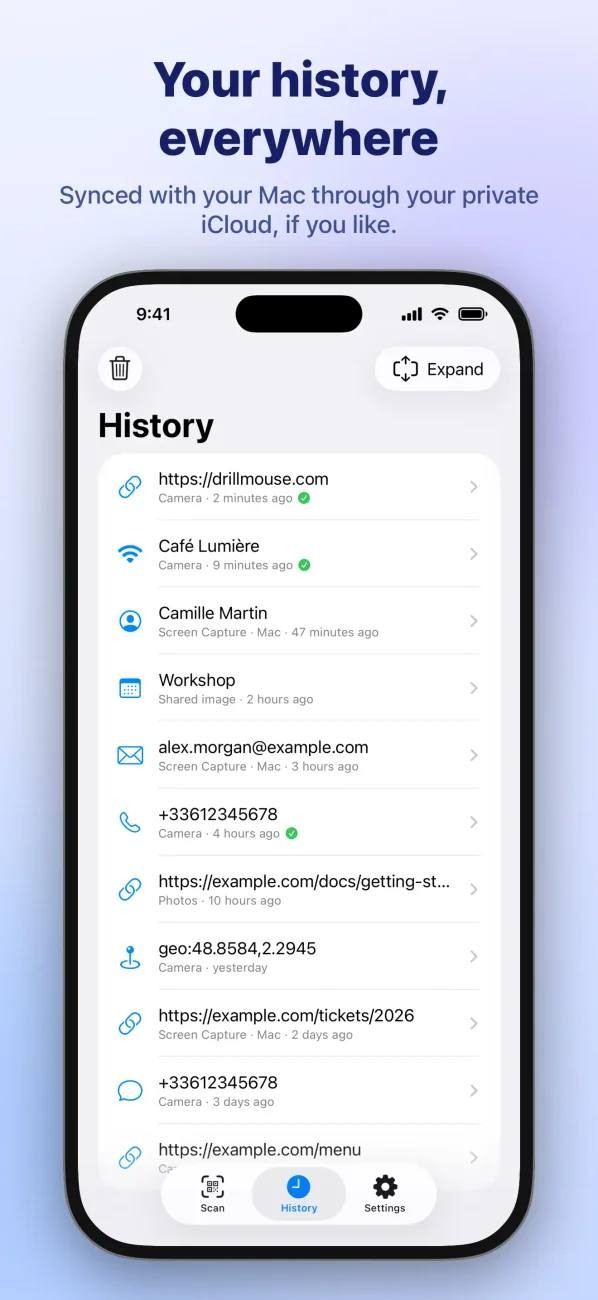
• History stays on your iPhone, or syncs with your Mac through your private iCloud if you turn it on. It can be turned off, and 2FA secrets are never saved in it.
• Copied passwords and secrets stay on this device and are cleared from the clipboard after 2 minutes.
ALSO ON MAC
QR Scanner is also on Mac, in the menu bar: select an area of the screen to read the QR code in a video call, a PDF or a web page. Turn on iCloud sync to find your scans on both devices.
In English, French, Spanish, Italian and German.
QR Scanner is free, with no ads and no subscription. If the app helps you, you can leave an optional tip in Settings: it unlocks nothing, it simply helps keep the app going.
What’s new
Version 1.3 · Nov 18, 2026
• Show as QR Code now works with calendar events too: share one and it appears as a QR code for someone to scan.
• Whole text or link only: when shared text contains a link, choose what goes into the QR code.
• Show as QR Code works with more apps that share text.
• Privacy: the camera image no longer shows in the app switcher.
App privacy
What Wandrille MOUSSEL declares on the App Store about how this app handles data.
-
Data not collected
The developer does not collect any data from this app.
Privacy practices may vary, for example with the features you use or your age.
Information
- Seller
- Wandrille MOUSSEL
- Category
- Utilities
- Version
- 1.3
- Updated
- Nov 18, 2026
- Released
- Oct 20, 2026
- Size
- 3.5 MB
- Requires
- iOS 18.0 or later
- Age rating
- 4+
- Price
- Free
- In-app purchases
- Yes
- Languages
- English, French, German, Italian, Spanish
- Copyright
- © 2026 Drill Mouse
You might also like
-
 Les MinotsLes Minots Lav'and Go
-
 MaxHear: Hearing AmplifierPersonal Sound Amplifier
-
 PDF Pages EditorExtract and Reorder PDF pages
-
 iNVR MobileUtilities
-
 Tempo Infos Couleur du JourUtilities
-
 PickUp SignAirport pickup name display
-
 Home Security Camera+Surveillance Camera, Baby Cam
-
 Home Security Camera®Scan & Connect Network Camera
-
 Go Smart - Intelligent furnitucuco
-
 CCTV Camera Pros MobileSecurity Camera Demos & Tools