- Age rating4+
- CategoryPhoto & Video
- DeveloperSeung Hyun Jin
- LanguagesEnglish+ 2 more
- Size16.4 MB
Links to the official App Store page
Download.org hosts no file of QSDC. The button opens its official App Store page, published by Seung Hyun Jin. Listing last checked on Nov 20, 2026.
Screenshots

About
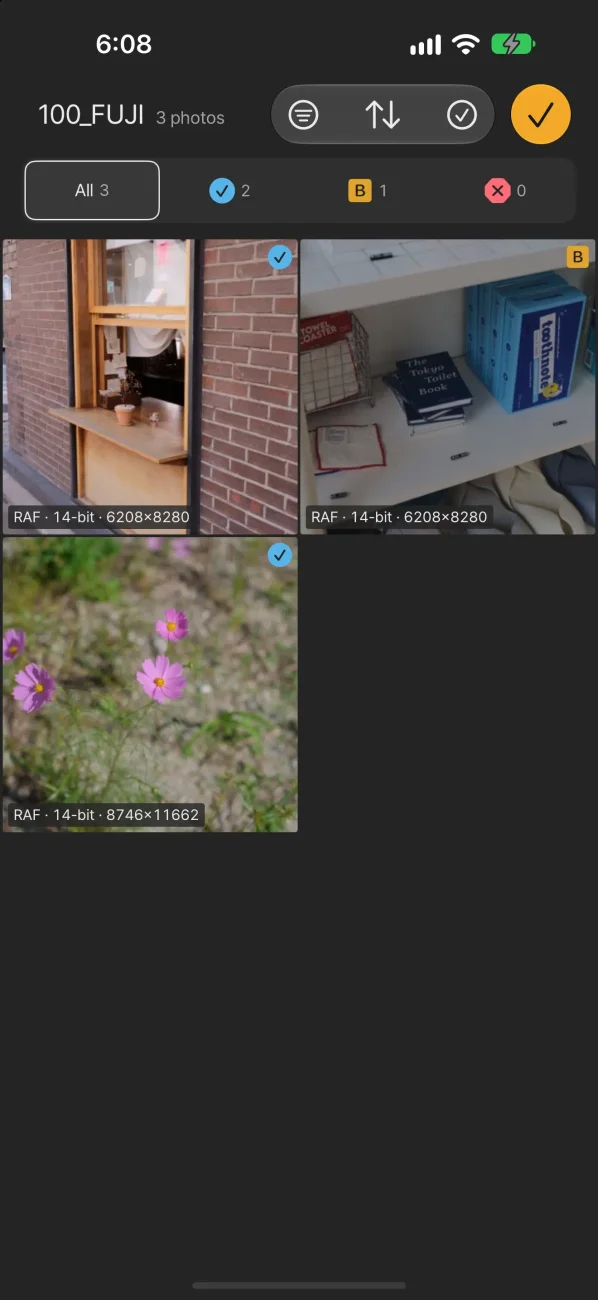
QSDC is a fast culling and viewer app for the photos on your SD card — without importing them first.
Plug in a card reader, review on the spot, and download only the shots you want to Photos. It never writes to the card — fully non-destructive.
WHO IT'S FOR
· Photographers who need to cull hundreds of shots quickly after a shoot
· Anyone who wants to check and select high-resolution RAW (RAF, etc.) in the field
· People who'd rather keep their camera roll clean and import only the keepers
KEY FEATURES
· Import-free SD browsing — open the card and view without importing
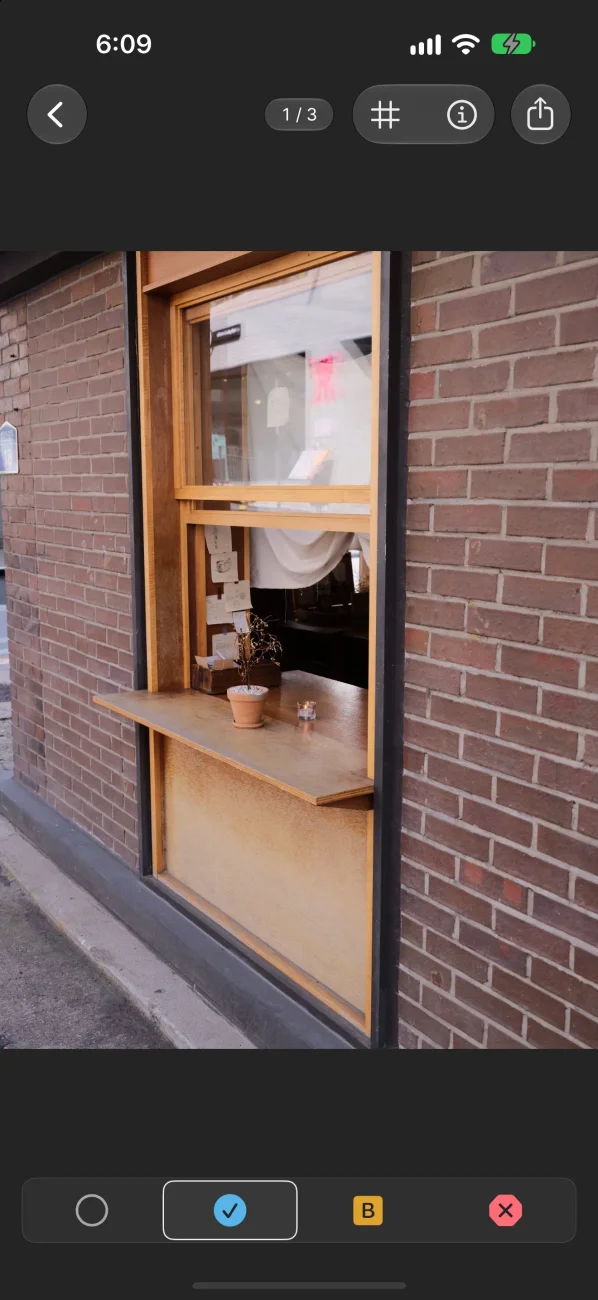
· Fast culling marks — sort into Keeper / B-cut (maybe) / Reject, and filter by mark
· Photos-like browsing — smooth zoom transition, swipe paging, swipe down to dismiss
· 100% zoom — check focus and detail at native pixels
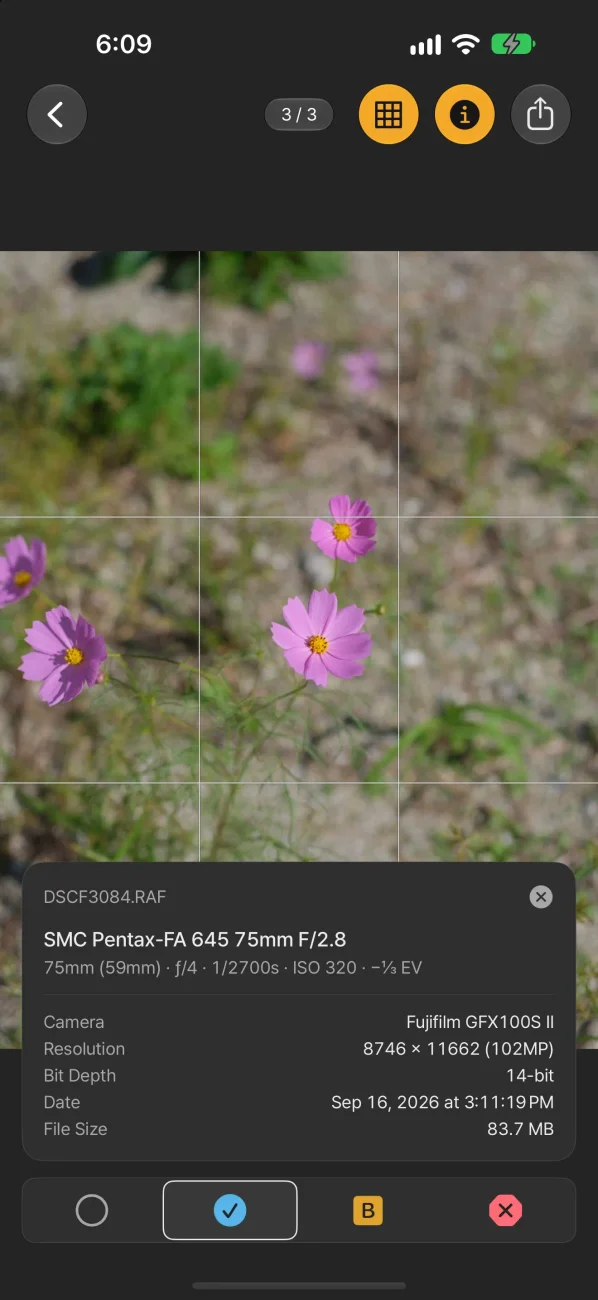
· Composition guides — rule of thirds, golden ratio, golden triangle (long-press to switch)
· RAW dual-path — fast embedded previews for browsing, full decode for precise checks
· Sort — by capture date, newest or oldest first
· Download keepers only — save just the photos you picked; already-downloaded shots are marked, and duplicates can be skipped
· Photo info — lens, focal length (35mm equivalent), aperture, shutter, ISO and exposure compensation, plus camera, resolution and bit depth
· Per-card thumbnail cache — set retention and a size cap, with low-space warnings
· Camera-roll grid — adjustable columns, portrait and landscape
· Non-destructive (read-only) — never deletes or alters photos on the card
HIGHLIGHTS
· Light & dark themes, minimal UI that puts photos first (customizable detail background)
· iPhone and iPad, with smooth layout across rotation
· No ads, no sign-up, no network — everything runs on device
Start culling the photos on your card, fast and light, with QSDC.
What’s new
Version 1.2.1 · Nov 14, 2026
The SD card on the app icon is now brighter and easier to see.
App privacy
What Seung Hyun Jin declares on the App Store about how this app handles data.
-
Data not linked to you
May be collected but is not linked to your identity.
- Identifiers
- Diagnostics
Privacy practices may vary, for example with the features you use or your age.
Information
- Seller
- Seung Hyun Jin
- Category
- Photo & Video
- Version
- 1.2.1
- Updated
- Nov 14, 2026
- Released
- Jun 29, 2026
- Size
- 16.4 MB
- Requires
- iOS 26.0 or later
- Age rating
- 4+
- Price
- Free
- Languages
- English, Japanese, Korean
- Copyright
- © 2026 Gregory Studio
You might also like
-
 SDCullCull photos from SD cards
-
 Capture: Camera & SD ImportPhoto transfer, dates kept
-
 ApolloOne GO: Photo CullingFast RAW viewer for SD cards
-
 CardRunner - Image TransferSpeed up your photo workflow
-
 PhotoRelayFor photographers, on the go
-
 Photo Triager: RAW CullingOffline RAW Photo Selection
-
 CullKit: NAS Photo Cull & RateCull RAW from NAS or a folder
-
 Sync Shutter: SD Card BackupAuto copy to NAS, cloud & SSD
-
 Camie - Camera Photo TransferBrowse before you import
-
 PhotoCuller MobileFast RAW photo culling