
Quick Capture - Vault notes
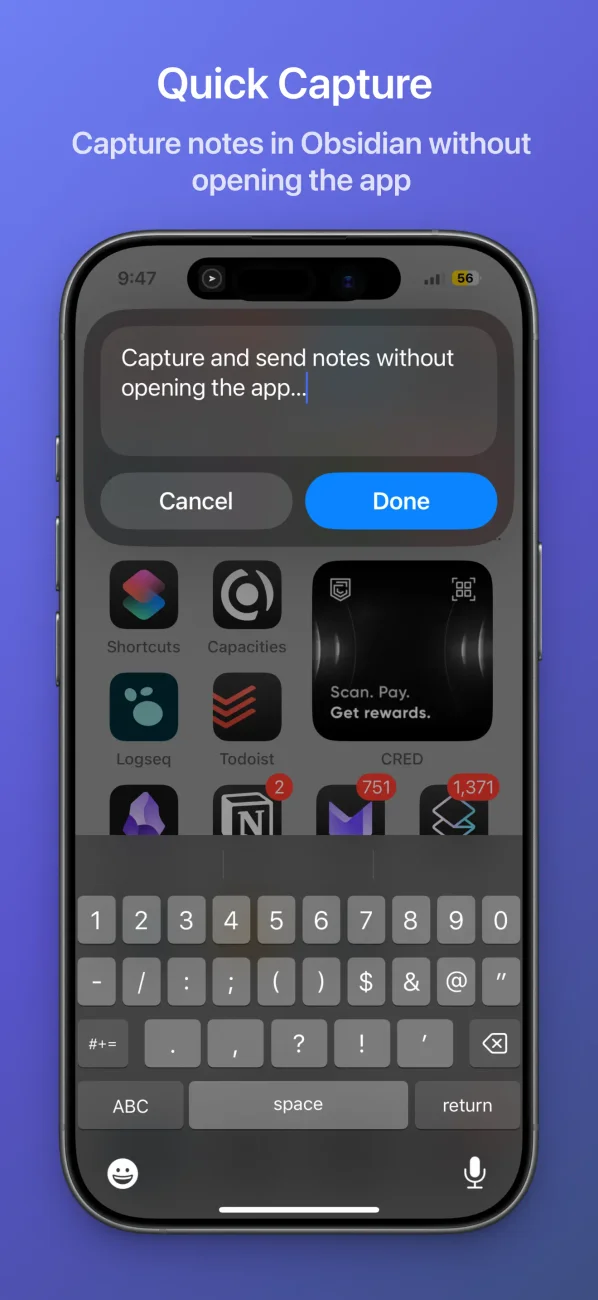
Capture notes in Obsidian
Designed for iPhone
Free · In-app purchases
- Age rating4+
- CategoryProductivity
- DeveloperPradeep Burugu
- LanguagesEnglish+ 3 more
- Size42.6 MB
Links to the official App Store page
Download.org hosts no file of Quick Capture - Vault notes. The button opens its official App Store page, published by Pradeep Burugu. Listing last checked on Nov 15, 2026.
Screenshots

About
Quick Capture - Vault notes for Obsidian app
This Quick Capture app is designed for power users of Obsidian, helping you focus purely on capturing ideas, moments, and thoughts as they come—without primarily worrying about which vault or page to open. It removes distractions, letting you effortlessly capture drafts and inspirations in Obsidian app, keeping you in the creative flow.
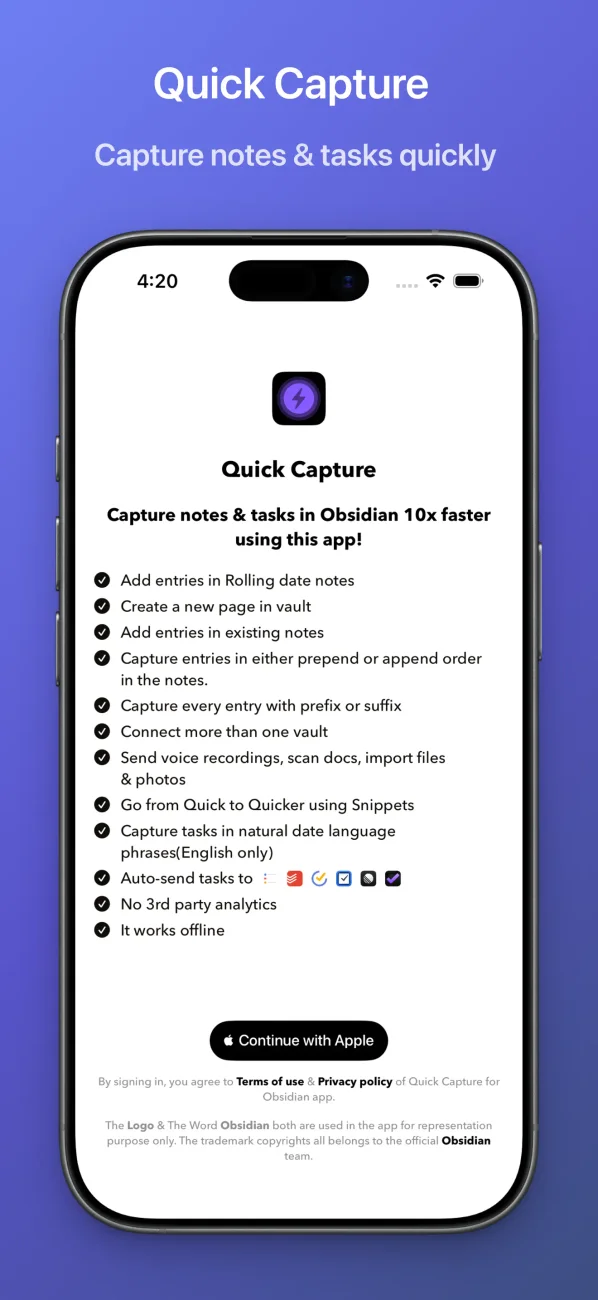
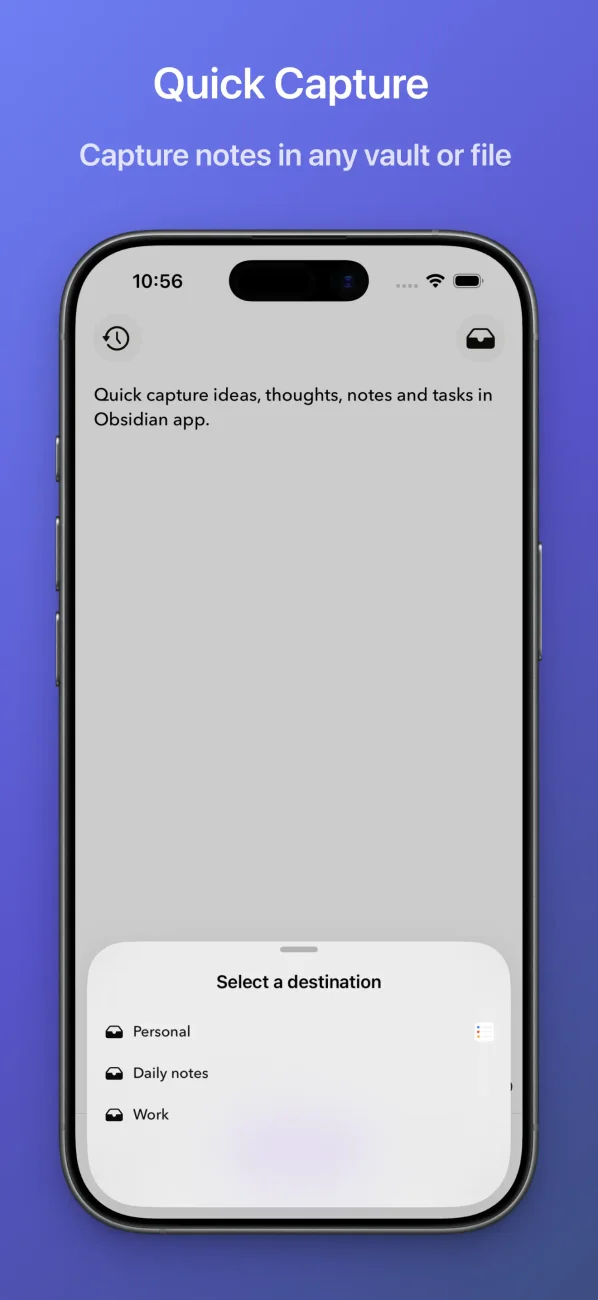
→ You can create multiple destinations to one vault
→ You can also connect to multiple vaults where each destination is dedicated to one vault
→ You can create a new note in a vault.
→ You can append text to an existing note in a vault.
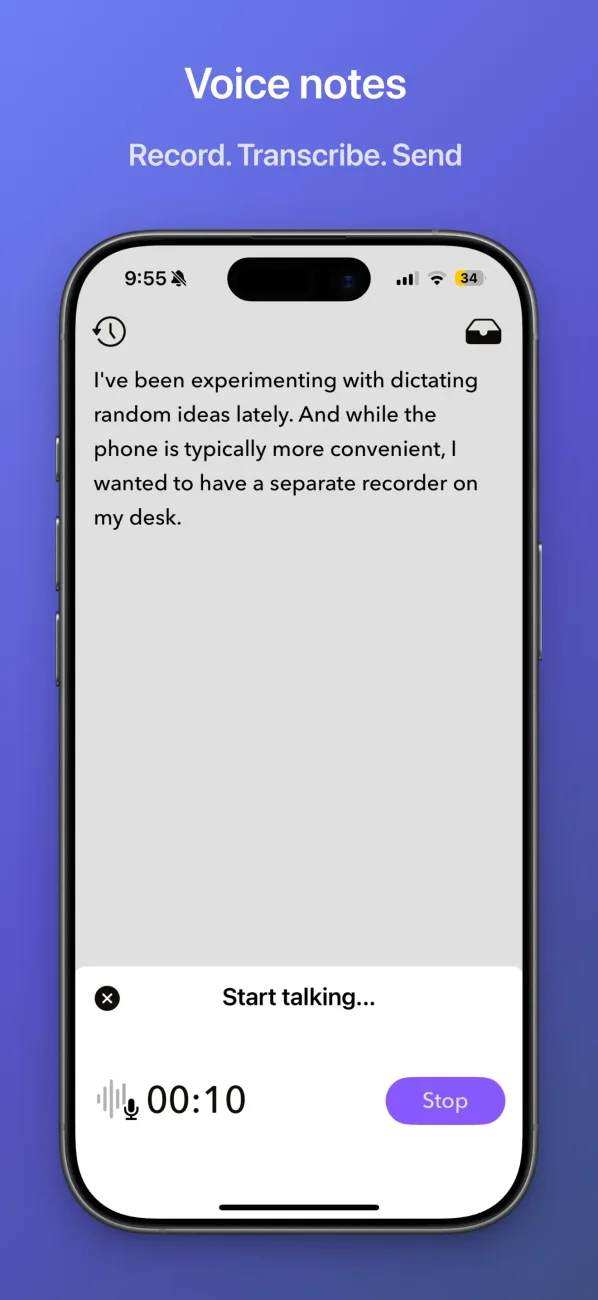
→ You can send voice recordings with transcription to your vault.
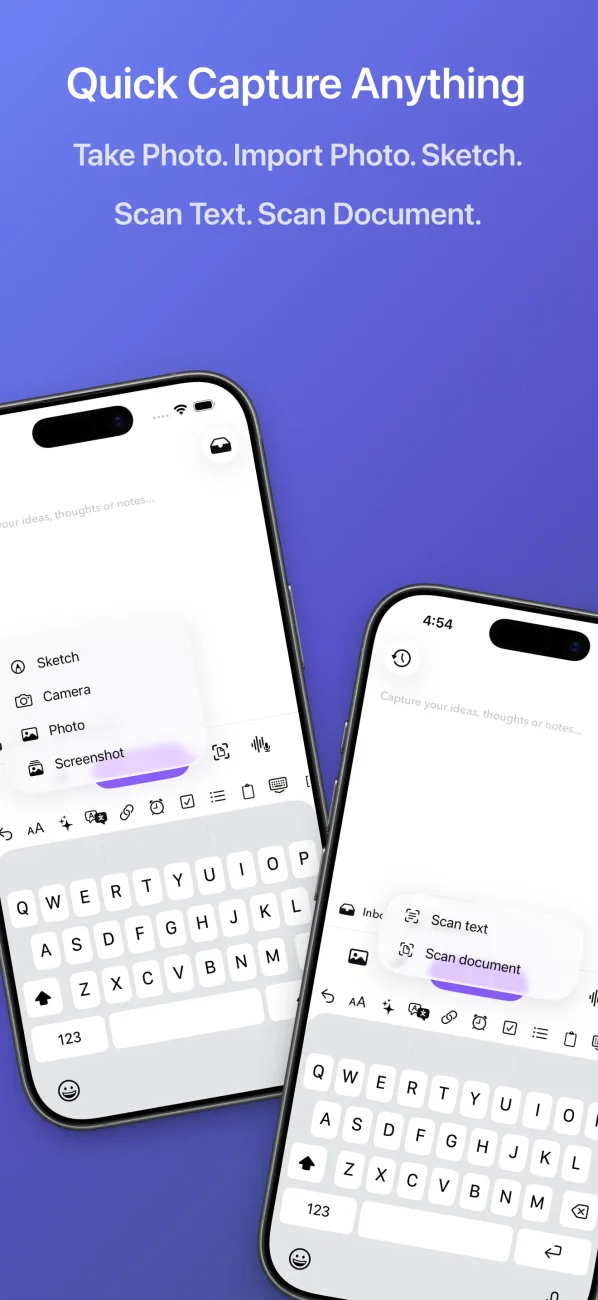
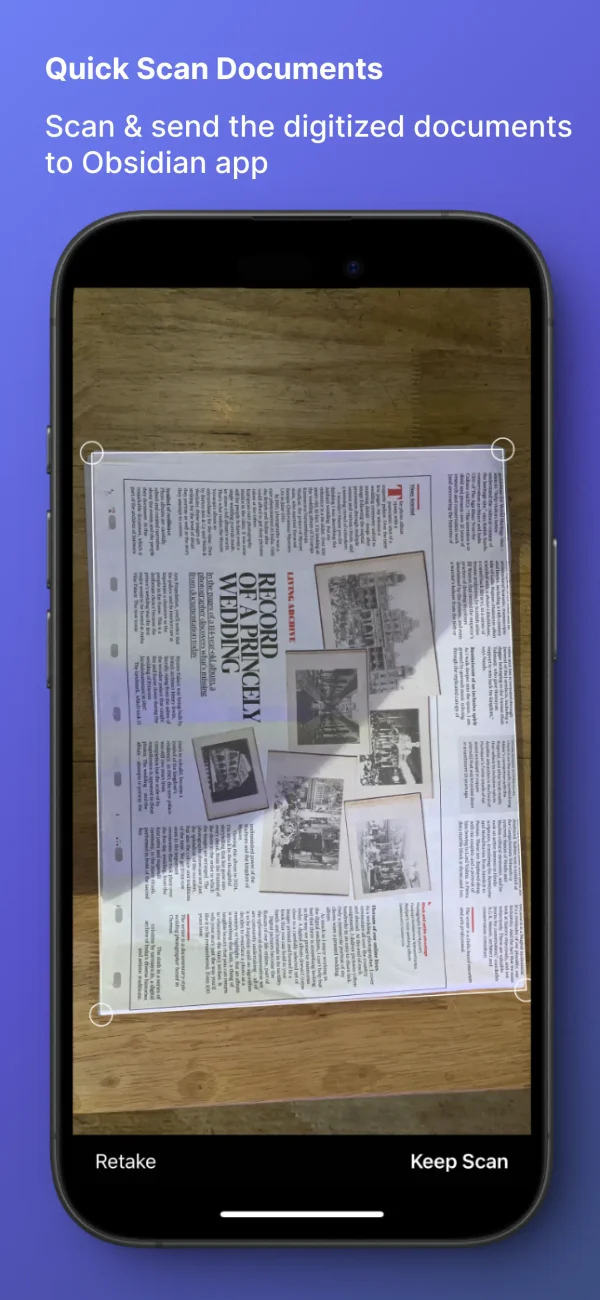
→ You can scan documents to your vault.
→ You can send files or photos to your vault.
→ You can sketch and send those drawings to your vault.
What’s new
Version 2.5.4 · Sep 24, 2026
Bug fixes
App privacy
What Pradeep Burugu declares on the App Store about how this app handles data.
-
Data linked to you
May be collected and linked to your identity.
- Financial info
- Contact info
-
Data not linked to you
May be collected but is not linked to your identity.
- Usage data
Privacy practices may vary, for example with the features you use or your age.
Information
- Seller
- Pradeep Burugu
- Category
- Productivity
- Version
- 2.5.4
- Updated
- Sep 24, 2026
- Released
- Oct 19, 2024
- Size
- 42.6 MB
- Requires
- iOS 17.6 or later
- Age rating
- 4+
- Price
- Free
- In-app purchases
- Yes
- Languages
- English, Japanese, Korean, Russian
- Copyright
- © Pradeep Burugu
You might also like
-
 Widgets for ObsidianQuick Capture Notes
-
 TaskForge: Obsidian TasksMarkdown To-Do List & Widgets
-
 Actions For ObsidianYour notes + Shortcuts.
-
 Quick Draft for ObsidianCapture voice, text & photos
-
 Funnel - Quick CaptureCapture your thoughts
-
 Voice Inbox for ObsidianQuick capture & transcribe
-
 Obsidian Web ClipperSave the web. Own your data.
-
 Bebop: Quick NotesCapture ideas as plain text
-
 Litho: Screenshot to ObsidianOn-device OCR, two taps, done
-
 Quick Notes - CaptureBrain dump thoughts & ideas