
Quick Draft for Obsidian
Capture voice, text & photos
Designed for iPhone, iPad
Free · In-app purchases
- Age rating4+
- CategoryProductivity
- DeveloperSerhii Petrenko
- LanguagesEnglish
- Size169.2 MB
Links to the official App Store page
Download.org hosts no file of Quick Draft for Obsidian. The button opens its official App Store page, published by Serhii Petrenko. Listing last checked on Nov 13, 2026.
Screenshots



About
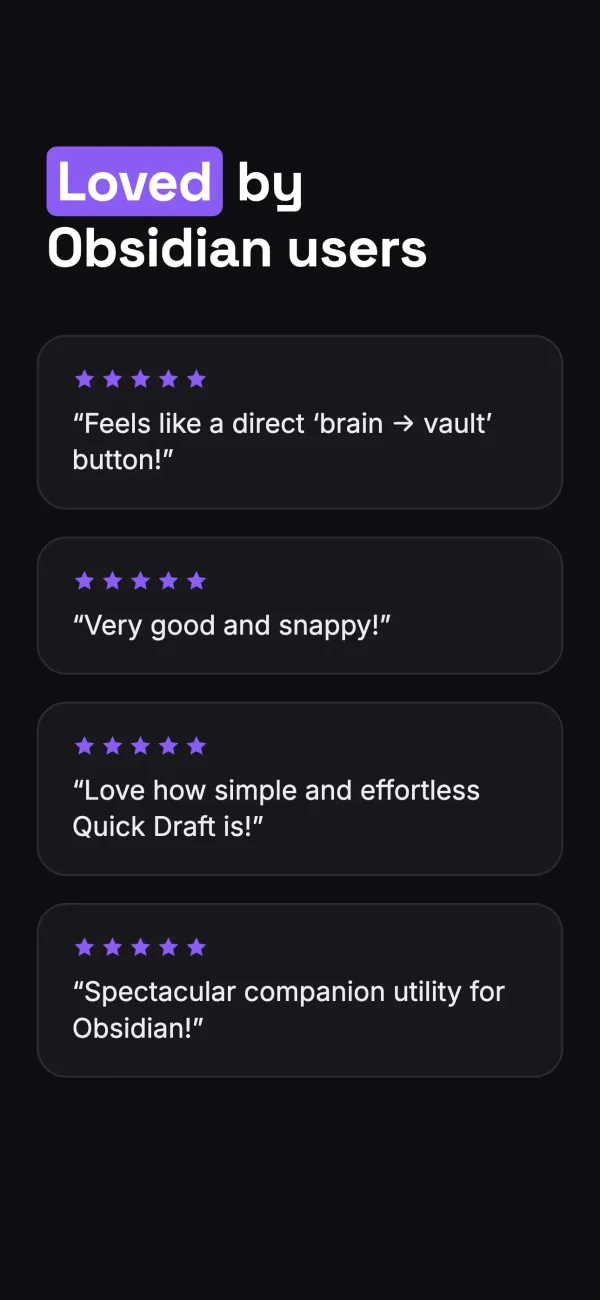
Quick Draft is a quick capture app for Obsidian on iPhone and iPad. Open it and a blank page is ready: type, dictate or snap a photo, and your note lands in the right file of your Obsidian Vault.
Built by an Obsidian fan, for the Obsidian community
CAPTURE IN SECONDS
- Quick notes straight into your Obsidian vault, with no sign-in
- Home Screen and Lock Screen widgets for text, voice, photos, scans, files and location
- Siri and Shortcuts actions for text and voice notes, which you can also put on the Action button
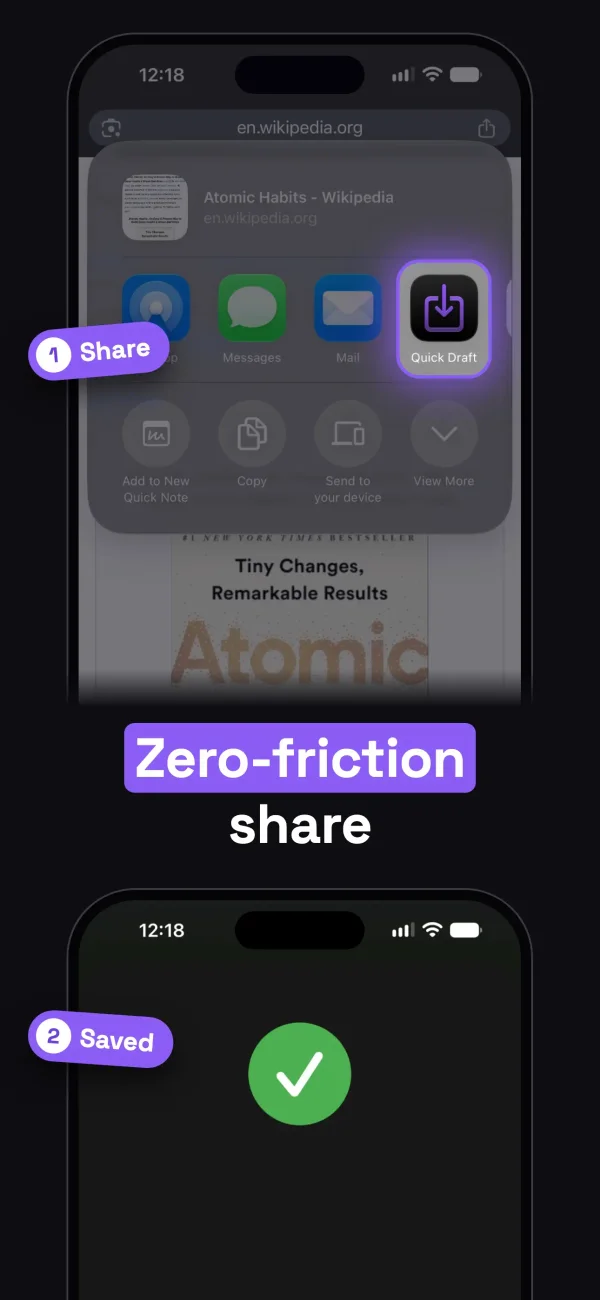
- Share text, links, images and files from any app to Obsidian with no extra prompts
- Pasted and shared links get their page titles automatically
- Drafts history, so a thought is never lost
VOICE NOTES AND SPEECH TO TEXT
- Record voice memos and get accurate transcription into Markdown
- Start a voice note right from the Lock Screen widget
- Attach the audio recording to the note
PHOTOS, HANDWRITING AND FILES
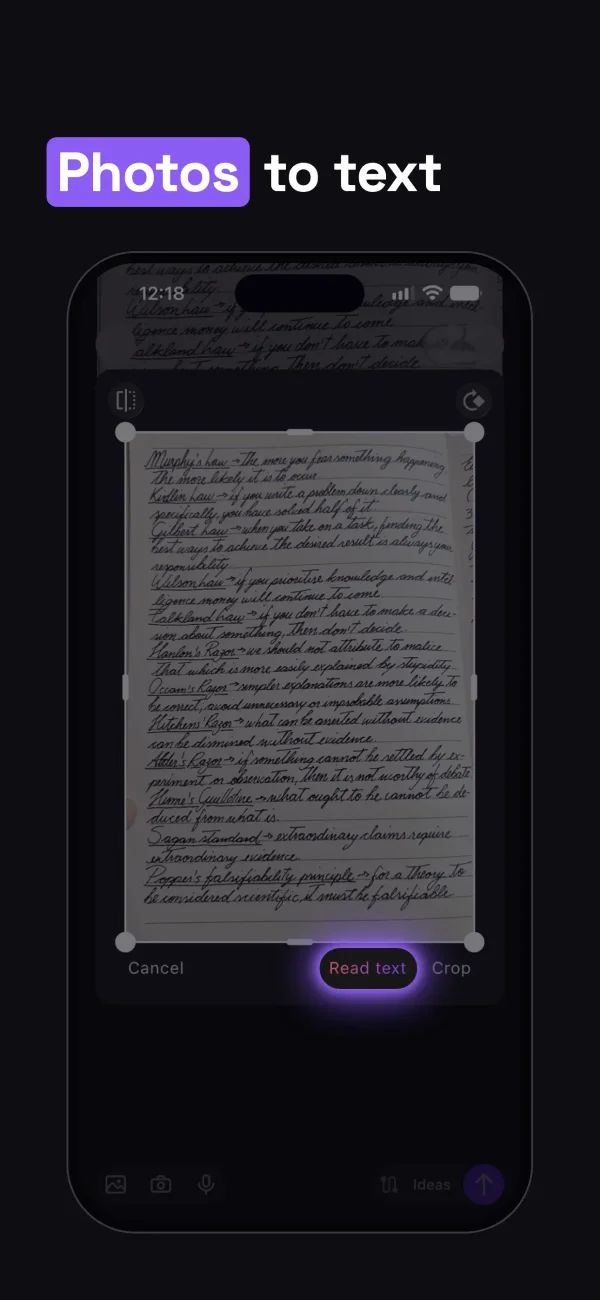
- Scan documents and convert text from photos to Markdown, handwriting included (OCR)
- Attach images, videos, documents and other files
- Save your current location with one tap
AI ASSIST
- AI Rewrite fixes grammar and tidies a note, with a prompt you can customize
- Use your own API keys for OpenAI, Anthropic, Gemini, xAI, Mistral and ElevenLabs
- On-device AI with Apple Intelligence: private and works offline
- Self-hosted AI with Ollama, Whisper and LocalAI (beta)
WORKS THE WAY YOUR VAULT WORKS
- Create new notes or add to existing ones: append, prepend or insert text
- Daily notes, an inbox note, fleeting notes or a journal: send each capture where it belongs
- Future Notes: save into past or future daily notes
- Templates and properties, from presets or from your own notes
- WYSIWYG Markdown editor with a customizable toolbar
- Unlimited notes, Routes and vaults
ROUTES
Routes send one capture to several Destinations, apply formatting and run actions for you. Set up a route for meeting notes, one for your reading list and one for your daily journal, then switch with one tap. Long press a route to open its note in Obsidian.
PRIVATE BY DESIGN
Quick Draft never needs full access to your vault. You choose the exact files and folders (Destinations) it can write to. No account needed. A short in-app tutorial walks you through setup.
Notes are saved as plain Markdown files in the folders you pick, so they show up in Obsidian like any other note.
Quick Draft is free to use. Optional Pro plans (monthly, yearly or lifetime) unlock AI features and cover their server costs.
Quick Draft is developed independently. Obsidian® name and logo are trademarks of Obsidian.md, used here for identification only.
Terms of Use: https://www.apple.com/legal/internet-services/itunes/dev/stdeula/
What’s new
Version 2.1.2 · Nov 9, 2026
FUTURE NOTES
- Save a note into a tomorrow’s or yesterday’s daily note
- Shift by hours, days, weeks, months or years with a simple ruler
YOUR OWN AI
- Use your own API keys for OpenAI, Anthropic, Gemini, xAI, Mistral and ElevenLabs
- Run AI on your own server with Ollama, Whisper and LocalAI (beta)
- Customize the prompt used to recognize text in photos and scans
- New Lifetime plan: AI runs on your own keys, on-device or on your own server
SMARTER LINKS
- Pasted links get their page titles automatically
- Pasted YouTube videos, X posts and image links become previews
MORE IMPROVEMENTS
- Long press a route to open its note in Obsidian
- New Insert location button in the toolbar, with approximate location support
- Places search with your own Foursquare key
- Pick several files at once
- Bug fixes and stability improvements
Thanks for using Quick Draft! Reviews and feedback help a lot.
App privacy
What Serhii Petrenko declares on the App Store about how this app handles data.
-
Data not linked to you
May be collected but is not linked to your identity.
- Diagnostics
Privacy practices may vary, for example with the features you use or your age.
Information
- Seller
- Serhii Petrenko
- Category
- Productivity
- Version
- 2.1.2
- Updated
- Nov 9, 2026
- Released
- Aug 27, 2025
- Size
- 169.2 MB
- Requires
- iOS 16.6 or later
- Age rating
- 4+
- Price
- Free
- In-app purchases
- Yes
- Languages
- English
- Copyright
- © 2026 Serhii Petrenko
You might also like
-
 Voice Inbox for ObsidianQuick capture & transcribe
-
 Quick Capture - Vault notesCapture notes in Obsidian
-
 Litho: Screenshot to ObsidianOn-device OCR, two taps, done
-
 TaskForge: Obsidian TasksMarkdown To-Do List & Widgets
-
 Actions For ObsidianYour notes + Shortcuts.
-
 Quick Notes - SupasendCapture quickly notes & tasks
-
 Taskdown.mdProductivity
-
 VaultSync for ObsidianSelf-Hosted Syncthing Notes
-
 ThinkAloud NotesProductivity
-
 Craft Web ClipperSave any website to Craft