
VaultSync for Obsidian
Self-Hosted Syncthing Notes
Designed for iPhone, iPad
Free · In-app purchases
- Age rating4+
- CategoryProductivity
- DeveloperUmut Erdem
- LanguagesEnglish+ 3 more
- Size26.4 MB
Links to the official App Store page
Download.org hosts no file of VaultSync for Obsidian. The button opens its official App Store page, published by Umut Erdem. Listing last checked on Nov 23, 2026.
Screenshots
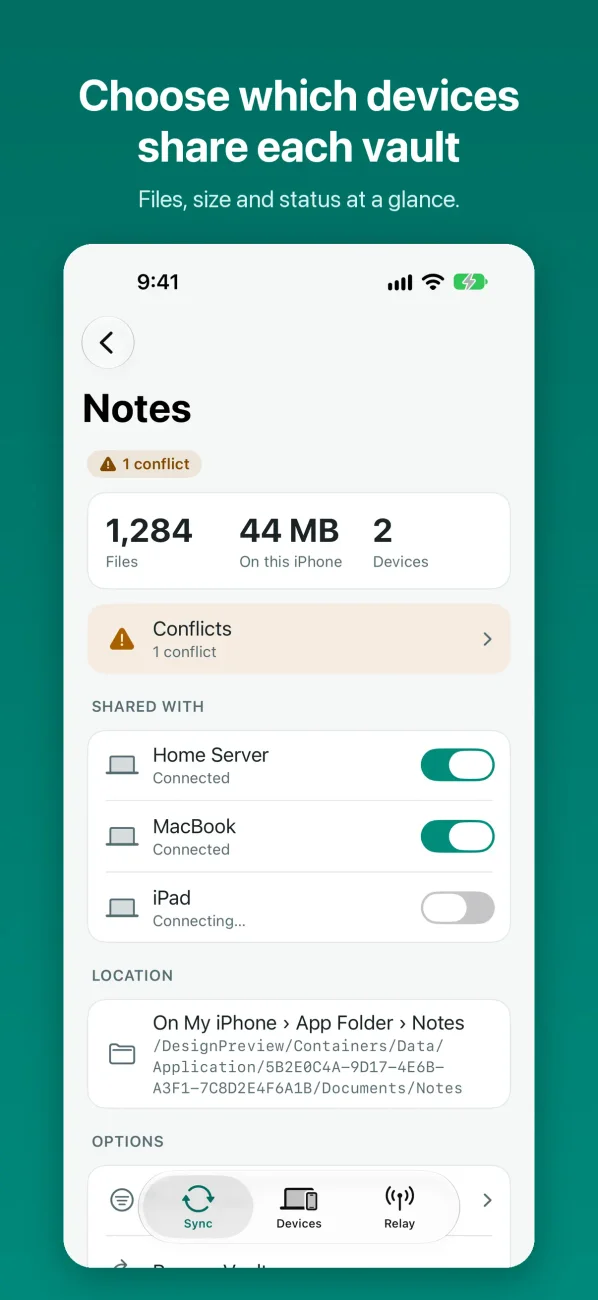
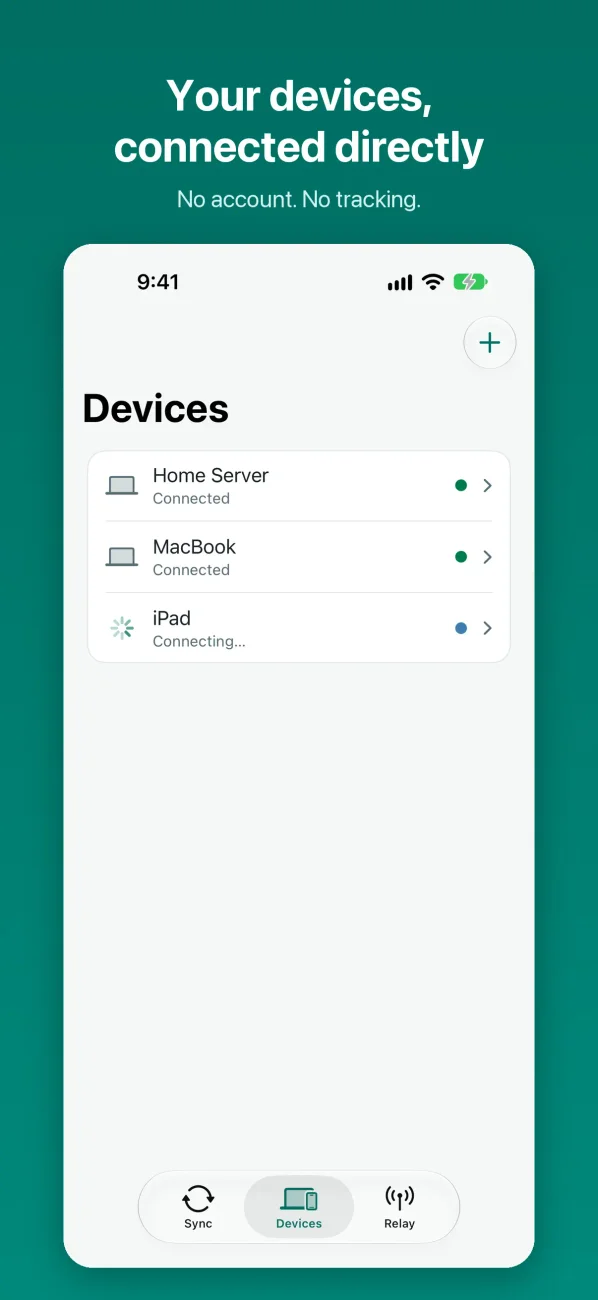
About
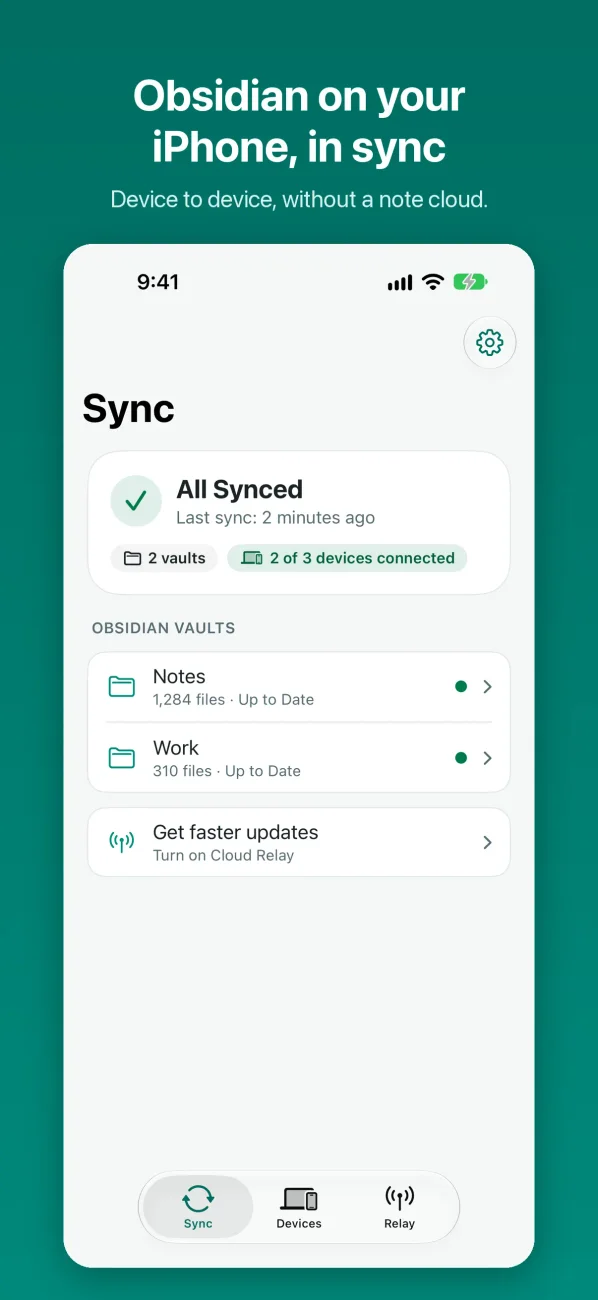
Obsidian on your iPhone and iPad, in sync with your own computer or server — device to device, without iCloud and without a note cloud.
VaultSync syncs your Obsidian vaults straight into Obsidian's folder on your iPhone and iPad. Open Obsidian and your notes are there — the same notes as on your Mac, PC, Linux machine, NAS or home server. Nothing goes through iCloud, Dropbox, a note-sync service or our servers.
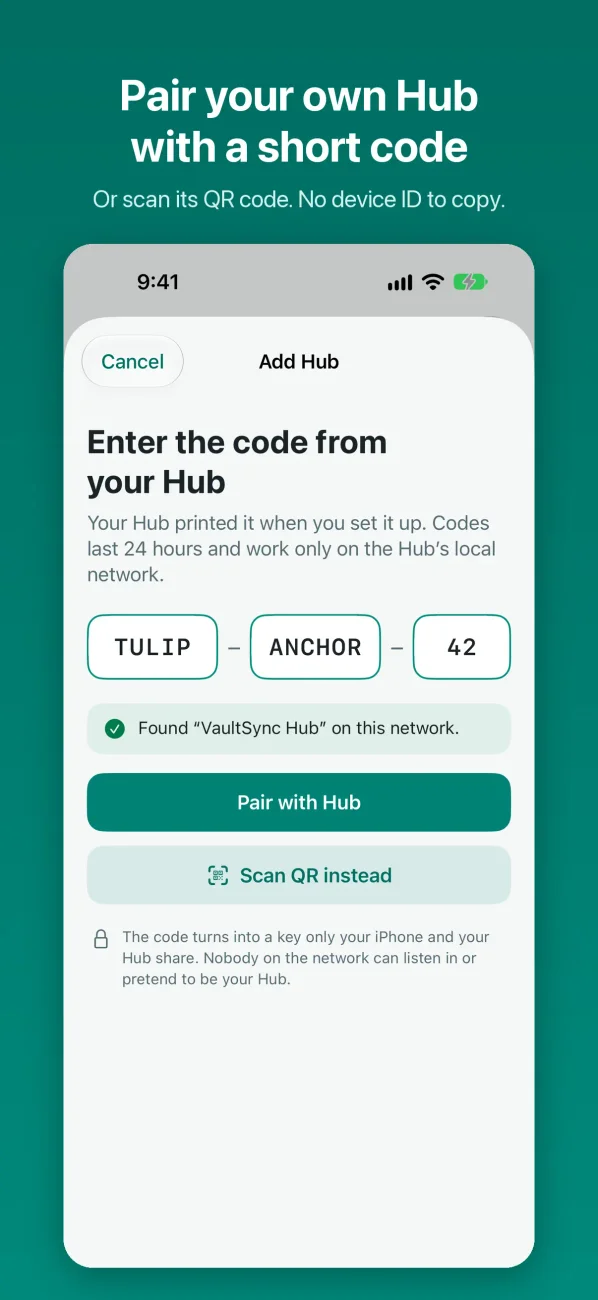
PAIR YOUR OWN HUB WITH A CODE
The easiest way: the free VaultSync Hub runs on a Linux server or NAS with Docker and sets up with one command. Tap "Add Hub", type the short code it shows or scan its QR code, and pick a vault. Already running Syncthing on a computer or server? Scan its QR code or paste its device ID instead.
WHY VAULTSYNC
• Your notes go straight from device to device. They never reach us, so we can't read them.
• No account. No sign-up. No analytics. No tracking.
• Syncing is free, forever, and the app is open source.
• When something looks wrong, VaultSync pauses and asks you. It never deletes, moves or overwrites notes on its own to fix things.
BUILT FOR REAL VAULTS
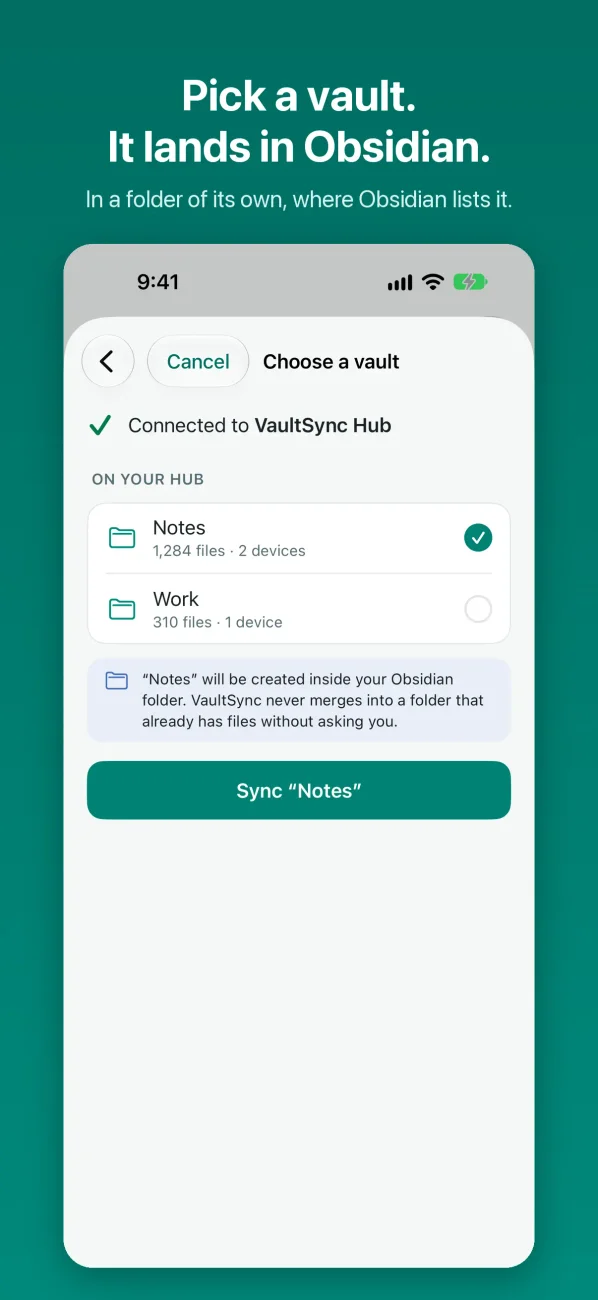
• Every vault lands in a folder of its own inside Obsidian's folder, where Obsidian lists it.
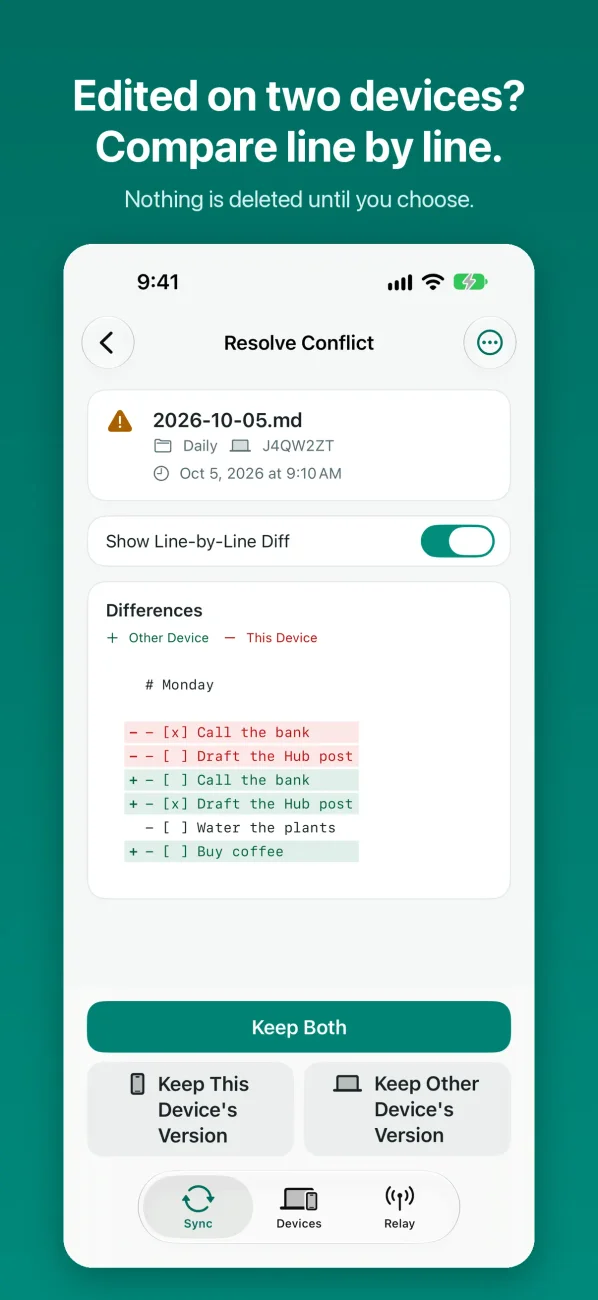
• Resolve conflicts side by side: keep this version, the other one, or both.
• "Sync Filters" keep big folders or attachments off your iPhone and iPad.
• "Sync Activity" and "Sync Issues" show what happened and what to do next.
• Home Screen and Lock Screen widgets show your last sync at a glance.
HONEST ABOUT iOS
iOS does not let apps run a sync service in the background all the time, and we won't pretend otherwise:
• Server or computer to iPhone/iPad: changes arrive when you open VaultSync, or in the background with the optional Cloud Relay.
• iPhone/iPad to server or computer: most reliable while VaultSync is open. Background refresh helps when iOS lets it run.
• If syncing stops, VaultSync tells you instead of showing "Ready".
CLOUD RELAY (OPTIONAL)
A small subscription (monthly or yearly): when your server has changes, the relay sends a silent wake-up, and VaultSync syncs in the background once iOS delivers it — usually within moments. iOS decides when a wake-up arrives, and after you force-quit the app, wake-ups resume once you open it again. The relay keeps only what it needs to wake your device: your device ID, a push token and your subscription's App Store record. It never sees note content, file or folder names, or how your vault is organized. It needs the free helper "vaultsync-notify" on your server; the VaultSync Hub includes it. VaultSync works fully without Cloud Relay.
SUPPORT VAULTSYNC (OPTIONAL)
Two one-time contributions for people who want to support the project. They unlock nothing, and the app stays fully functional without them.
REQUIREMENTS
• iPhone or iPad with iOS or iPadOS 18 or later.
• Obsidian on your iPhone or iPad, with a vault stored on the device (not in iCloud).
• A VaultSync Hub (Linux server or NAS with Docker), or Syncthing on a Mac, Windows PC, Linux machine, NAS or home server.
HOW IT WORKS
VaultSync has Syncthing built in, the open-source sync engine. Your devices connect to each other directly and encrypt everything they send. The app is open source under the MPL-2.0 license.
VaultSync is an independent project and is not affiliated with, endorsed by, or sponsored by Obsidian or Syncthing. "Obsidian" and "Syncthing" are trademarks of their respective owners.
What’s new
Version 3.0.0 · Nov 19, 2026
A fresh design, pairing with your own Hub by code — and vaults that always land where Obsidian shows them.
• A calm new look: one status card tells you at a glance whether everything is synced, and the Home Screen widget matches it.
• Pair with your VaultSync Hub by typing the short code it shows or scanning its QR code — no long device ID to copy.
• Every vault now arrives in a folder of its own inside Obsidian's folder, so Obsidian always lists it. If an earlier setup put a vault where Obsidian cannot show it, VaultSync points it out and shows you the way to fix it.
• Clearer and safer: VaultSync no longer mistakes a copy of a vault for the vault itself, says why when it declines a folder, and is easier to read in dark mode and at large text sizes.
App privacy
What Umut Erdem declares on the App Store about how this app handles data.
-
Data not linked to you
May be collected but is not linked to your identity.
- Identifiers
Privacy practices may vary, for example with the features you use or your age.
Information
- Seller
- Umut Erdem
- Category
- Productivity
- Version
- 3.0.0
- Updated
- Nov 19, 2026
- Released
- Apr 11, 2026
- Size
- 26.4 MB
- Requires
- iOS 18.0 or later
- Age rating
- 4+
- Price
- Free
- In-app purchases
- Yes
- Languages
- English, German, Simplified Chinese, Spanish
- Copyright
- © 2026 VaultSync
You might also like
-
 Litho: Screenshot to ObsidianOn-device OCR, two taps, done
-
 Voice Inbox for ObsidianQuick capture & transcribe
-
 Quick Draft for ObsidianCapture voice, text & photos
-
 Simple Memo - Obsidian VoiceSpeak a note, get it by email
-
 Quick Capture for ObsidianDaily notes & Markdown tasks
-
 SynctrainSynchronize files securely
-
 TaskForge: Obsidian TasksMarkdown To-Do List & Widgets
-
 Möbius SyncFile sync with Syncthing
-
 Widgets for ObsidianQuick Capture Notes
-
 GitSync.Background sync for git repos