
QuickShare Client
Client app for QuickShare
Designed for iPhone, iPad, iPod touch
Free
- Age rating4+
- CategoryUtilities
- DeveloperScreenShare Technology Co.,Ltd.
- LanguagesEnglish+ 9 more
- Size20.5 MB
Links to the official App Store page
Download.org hosts no file of QuickShare Client. The button opens its official App Store page, published by ScreenShare Technology Co.,Ltd. Listing last checked on Nov 15, 2026.
Screenshots

About
With QuickShare wireless screen assistant, you can project iOS devices to QuickShare receivers without memorizing the name and password of the wireless hotspot
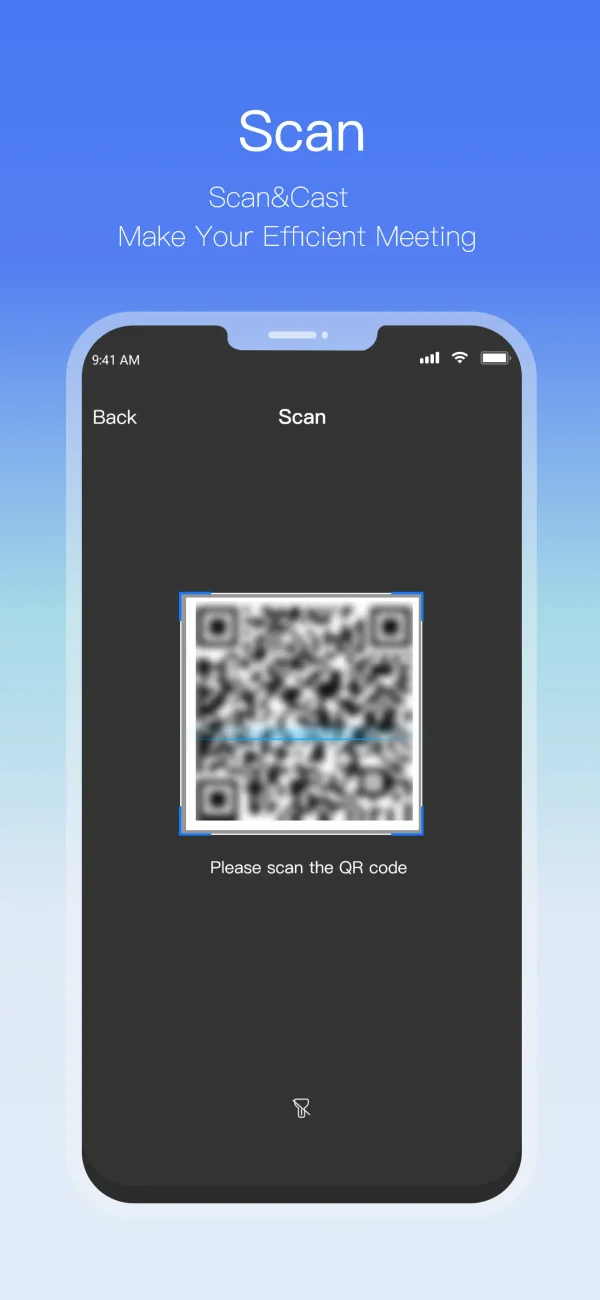
1. Support scan QR code to mirror screen. Scan the QR code on the QuickShare screen to connect to the QuickShare receiver.
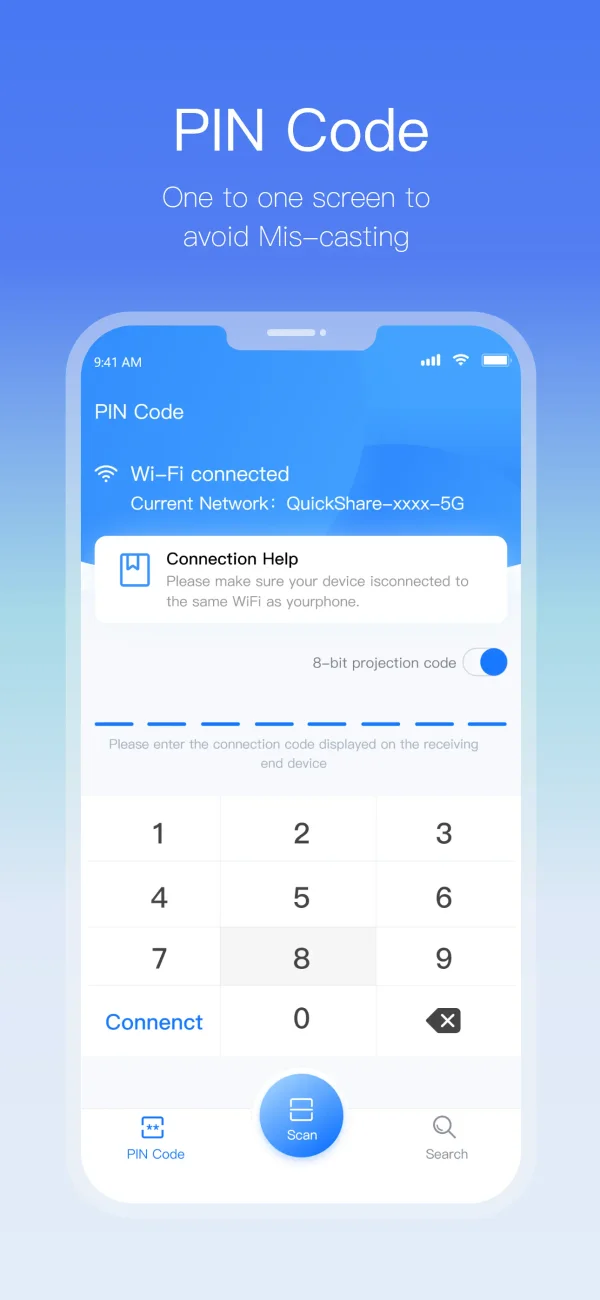
2. Input Pin Code to connect receiver. Using the PinCode, you can connect to receivers in other sub network.
3. List receivers in the same network. Automatically retrieve all receivers under the current network, making screen casting much easier.
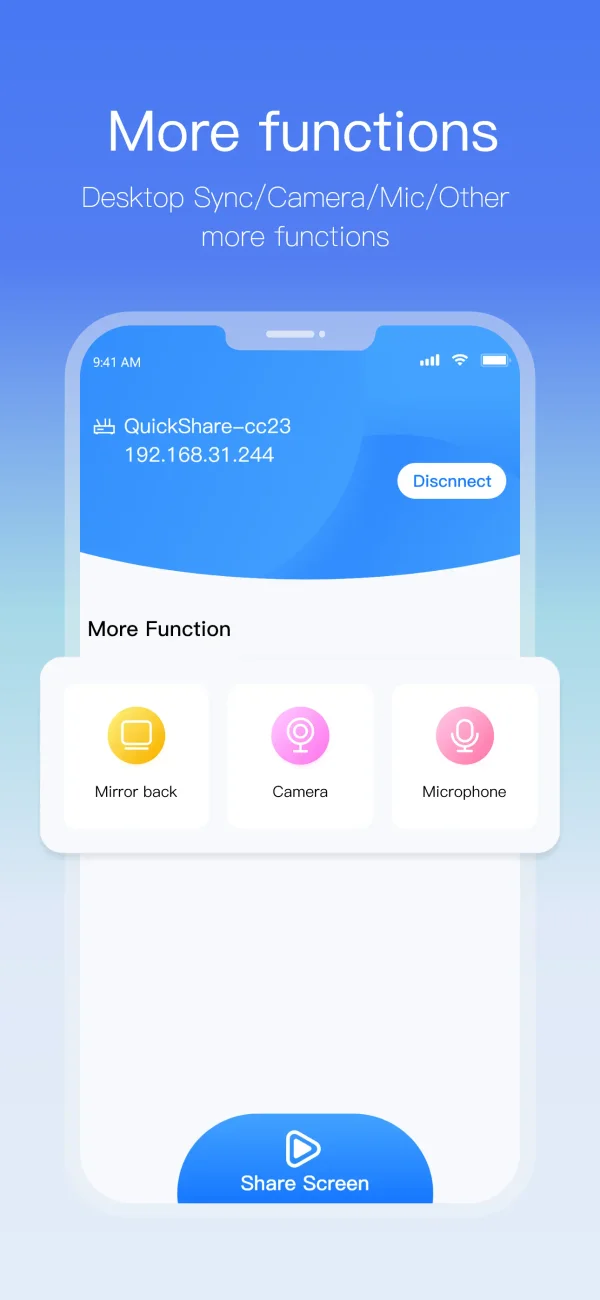
4.Support microphone.
5.Support camera.
6.Support touch control.
It also supports mirroring back the screen of QuickShare to iPhone or iPad, so that participants can see the content on the screen more clearly
What’s new
Version 2.0.38 · Nov 9, 2026
1. Fix some bugs.
App privacy
What ScreenShare Technology Co.,Ltd. declares on the App Store about how this app handles data.
-
Data not collected
The developer does not collect any data from this app.
Privacy practices may vary, for example with the features you use or your age.
Information
- Seller
- ScreenShare Technology Co.,Ltd.
- Category
- Utilities
- Version
- 2.0.38
- Updated
- Nov 9, 2026
- Released
- Oct 16, 2019
- Size
- 20.5 MB
- Requires
- iOS 15 or later
- Age rating
- 4+
- Price
- Free
- Languages
- English, German, Italian, Japanese, Korean, Simplified Chinese, Slovak, Spanish, Thai, Traditional Chinese
- Copyright
- © 2022 Bozee Technology Co., Ltd.
You might also like
-
 QuickDrop - Share from AndroidTransmit files with QuickShare
-
 Quick Share : File SharingNearby Share, Wireless Sharing
-
 HY300 4K Smart Projector GuideApp Pro Remote Manual Setup
-
 Mobile Mouse Bluetooth RemoteWireless Touchpad & Keyboard
-
 Quick Share - Data TransferSend Anywhere Photo & Video
-
 tranScreenScreen Casting Expert
-
 ExceedShareUtilities
-
 DP Smart ControlUtilities
-
 ShareAll: File Share &TransferQuick, Share AnyFiles Anywhere
-
 Quick Share - Fast File ShareWireless & Secure File Sharing