Redactly: Redact PDF
Black out text permanently
Designed for iPhone
Free · In-app purchases
- Age rating4+
- CategoryProductivity
- DeveloperJhomar Maravillas
- LanguagesEnglish+ 5 more
- Size741.0 KB
Links to the official App Store page
Download.org hosts no file of Redactly: Redact PDF. The button opens its official App Store page, published by Jhomar Maravillas. Listing last checked on Nov 18, 2026.
Screenshots

About
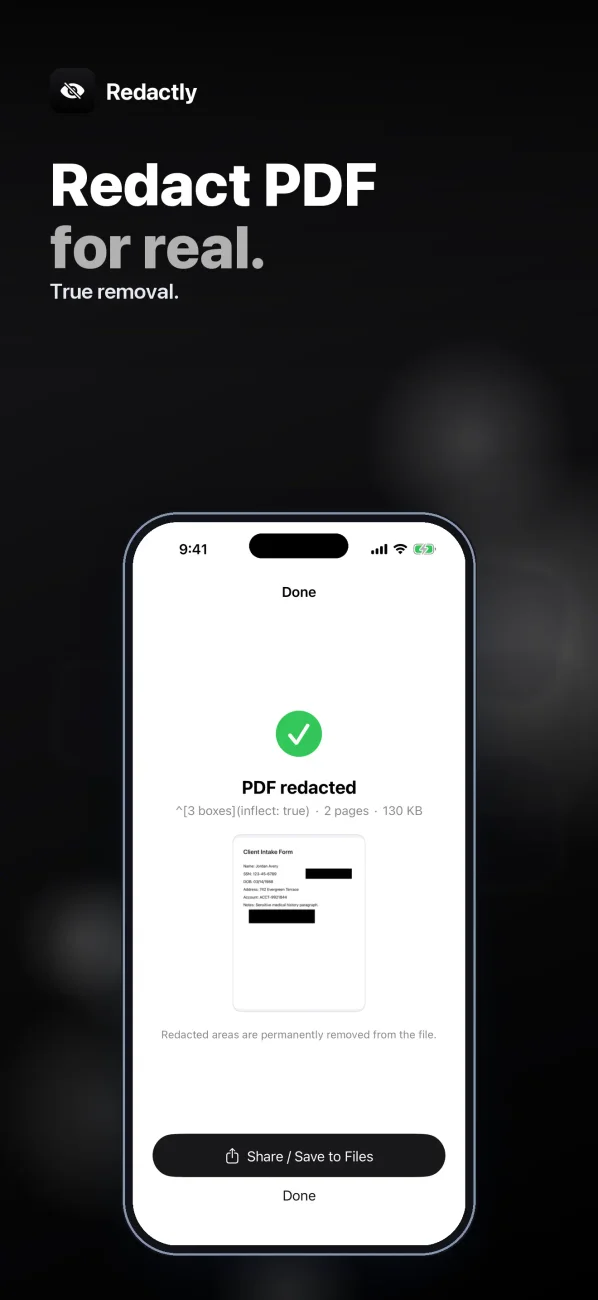
Need to black out an account number, address or signature in a PDF before you share it? Redactly lets you draw redaction boxes and exports a new PDF where that content is actually removed — not just covered up.
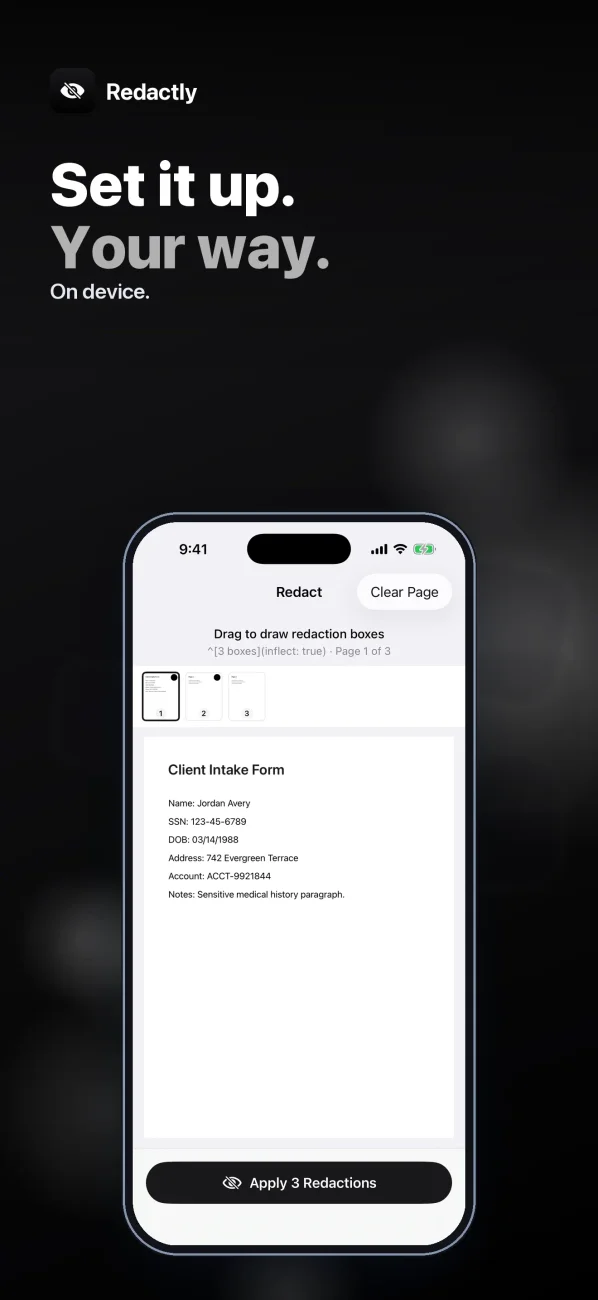
Open a PDF, drag to draw black boxes over anything private, page by page, and tap Apply Redaction. Then share the redacted copy or save it to Files.
• TRUE REMOVAL — every page with a redaction box is flattened into an image with solid black over your boxes, so the hidden text can't be selected, copied, searched or uncovered by deleting a shape.
• DRAW WITH A FINGER — drag to draw a box over text, numbers, photos or signatures; touch and hold a box to remove it, or clear a whole page and start again.
• ALL YOUR PAGES — move between pages with the page strip and redact as many pages as you need, up to 300 pages per PDF.
• OTHER PAGES STAY SHARP — pages without boxes are copied as they are, so their text stays crisp and selectable, and their links and bookmarks are kept.
• NO HIDDEN LEFTOVERS — comments and form annotations are not copied back onto redacted pages — a redacted page carries only what you see on it.
• SHARE OR SAVE — send the redacted PDF by Mail or Messages, or save it to Files. Your original file isn't changed.
Honest scope: you choose what to redact — Redactly doesn't search for or detect sensitive text automatically, so check every page. Redacted pages become images, so their remaining text is no longer selectable. Password-protected PDFs need to be unlocked first.
Everything happens on your iPhone. Your documents are not uploaded and no account is needed.
Redacting and previewing are free: check every redacted page before you pay. A one-time $4.99 purchase unlocks saving and sharing the redacted PDF. No subscription, no ads.
Questions: overlapmarr@gmail.com
What’s new
Version 1.0.9 · Oct 17, 2026
Fixed: boxes you draw now stay on the page. On some devices a box disappeared as soon as you lifted your finger, so nothing could be redacted. A quick swipe along a line of text now also makes a box that covers the whole line.
App privacy
What Jhomar Maravillas declares on the App Store about how this app handles data.
-
Data not collected
The developer does not collect any data from this app.
Privacy practices may vary, for example with the features you use or your age.
Information
- Seller
- Jhomar Maravillas
- Category
- Productivity
- Version
- 1.0.9
- Updated
- Oct 17, 2026
- Released
- Jul 27, 2026
- Size
- 741.0 KB
- Requires
- iOS 16.0 or later
- Age rating
- 4+
- Price
- Free
- In-app purchases
- Yes
- Languages
- English, French, German, Japanese, Portuguese, Spanish
- Copyright
- © 2026 Redactly
You might also like
-
 PDF Offline StudioSign, redact, merge - no cloud
-
 Veil: Redact & Hide InfoBlack out PDFs, photos & scans
-
 Redactify: PDF & Photo RedactBlur & black out, 100% offline
-
 Resecta: Redact PDFsRemove text, not just cover it
-
 Documents & Scanner - DocDuckPrivate PDF Vault & Search
-
 PrivyMask: Redact PDF & PhotoHide ID, IBAN, Phone, E-Mail
-
 MegaMessengerSame Messages. No Group Chats.
-
 Redacted: Blur PDF & PhotoAI Redact, Censor & Pixelate
-
 PDF Masker - Secure RedactionBulk Redact and Blackout PDFs
-
 Cloakit: PDF Redact & BlurHide text in docs & images