- Age rating4+
- CategoryProductivity
- DeveloperJunxue ZHANG
- LanguagesSimplified Chinese+ 1 more
- Size9.0 MB
Links to the official App Store page
Download.org hosts no file of RelatedWorks. The button opens its official App Store page, published by Junxue ZHANG. Listing last checked on Nov 13, 2026.
Screenshots


About
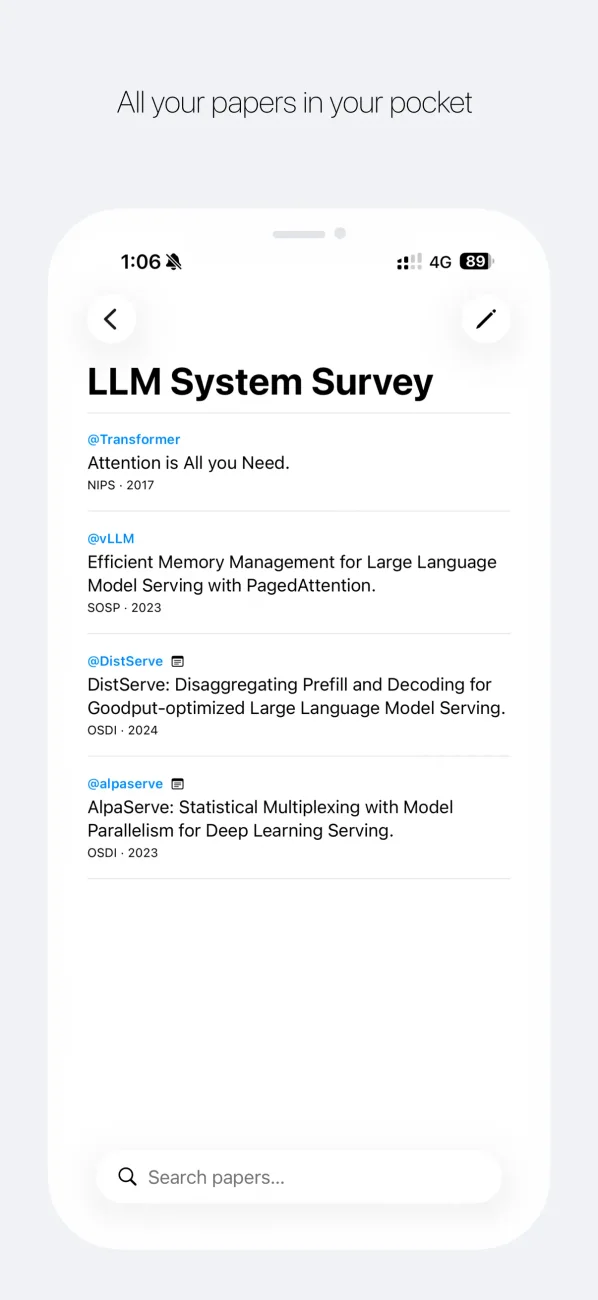
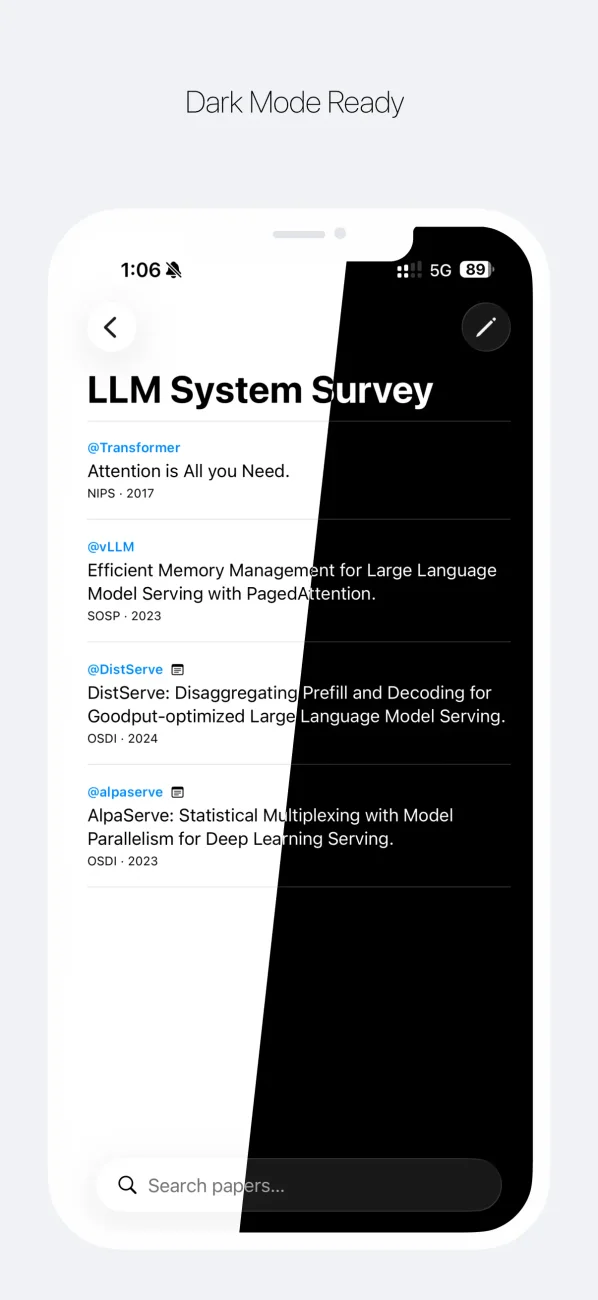
RelatedWorks is a native macOS and iOS/iPadOS app built for Computer Science researchers. It helps you manage the papers you read, annotate them with cross-referenced notes, and automatically draft the Related Works section of your next paper.
Features
* Project-based workspaces — one project per paper you're writing
* Import PDFs with AI-powered metadata extraction (macOS only)
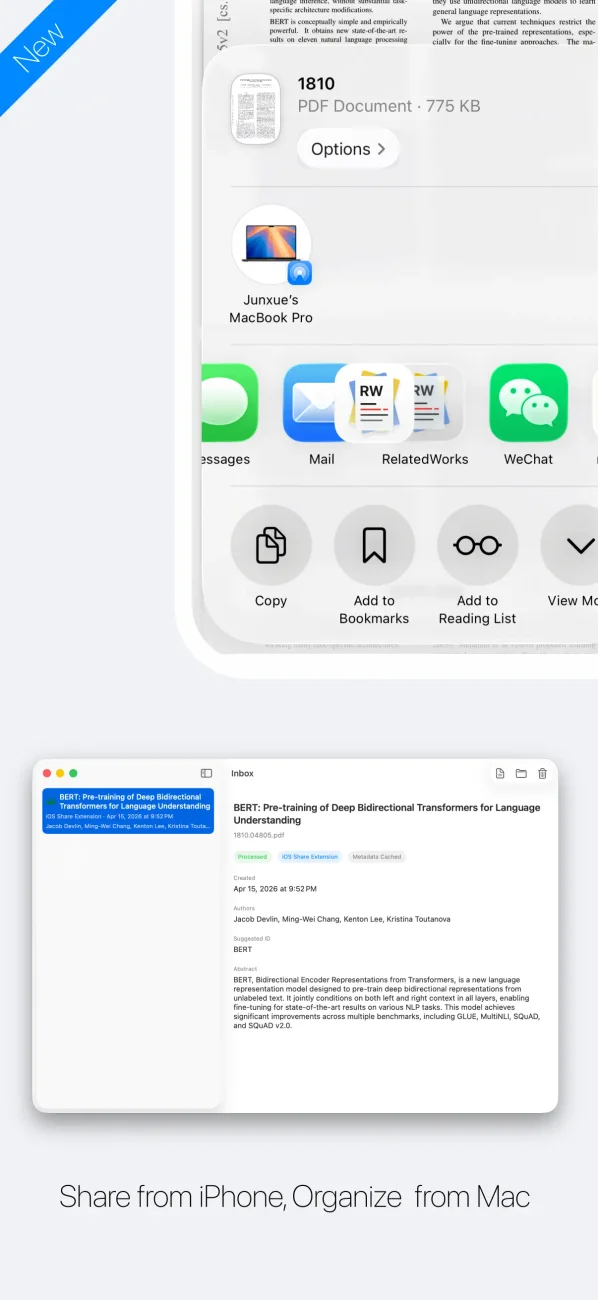
* PDF Inbox via Share Extension — send PDFs from Safari or Files into a synced Inbox, then bulk import captured papers on macOS
* Search DBLP and arXiv to fetch bibliographic data automatically (macOS only)
* Semantic IDs — give each paper a short memorable tag like @Transformer or @BERT
* Cross-reference annotations — link papers using @mentions in your notes
* Citation Graph — compare @mentions, in-project references, and shared outside references for each project (macOS only)
* Generate a streaming LaTeX-ready Related Works draft with one click (macOS only)
* Per-project generation prompts with presets for Survey, Research Paper, Tech Report, or Custom (macOS only)
* Export BibTeX entries fetched from DBLP or auto-generated (macOS only)
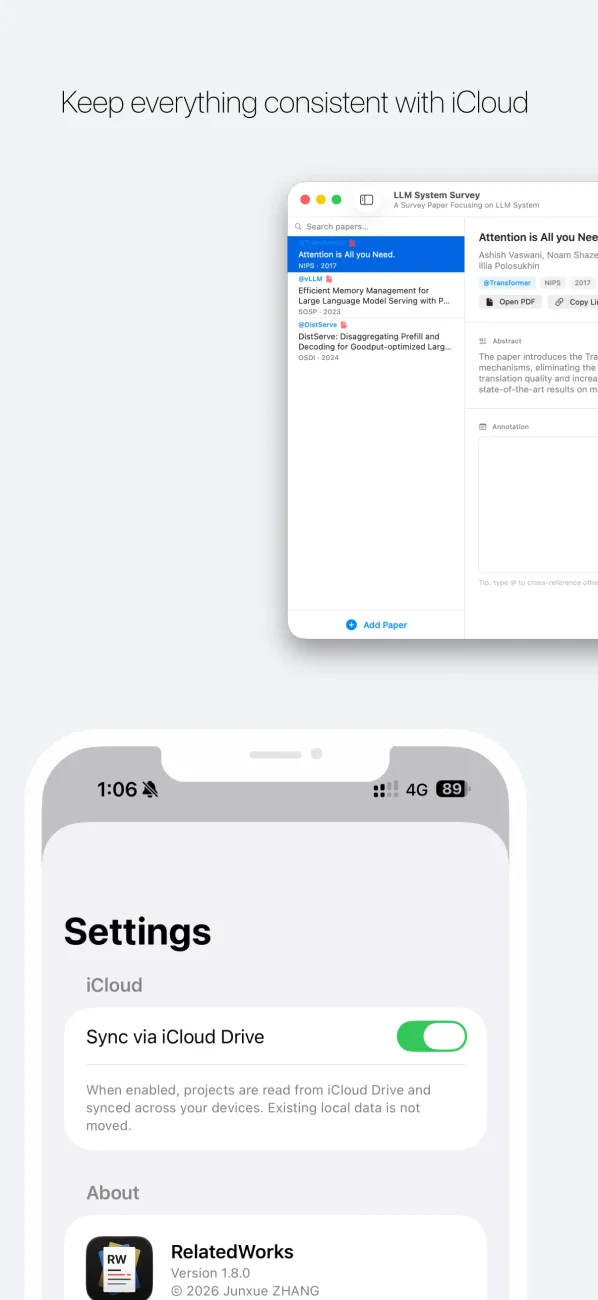
* iCloud Drive sync — keep your library in sync across Mac and iPhone/iPad
* Export, import, and open projects from Finder as .relatedworks files (macOS); import projects on iPhone and iPad
* Supports Ollama and Google Gemini (macOS only)
* iPhone and iPad companion app — browse papers, review notes, and make lightweight edits on the go
* Automation and linking support — relatedworks:// deep links, read-only AppleScript, and Hookmark integration
On iPhone and iPad, RelatedWorks is designed primarily as a companion viewer and lightweight editor for your research library. The iOS/iPadOS app does not require or rely on any AI backend; instead, it syncs your library seamlessly from the macOS version via iCloud. You can comfortably browse papers, review notes, and refine annotations on the go, making it easy to continue working on your literature and prepare for writing wherever you are. Any annotations you edit on iPhone or iPad automatically sync back to your Mac, providing a smooth “go-and-work” experience for paper reading and writing.
What’s new
Version 2.2.1 · Oct 25, 2026
iPhone Duo Support.
App privacy
What Junxue ZHANG declares on the App Store about how this app handles data.
-
Data not collected
The developer does not collect any data from this app.
Privacy practices may vary, for example with the features you use or your age.
Information
- Seller
- Junxue ZHANG
- Category
- Productivity
- Version
- 2.2.1
- Updated
- Oct 25, 2026
- Released
- Apr 13, 2026
- Size
- 9.0 MB
- Requires
- iOS 26.0 or later
- Age rating
- 4+
- Languages
- Simplified Chinese, English
- Copyright
- © 2026 Junxue ZHANG
You might also like
-
 BibKitModern Citation Management
-
 ResearchlyResearch made simple
-
 Raft NotesProductivity
-
 Orc ModeTask manager inspired by Emacs
-
 Markdown Reader - ReamBeautiful Markdown Viewer
-
 Focusy: Tasks, Habits & AIADHD planner: tasks & AI help
-
 Markdown+ Text & Code EditorPreview, Quick Look & LaTeX
-
 Jiff Note: Private NotesOffline Notes, Photo & Voice
-
 Papyrus: Research LibraryNative research workspace
-
 Anythings: To-Do List & TasksKeeps itself in order