
ReplyKit - Text Shortcuts
Text Expander, Saved Messages
Designed for iPhone, iPad, iPod touch
Free · In-app purchases
- Age rating4+
- CategoryProductivity
- DeveloperMUHAMMED RISHAD KAKKIRI
- LanguagesEnglish+ 16 more
- Size88.9 MB
Links to the official App Store page
Download.org hosts no file of ReplyKit - Text Shortcuts. The button opens its official App Store page, published by MUHAMMED RISHAD KAKKIRI. Listing last checked on Nov 23, 2026.
Screenshots
About
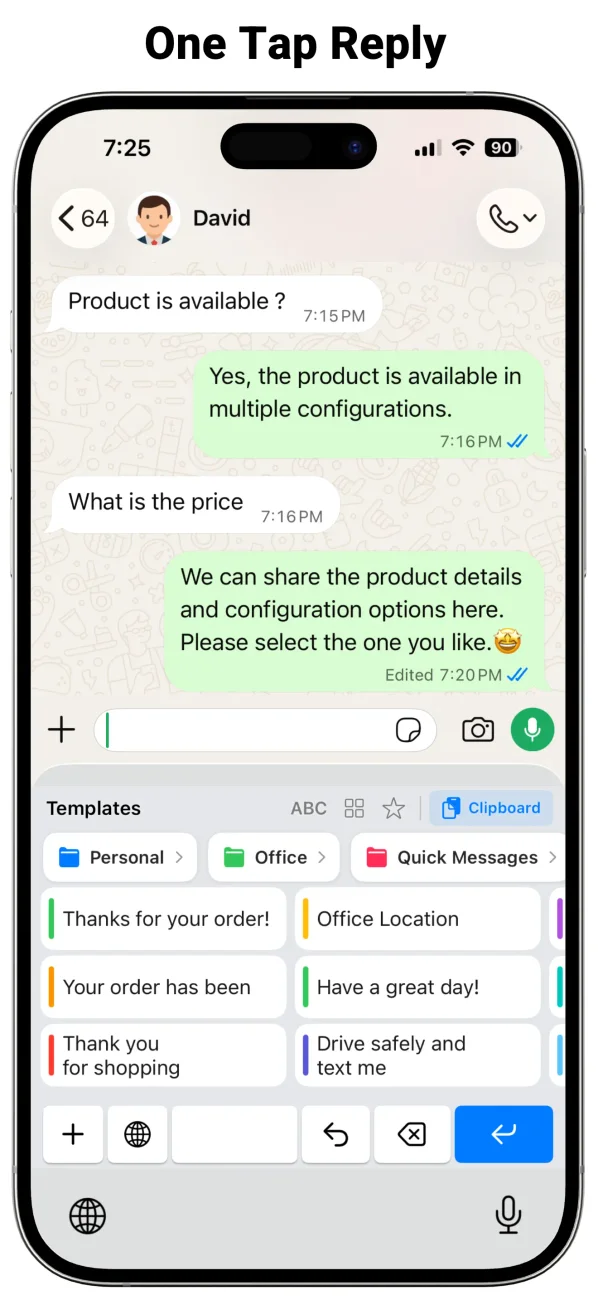
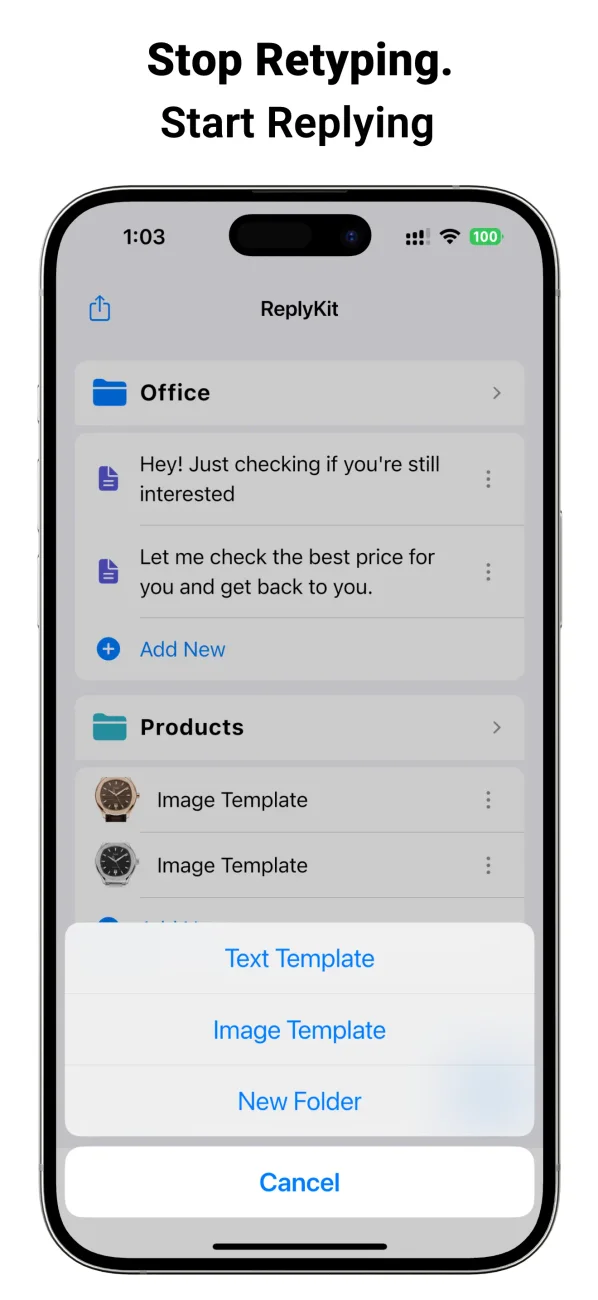
Are you tired of typing the same messages, replies, and emails over and over again? ReplyKit is the ultimate template keyboard app that saves your most-used text templates and reply snippets — so you can respond faster, smarter, and with just one tap.
Whether you're handling customer support, managing business emails, replying to messages, or just tired of retyping the same phrases every day — ReplyKit puts your saved text templates right inside your keyboard. No more copy-pasting. No more retyping. Just tap and send.
WHY CHOOSE REPLYKIT?
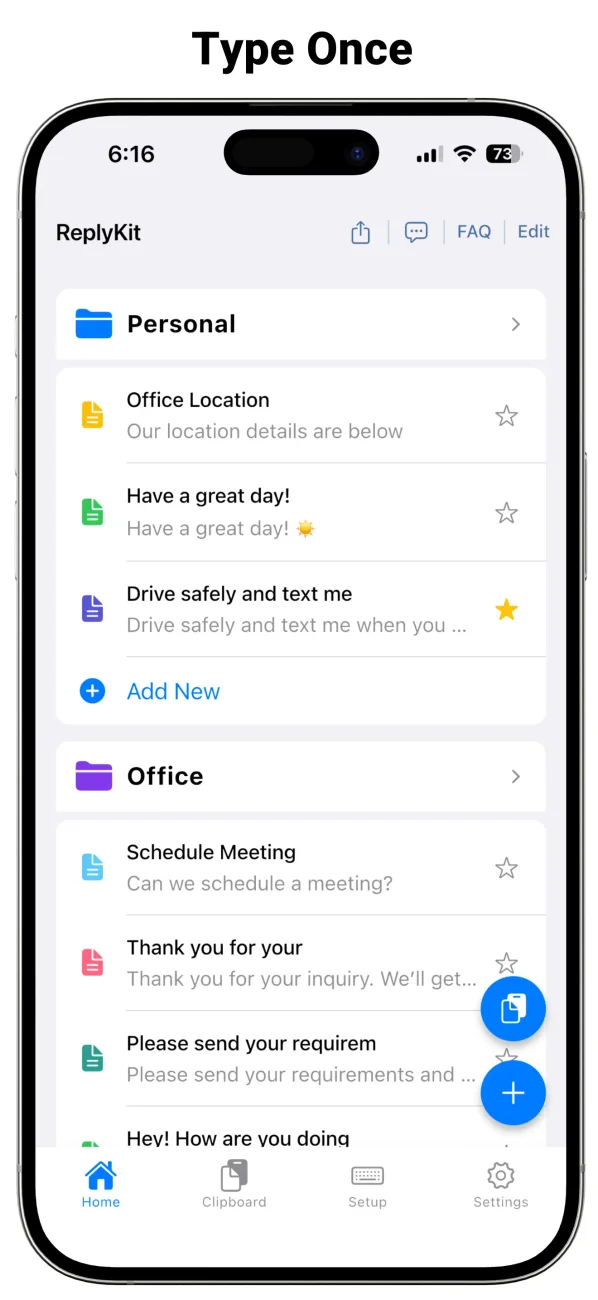
- SAVE ANY TEXT AS A TEMPLATE Create and store unlimited text templates for any situation. From canned responses and email signatures to quick reply messages and saved phrases — organize everything in one place.
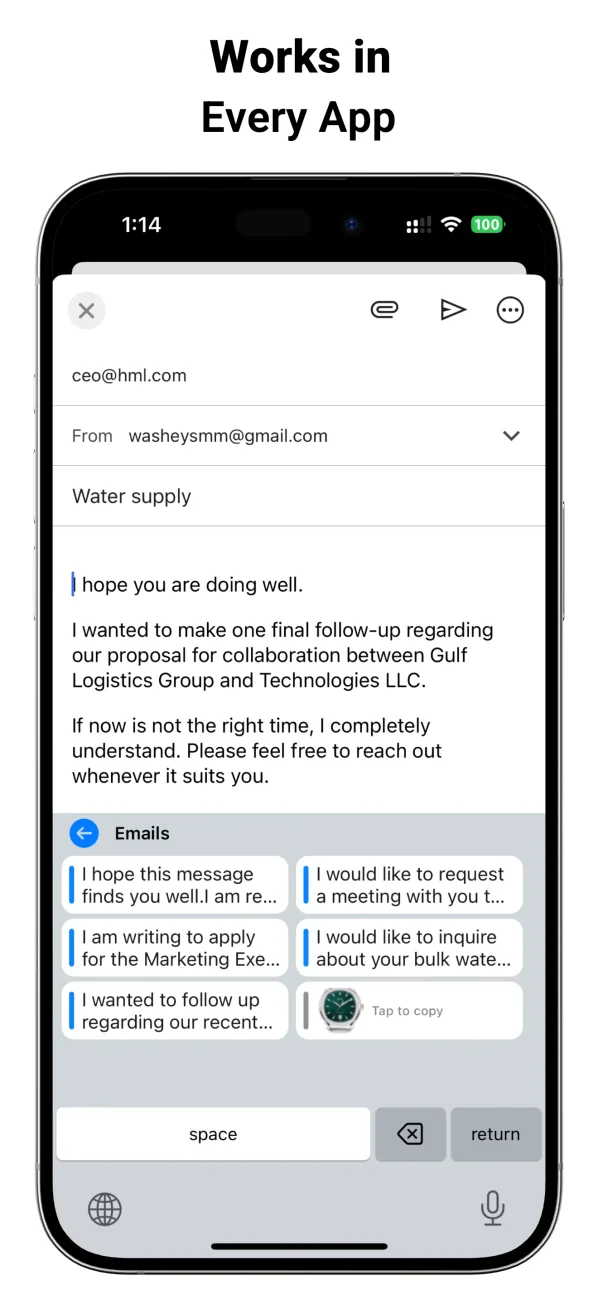
- REPLY IN ONE TAP Access your saved snippets directly from your keyboard in any app. WhatsApp, Gmail, Messages, Instagram, Slack — ReplyKit works everywhere you type.
- CUSTOM KEYBOARD BUILT FOR SPEED ReplyKit adds a powerful custom keyboard extension to your iPhone or iPad. Switch to it instantly while typing and paste any saved template in seconds.
- PERFECT FOR BUSINESS & PERSONAL USE Save time on customer support replies, sales follow-ups, HR responses, email templates, and everyday messaging. ReplyKit is trusted by freelancers, teams, and busy professionals who type the same things daily.
- ORGANIZE YOUR SNIPPETS YOUR WAY Group your text templates into categories. Keep work replies separate from personal messages. Find the right template instantly — no scrolling, no searching.
- WORKS IN EVERY APP .Type faster in Messages, WhatsApp, Gmail, Outlook, Slack, Teams, Instagram, Twitter, and more.
MORE WAYS REPLYKIT SAVES YOUR TIME
ReplyKit is more than a keyboard — it is your personal text expander and message template manager. Save canned responses, email templates, reply snippets, and your most-used phrases just one tap away.
Stop wasting minutes retyping the same messages. Every saved template becomes a keyboard shortcut — type faster, respond smarter, reclaim your time.
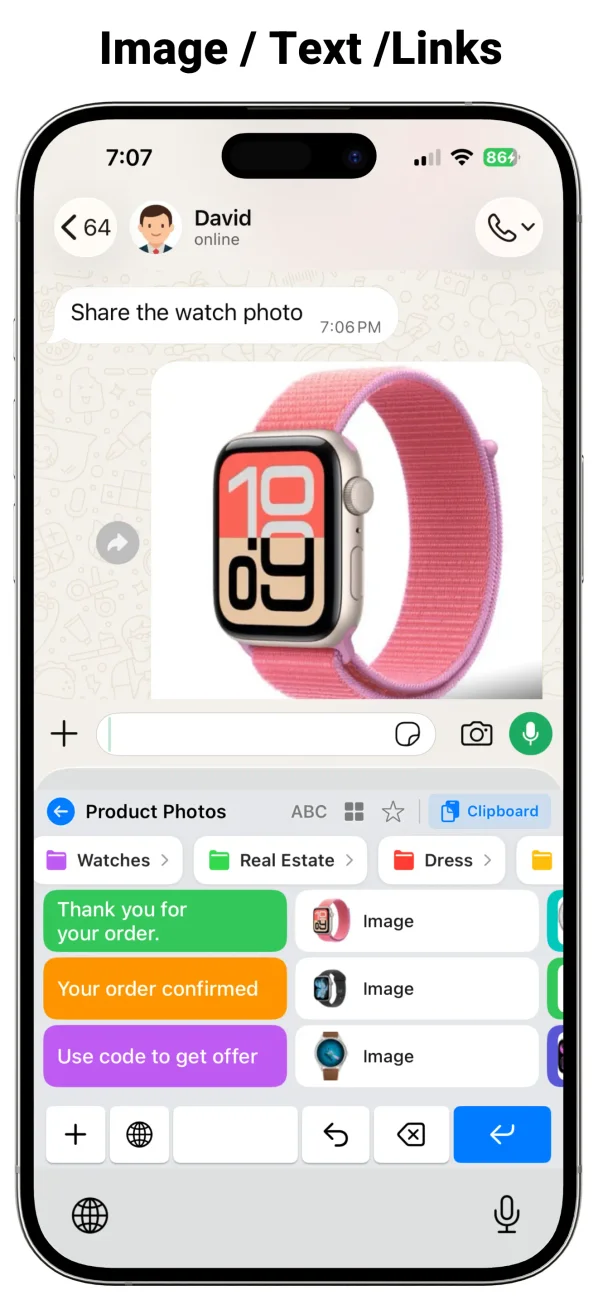
Not just text — ReplyKit supports image templates, image snippets, and image replies. Save logos, product photos, QR codes, or any image you send often and paste in one tap. Send image replies without opening your gallery.
From Gmail and Outlook to WhatsApp, Telegram, and Slack — text snippets, image snippets, and image templates are always ready inside your custom keyboard.
WHO IS REPLYKIT FOR?
- Customer Support Teams — Save canned responses and reply to tickets in seconds
- Sales & Marketing Professionals — Reuse proven email templates and follow-up messages
- Freelancers & Remote Workers — Save time on repetitive emails and client replies
- Social Media Managers — Store reply snippets for comments and messages
- Anyone Who Types the Same Thing Every Day
KEY FEATURES
- Unlimited text templates & reply snippets
- Custom keyboard extension for instant access
- One-tap paste in any app
- Organize templates into categories
- Save email signatures, canned responses & phrases
- Works with all messaging, email & social apps
- Auto text expansion for faster typing
- Clean, simple, easy-to-use interface
- Private & secure — your data stays on your device
STOP RETYPING. START REPLYING
Download ReplyKit today and turn your most-used messages, email templates, and reply snippets into a one-tap keyboard shortcut. Save time, reply faster, and never retype the same message again.
ReplyKit — Template Keyboard. The smarter way to type.
Privacy Policy: https://replykitapp.com/privacy.html
Terms of Use (EULA): https://replykitapp.com/terms.html
What’s new
Version 4.1.1 · Nov 21, 2026
Performance improvements and bug fixes
App privacy
What MUHAMMED RISHAD KAKKIRI declares on the App Store about how this app handles data.
-
Data linked to you
May be collected and linked to your identity.
- Identifiers
Privacy practices may vary, for example with the features you use or your age.
Information
- Seller
- MUHAMMED RISHAD KAKKIRI
- Category
- Productivity
- Version
- 4.1.1
- Updated
- Nov 21, 2026
- Released
- Apr 14, 2026
- Size
- 88.9 MB
- Requires
- iOS 15.6 or later
- Age rating
- 4+
- Price
- Free
- In-app purchases
- Yes
- Languages
- English, Arabic, French, German, Indonesian, Italian, Japanese, Korean, Polish, Portuguese, Russian, Simplified Chinese + 5 more
- Copyright
- © Washey Information Technology
You might also like
-
 Droppp - File TransferJust drag files to your device
-
 PutSpot: Home Item FinderPhotos, Voice Search, QR Tags
-
 JianBox - Local Document ToolScan, sign, lock. No subs.
-
 PinNote - Lock Screen NotesSticky Note Widget & Reminder
-
 Tikku: To Do & Block AppsTasks, Focus & App Blocker
-
 Dayshift: Team Time ZonesFair Meetings for Remote Crews
-
 Handwritten Digital NotesNote Taking, Journal & Lock
-
 Screen Time Control - PausedApp Blocker: Focus Work Study
-
 To Do List Maker - DoneSnapCapture Tasks & Track Routines
-
 LemonLogRepair history & evidence log