RojX: PC Gaming Controller
Your Phone as a PC Gamepad
Designed for iPhone, iPad, iPod touch
Free
- Age rating4+
- CategoryUtilities
- DeveloperRahel Ali
- LanguagesEnglish
- Size28.1 MB
Links to the official App Store page
Download.org hosts no file of RojX: PC Gaming Controller. The button opens its official App Store page, published by Rahel Ali. Listing last checked on Nov 13, 2026.
Screenshots

About
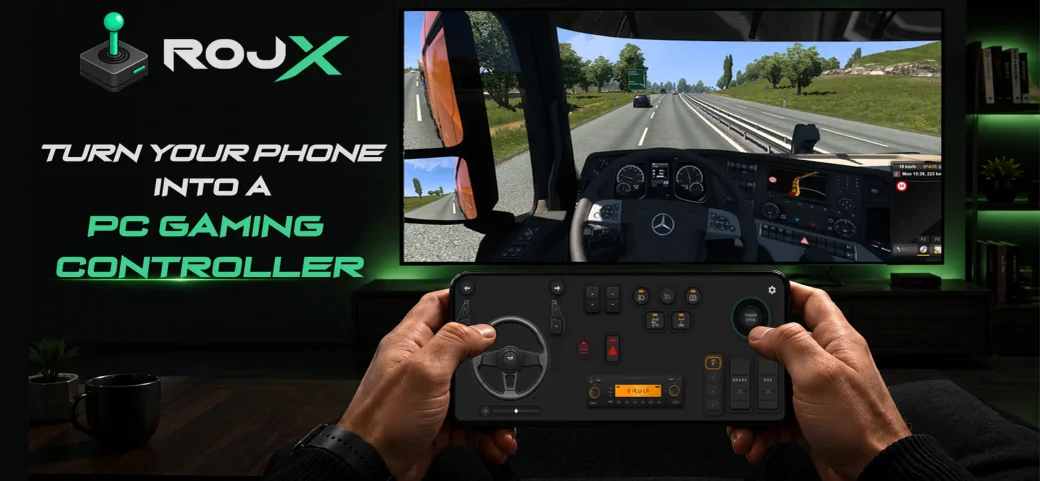
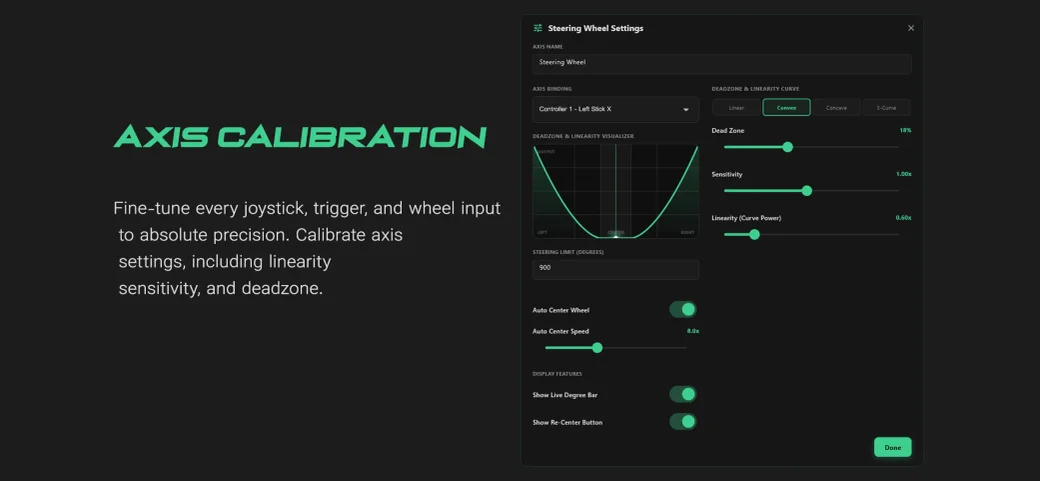
RojX connects your mobile device directly to your Windows PC over local WiFi, providing an ultra-low latency, responsive input layout that you can design and configure yourself. Whether you are driving heavy trucks, racing on professional tracks, or playing classic games, RojX gives you full control.
- VIRTUAL STEERING WHEEL & TILT CONTROLS
Ditch the keyboard and steer like a pro.
• Gyroscope Steering: Use your phone's tilt sensors for highly precise, realistic horizontal tilt steering.
• Gyroscope Pedals: Use vertical tilt to control your gas and brake inputs dynamically.
• Virtual Steering Wheel: Interact with an on-screen wheel featuring visual rotation feedback.
• Responsive Pedals: Play with analog-style visual throttle and brake pedals for smooth acceleration and braking.
- FULLY CUSTOMIZABLE BUTTON BOX & DASHBOARDS
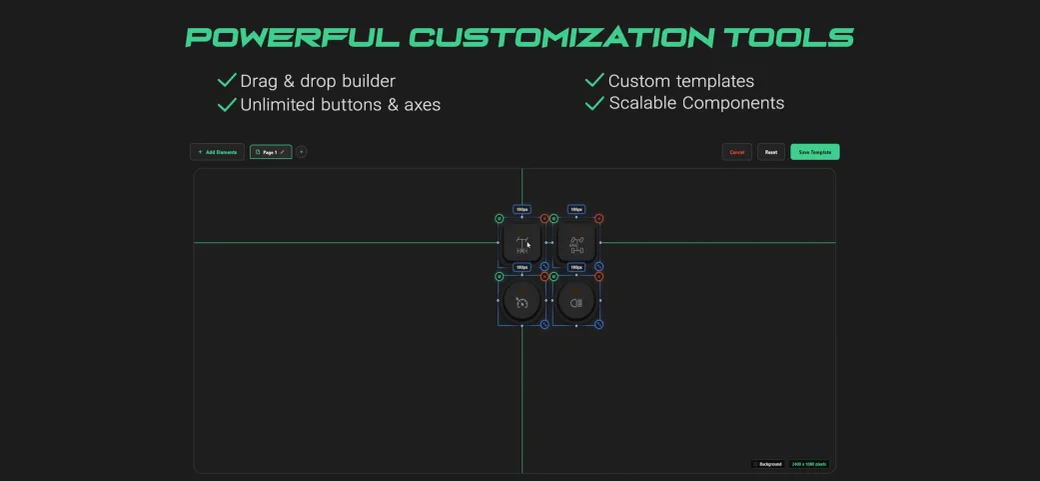
Build your dream gaming layout by placing controls exactly where you want them.
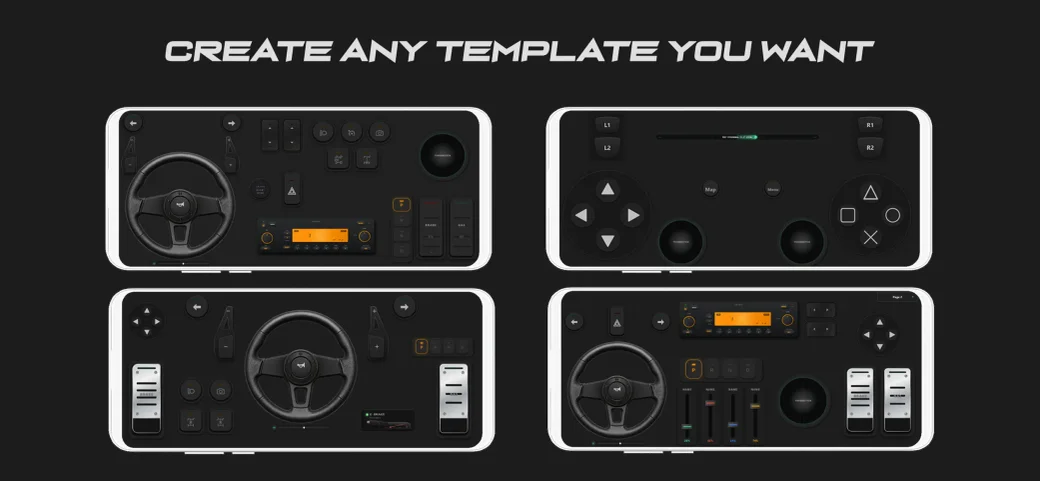
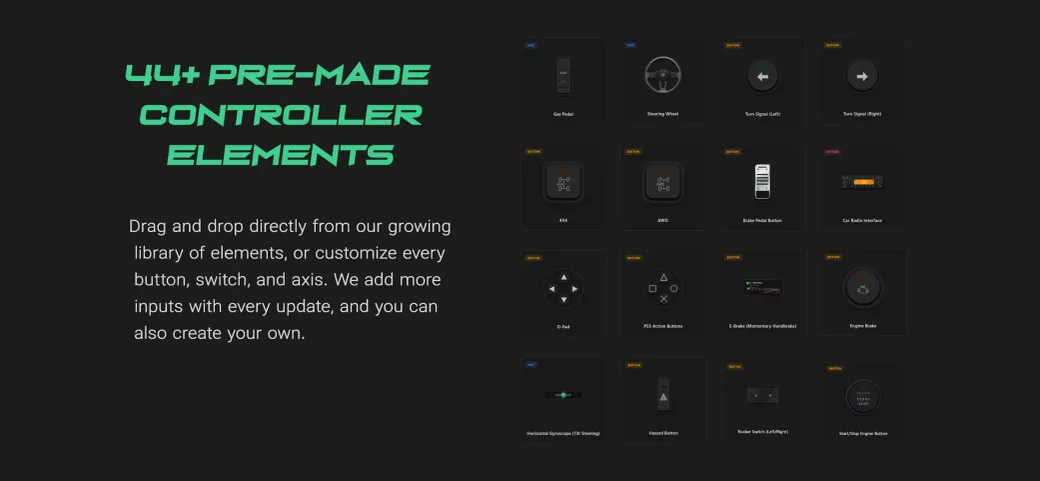
• Drag-and-Drop Elements: Mix and match buttons, rocker switches, sliders, custom axes, analog joysticks, and classic game pads.
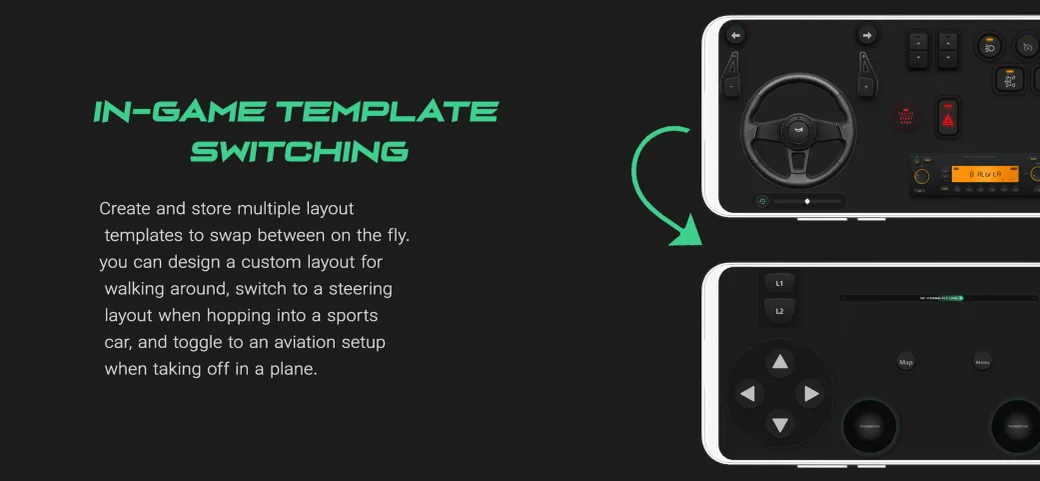
• Multi-Page Layouts: Create different control pages and switch between them on the fly using the Page Switcher.
• Custom PS5 & Xbox Bindings: Emulate classic action buttons, D-pads, and L1/L2/R1/R2 shoulder buttons.
- ADVANCED SIMULATOR & TRUCK CONTROLS
Perfect for simulation games like Euro Truck Simulator 2, American Truck Simulator, SnowRunner, and MudRunner:
• Drivetrain & Differential: Quick-toggle switches for AWD, 4x4, Center Diff Lock, Front Diff Lock, and Rear Diff Lock.
• Driving Aids: Dedicated controls for Cruise Control, Traction Control, and Hill Start Assist.
• Lights & Horn: Realistic toggles for Headlights, High Beams, Fog Lights, Hazards, Left/Right Turn Signals, and Horn.
• Truck Specifics: Lift Axle switch, Engine Start/Stop ignition, and horizontal/vertical Gear Shifters and Paddle Shifters.
- ULTRA-LOW LATENCY & EASY SETUP
Our connection is designed for gaming. Running on a fast local UDP protocol, your inputs register with zero noticeable lag.
1. Download and install the free companion RojX Receiver on your Windows PC from: https://rojx.io
2. Make sure your PC and phone are connected to the same local WiFi network.
3. Open the RojX app and scan the QR code displayed on your PC screen to connect instantly.
4. Set up Xbox 360 controller emulation or feed inputs directly into vJoy.
- IDEAL GAMES FOR ROJX:
• Truck Simulators: Euro Truck Simulator 2 (ETS2), American Truck Simulator (ATS), Farming Simulator.
• Off-Road Simulators: SnowRunner, MudRunner, BeamNG.drive.
• Racing & Driving: Assetto Corsa, Forza Horizon, Dirt Rally, F1 Series, Grand Theft Auto V (GTA 5).
• Flight Simulators & Space Simulators.
- Inclusive & Adaptive Gaming
RojX isn't just a controller; it's a powerful accessibility tool. By mapping pedals, steering, and complex dashboards entirely to your device's screen, RojX empowers gamers with physical disabilities to fully experience driving and flight simulators using only their hands.
Get ready to take full control of your simulator experience!
IMPORTANT: This is a companion app. To use RojX, you must download the free RojX onto your Windows PC. Both devices must be connected to the same Wi-Fi network.
What’s new
Version 1.0.28 · Oct 10, 2026
Improving the user interface and incorporating some new features.
App privacy
What Rahel Ali declares on the App Store about how this app handles data.
-
Data not linked to you
May be collected but is not linked to your identity.
- Identifiers
- Usage data
- Diagnostics
Privacy practices may vary, for example with the features you use or your age.
Information
- Seller
- Rahel Ali
- Category
- Utilities
- Version
- 1.0.28
- Updated
- Oct 10, 2026
- Released
- Jul 2, 2026
- Size
- 28.1 MB
- Requires
- iOS 15.0 or later
- Age rating
- 4+
- Price
- Free
- Languages
- English
- Copyright
- RojX 2026 ©
You might also like
-
 Virtual Steering ControllerTurn Phone Into PC Controller
-
 Gamepad Pro – Remote for PCPhone as PC Game Controller
-
 Lose Control: PC ControllerYour phone as a PC controller
-
 PadLink RemoteTurn your phone into a gamepad
-
 GyroBridgeSimple Gyro Steering Tool
-
 V-Pad: Virtual GamepadYour phone is the gamepad
-
 TruckSim GPS - ETS2 & ATS MapTruck Sim Voice Navigation
-
 Phone ControllerWireless Gamepad for Windows
-
 TapDeck - PC ControllerThe Ultimate Touch Controller
-
 iKontrollerControl your Mac like a Pro!