
- Age rating4+
- CategoryProductivity
- DeveloperChristian Faur
- LanguagesEnglish
- Size10.5 MB
Links to the official App Store page
Download.org hosts no file of RoomSlate. The button opens its official App Store page, published by Christian Faur. Listing last checked on Nov 12, 2026.
Screenshots


About
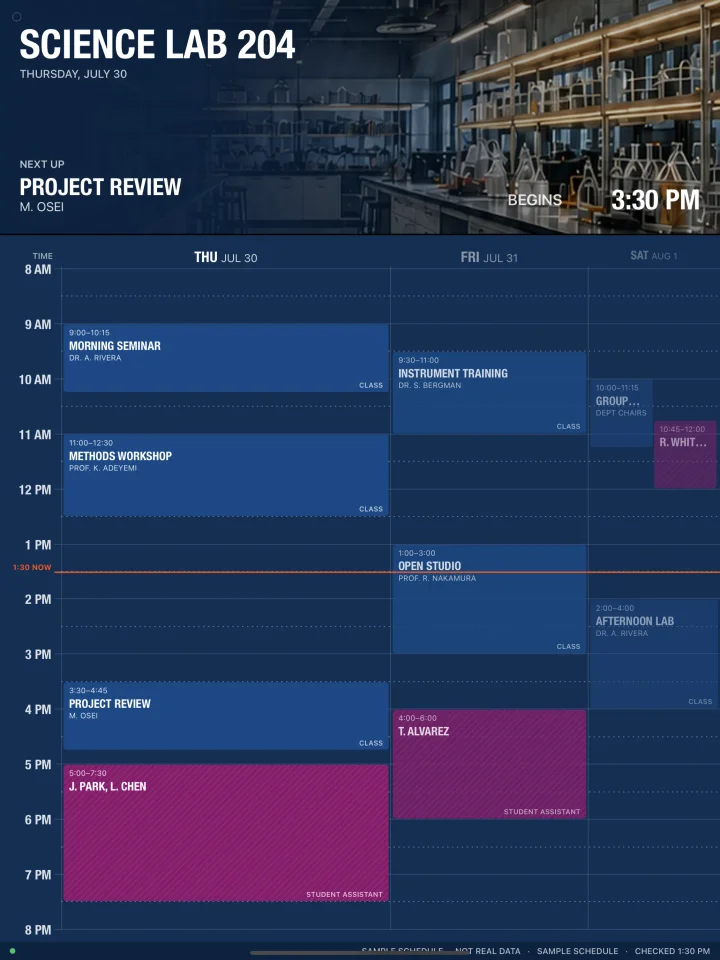
Room Slate turns an iPad into a clear, always-on display for any room — a classroom, lab, studio, meeting room, or workshop.
It is completely free. No subscription, no account, no ads, and nothing is collected.
REPURPOSE AN IPAD YOU ALREADY OWN
Room Slate runs on iOS 12 and later, so an iPad that is too old for much else is ideal for this. Mount it by the door, plug it in, and it earns its keep again.
SIMPLE TO SET UP
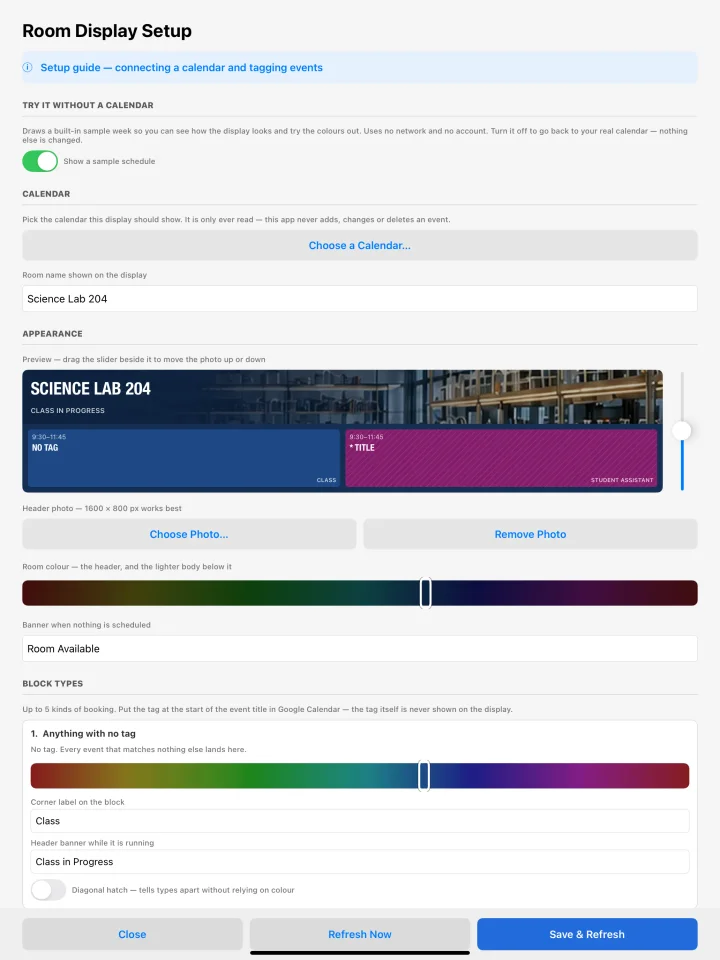
Add the room's calendar to the iPad once in the Settings app — Google, iCloud, Outlook, Microsoft 365, Exchange, or any subscribed feed. Open Room Slate, pick that calendar from a list, and name the room. That is the whole setup. There is no server, no script, and no service to sign up for.
READS YOUR CALENDAR, NEVER CHANGES IT
The app only ever reads. It cannot add, edit, or delete an event, so it is safe to point at a calendar other people rely on.
ON THE DISPLAY
• What is happening right now, and the time it ends
• Today plus the next two days, side by side
• A live "now" line across the schedule
• Your room's name, your colour, and a photo of the space
COLOUR-CODE DIFFERENT KINDS OF BOOKING
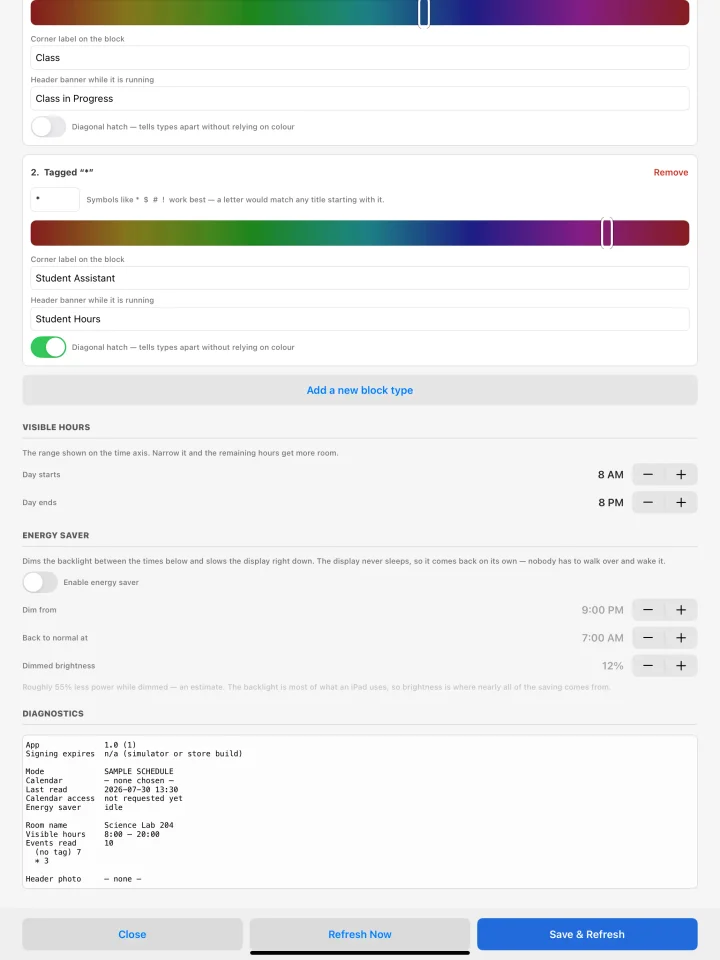
Define up to five block types. Put a tag such as * or # at the start of an event title and that booking gets its own colour, its own corner label, and its own header wording — "Class in Progress", "Student Hours", "Maintenance", whatever fits. The tag itself never appears on screen.
BUILT TO STAY ON A WALL
• Energy saver dims the screen overnight and brings it back by itself — it never sleeps
• Choose the hours shown, so a 9-to-6 room does not waste space on empty mornings
• Works with Guided Access, so nobody wanders off into other apps
• A plain "last checked" readout tells you at a glance whether the display is healthy
NO ACCOUNT, NO DATA COLLECTION
There is no login, no analytics, and no tracking. Everything stays on the iPad.
Want to see it first? Switch on the sample schedule in Setup — it needs no calendar and no network at all.
App privacy
What Christian Faur declares on the App Store about how this app handles data.
-
Data not collected
The developer does not collect any data from this app.
Privacy practices may vary, for example with the features you use or your age.
Information
- Seller
- Christian Faur
- Category
- Productivity
- Version
- 1.0
- Updated
- Aug 13, 2026
- Released
- Aug 13, 2026
- Size
- 10.5 MB
- Requires
- iOS 12.0 or later
- Age rating
- 4+
- Languages
- English
- Copyright
- © 2026 Christian Faur
You might also like
-
 HoldspaceSave now. Return when ready.
-
 RemindMe! - Dementia CalendarSimple Calendar & Reminders
-
 Plandy: Calendar & TasksReminders by title, not dots
-
 Voice Recorder Meeting NotesRecord, transcribe, summarize
-
 3D Model Viewer: STL & USDZView 3D USDZ and CAD STL, PLY
-
 OptiSigns Digital SignageDigital Signage made simple
-
 WebWatch: Website MonitorPrice Drops & Change Alerts
-
 Simple Whiteboard by QrayonA whiteboard that just works
-
 Meeting OwlHybrid Technology
-
 Make for iOSProductivity