- Age rating4+
- CategoryProductivity
- DeveloperLars Oertel
- LanguagesEnglish+ 4 more
- Size7.7 MB
Links to the official App Store page
Download.org hosts no file of RoomTrace. The button opens its official App Store page, published by Lars Oertel. Listing last checked on Nov 24, 2026.
Screenshots

About
RoomTrace helps you scan rooms and keep floor plans on your device. Use it to plan a move, try furniture layouts, document a renovation, or keep a record of a room for later.
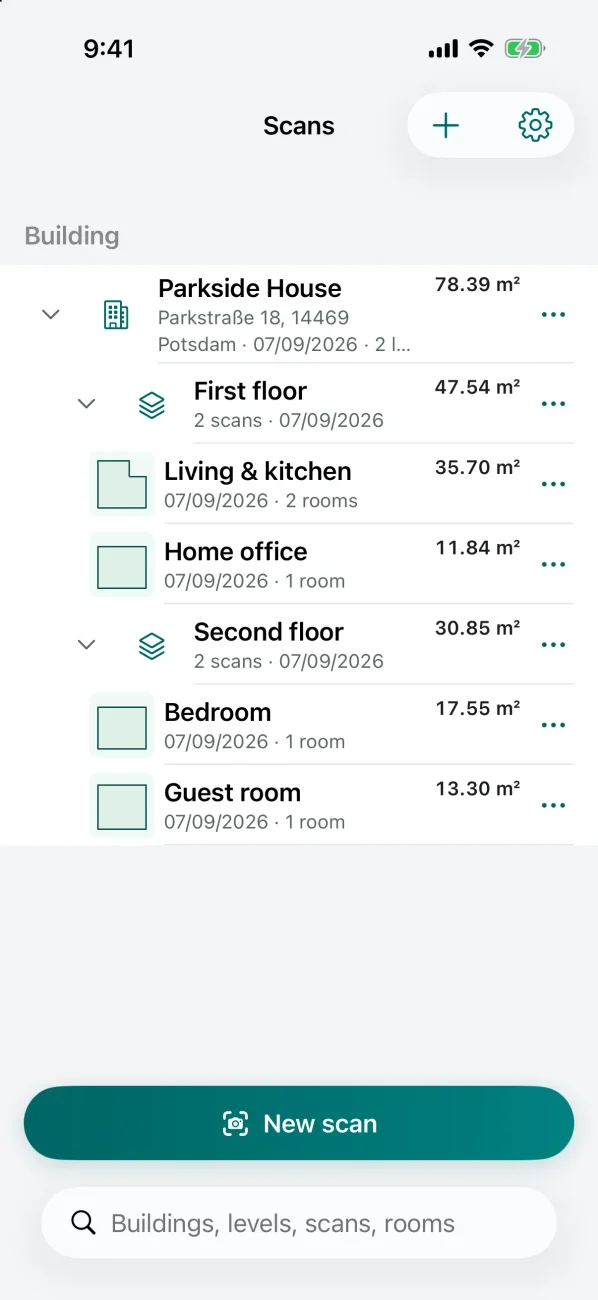
With Apple RoomPlan on a LiDAR-capable iPhone or iPad, you can scan several rooms in succession and save them together. Search for a building, level, scan, or room from the overview.
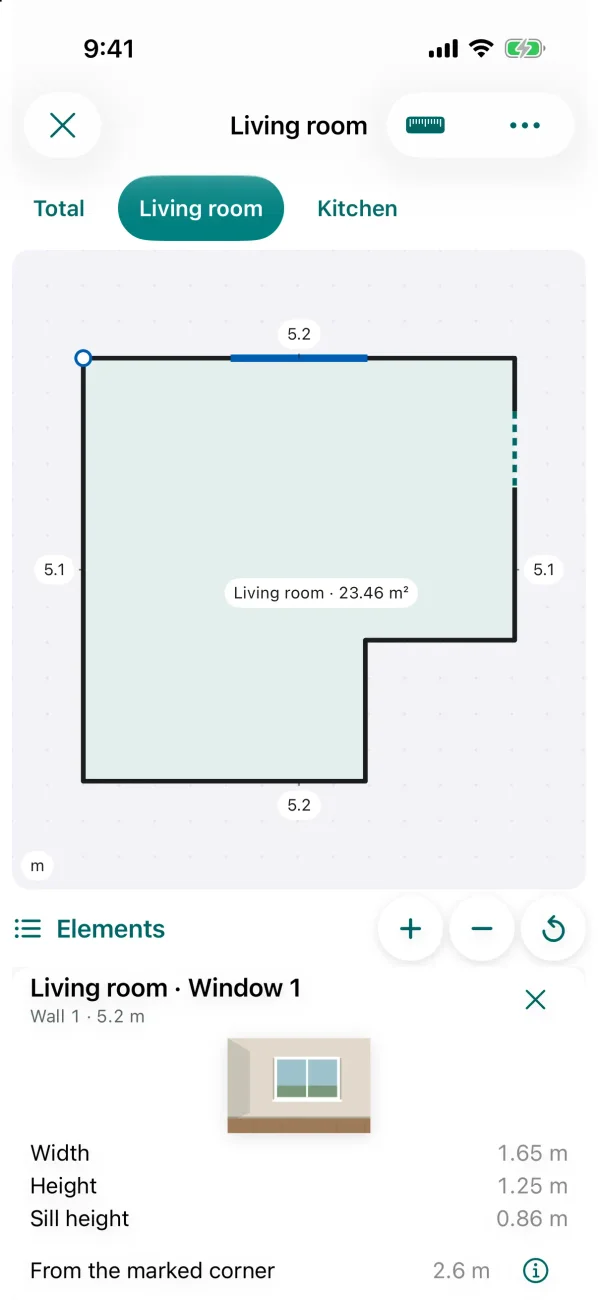
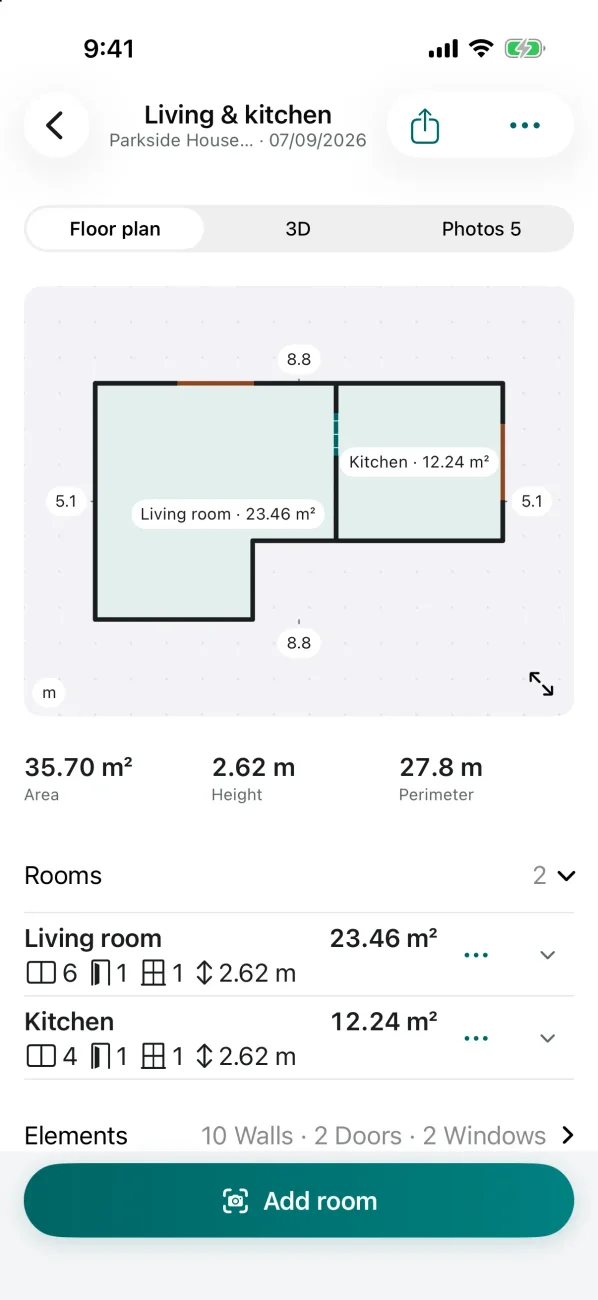
- Tap a wall to see its length and height. Tap a door or window to see its width, height, and the distance from the marked corner to the center of the opening, when the wall is identified.
- Rename or split rooms. Place separately scanned rooms on the 2D floor plan.
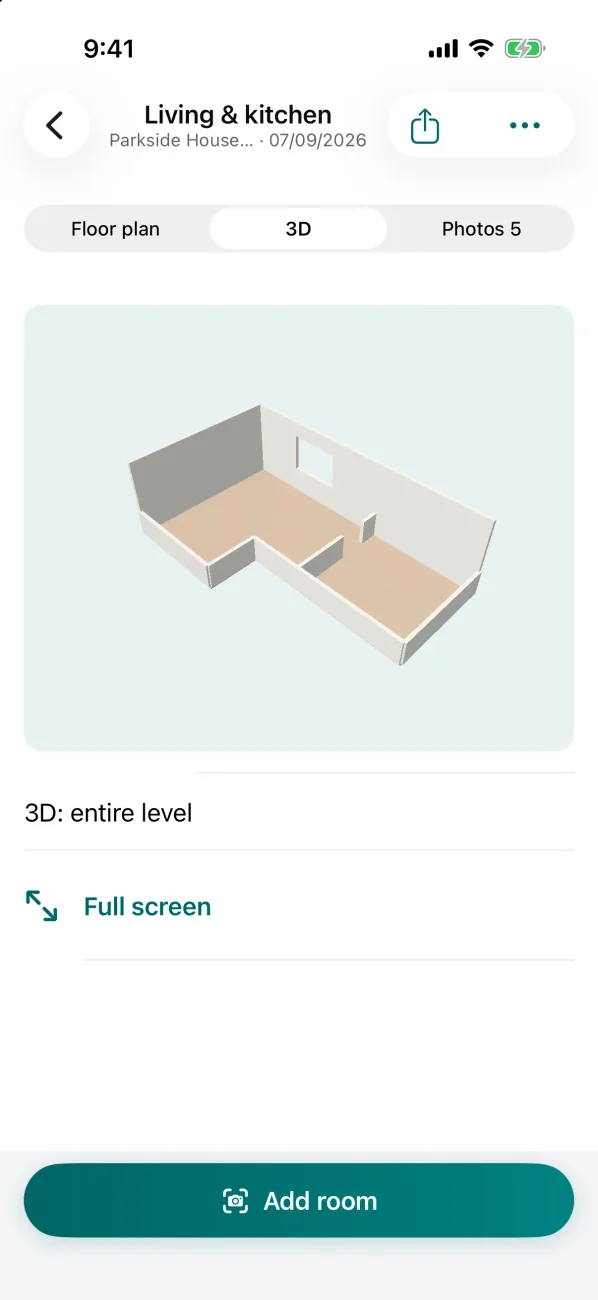
- Rotate 3D models in the app when one is available. When you scan more than one room, you can view the whole level if a combined model is available.
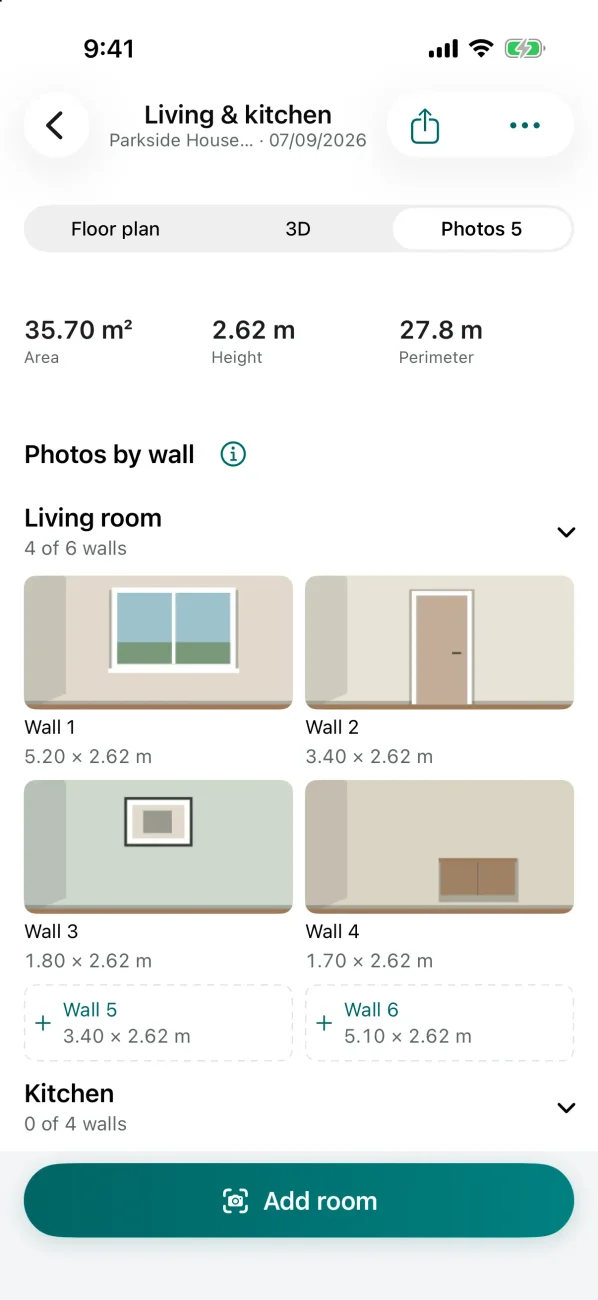
- View photos by wall and use the camera to add or replace them.
- Export PDF, DXF, JSON, or USDZ when they’re available, and share them from your iPhone or iPad. The measurements included in PDF, DXF, and JSON match those shown in the app. USDZ is the 3D model, when one exists.
- Get help from the info icons, use dark mode, and find the spirit level under “Sensors and accuracy”.
RoomTrace processes scans, photos, and sensor readings on your device, without an account, a RoomTrace cloud, ads, tracking, or in-app cookies. Location access is optional and is used for sensor readings and to estimate elevation and north at the start of a scan. You choose when to export or share files.
Scanning requires a LiDAR-capable iPhone or iPad. Results depend on the room, lighting, and capture conditions. Use RoomTrace for planning and documentation.
What’s new
Version 2.0 · Nov 21, 2026
- Find buildings, levels, scans, and rooms in one searchable overview.
- Tap walls, doors, and windows in the floor plan to see their measurements.
- Rename and split rooms, or place separately scanned rooms on the plan.
- Follow one instruction at a time while scanning.
- Rotate 3D models in the app when one is available, and view a whole level when a combined model is available.
- Browse photos by wall and add or replace them.
- Share PDFs, and export DXF, JSON, and USDZ when they’re available.
- Use the spirit level and dark mode, and tap the info icons for help.
App privacy
What Lars Oertel declares on the App Store about how this app handles data.
-
Data not collected
The developer does not collect any data from this app.
Privacy practices may vary, for example with the features you use or your age.
Information
- Seller
- Lars Oertel
- Category
- Productivity
- Version
- 2.0
- Updated
- Nov 21, 2026
- Released
- May 6, 2026
- Size
- 7.7 MB
- Requires
- iOS 18.0 or later
- Age rating
- 4+
- Price
- Free
- Languages
- English, French, German, Italian, Spanish
- Copyright
- © 2026 Lars Oertel
You might also like
-
 Tasklo: RemindersTasks, To-Do & Daily Planner
-
 Reopen in PrivateReopens tab it in private
-
 PaperCalAesthetic calendar & widgets
-
 LiDAR Room Scanner Floor Plan3D Model Blueprint Measure
-
 PDF Scanner: Jetrise SnapPDFScan, Sign, Compress & Convert
-
 CamoCopy - Ask AI anythingPrivacy-First AI Assistant
-
 Animatoon ProEasy Voxel Animation
-
 Count Down: Day CountBirthday & Event Tracker
-
 Pure Pomodoro: Focus TimerConcentrate & Study Timer