- 対象年齢4+
- カテゴリ仕事効率化
- 開発元Lars Oertel
- 言語英語ほか4言語
- サイズ7.7 MB
App Storeの公式ページにリンクしています
Download.orgはRoomTraceのファイルを一切ホストしていません。ボタンを押すと、Lars Oertelが公開しているApp Storeのアプリページが開きます。ページの最終確認:2026/11/24。
スクリーンショット

概要
開発元はこのテキストをお使いの言語で提供していません。
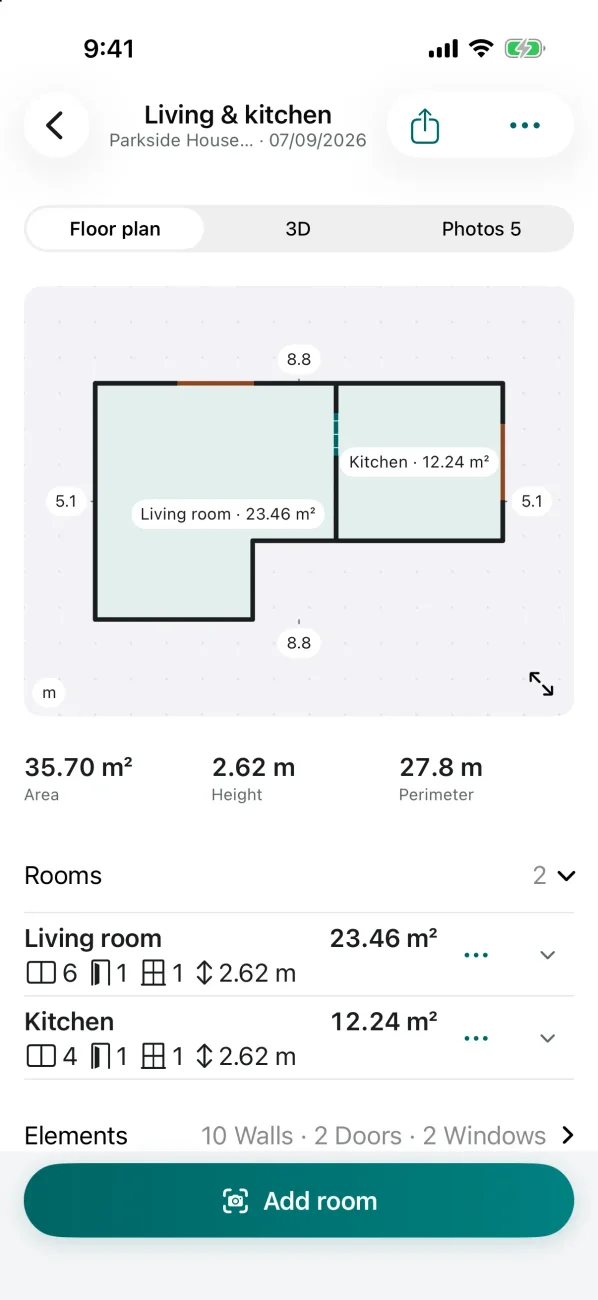
RoomTrace helps you scan rooms and keep floor plans on your device. Use it to plan a move, try furniture layouts, document a renovation, or keep a record of a room for later.
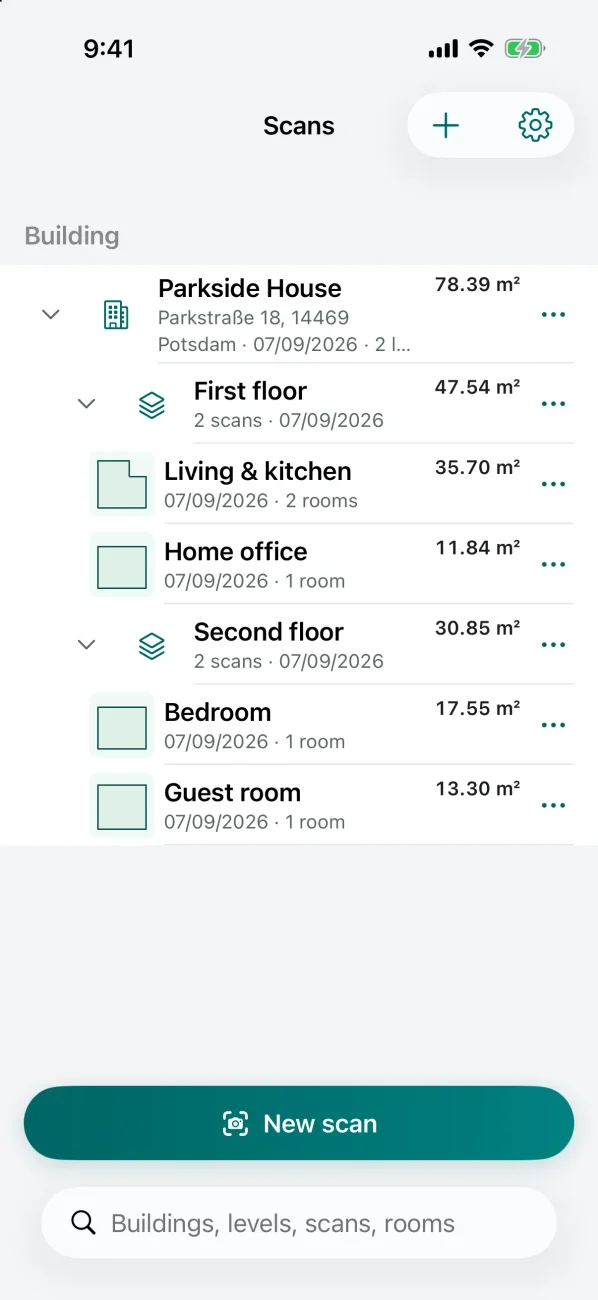
With Apple RoomPlan on a LiDAR-capable iPhone or iPad, you can scan several rooms in succession and save them together. Search for a building, level, scan, or room from the overview.
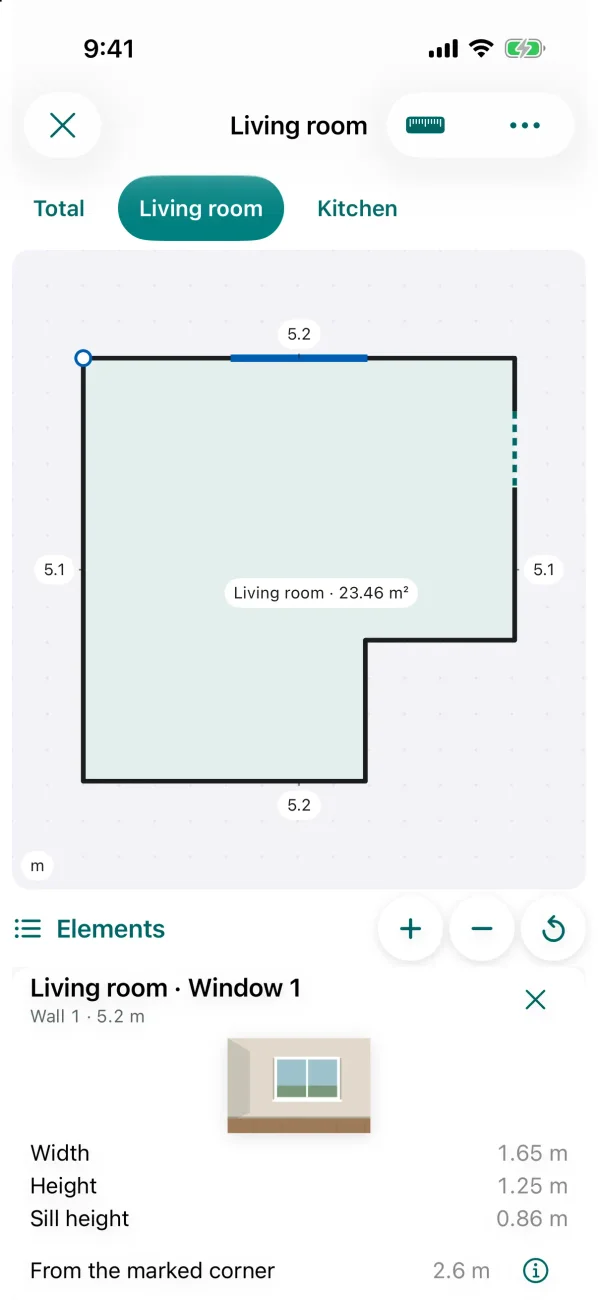
- Tap a wall to see its length and height. Tap a door or window to see its width, height, and the distance from the marked corner to the center of the opening, when the wall is identified.
- Rename or split rooms. Place separately scanned rooms on the 2D floor plan.
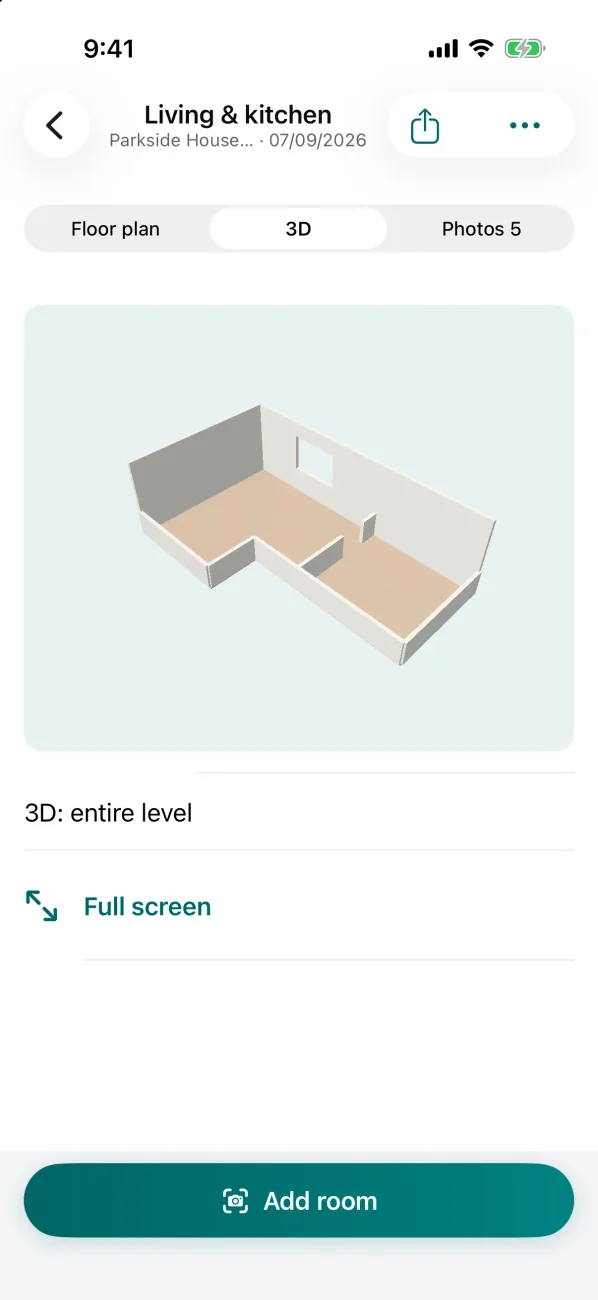
- Rotate 3D models in the app when one is available. When you scan more than one room, you can view the whole level if a combined model is available.
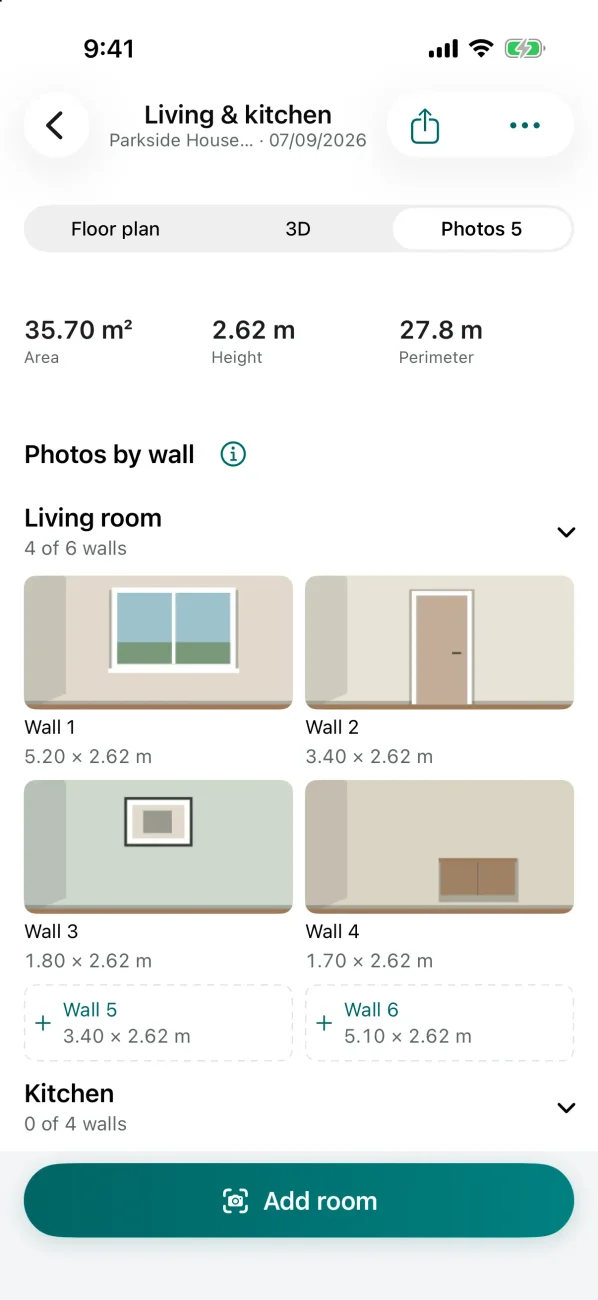
- View photos by wall and use the camera to add or replace them.
- Export PDF, DXF, JSON, or USDZ when they’re available, and share them from your iPhone or iPad. The measurements included in PDF, DXF, and JSON match those shown in the app. USDZ is the 3D model, when one exists.
- Get help from the info icons, use dark mode, and find the spirit level under “Sensors and accuracy”.
RoomTrace processes scans, photos, and sensor readings on your device, without an account, a RoomTrace cloud, ads, tracking, or in-app cookies. Location access is optional and is used for sensor readings and to estimate elevation and north at the start of a scan. You choose when to export or share files.
Scanning requires a LiDAR-capable iPhone or iPad. Results depend on the room, lighting, and capture conditions. Use RoomTrace for planning and documentation.
新機能
バージョン 2.0 · 2026/11/21
- Find buildings, levels, scans, and rooms in one searchable overview.
- Tap walls, doors, and windows in the floor plan to see their measurements.
- Rename and split rooms, or place separately scanned rooms on the plan.
- Follow one instruction at a time while scanning.
- Rotate 3D models in the app when one is available, and view a whole level when a combined model is available.
- Browse photos by wall and add or replace them.
- Share PDFs, and export DXF, JSON, and USDZ when they’re available.
- Use the spirit level and dark mode, and tap the info icons for help.
アプリのプライバシー
このアプリのデータの取り扱いについて、Lars OertelがApp Storeで申告している内容です。
-
データの収集なし
開発元はこのアプリからデータを収集しません。
プライバシーの取り扱いは、ご利用の機能やお客様の年齢などに応じて異なる場合があります。
情報
- 販売元
- Lars Oertel
- カテゴリ
- 仕事効率化
- バージョン
- 2.0
- 更新日
- 2026/11/21
- リリース
- 2026/5/6
- サイズ
- 7.7 MB
- 必要条件
- iOS 18.0以降
- 対象年齢
- 4+
- 価格
- 無料
- 言語
- 英語, フランス語, ドイツ語, イタリア語, スペイン語
- 著作権
- © 2026 Lars Oertel